1. Mawu Oyamba
This manual provides essential information for setting up, operating, maintaining, and troubleshooting your NIMO 15.6-inch Laptop N152. Please read this manual thoroughly before using your device to ensure proper functionality and longevity.

Image 1.1: NIMO 15.6-inch Laptop, top-down view.
2. Kukhazikitsa
2.1 Unboxing ndi Kuyang'ana Koyamba
Carefully remove all components from the packaging. Verify that all items listed in the 'What's in the Box' section (Section 6) are present and undamaged. If any items are missing or damaged, contact customer support.
2.2 Charging the Laptop
Before first use, fully charge your NIMO laptop. Connect the provided 65W USB-C PD Fast Charger to the laptop's USB-C port and then to a power outlet. The charging indicator light will illuminate. A 15-minute charge provides approximately 2 hours of use.

Image 2.1: The 65W USB-C PD Fast Charger can charge multiple devices.
2.3 Kuyatsa ndi Kusintha Koyamba
Press the power button to turn on the laptop. Follow the on-screen instructions to complete the Windows 11 Home setup, including language selection, network connection, and user account creation. You can set up the fingerprint reader during this process for secure login.
3. Malangizo Ogwiritsira Ntchito
3.1 Kiyibodi ndi Touchpad
The NIMO N152 features an ergonomic backlit keyboard. To adjust the backlight brightness or toggle it on/off, use the dedicated function keys (Fn + F-key combination, refer to keyboard legends). The touchpad supports multi-touch gestures for enhanced navigation.
3.2 Zowerenga Zala Zala
The fingerprint reader is integrated into the touchpad for secure and instant login. Once configured, simply place your registered finger on the sensor to unlock your device.
3.3 Zowonetsera
The 15.6-inch Full HD (1920x1080) IPS anti-glare display offers clear visuals. The 180° hinge allows the screen to lay completely flat, useful for sharing content or collaborating.

Image 3.1: The 180° lay-flat hinge for versatile viewndi.
3.4 Kulumikizana
The laptop is equipped with various ports for external devices:
- Madoko a USB 3.0: Kutumiza deta mwachangu kwambiri.
- USB 2.0 Doko: Kwa zida zokhazikika za USB.
- HDMI: Lumikizani ku zowonetsera zakunja kapena mapulojekitala.
- Type-C Ports: Kwa kulipiritsa ndi kusamutsa deta.
- Micro SD Reader: Kukulitsa malo osungira kapena kusamutsa files kuchokera ku memori khadi.
- Audio Jack: Kwa mahedifoni kapena ma speaker akunja.
- Kensington Lock: For physical security.
Chithunzi 3.2: Mbali view of the NIMO laptop showing available ports.
For wireless connectivity, the laptop supports Wi-Fi 6 for stable, high-speed internet and Bluetooth 5.2 for connecting wireless peripherals.
4. Zofunika Kwambiri
4.1 Kuchita
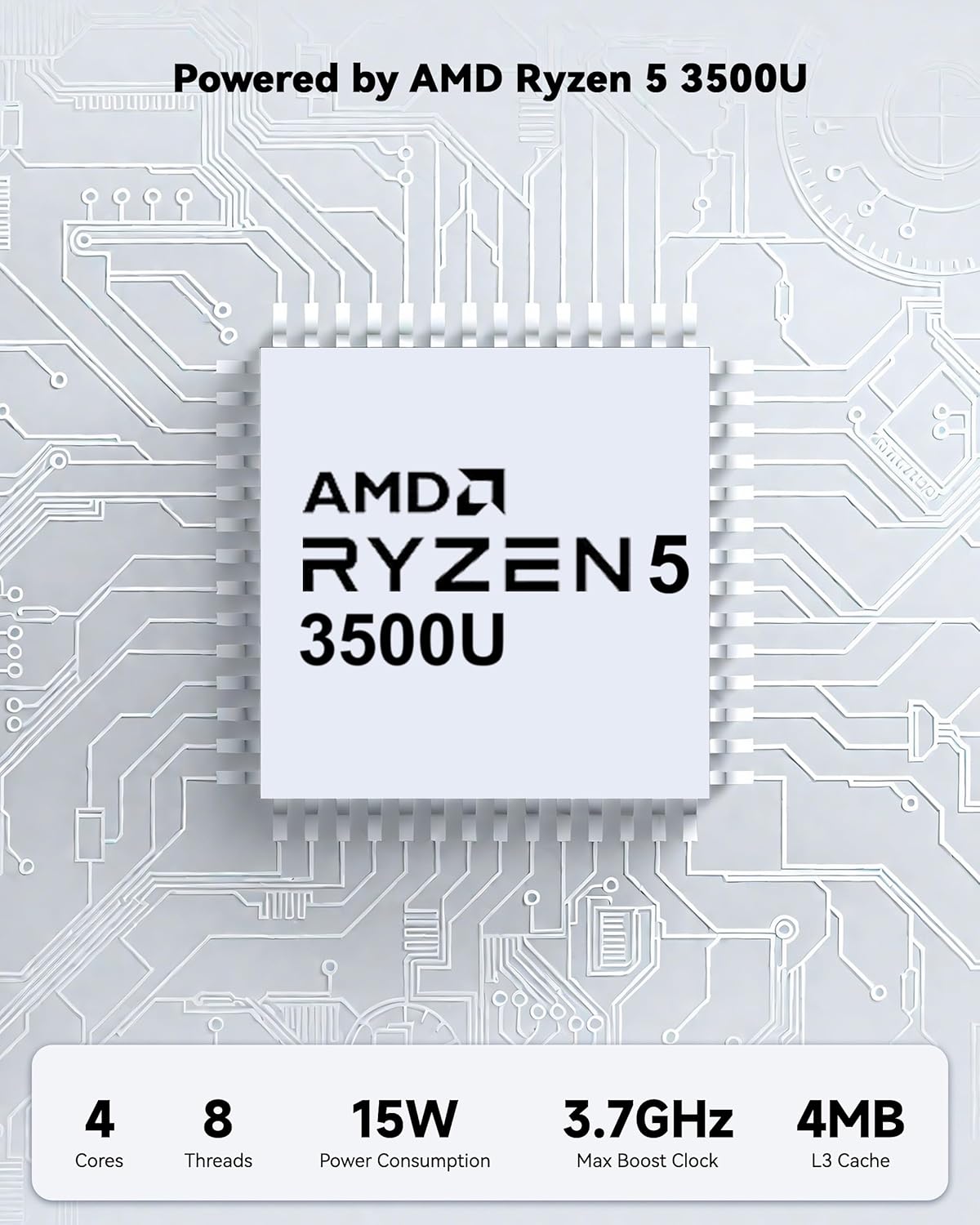
Powered by an AMD Ryzen 5 processor with 4 cores up to 3.7GHz and 16GB DDR4 RAM, the NIMO N152 is designed for efficient multitasking. The 512GB PCIe SSD ensures fast boot-ups and quick file transfers. The RAM is upgradable for future needs.

Image 4.1: AMD Ryzen 5 processor details.
4.2 Visuals and Audio
The 15.6-inch Full HD (1920x1080) IPS anti-glare display provides vibrant visuals with an 85% screen-to-body ratio. The integrated 2MP webcam allows for clear video calls.
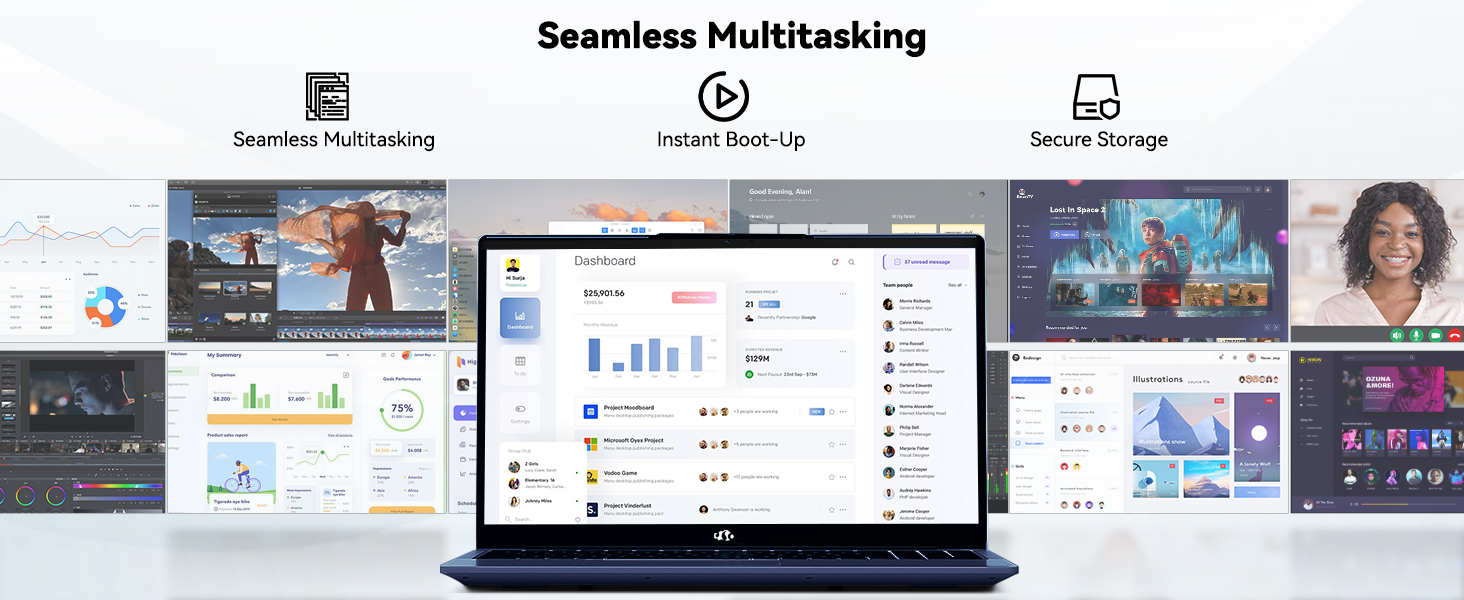
Image 4.2: The laptop's stunning Full HD display.

Image 4.3: The 1080p FHD camera for clear video conferencing.
4.3 Moyo wa Battery
The laptop features a 54WH battery with smart battery optimization for extended lifespan and efficient power control, providing approximately 9 hours of average battery life.

Image 4.4: Smart Battery Optimization features.
4.4 Design and Portability
The NIMO N152 has a durable metal A-shell and a slim, lightweight design, weighing approximately 3.75 pounds.

Image 4.5: The NIMO laptop's lightweight and slim profile.
4.5 Zogulitsa Zathaview Kanema
Kanema 4.1: Woyang'anira wamkuluview of the NIMO 15.6-inch laptop, highlighting its features and design.
4.6 Power and Portability Video
Video 4.2: This video demonstrates the power and portability aspects of the NIMO 15.6-inch laptop.
5. Kusamalira
5.1 Kuyeretsa
- Gwiritsani ntchito nsalu yofewa, yopanda utoto kuti muyeretse chophimba ndi kunja.
- Kwa smudges zolimba, pang'ono dampPakani nsalu ndi madzi kapena chotsukira chosateteza ku chivundikiro.
- Avoid harsh chemicals, abrasives, or solvents.
- Keep vents clear of dust and debris to ensure proper airflow.
5.2 Kusamalira Battery
- Pewani kuthimitsa batire pafupipafupi.
- Sungani laputopu pamalo ozizira komanso ouma ngati simukuigwiritsa ntchito kwa nthawi yayitali.
- Use only the provided NIMO charger.
5.3 Zosintha za Mapulogalamu
Regularly update your operating system and drivers to ensure optimal performance and security. Windows 11 Home will prompt you for updates.
6. Mavuto
6.1 Laptop Not Powering On
- Onetsetsani kuti chojambuliracho chalumikizidwa bwino ku laputopu komanso pa soketi yamagetsi yogwira ntchito.
- Tsimikizirani kuti cholumikizira magetsi chikugwira ntchito polumikiza chipangizo china.
- Allow the laptop to charge for at least 30 minutes before attempting to power on again.
6.2 Screen Issues
- If the screen is blank, try connecting an external monitor to check if the display output is working.
- Adjust screen brightness using the function keys.
- Yambitsaninso laputopu.
6.3 Mavuto Okhudzana ndi Kulumikizana
- Wifi: Check your router and internet connection. Ensure Wi-Fi is enabled on the laptop.
- Bulutufi: Verify Bluetooth is enabled and devices are in pairing mode.
- Zida za USB: Try connecting the device to a different USB port or another computer to rule out device issues.
6.4 Kuchita Pang'onopang'ono
- Tsekani mapulogalamu osafunikira omwe akuthamanga chakumbuyo.
- Yang'anani ndikuyika zosintha zilizonse za Windows zomwe zikuyembekezeredwa.
- Ensure sufficient free space on the SSD.
- Yendetsani scan ya ma virus.
7. Zofotokozera
| Mbali | Kufotokozera |
|---|---|
| Dzina lachitsanzo | NIMO N152 |
| Kukula kwa Screen | 15.6 inchi |
| Kusintha kwa Screen | 1920 x 1080 pixels (Full HD IPS) |
| Purosesa | AMD Ryzen 5 (4 Cores, up to 3.7 GHz) |
| Ram | 16 GB DDR4 (Upgradable) |
| Kuthamanga kwa Memory | 3200 MHz |
| Hard Drive | 512 GB SSD (PCIe) |
| Zithunzi za Coprocessor | AMD Integrated graphics |
| Opareting'i sisitimu | Windows 11 Home |
| Mtundu Wopanda Waya | Wi-Fi 6 (802.11a/b/g/n/ac), Bluetooth 5.2 |
| Madoko a USB 2.0 | 1 |
| Madoko a USB 3.0 | 3 |
| Avereji ya Moyo Wa Battery | maola 9 |
| Kulemera kwa chinthu | 3.75 mapaundi |
| Miyeso Yazinthu | 14.07 x 8.98 x 0.76 mainchesi |
| Mtundu | Buluu |
| Kumbuyo Webcam Resolution | 2 MP |
| Zapadera | Backlit Keyboard, Fingerprint Reader, HD Audio, Numeric Keypad |
7.1 Zomwe zili m'bokosi
- Laptop ya NIMO N152 1 x
- 1 x Type-C 65W PD Fast Charger
- 1 x Buku Logwiritsa Ntchito
- Windows 11 Home (Pre-installed)
8. Chitsimikizo ndi Thandizo
Your NIMO N152 laptop comes with a 2-year wopanga chitsimikizo. Additionally, NIMO offers a 90-day hassle-free return and exchange policy. For any product-related questions, technical assistance, or warranty claims, please contact NIMO customer service.
8.1 Zambiri Zothandizira
For support, you can reach out to the professional after-sales team via email or phone. Please refer to the official NIMO website or product page for the most current contact details.

Image 8.1: NIMO products are covered by a 2-year support.

Image 8.2: 90-Day Return policy.


