Mawu Oyamba
Thank you for choosing the VONROC CH516AC 2500W WiFi Electric Convector Heater. This manual provides essential information for the safe and efficient operation, installation, and maintenance of your new heater. Please read these instructions carefully before use and retain them for future reference.
Malangizo Ofunika Achitetezo
Always observe basic safety precautions when using electrical appliances to reduce the risk of fire, electric shock, and injury to persons. This includes:
- Werengani malangizo onse musanagwiritse ntchito chotenthetserachi.
- Osagwiritsa ntchito chotenthetserachi pafupi ndi bafa, shawa kapena dziwe losambira.
- Do not cover the heater. A warning label "DO NOT COVER" is present on the appliance.
- Onetsetsani kuti voltage yomwe yasonyezedwa pa chizindikiro cha mavoti ikugwirizana ndi mains voltage m'nyumba mwanu.
- Sungani ana ndi ziweto kutali ndi chotenthetsera.
- Do not insert any objects into the heater openings.
- Chotsani chotenthetsera mukamagwiritsa ntchito.
- Ngati chingwe chogulitsira chawonongeka, chiyenera kusinthidwa ndi wopanga, wothandizira wothandizira kapena anthu oyenerera kuti apewe ngozi.

Zogulitsa Zamankhwala
- 2500W heating power.
- Integrated WiFi for smart control via Tuya App.
- Adjustable thermostat (5-50 °C).
- Ntchito yowerengera nthawi.
- Multiple operating modes: Eco, Comfort, Anti-freeze.
- IP24 splash-proof rating.
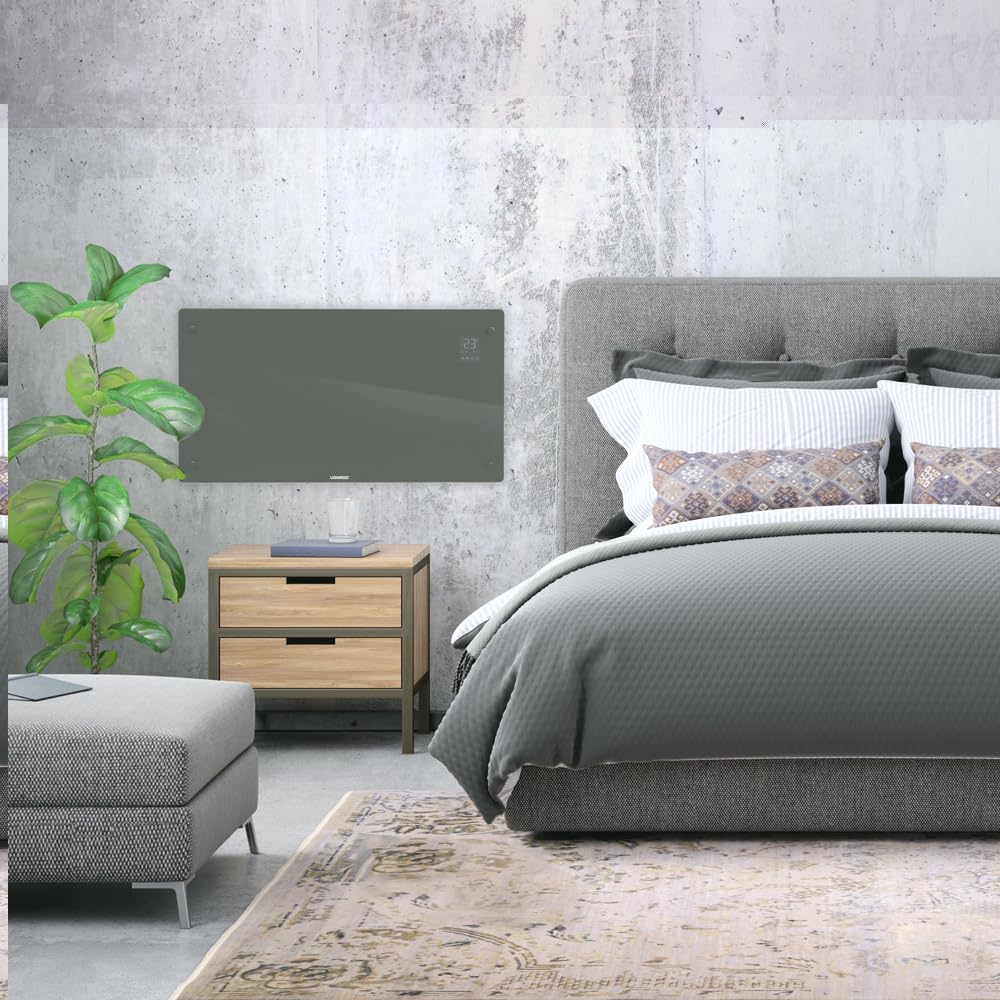
- Suitable for wall mounting or floor standing.
- Heats areas up to 30 m².
Zamkatimu Phukusi
Onetsetsani kuti zigawo zonse zilipo ndipo sizinawonongeke potsegula:
- VONROC CH516AC Convector Heater
- Feet for floor standing (if applicable)
- Wall mounting kit (screws, anchors)
- Buku Logwiritsa Ntchito
Kukhazikitsa ndi Kuyika
1. Floor Standing Installation
- Carefully unpack the heater and all accessories.
- Attach the provided feet to the bottom of the heater using the screws. Ensure they are securely fastened.
- Place the heater on a flat, stable surface, away from flammable materials and at least 1 meter from furniture or curtains.

2. Kukhazikitsa kwa Khoma
- Choose a suitable wall location, ensuring sufficient clearance around the heater (at least 15 cm from the floor and ceiling, and 30 cm from side walls).
- Mark the drilling points on the wall using the provided template or by measuring the mounting brackets on the back of the heater.
- Boolani mabowo ndikuyika anangula pakhoma.
- Secure the wall mounting brackets to the wall with screws.
- Carefully hang the heater onto the wall brackets, ensuring it is securely seated.

Malangizo Ogwiritsira Ntchito
1. Mphamvu Yoyambira
Plug the heater into a suitable electrical outlet. The digital display will illuminate.

2. Kuwongolera pamanja
- Batani Lamphamvu: Dinani kuti muyatse chotenthetsera / CHOZImitsa.
- Kusintha kwa Kutentha: Use the '+' and '-' buttons on the control panel or app to set the desired temperature between 5°C and 50°C.
- Kusankha Mode: Cycle through Eco, Comfort, and Anti-freeze modes using the mode button.
- Nthawi: Khazikitsani chowerengera chozimitsa zokha.
3. WiFi and App Control (Tuya App)
- Tsitsani pulogalamu ya "Tuya Smart" kuchokera ku sitolo ya pulogalamu ya smartphone yanu.
- Lembani kapena lowani ku akaunti yanu ya Tuya.
- Ensure your heater is powered on and the WiFi indicator on the display is blinking (if not, press and hold the WiFi button on the heater for 5 seconds to enter pairing mode).
- In the Tuya app, tap '+' to add a device. Select "Heater" or "Convector Heater" from the list.
- Follow the on-screen instructions to connect the heater to your home WiFi network.
- Once connected, you can control the heater remotely, set schedules, and monitor its status via the app.
Kusamalira
Kusamalira nthawi zonse kumatsimikizira kuti chotenthetsera chanu chimagwira ntchito bwino komanso kukhala ndi moyo wautali.
- Kuyeretsa: Disconnect the heater from the power supply before cleaning. Wipe the exterior with a soft, damp nsalu. Osagwiritsa ntchito zotsukira abrasive kapena solvents.
- Posungira: If storing the heater for an extended period, unplug it, allow it to cool completely, and store it in a dry, dust-free location.
- Kuyendera: Periodically check the power cord and plug for any signs of damage. If damaged, contact qualified personnel for repair.

Kusaka zolakwika
| Vuto | Chifukwa Chotheka | Yankho |
|---|---|---|
| Chotenthetsera sichimayatsa. | Palibe magetsi; Batani lamagetsi silinakanikizidwe; Chitetezo cha kutentha kwambiri chatsegulidwa. | Check power connection; Press power button; Unplug and allow to cool for 30 minutes. |
| Heater not heating effectively. | Temperature setting too low; Room size too large; Obstruction of air vents. | Increase temperature setting; Ensure heater is appropriate for room size; Clear any obstructions. |
| Mavuto okhudzana ndi WiFi. | Incorrect WiFi password; Heater too far from router; Router issues; Heater not in pairing mode. | Verify WiFi password; Move heater closer to router; Restart router; Put heater in pairing mode (long press WiFi button). |
| Phokoso kapena fungo losazolowereka. | Dust accumulation; Internal fault. | Unplug and clean the heater; If problem persists, discontinue use and contact customer support. |
Zofotokozera
| Mbali | Tsatanetsatane |
|---|---|
| Mtundu | Zotsatira VONROC |
| Nambala ya Model | Mtengo wa CH516AC |
| Kutentha Mphamvu | 2500 Watts |
| Voltage | 230 volts |
| Thermostat Temperature Range | 5 - 50 ° C |
| Kusintha kwa Kutentha Kwambiri | 35 °C |
| Mtengo wa IP | IP24 (Splash-proof) |
| Kulamulira | Digital display, Buttons, Tuya App (WiFi) |
| Zosankha Zokwera | Wall-mounted or Floor standing |
| Kukula kwa Chipinda Komwe Kovomerezeka | Mpaka 30 m² |
Chitsimikizo ndi Thandizo
VONROC products are manufactured to high quality standards. In the unlikely event of a defect, please contact your retailer or VONROC customer service for assistance. Keep your proof of purchase for warranty claims.
For further support, visit the official VONROC webtsamba kapena funsani dipatimenti yawo yothandizira makasitomala.


