Mawu Oyamba
This manual provides detailed instructions for the setup, operation, and maintenance of your LIGE EF21-I Smartwatch. Please read this manual thoroughly before using the device to ensure proper function and to maximize its features.
Zambiri Zachitetezo
- Osayesa kusokoneza kapena kusintha wotchiyo.
- Sungani wotchi kutali ndi kutentha kwambiri komanso kuwala kwa dzuwa.
- Avoid exposing the watch to strong impacts or drops.
- Do not use corrosive chemicals to clean the watch.
- Chipangizochi si chipangizo chachipatala. Zambiri zokhudza thanzi ndi zongogwiritsidwa ntchito pongofuna kudziwa matenda kapena kuchiza.
- Ensure charging contacts are clean and dry before charging.
Zamkatimu Phukusi
Onetsetsani kuti zinthu zonse zilipo mu phukusi lanu:
- LIGE EF21-I Smartwatch
- Chingwe Chaja cha Maginito cha USB
- Chingwe-C Chotsegula Chingwe
- Buku Logwiritsa Ntchito

Image: The package includes both a USB magnetic charging cable and a Type-C charging cable for versatile power options.
Kukhazikitsa Guide
1. Kulipira Koyamba
Before first use, fully charge your smartwatch. Connect the magnetic charging cable to the charging contacts on the back of the watch and the USB end to a power adapter (not included) or a computer USB port. The watch display will show the charging status.

Image: The smartwatch connected to its magnetic charger, indicating its 800 mAh battery capacity.
2. Kuyika kwa App ndi Kuyanjanitsa
To unlock all features, download and install the "Fit CloudPro" app on your smartphone.
- Scan the QR code in the manual or on the watch (if available) or search for "Fit CloudPro" in your phone's app store (compatible with Android 8.0+ and iOS 12.0+).
- Tsegulani pulogalamuyi ndikupanga akaunti kapena lowani.
- Onetsetsani kuti Bluetooth yayatsidwa pa smartphone yanu.
- Mu pulogalamuyi, yendani ku gawo la chipangizo ndikusankha "Add Chipangizo" kapena njira yofananira.
- Select "EF21-I" from the list of available devices to pair.
- Tsatirani zomwe zawonekera pazenera kuti mumalize kulumikiza.
Ikalumikizidwa, wotchiyo imagwirizanitsa nthawi ndi data ndi foni yanu.
Malangizo Ogwiritsira Ntchito
Basic Navigation
- Zenera logwira: Yendetsani kumanzere/kumanja, mmwamba/pansi kuti muyende m'mamenyu ndi zinthu zina. Dinani kuti musankhe.
- Mabatani Ambali: Typically, one button acts as a power/back button, while others may be customizable shortcuts. Refer to the on-screen prompts for specific functions.

Image: The 1.43-inch AMOLED display offers brilliant colors and a fluid, efficient user experience.
Bluetooth Call Ntchito
The EF21-I Smartwatch supports Bluetooth calls, allowing you to make and receive calls directly from your wrist.
- Onetsetsani kuti wotchiyo yalumikizidwa ku foni yanu yam'manja kudzera pa Bluetooth.
- Access the "Call" or "Phone" function on your watch.
- You can use the dial pad, access your contacts, or view mbiri yakale.
- Advanced noise cancellation ensures clear audio during calls.
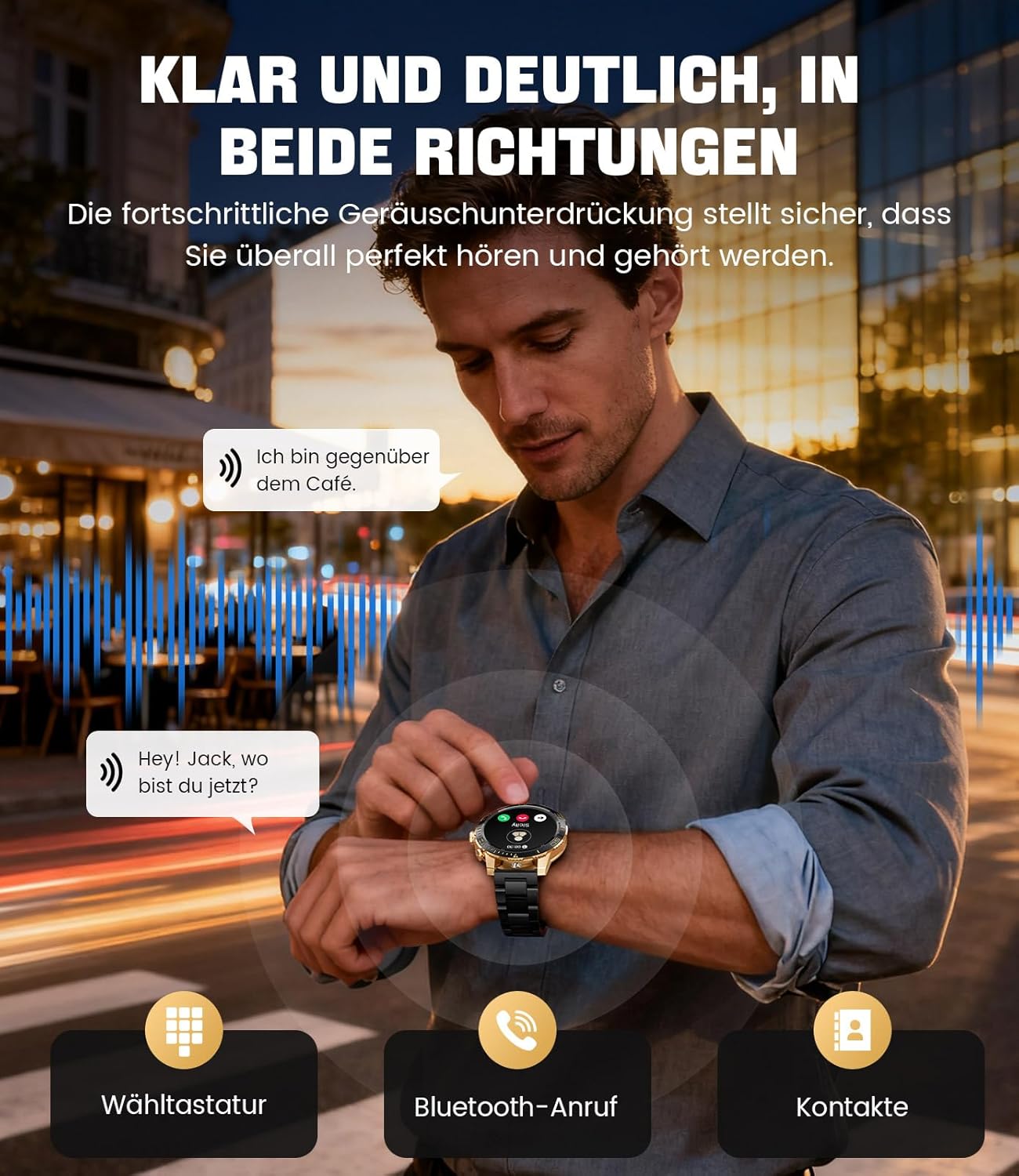
Image: The smartwatch allows clear two-way communication with advanced noise cancellation, featuring a dial pad, Bluetooth call option, and contacts access.
Zidziwitso
Receive real-time notifications from your smartphone apps directly on your watch.
- Enable app notifications in the "Fit CloudPro" app settings.
- The watch will display incoming calls, SMS, and messages from social media apps (e.g., Facebook, Twitter, Instagnkhosa, WhatsApp).
- A quick glance at your wrist allows you to stay informed discreetly.

Image: The smartwatch displays real-time notifications from various social media applications, keeping you informed discreetly.
Kuyang'anira Zaumoyo
The EF21-I Smartwatch acts as your 24/7 health guardian, providing continuous monitoring of key health metrics.
- Kugunda kwa Mtima: Monitors your heart rate throughout the day.
- Mpweya wa Magazi (SpO2): Imayesa kuchuluka kwa okosijeni m'magazi mwanu.
- Kutsata Matulo: Analyzes your sleep patterns, distinguishing between deep sleep, light sleep, and awake times.
- Kuwunika Kupsinjika: Tracks stress levels.
- Zikumbutso Ongokhala: Ikukudziwitsani kuti musunthe mukatha nthawi zina osachita chilichonse.
View detailed health data and trends in the "Fit CloudPro" app.
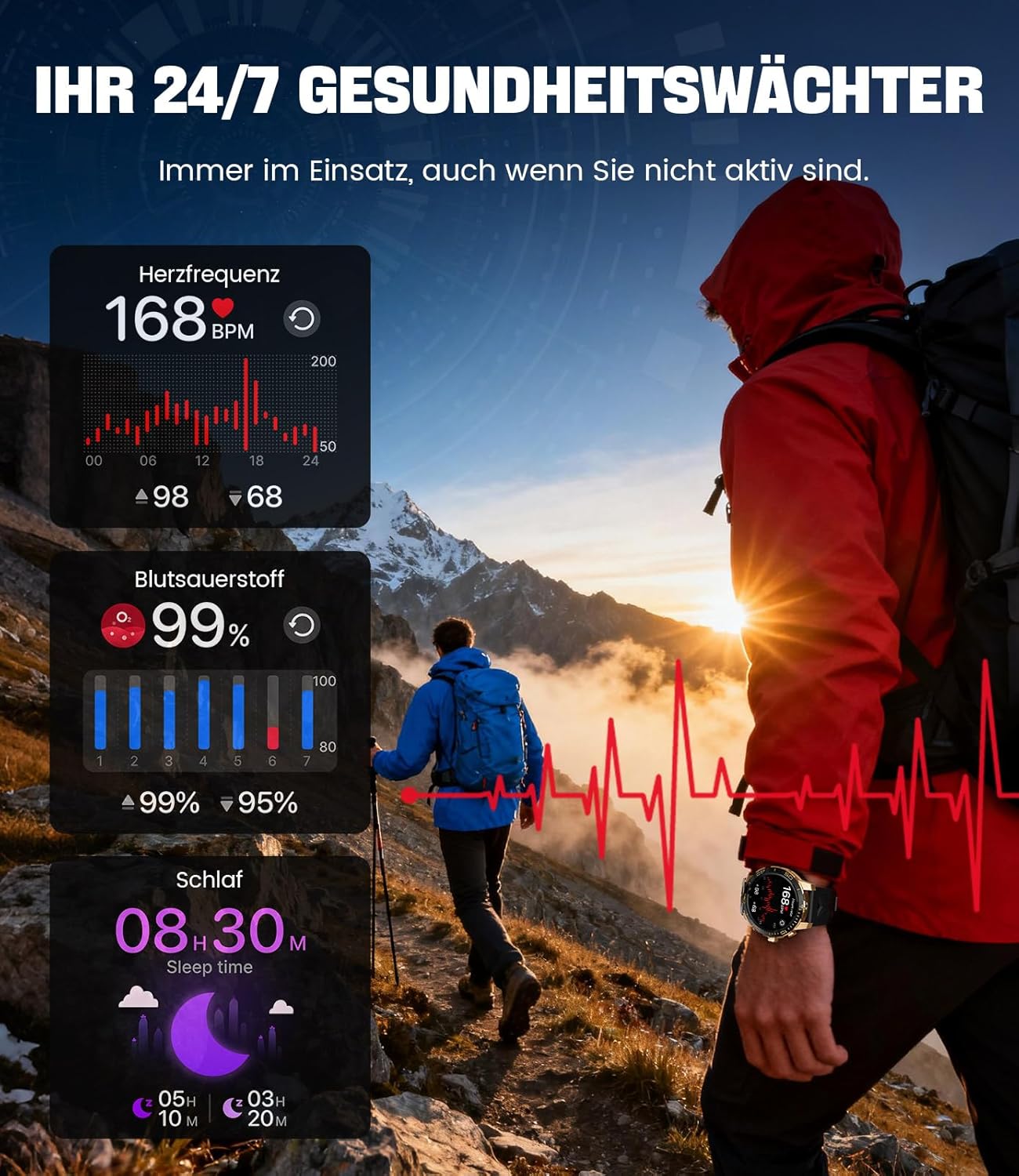
Image: The smartwatch functions as a 24/7 health guardian, monitoring heart rate, blood oxygen, and sleep patterns, even when you are not actively engaged in exercise.
Masewera a Masewera
With over 200 sports modes, the watch helps you track your workouts and achieve your fitness goals.
- Sankhani mawonekedwe amasewera omwe mukufuna kuchokera pa menyu yowonera.
- The watch records data such as heart rate, calories burned, and steps taken.
- Automatic recognition for walking, running, and cycling is supported.
- Review your activity data in the "Fit CloudPro" app for performance analysis.

Image: The smartwatch supports over 200 training modes, tracking heart rate, calories, and steps for various activities.
Makonda Owonerera Omwe Amasintha
Personalize your smartwatch with a variety of watch faces.
- The watch comes with several pre-installed classic watch faces.
- Access over 200 additional designs through the "Fit CloudPro" app.
- Mukhozanso kukweza zithunzi zanu kuti mupange nkhope za wotchi zomwe mumakonda.
Zina Zowonjezera
- Chanyengo: Pezani zosintha za nyengo nthawi yeniyeni.
- Alamu Wotchi: Ikani ma alamu mwachindunji kuchokera m'dzanja lanu.
- Kuwongolera kwa Kamera Yakutali: Use your watch to trigger your phone's camera.
- Tochi: Activate a flashlight function on your wrist.
- Phone Locator: Find your misplaced smartphone using the watch.

Image: The smartwatch features a wrist flashlight function, providing illumination for outdoor activities.
Kusamalira
Kuyeretsa
- Pukutani chophimba cha wotchi ndi thupi lake ndi nsalu yofewa, yopanda ulusi.
- Kwa madontho amakani, dampen nsalu pang'ono ndi madzi.
- Avoid using harsh chemicals, abrasive materials, or ultrasonic cleaners.
- Onetsetsani kuti malo olumikizirana ndi chaji ndi oyera komanso opanda zinyalala.
Kukana Madzi (IP68)
The LIGE EF21-I Smartwatch is IP68 water-resistant, meaning it can withstand immersion in water up to 1.5 meters for up to 30 minutes. It is suitable for daily use, hand washing, and swimming.
- Musagwiritse ntchito wotchiyi m'madzi otentha, m'ma sauna, kapena m'zipinda zosambira ndi nthunzi.
- Pewani kukanikiza mabatani pansi pa madzi.
- After exposure to water, especially saltwater, dry the watch thoroughly.
Kusaka zolakwika
Watch Not Turning On
- Onetsetsani kuti wotchi ili ndi chaji chonse. Lumikizani ku charger kwa mphindi zosachepera 30.
- Dinani ndikugwira batani lamphamvu kwa masekondi angapo.
Unable to Pair with App
- Onetsetsani kuti Bluetooth yayatsidwa pa smartphone yanu.
- Onetsetsani kuti wotchiyo yachajidwa mokwanira.
- Yambitsaninso foni yanu yam'manja ndi wotchi yowonera pa intaneti.
- Try unpairing and re-pairing the device through the "Fit CloudPro" app.
- Check if the app has necessary permissions on your phone.
Zambiri Zaumoyo Zaumoyo
- Onetsetsani kuti wotchiyo yavala bwino padzanja lanu, osati yomasuka kwambiri kapena yothina kwambiri.
- Yeretsani sensor kumbuyo kwa wotchi.
- Pewani kuyenda mopitirira muyeso.
- Remember that health data is for reference and not for medical use.
Notifications Not Received
- Onetsetsani kuti wotchiyo yalumikizidwa ndi foni yanu kudzera pa Bluetooth.
- Check notification settings in the "Fit CloudPro" app.
- Ensure your phone's notification settings allow the app to send notifications.
- Disable any battery optimization settings for the "Fit CloudPro" app on your phone.
Zofotokozera
| Mbali | Tsatanetsatane |
|---|---|
| Mtundu | LIGE |
| Nambala ya Model | EF21-I |
| Kukula Kwawonetsero | 1.43 inchi |
| Mtundu Wowonetsera | AMOLED |
| Mphamvu ya Battery | 800 mAh (Lithium-polymer) |
| Kulumikizana | bulutufi |
| Kugwirizana kwa Operating System | Android 8.0+ & iOS 12.0+ |
| Kukaniza kwa Madzi | IP68 |
| Memory Storage Kukhoza | 256 MB |
| Zapadera | Weather forecast, Sedentary reminder, Alarm clock, Touch screen, Always-on display, Bluetooth calling, Heart rate monitor, SpO2 monitor, Sleep monitor, 200+ sports modes, Phone locator |
| GPS | GPS via smartphone |

Image: The smartwatch features impact resistance, indicated by a 'Military Grade Drop-Tested' badge.
Chitsimikizo ndi Thandizo
Chidziwitso cha Chitsimikizo
The product is supported by a 12-month warranty. Please retain your proof of purchase for warranty claims.
Thandizo la Makasitomala
For technical assistance, troubleshooting, or warranty inquiries, please contact LIGE customer support. Refer to the contact information provided with your purchase or visit the official LIGE webmalo.