1. Mawu Oyamba
This manual provides essential information for the safe and efficient operation of your FOXX C10 10.1-inch Android Tablet. Please read this guide thoroughly before using your device to ensure proper functionality and to understand its features. Keep this manual for future reference.
2. Zomwe zili mu Bokosi
Onetsetsani kuti zinthu zonse zilipo mu phukusi:
- FOXX C10 Tablet
- Chingwe cha Type-C
- Chochaja (10W)
- Buku Logwiritsa Ntchito
- Protective Cover (pre-applied)
- Screen Protector Film (pre-applied)
3. Zamalonda Zathaview
The FOXX C10 tablet features a 10.1-inch HD display, dual 8MP cameras, and a robust 6000mAh battery, all powered by an Android 13 operating system.

Chithunzi: Patsogolo ndi kumbuyo view of the FOXX C10 tablet, showcasing its sleek design and dual camera module on the rear.

Image: An infographic highlighting key features including the 10.1-inch display, Android 13, 6000mAh battery, 8MP cameras, MediaTek quad-core chipset, 4GB RAM + 64GB storage, 4G LTE bands, Wi-Fi, Bluetooth 5.0, Nano SIM, Type-C, and 3.5mm AUX port.
3.1 Chiwonetsero
The tablet is equipped with a 10.1-inch HD TFT V-notch display, offering a resolution of 800x1280 pixels for clear visuals.

Image: Close-up of the tablet's 10.1-inch HD TFT V-notch display, showing vibrant colors and detail.
3.2 Makamera
The FOXX C10 features dual 8-megapixel cameras, both on the front and rear, enabling high-quality photos and video calls.
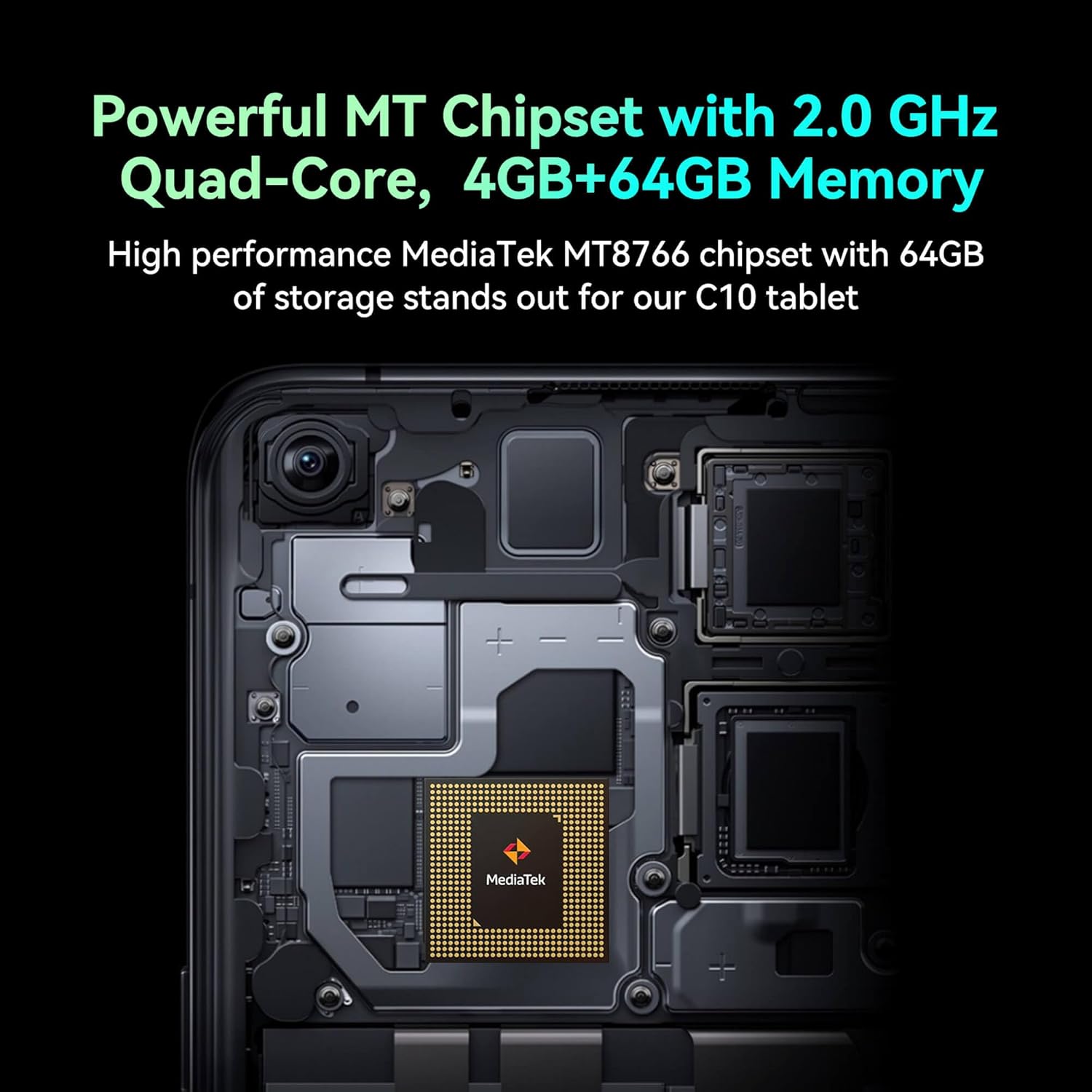
Image: Detail of the tablet's rear camera module, highlighting the 8-megapixel main camera with autofocus capabilities.
3.3 Purosesa ndi Memory
It runs on a 2.0 GHz quad-core MediaTek MT8766 chipset, paired with 4GB of RAM and 64GB of internal storage for smooth performance and ample space.

Chithunzi: Chamkati view of the tablet's motherboard, showcasing the MediaTek MT8766 quad-core chipset.
3.4 Battery
A 6000mAh battery provides extended usage time, ensuring the device stays powered throughout the day.
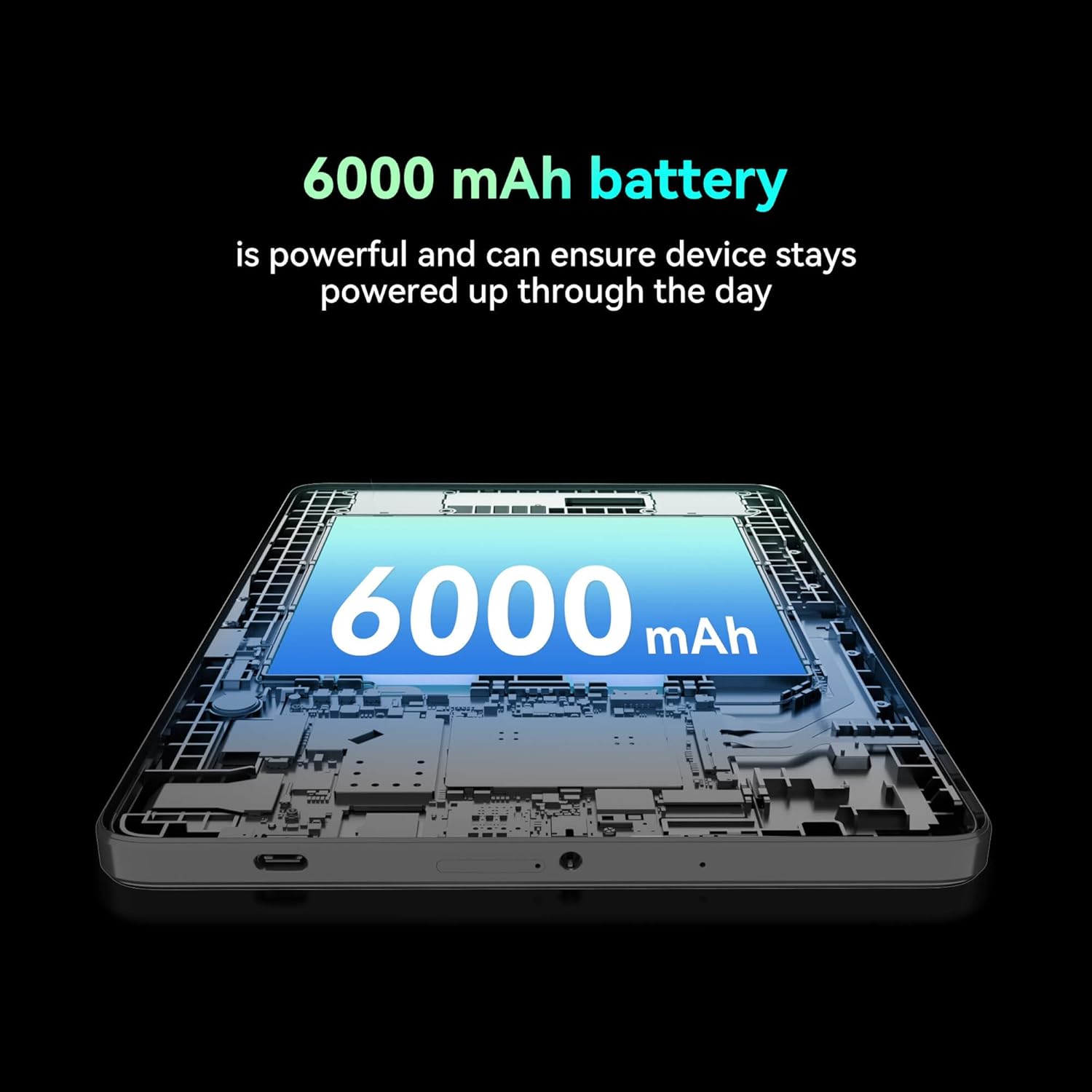
Chithunzi: Wodulidwa view of the tablet highlighting the large 6000 mAh battery component.
4. Kukhazikitsa
4.1 Kulipira Koyamba
Before first use, fully charge your tablet using the provided Type-C cable and 10W charger. The battery indicator on the screen will show charging status.
4.2 Kuyatsa/Kuzimitsa
- Kuyatsa: Dinani ndi kugwira batani la Mphamvu mpaka chinsalu chikuwunika.
- Kuzimitsa: Dinani ndikugwira batani la Mphamvu, kenako sankhani 'Zimitsani' kuchokera pazosankha zomwe zili pazenera.
- Kuyambitsanso: Dinani ndikusunga batani la Power, kenako sankhani 'Yambitsaninso' kuchokera pazosankha zomwe zili pazenera.
4.3 Kuyika kwa SIM Card
The FOXX C10 supports Nano SIM cards for cellular connectivity. Locate the SIM card tray on the side of the tablet. Use the provided SIM ejector tool to open the tray. Insert the Nano SIM card into the designated slot with the gold contacts facing down. Close the tray securely.
4.4 Kukhazikitsa Khadi la MicroSD (Ngati mukufuna)
If your tablet supports expandable storage, locate the MicroSD card slot, often combined with the SIM tray. Insert a MicroSD card (up to 128GB, sold separately) into the slot with the gold contacts facing down. Close the tray securely.
5. Malangizo Ogwiritsira Ntchito
5.1 Basic Navigation
Your tablet runs on Android 13. Use touch gestures for navigation:
- Dinani: Sankhani chinthu kapena tsegulani pulogalamu.
- Yendetsani chala: Phunzirani pazithunzi kapena mndandanda.
- Tsinani: Onerani mkati kapena kunja pazithunzi ndi web masamba.
- Press Press: Pezani mindandanda yazakudya kapena kusuntha zithunzi.
5.2 Kulumikizana ndi Wi-Fi
- Pitani ku Zokonda > Network & intaneti > Wifi.
- Sinthani Wi-Fi On.
- Sankhani maukonde anu ankafuna Wi-Fi pa mndandanda.
- Lowetsani mawu achinsinsi ngati mukufunsidwa, kenako dinani Lumikizani.
5.3 Making Calls (4G LTE)
With a properly installed and activated Nano SIM card, your tablet can make and receive calls.
- Tsegulani Foni app.
- Dial the desired number or select a contact.
- Dinani pa Imbani batani.
5.4 Kugwiritsa ntchito kamera
The tablet features dual 8MP cameras for photography and video recording.
- Tsegulani Kamera app.
- Dinani pa Chotsekera batani kuti mujambule.
- Dinani pa Kanema icon to switch to video recording mode.
- Use the camera switch icon to toggle between front and rear cameras.
5.5 Kulumikizana kwa Bluetooth
- Pitani ku Zokonda > Zida zolumikizidwa > bulutufi.
- Sinthani Bluetooth On.
- Ensure the device you want to pair with is in pairing mode.
- Select the device from the list and follow any on-screen prompts to complete pairing.
6. Kusamalira
6.1 Kusamalira Battery
- Pewani kutentha kwambiri, komwe kungawononge moyo wa batri.
- Do not leave the tablet charging for extended periods after it's fully charged.
- Gwiritsani ntchito chojambulira ndi chingwe chomwe chaperekedwa chokha.
6.2 Kuyeretsa
Use a soft, lint-free cloth to clean the screen and body of the tablet. Avoid using harsh chemicals or abrasive materials. For stubborn smudges, slightly dampny nsalu yokhala ndi madzi kapena zotsukira zopangira zida zamagetsi.
6.3 Zosintha za Mapulogalamu
Yang'anani nthawi zonse ndikuyika zosintha za pulogalamu yanu kuti muwonetsetse kuti piritsi yanu ili ndi zaposachedwa kwambiri, zotetezedwa, ndikusintha magwiridwe antchito. Pitani ku Zokonda > Dongosolo > Kusintha kwadongosolo.
7. Mavuto
| Vuto | Yankho |
|---|---|
| Tabuleti sayatsa | Onetsetsani kuti batire yachangidwa. Lumikizani charger ndikudikirira mphindi zingapo musanayese kuyatsanso. |
| Sitingalumikizane ndi Wi-Fi | Check if Wi-Fi is enabled in settings. Restart your router and the tablet. Verify the Wi-Fi password. |
| Mapulogalamu amachedwa kapena akuwonongeka | Close unused apps. Clear app cache (Settings > Apps > [App Name] > Storage > Clear cache). Restart the tablet. Ensure sufficient storage space. |
| Palibe ma foni am'manja | Ensure the Nano SIM card is correctly inserted and activated. Check your network settings and contact your service provider if necessary. |
| Chojambula sichimayankha | Yambitsaninso piritsi. Ngati vutoli likupitirira, bwezeretsani ku fakitale (deta idzatayika). |
8. Zofotokozera
| Mbali | Tsatanetsatane |
|---|---|
| Dzina lachitsanzo | FOXX C10 |
| Opareting'i sisitimu | Android 13 |
| Kukula kwa Screen | 10.1 inchi |
| Max Screen Resolution | 800x1280 mapikiselo |
| Purosesa | 2 GHz Quad-Core MediaTek |
| Ram | 4 GB |
| Zosungira Zamkati | 64 GB |
| Kukula kwa Memory Flash | 8 GB (likely referring to system partition or eMMC base) |
| Makamera | Dual 8MP (Front & Rear) |
| Mphamvu ya Battery | 6000 mAh |
| Kulumikizana | 4G LTE, Wi-Fi (802.11 b/g/n/ac), Bluetooth 5.0, USB-C, 3.5mm AUX |
| Kulemera kwa chinthu | 1.26 mapaundi |
| Miyeso Yazinthu | 9.64 x 6.39 x 0.42 mainchesi |
| Mtundu | Wakuda |
9. Chitsimikizo ndi Thandizo
For warranty information and technical support, please refer to the documentation provided with your purchase or contact the retailer. Keep your proof of purchase for warranty claims.


