Mawu Oyamba
This manual provides detailed instructions for the New Bee M53 Bluetooth Headset. Please read this manual carefully before using the product to ensure proper operation and to maximize its performance and lifespan. Keep this manual for future reference.
Zamkatimu Phukusi
Onetsetsani kuti zinthu zonse zilipo mu phukusi:
- Bluetooth Earpiece (1 unit)
- 500mAh Charging Case (1 unit)
- Ear Tips (3 sizes: S/M/L)
- Type-C Cable (1 unit, AC adapter not included)
- Buku la ogwiritsa (1 unit)
Zathaview
The New Bee M53 Bluetooth Headset features an ergonomic design for comfortable wear and intuitive controls. Below is a general view of the headset and its charging case.
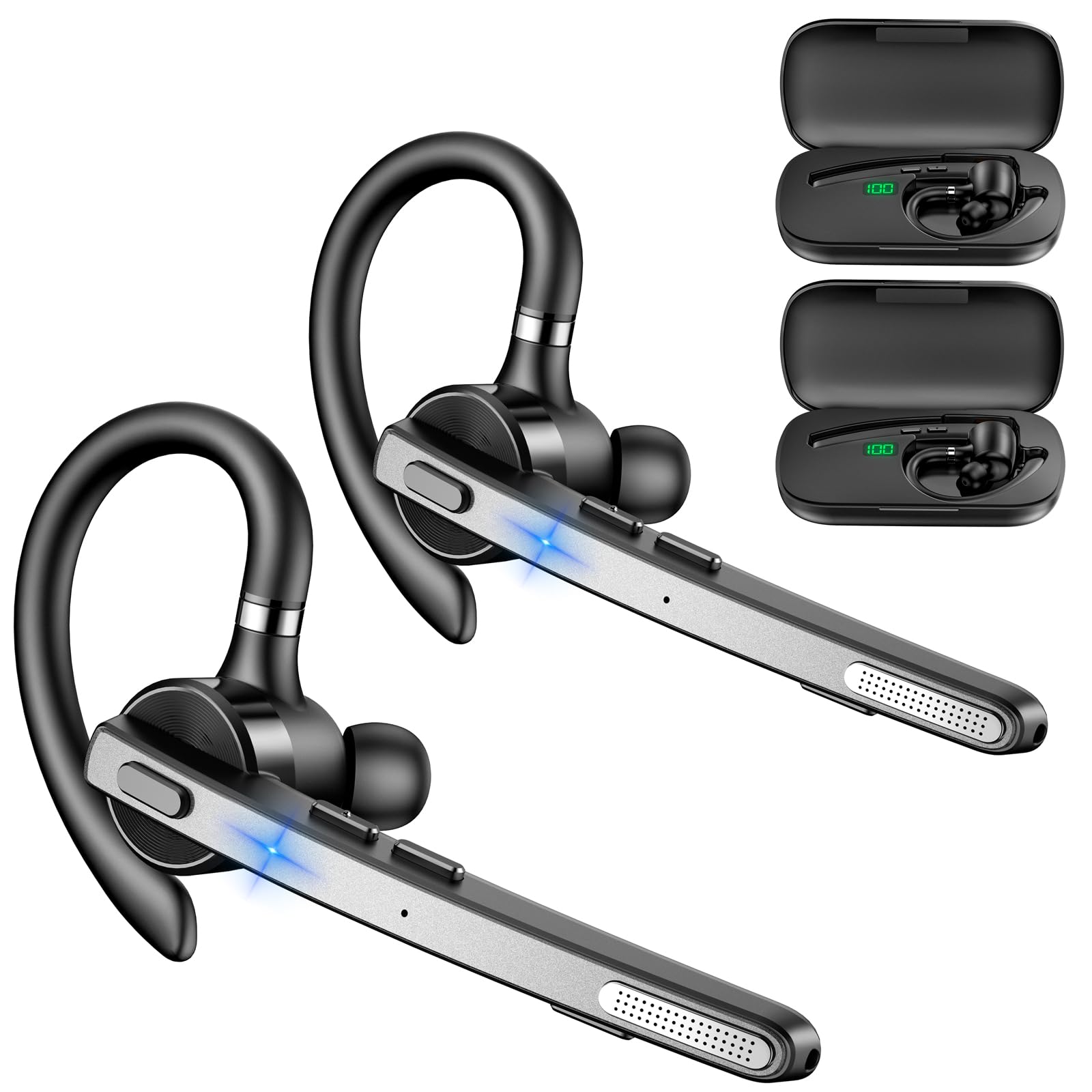
Image: New Bee M53 Bluetooth Headset with its charging case and included ear tips.

Image: Diagram illustrating the various buttons and their functions on the New Bee M53 Bluetooth Headset, including power, volume, call control, mute, and Type-C charging port.
Khazikitsa
1. Charging the Headset and Case
Before first use, fully charge the headset and its charging case. The charging case has a digital display to indicate the remaining power.
- Connect the provided Type-C cable to the charging port on the case and to a USB power source (e.g., computer, wall adapter).
- Place the headset into the charging case.
- Kulipira kwathunthu kumatenga pafupifupi maola awiri.
- The 500mAh charging case provides approximately 72 hours of total playtime for the headset.
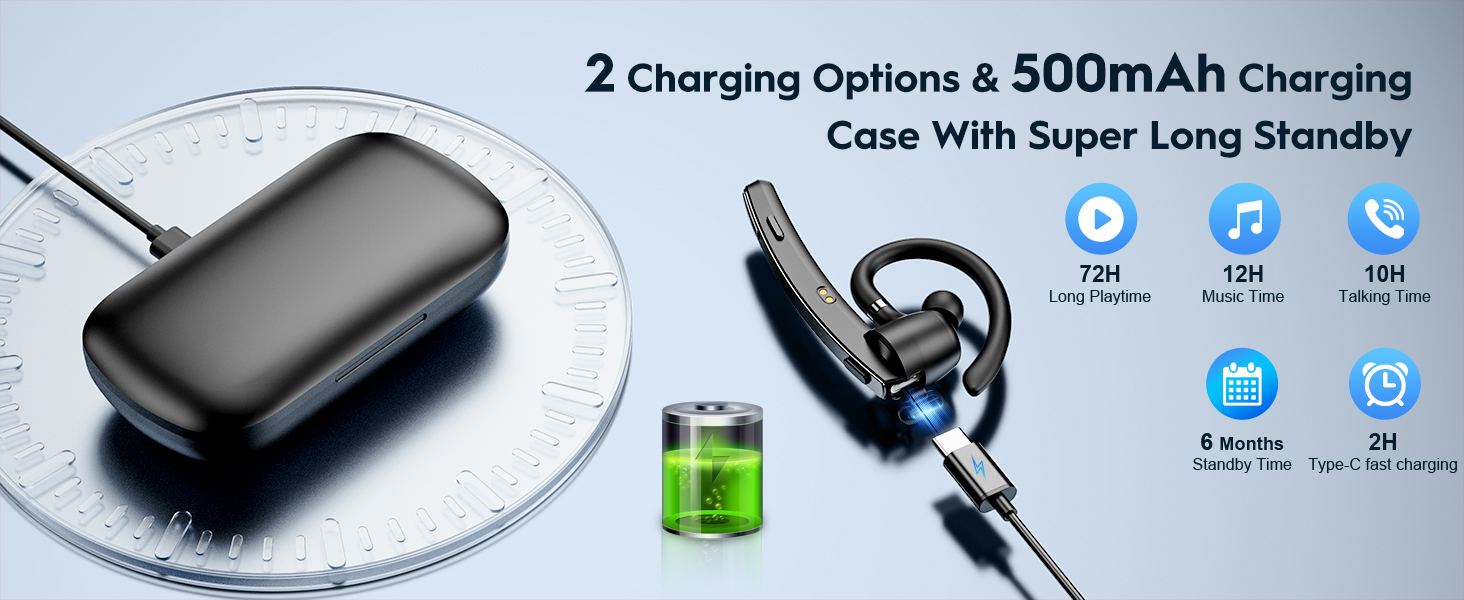
Image: The New Bee M53 charging case displaying battery level, with the headset inside, illustrating its long battery life capabilities.
2. Kuvala Headset
The headset is designed for comfortable and secure fit. It can be worn on either the left or right ear.
- The flexible ear hook can be rotated 180° to fit either ear.
- The earphone arm can be rotated 270° to adjust the microphone position.
- Choose from the three included ear tip sizes (S, M, L) for the best fit and comfort.
- The headset weighs only 13.6 grams, ensuring comfort during extended wear.

Image: Illustration of the headset's adjustable ear hook for left/right ear use and the three available ear tip sizes (S, M, L).
3. Kuyanjanitsa kwa Bluetooth
The headset uses Bluetooth 5.1 technology for quick and stable connections.
- Onetsetsani kuti chomverera m'makutu chachajitsidwa ndikuzimitsidwa.
- Press and hold the Power button for 3-5 seconds until the indicator light flashes blue and red, indicating pairing mode.
- Pa chipangizo chanu (foni yam'manja, laputopu, ndi zina zotero), yatsani Bluetooth ndikusaka zida zomwe zilipo.
- Select "M53" from the list of devices.
- Mukalumikizidwa, chowunikira chidzawunikira buluu pang'onopang'ono.
The headset supports connecting to two devices simultaneously within a 15-meter (49 feet) range.

Image: The headset shown connecting to a mobile phone, demonstrating Bluetooth 5.1 quick connection and dual device capability.
Malangizo Ogwiritsira Ntchito
Ntchito Zoyambira
- Yatsani/Zimitsa: Press and hold the Power button for 3 seconds to power on, 5 seconds to power off.
- Sewerani/Imitsani: Dinani batani la Play/Imani kamodzi.
- Kuwongolera Voliyumu: Use the Volume +/- buttons to adjust the sound level.
- Nyimbo Yotsatira/Yam'mbuyo: Press and hold Volume + for next song, Volume - for previous song (3 seconds).
Imbani Management
- Yankhani/Imitsani foni: Press the Answer/Hang Up button once.
- Kanani Kuyimba: Press and hold the Answer/Hang Up button for 2 seconds.
- Imbaninso Nambala Yomaliza: Double-press the Answer/Hang Up button.
- Mute Mic: Press the Mic Mute button once during a call to mute/unmute the microphone.
The headset features dual-mic noise reduction and CVC8.0 technology for clear calls by reducing ambient noise and echo.

Image: Illustration of the headset's one-button call answering and mute features for hands-free communication.

Image: Visual representation of the dual-mic noise cancelling technology, showing how external background noise is reduced for clear calls.
Kusamalira
To ensure the longevity and optimal performance of your New Bee M53 Bluetooth Headset, follow these maintenance guidelines:
- Kuyeretsa: Use a soft, dry, lint-free cloth to clean the headset and charging case. Do not use abrasive cleaners, solvents, or aerosol sprays.
- Posungira: Store the headset in its charging case when not in use to protect it from dust and damage. Avoid extreme temperatures.
- Kuwonekera pamadzi: The headset is not waterproof. Avoid exposure to water, moisture, or excessive humidity.
- Kulipiritsa: Always use the provided Type-C cable for charging. Do not attempt to disassemble or modify the device.
Kusaka zolakwika
Ngati mukukumana ndi mavuto ndi mahedifoni anu, onani njira zotsatirazi zodziwika bwino:
| Vuto | Yankho |
|---|---|
| Zomverera m'makutu siziyatsa. | Ensure the headset is fully charged. Place it in the charging case and connect the case to a power source. |
| Sitingagwirizane ndi chipangizo. |
|
| Palibe phokoso kapena kutsika kwamphamvu. |
|
| Kuyimba foni ndi koyipa. |
|
Zofotokozera
| Mbali | Tsatanetsatane |
|---|---|
| Dzina lachitsanzo | M53 |
| Mtundu wa Bluetooth | 5.1 |
| Mtundu wa Bluetooth | Mpaka 15 mita (49 mapazi) |
| Battery Life (Talktime/Music) | Pafupifupi maola 12 pa mtengo uliwonse |
| Nthawi Yosewerera Yonse yokhala ndi Mlandu Wolipira | Mpaka maola 72 |
| Kuthekera Kwakesi | 500mAh |
| Nthawi yolipira | Approximately 2 hours (Type-C) |
| Kulemera | 13.6 grams (earpiece) |
| Kuwongolera Phokoso | Dual-Mic Noise Reduction, CVC8.0 |
| Kugwirizana | iOS, Android, Windows (Cellphones, Laptops, Desktops) |
| Mtundu Wowongolera | Button Control |

Image: The headset demonstrating its wide compatibility with devices such as tablets, cellphones, laptops, PCs, and Kindles.
Chitsimikizo ndi Thandizo
New Bee provides a 3-year customer support service for this product. If you encounter any issues or have questions, please contact our customer support team. Refer to the contact information provided with your purchase or visit the official New Bee webtsamba lothandizira.
Pazifukwa za chitsimikizo, chonde sungani umboni wanu woti mwagula.


