1. Mawu Oyamba
This manual provides essential information for setting up, operating, maintaining, and troubleshooting your Roku Smart TV 2025 – 24-Inch Select Series 720p HD TV. Please read these instructions carefully before using your television.
The Roku Select Series HD TV offers a streamlined entertainment experience. It features bright HD picture quality, auto speech clarity, and a night mode. Access free live television directly from the home screen and utilize the voice remote for content discovery across various applications. This television is suitable for various rooms including bedrooms, living rooms, kitchens, or children's rooms.
2. Zomwe zili mu Bokosi
Tsimikizirani kuti zigawo zonse zilipo muzopaka:
- Roku Select Series 24" HD TV
- Stands and screws
- Roku Voice Remote with batteries
- Quick Start Guide

Image: The Roku Select Series TV box contents, showing the television, remote, and stand components.
3. Kukhazikitsa
3.1 Kuphatikizira Maimidwe a TV
- Mosamala ikani zowonera pa TV pamalo ofewa komanso oyera kuti mupewe zokala.
- Konzani choyimilira chilichonse ndi mabowo ofanana ndi zomangira pansi pa TV.
- Tetezani zoyimira pogwiritsa ntchito zomangira zomwe zaperekedwa. Onetsetsani kuti amizidwa mwamphamvu.
3.2 Kulumikiza Zozungulira
Your Roku TV includes multiple ports for connecting external devices:
- Madoko a HDMI: Connect devices such as cable boxes, gaming consoles, or Blu-ray players. The HDMI 1 (ARC) port supports Audio Return Channel for simplified audio connections.
- Doko la USB: For media playback from a USB drive or powering compatible devices.
- Kulowetsa kwa Antenna/Chingwe: Lumikizani mlongoti wamawayilesi apamlengalenga kapena kulumikizana ndi chingwe cha TV.
- Kutulutsa kwa Audio kwa Optical: Kuti mulumikizane ndi soundbar kapena audio receiver.
- Zolowetsa AV: Polumikiza zipangizo zakale pogwiritsa ntchito makanema ophatikizika ndi zingwe zomvera za stereo.

Image: Close-up of the back of the Roku TV, highlighting the HDMI, USB, optical, and AV input ports.
3.3 Kuyambitsa Mphamvu Yoyamba ndi Kulumikizana kwa Netiweki
- Lumikizani chingwe chamagetsi mu TV ndiyeno mukhoma.
- Insert the included AAA batteries into the voice remote.
- Press the power button on the remote to turn on the TV.
- Follow the on-screen instructions to select your language, connect to your Wi-Fi network, and activate your Roku account.
4. Operating Your Roku TV
4.1 Kugwiritsa Ntchito Voice Remote
The Roku Voice Remote simplifies navigation and content search. It features dedicated buttons for popular streaming services and voice control capabilities.
- Batani Lamawu: Press and hold to speak commands for searching content, launching apps, or controlling playback.
- Kusanthula Pad: Use the directional arrows and OK button to move through menus and select items.
- Njira zazifupi za App: Dedicated buttons provide quick access to services like Netflix, Disney+, and Prime Video.
- Maulamuliro Aakulu: Adjust TV volume directly from the remote.
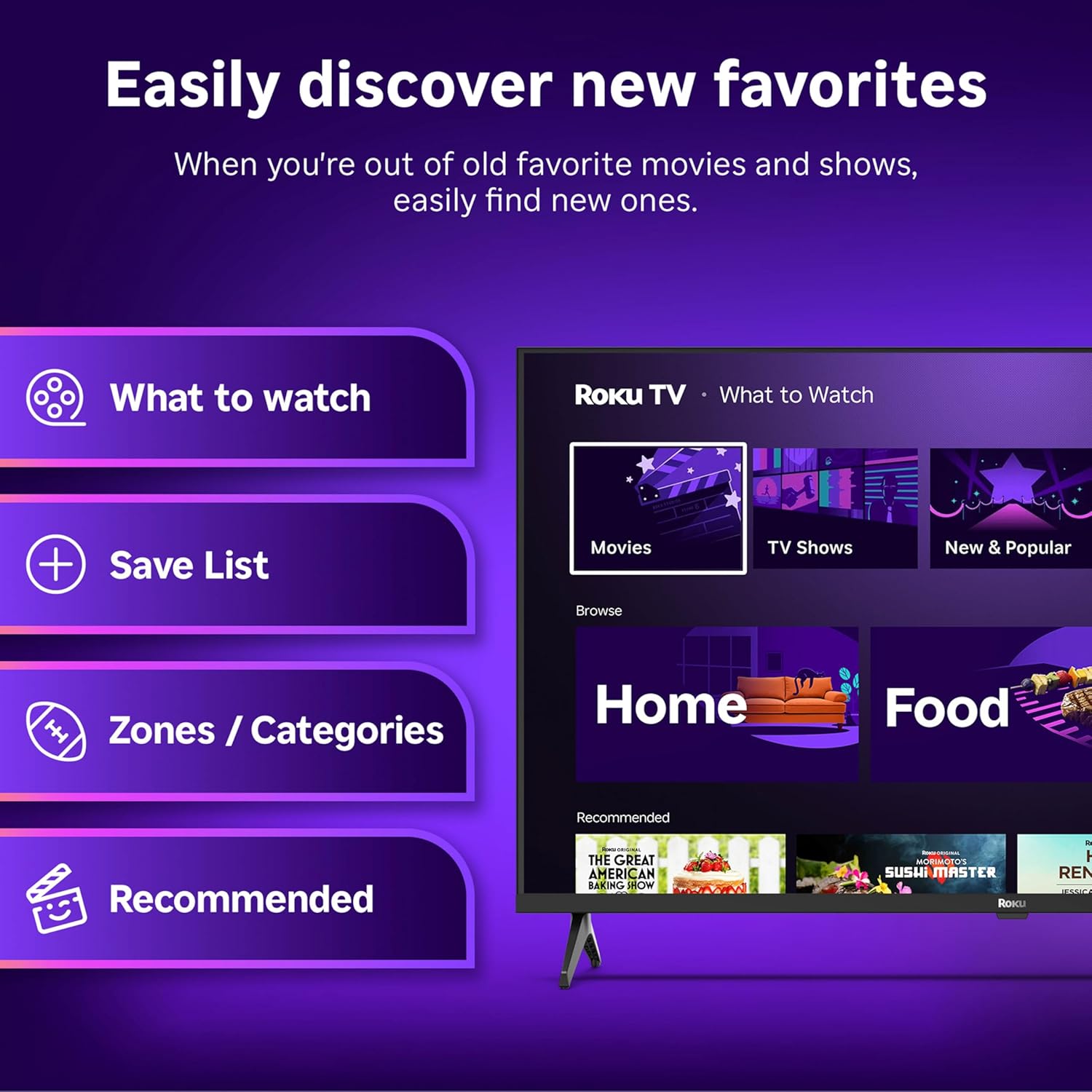
Image: The Roku Voice Remote, showing its layout and key functions.
4.2 Streaming and App Navigation
The Roku TV home screen provides quick access to all your streaming channels and inputs. You can customize the order of your apps for personalized access.
- Screen Yanyumba: Displays your installed apps, recommended content, and TV inputs.
- Sitolo Yotsatsira Mavidiyo: Browse and add new streaming channels.
- TV yamoyo: Access free live television channels directly from the home screen.
- Sakani: Use the search function or voice remote to find movies, shows, actors, or directors across various services.

Image: The Roku TV user interface, showing the home screen with app tiles and menu options.
4.3 Zithunzi ndi Phokoso Zokonda
Your Roku TV features Smart Picture technology to optimize viewing and offers enhanced audio features.
- Smart Picture: Automatically adjusts picture settings based on the content being viewed (e.g., movie, sports, vivid, standard).
- Audio Clarity: Designed for clear speech and louder sound.
- Bluetooth Headphone Mode: Connect your wireless headphones for private listening.

Image: A vibrant nature scene displayed on the Roku TV, demonstrating the clear picture quality.
4.4 Kuphatikiza kwa Smart Home
The Roku TV integrates with various smart home ecosystems for convenient voice control and content sharing.
- Kuwongolera Mawu: Compatible with Roku Voice, Siri, Alexa, and Google Assistant for hands-free operation.
- Apple AirPlay: Effortlessly share videos, photos, and music from your Apple devices to your TV.

Image: A Roku TV screen with a smart speaker nearby, illustrating voice control integration with smart home systems.
5. Kusamalira
5.1 Kuyeretsa TV Yanu
- Nthawi zonse chotsani TV musanayeretse.
- Gwiritsani ntchito nsalu yofewa, yopanda ulusi kuti mupukute mosamala chophimba ndi kabati.
- Kwa zizindikiro zouma, mopepuka dampPakani nsalu ndi madzi kapena chotsukira chophimba chofewa, chosawononga. Musapopere chotsukiracho mwachindunji pa chophimbacho.
- Pewani kugwiritsa ntchito mankhwala owopsa, zotayira, kapena zosungunulira.
5.2 Zosintha za Mapulogalamu
Your Roku TV receives automatic software updates to provide new features and improve performance. Ensure your TV is connected to the internet to receive these updates.
6. Mavuto
If you encounter issues with your Roku TV, try the following basic troubleshooting steps:
- Palibe Mphamvu: Onetsetsani kuti chingwe chamagetsi chalumikizidwa bwino pa TV ndi pa soketi yamagetsi yomwe ikugwira ntchito. Yesani soketi ina.
- Palibe Chithunzi/Kamvekedwe: Tsimikizani kuti gwero lolondola lolowera lasankhidwa. Onetsetsani kuti maulumikizidwe onse a chingwe (HDMI, AV, ndi zina zotero) ndi otetezeka.
- Akutali Osayankha: Sinthani mabatire akutali. Onetsetsani kuti palibe zopinga pakati pa kutali ndi TV.
- Mavuto a Netiweki: Restart your Wi-Fi router. Go to the TV's network settings to reconnect to your Wi-Fi.
- App Not Loading: Try restarting the app. If the issue persists, remove the app and reinstall it from the Streaming Store.
- Kubwezeretsanso: As a last resort, a factory reset can resolve many software issues. This will erase all personal settings and installed apps. Access this option through the TV's Settings menu.
7. Zofotokozera
| Mbali | Kufotokozera |
|---|---|
| Mtundu | Roku |
| Nambala ya Model | 24R2D5 |
| Kukula kwa Screen | 24 inchi |
| Kuwonetsa Technology | LED |
| Kusamvana | 720p ku |
| Mtengo Wotsitsimutsa | 60hz pa |
| Mbali Ration | 16:9 |
| Kulumikizana Technology | Bluetooth, WiFi |
| Zapadera | Bluetooth Headphone Mode, Dolby Audio, Voice Remote |
| Kulemera kwa chinthu | 5.7 mapaundi |
| Miyeso Yazinthu | 7 x 21.1 x 14.3 mainchesi |
| Mabatire Amafunika | 2 AAA mabatire (yakutali) |
8. Chitsimikizo ndi Thandizo
For warranty information and technical support, please refer to the documentation included with your product or visit the official Roku support webmalo. Sungani chiphaso chanu chogulira cha ma waranti.
Roku offers various support resources, including online FAQs, troubleshooting guides, and customer service contact options.


