Mawu Oyamba
This manual provides detailed instructions for the setup, operation, and maintenance of your AODELAN Wireless Remote Control for Sony Cameras. Please read this manual thoroughly before using the product to ensure optimal performance and longevity. This remote control is designed to enhance your photography and videography experience by providing convenient wireless control over various camera functions.
Zamkatimu Phukusi
Onetsetsani kuti zonse zomwe zalembedwa pansipa zikuphatikizidwa mu phukusi lanu:
- AODELAN Wireless Remote Control (BR-3)
- Chingwe Chochapira cha USB-C (60cm)
- Buku Logwiritsa Ntchito
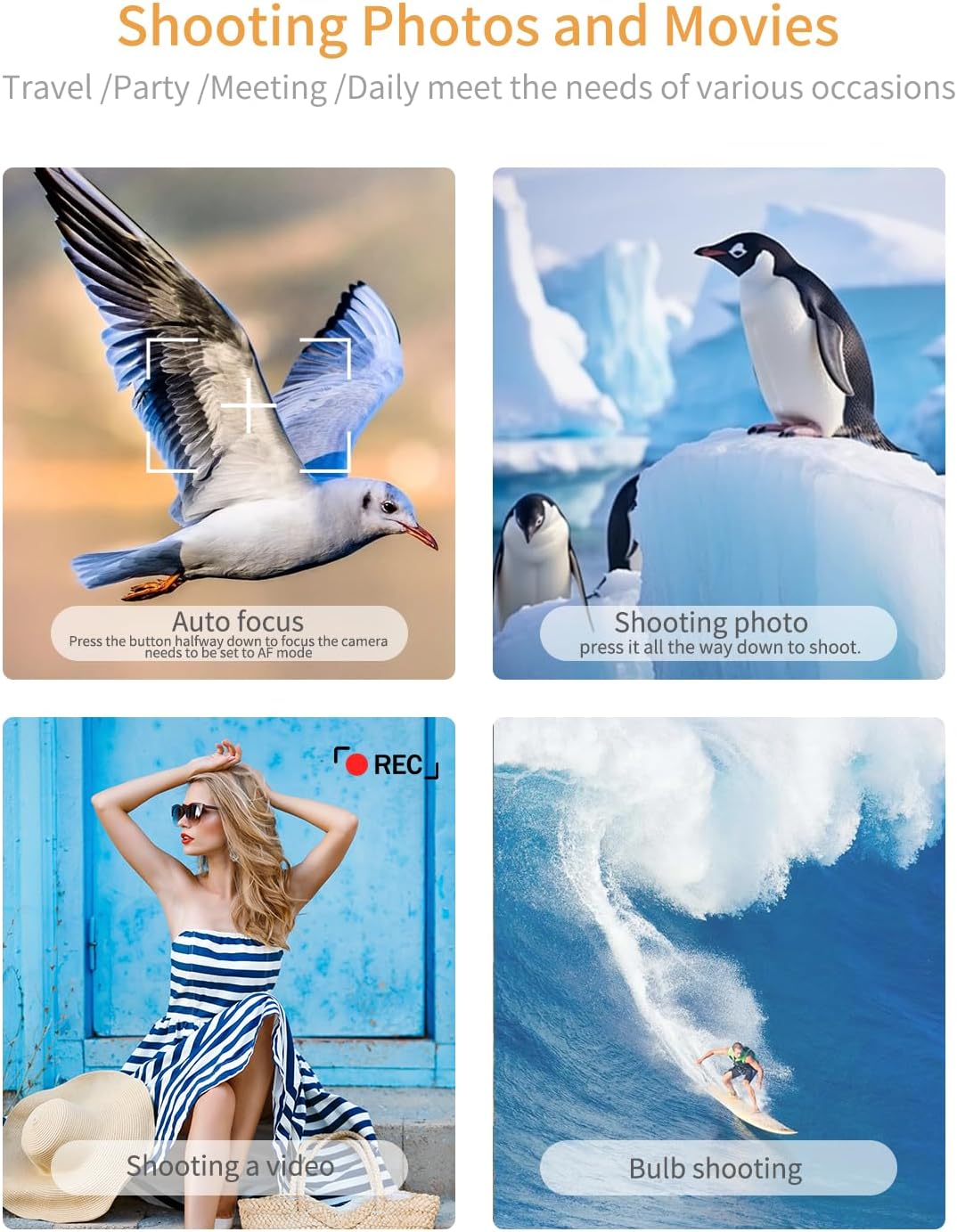
Image: AODELAN Wireless Remote Control and its included USB-C charging cable.
Zathaview
The AODELAN Wireless Remote Control features a compact and lightweight design, making it easy to carry and operate. It is equipped with an OLED screen for clear visualization of status indicators and settings. The remote provides a range of functions including shutter release, video recording, zoom, and focus control.

Image: AODELAN Wireless Remote Control for Sony Cameras.
OLED Screen Status Indicators
The OLED screen provides real-time feedback on the remote's status, including pairing, battery level, and current operation mode (e.g., scanning, zooming, focusing).

Image: OLED screen displaying various status indicators.
Ntchito batani
The remote control features dedicated buttons for various camera functions:
- Batani Lamphamvu: Press and hold to turn the remote on or off.
- Batani Lotulutsa Chitseko: Shoots a still image. Half-press for autofocus. When the camera is set to BULB exposure, press to start and press again to stop.
- Batani la REC (Lembani): Imayamba ndikuyimitsa kujambula kanema.
- Z/F (Zoom/Focus) Mode Button: Toggles between Zoom and Focus modes for the +/- buttons.
- +/- Mabatani: In Zoom mode, adjusts zoom in/out. In Focus mode, fine-tunes focus.
- Batani la AF-ON: Activates the autofocus function on the camera.
- Batani la C1: Activates the custom function assigned to the C1 button on the camera.
- Bulu Loyamba: Dinani ndikugwira kwa masekondi a 2 kuti mulowetse ma pairing mode.

Image: Detailed button functions of the remote control.
Kugwirizana
The AODELAN Wireless Remote Control is compatible with a wide range of Sony camera models. Ensure your camera's firmware is up-to-date for full compatibility.
Compatible Sony Models include:
- ZV-E1, ZV-1F, ZV-1II, ZV-1, ZV-E10II, ZV-E10
- A6700, A6600, A6400 (with Ver. 2.00 firmware update), A6100
- A9 (with Ver. 6.00 firmware update), A9II, A9III
- A1 II, A1
- A7C, A7CII, A7CR
- A7SIII
- A7 IV, A7 III (with Ver. 3.00 firmware update)
- A7R V, A7R IV, A7R IVa, A7R III (with Ver. 3.00 firmware update), A7R IIIa
- DSC-RX100 VII, RX0 II (with Ver. 2.00 firmware update)
- FX3, FX30
- ILX-LR1

Image: Visual representation of compatible Sony camera models.
Setup: Pairing Instructions
Follow these steps to pair your AODELAN Wireless Remote Control with your Sony camera:
- On your camera, navigate to MENU → (Mtanda) → [Bulutufi].
- Sankhani [Ntchito ya Bluetooth] → [Yayatsidwa].
- Sankhani [Bluetooth Rmt Ctrl] → [Yayatsidwa].
- Sankhani [Kulumikizana] ndi kukanikiza OK button. The camera will enter pairing interface.
- On the BR-3 remote, press and hold the Phatikizani batani for at least 2 seconds. The remote's screen will display "Pairing".
- When a confirmation message appears on the camera's screen, select [CHABWINO]. Once pairing is complete, "Paired" will appear.
Zindikirani: The [Bluetooth Rmt Ctrl] setting is distinct from the [Bluetooth Function] setting. Both need to be set to [On] for remote control functionality.

Image: Pairing process shown on camera and remote screens.
Malangizo Ogwiritsira Ntchito
Kujambula Zithunzi
To capture a still image, press the Bokosi lotulutsa shutter on the remote control. Half-press the button to activate autofocus (ensure your camera is set to AF mode), then press it all the way down to shoot.
Kujambula Kanema
Kuti muyambe kujambula kanema, dinani batani REC (record) button on the remote control. Press the button again to stop recording.
Zoom & Focus Control
Dinani pa Z/F (Zoom/Focus) mode button to switch between Zoom and Focus functions for the +/- mabatani. In Zoom mode, use + kukulitsa ndi - to zoom out. In Focus mode, use + ndi - to fine-tune the camera's focus. For focus control, the camera must be in manual focus mode. The zoom speed may vary depending on the camera and lens. Digital zoom is supported if the camera's digital zoom function is enabled.
Long Exposure (BULB Mode)
When your camera is set to BULB exposure mode, press the Bokosi lotulutsa shutter once to start the long exposure, and press it again to stop. This eliminates camera shake from manually pressing the shutter button.

Image: Remote control functions for photo and video shooting.
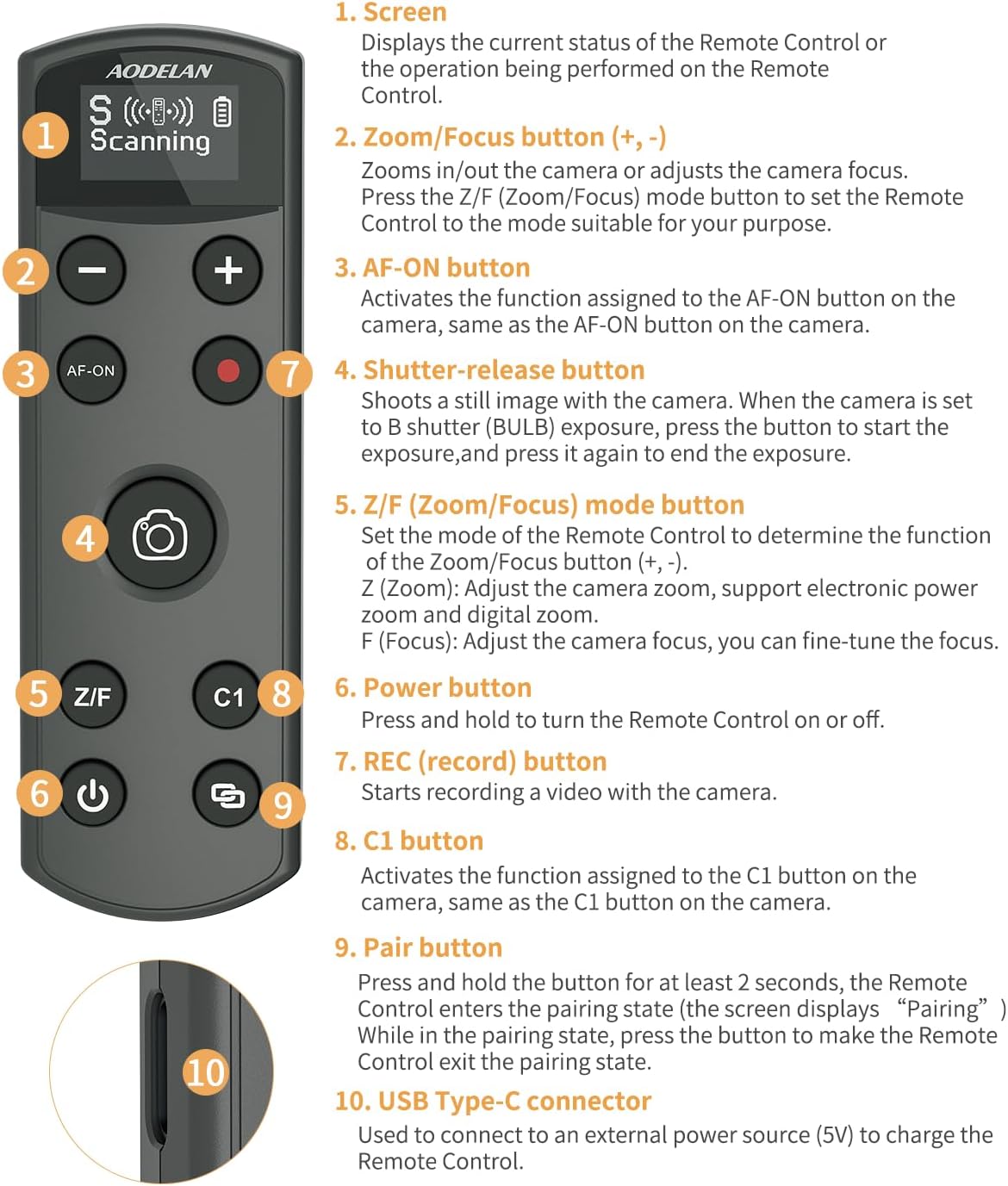
Image: Adjusting camera focus and zoom using the remote.
Kulipira ndi Battery
The AODELAN Wireless Remote Control features a built-in rechargeable battery. Use the included USB-C charging cable to charge the device. A full charge provides up to 10 hours of continuous use. The OLED screen displays the current battery level.

Image: Remote control charging via USB-C.
Zosintha za Firmware
The USB-C port on the remote control also supports firmware updates. This feature allows the remote to maintain compatibility with newer camera models and receive performance enhancements. Visit the AODELAN official webtsamba la firmware yatsopano ndi malangizo.
Kusamalira
To ensure the longevity and proper functioning of your remote control, follow these maintenance guidelines:
- Kuyeretsa: Use a soft, dry cloth to clean the remote. Avoid using harsh chemicals or abrasive materials.
- Posungira: Sungani zakutali pamalo ozizira, ouma kutali ndi kuwala kwa dzuwa komanso kutentha kwambiri.
- Kusamalira: Pewani kugwetsa remote kapena kuigwetsa mwamphamvu.
Kusaka zolakwika
If you encounter issues with your AODELAN Wireless Remote Control, refer to the following common problems and solutions:
- Remote not pairing with camera:
- Ensure both "Bluetooth Function" and "Bluetooth Rmt Ctrl" are set to "On" in your camera's network settings.
- Confirm the remote is in pairing mode (OLED screen displays "Scanning" or "Pairing").
- Clear any previous remote controller connections on your camera.
- For specific models like the Sony ZV-E10, ensure you follow all pairing steps precisely as outlined in the "Setup" section.
- Remote disconnects frequently or does not function correctly (e.g., with Sony FX30):
- This may indicate a firmware incompatibility. Check the AODELAN official website for available firmware updates for your remote control. Updating the remote's firmware can resolve compatibility issues with newer camera firmware versions.
- Mabatani samayankha:
- Ensure the remote is fully charged.
- Verify the remote is successfully paired with the camera.
- Check the camera's settings to ensure remote control functionality is enabled.
- OLED screen is dim or unreadable:
- The screen may struggle in direct bright sunlight. Try to operate in shaded areas or adjust your viewngodya.
Zofotokozera
| Mtundu | AODELAN |
| Nambala ya Model | Kwa Sony |
| Kulemera kwa chinthu | 2.39 pawo |
| Makulidwe a Phukusi | 4.61 x 1.93 x 1.06 mainchesi |
| Mabatire | Batri ya 1 12V (yophatikizidwa) |
| Mbali Yapadera | Digital Display, Rechargeable |
| Mtundu | Wakuda |
| Nambala Yambiri ya Zida Zothandizira | 1 |
| Ntchito Range | Mpaka 10m / 32.8ft |
Chitsimikizo ndi Thandizo
For warranty information or technical support, please contact AODELAN customer service through their official website or the retailer where you purchased the product. Keep your purchase receipt as proof of purchase.


