1. Mawu Oyamba
The August SE15 is a versatile portable CD player designed for a comprehensive audio experience. It features Bluetooth 5.3 for both transmitting and receiving audio, a USB port for digital music playback, and 3.5mm AUX In/Out connections. Equipped with built-in stereo speakers and a rechargeable battery, it offers portability and high-quality sound for various environments. The device supports CD, CD-R, CD-RW, MP3, and WMA formats, and includes features like adjustable EQ, anti-skip protection, and remote control for enhanced usability.
2. Zamkatimu Phukusi
Chonde chongani m'bokosi kuti muwone zinthu izi:
- August SE15 Portable CD Player
- Kuwongolera Kwakutali
- Zomvera m'makutu
- USB-C Charging Chingwe
- Chingwe cha 3.5mm AUX
- Wall Mount Kit (screws and anchors)
- Stand Base
- Buku Logwiritsa Ntchito
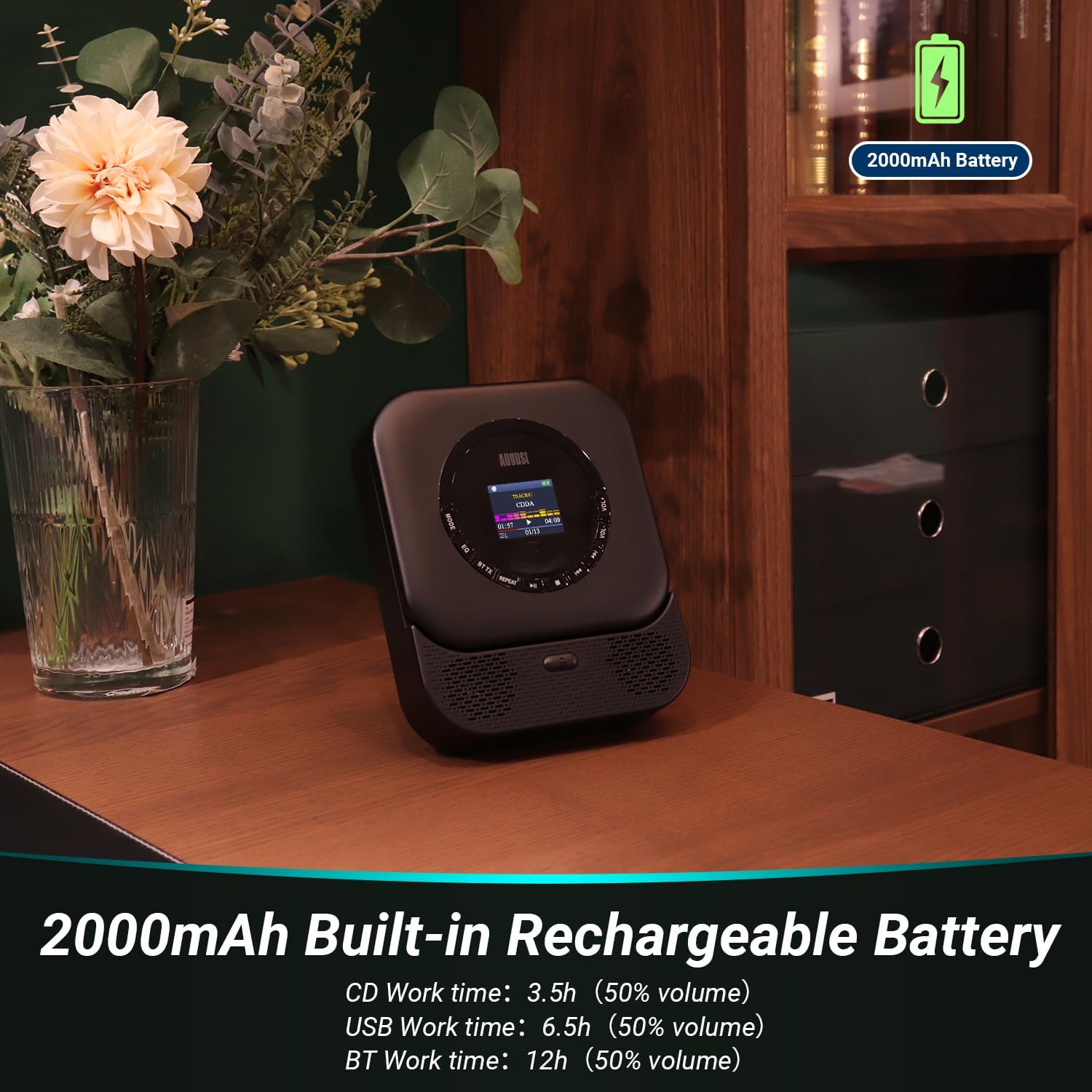
Image: All items included in the August SE15 product box.
3. Kapangidwe ndi Kuwongolera Zamalonda
Familiarize yourself with the various ports and controls on your SE15 CD player.

Chithunzi: Zambiri view of the SE15's connectivity ports.
- 3.5mm AUX-Out: Lumikizani mahedifoni kapena oyankhula zakunja.
- Doko la USB: Insert a USB stick for MP3/WMA playback (Max 64GB, FAT32).
- 3.5mm AUX-In: Connect external audio sources.
- Kuyatsa/Kuzimitsa Switch: Kuyatsa kapena kuzimitsa chipangizo.
- Soketi Yoyatsira Mtundu wa C: Kwa kulipiritsa batire lamkati.
- Chiwonetsero: Shows track information, mode, and settings.
- Mabatani Owongolera: Play/Pause, Skip/Search, Mode, EQ, Volume Up/Down.
4. Kukhazikitsa
4.1 Kulipira Chipangizo
Before first use, fully charge the SE15 using the provided USB-C cable and a compatible USB power adapter (not included). The built-in 2000mAh battery provides up to 40 hours of CD playback on a single charge.

Image: The SE15 highlighting its 2000mAh rechargeable battery and usage times.
4.2 Kuyika ndi Kuyika
The SE15 can be used freestanding with its integrated stand or mounted on a wall using the included wall bracket kit.
- Zosasunthika: Pull out the integrated stand on the back of the unit to place it on a desk, shelf, or bedside table.
- Kuyika Pakhoma: Use the provided screws and anchors to securely attach the wall bracket to a suitable wall surface. Once the bracket is installed, slide the SE15 onto the bracket until it clicks into place.

Image: Demonstrating the wall-mounted and freestanding options for the SE15.
4.3 Kuyatsa/Kuzimitsa
Slide the Power On/Off switch located on the side of the unit to the 'ON' position to power on the device. Slide it to 'OFF' to power off.
5. Malangizo Ogwiritsira Ntchito
5.1 Kusewera ma CD
- Tsegulani chivundikiro cha chipinda cha CD.
- Carefully place a CD (CD, CD-R, CD-RW) onto the spindle, label side up.
- Close the CD compartment cover. The player will automatically begin reading the disc.
- Use the Play/Pause, Skip/Search buttons on the unit or remote to control playback.
5.2 Kusewera kwa USB
- Insert a USB flash drive (formatted to FAT32, max 64GB) containing MP3 or WMA audio files ku doko la USB.
- Press the 'MODE' button until 'USB' mode is selected on the display.
- The player will automatically scan and begin playing audio files kuchokera pa USB drive.
5.3 Bluetooth Connectivity (TX & RX)
The SE15 supports Bluetooth 5.3 for both transmitting (TX) and receiving (RX) audio.
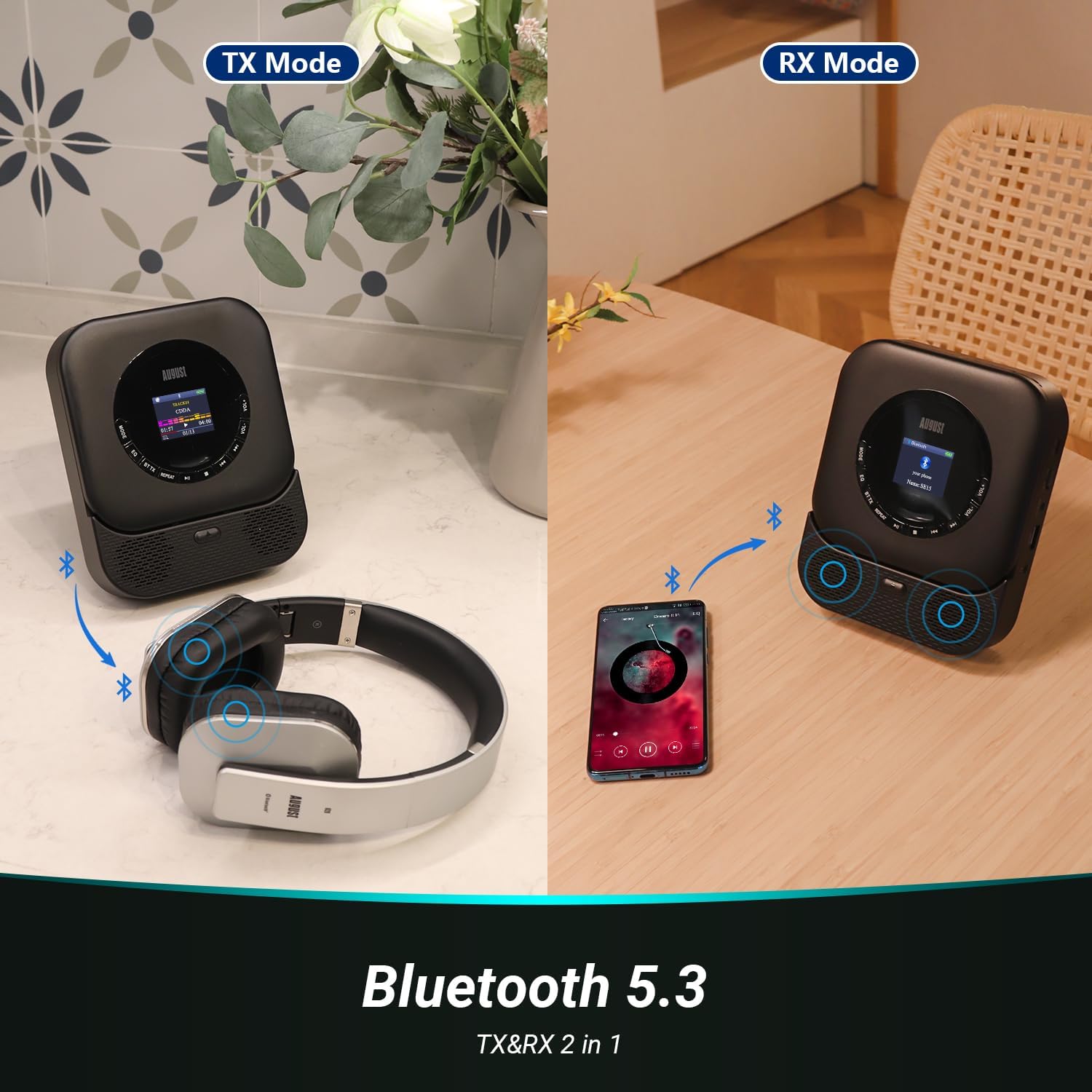
Image: Illustrating Bluetooth Transmit (TX) and Receive (RX) modes.
5.3.1 Bluetooth Transmit (TX) Mode
In TX mode, the SE15 transmits audio from CD, USB, or AUX-In to Bluetooth headphones or speakers.
- Ensure the SE15 is playing audio from a source (CD, USB, AUX-In).
- Press the 'BT TX' button on the remote control or the corresponding button on the unit to enter TX mode. The Bluetooth indicator will flash.
- Ikani mahedifoni anu a Bluetooth kapena sipika mu njira yolumikizirana.
- The SE15 will automatically search for and connect to nearby Bluetooth devices. Once connected, audio will play through the paired device.
5.3.2 Bluetooth Receive (RX) Mode
In RX mode, the SE15 acts as a Bluetooth speaker, receiving audio from a smartphone or tablet.
- Press the 'MODE' button until 'BT RX' mode is selected on the display. The Bluetooth indicator will flash.
- On your smartphone or tablet, enable Bluetooth and search for 'August SE15'.
- Select 'August SE15' to pair. Once connected, audio from your device will play through the SE15's speakers.
5.4 AUX mkati / kunja
- AUX mu: Connect an external audio source (e.g., MP3 player, phone) to the 3.5mm AUX-In port using the provided AUX cable. Select 'AUX In' mode using the 'MODE' button.
- AUX Out: Connect the 3.5mm AUX-Out port to external speakers or headphones using an AUX cable for wired audio output.
5.5 Kugwiritsa Ntchito Remote Control
The included remote control provides convenient access to all functions from a distance.

Image: The SE15 CD player and its remote control in use.
- Batani Lamphamvu: Kutsegula / kutseka.
- Batani la Modi: Cycles through CD, USB, AUX In, BT RX modes.
- BT TX Button: Activates Bluetooth Transmit mode.
- Play/Pause, Skip/Search Buttons: Zowongolera zokhazikika zosewerera.
- VOL+/- Mabatani: Sinthani mphamvu ya mawu.
- Bungwe la EQ: Imayenda kudzera mu equalizer presets.
- Bwerezani batani: Controls repeat playback modes (e.g., repeat one, repeat all).
5.6 EQ Settings and Anti-Skip Protection
- Zokonda pa EQ: Press the 'EQ' button on the unit or remote to cycle through various equalizer presets (e.g., Pop, Rock, Classic, Jazz, Flat) to optimize sound for different music genres.
- Anti-Skip Chitetezo: The SE15 features automatic shock and skip protection, providing 40 seconds for CD and 120 seconds for MP3 playback, ensuring uninterrupted audio even during movement.
6. Kusamalira
To ensure the longevity and optimal performance of your August SE15 CD player, follow these maintenance guidelines:
- Kuyeretsa: Use a soft, dry cloth to clean the exterior of the unit. For stubborn marks, a slightly damp cloth can be used, followed by a dry one. Do not use abrasive cleaners or solvents.
- Chipinda cha CD: Keep the CD compartment clean and free of dust. Avoid touching the laser lens. If necessary, use a specialized CD lens cleaner disc.
- Posungira: Ngati simukugwiritsa ntchito kwa nthawi yayitali, sungani chosewereracho pamalo ozizira komanso ouma kutali ndi dzuwa lachindunji komanso kutentha kwambiri.
- Kusamalira Battery: To preserve battery life, avoid fully discharging the battery frequently. Charge the device regularly, even if not in constant use.
7. Mavuto
If you encounter issues with your August SE15, please refer to the following common problems and solutions:
| Vuto | Chifukwa Chotheka | Yankho |
|---|---|---|
| Wosewera sayatsa. | Battery yatha; Chosinthira magetsi ndichozimitsa. | Charge the device; Ensure the power switch is in the 'ON' position. |
| Palibe mawu ochokera kwa okamba / zomvera. | Volume too low; Incorrect mode selected; Loose cable connection; Bluetooth not paired. | Increase volume; Select correct mode (CD, USB, AUX, BT); Check cable connections; Re-pair Bluetooth device. |
| CD imadumpha kapena siyimasewera. | CD is dirty or scratched; CD inserted incorrectly; Player is on an unstable surface. | Clean the CD; Re-insert CD correctly; Place player on a stable surface. |
| USB drive not recognized. | USB drive not FAT32; Drive capacity too large; Corrupt files. | Ensure USB is FAT32 and max 64GB; Try a different USB drive; Check file formats (MP3/WMA). |
| Kuyanjana kwa Bluetooth kulephera. | Device too far; Not in pairing mode; Interference. | Ensure devices are close; Put both devices in pairing mode; Turn off other Bluetooth devices. |
If the problem persists after trying these solutions, please contact August customer support.
8. Zofotokozera
| Mbali | Kufotokozera |
|---|---|
| Mtundu | Ogasiti |
| Chitsanzo | Mtengo wa SE15B |
| Kulumikizana Technology | Wireless (Bluetooth 5.3), Wired (USB, 3.5mm AUX) |
| Anathandiza Audio akamagwiritsa | CD, CD-R, CD-RW, MP3, WMA, HDCD |
| Kutulutsa kwa Spika | 6 watts (Stereo, 2.0 channel) |
| Gwero la Mphamvu | Battery Powered (2000mAh Lithium Ion) |
| Moyo wa Battery (pafupifupi.) | 40 hours (CD playback) |
| Kugwirizana kwa USB | Max 64GB, FAT32 format |
| Zapadera | Bluetooth TX/RX, Built-in Microphone, Display, Shockproof, USB Port, Auto EQ, Wall Mountable |
| Makulidwe azinthu (L x W x H) | 14.3 x 17.6 x 4.4 masentimita |
| Kulemera kwa chinthu | 468 gm |
| Mtundu Wazinthu | Pulasitiki |
9. Chitsimikizo ndi Thandizo
August International Ltd. provides a warranty for this product. For detailed warranty information and customer support, please visit the official August webtsamba kapena funsani makasitomala awo mwachindunji.
Mutha kupeza zambiri ndi chithandizo pa August Store on Amazon.
For the PDF version of this user manual, please refer to: Buku la ogwiritsa (PDF)


