Mawu Oyamba
This manual provides essential information for the safe and efficient operation of your Panasonic TV-65Z80AEZ 65-inch 4K Ultra HD OLED Smart TV. Please read these instructions thoroughly before using your television and retain them for future reference. This 4K OLED television from the Z80 series features integrated Fire TV, offering a comprehensive entertainment experience.
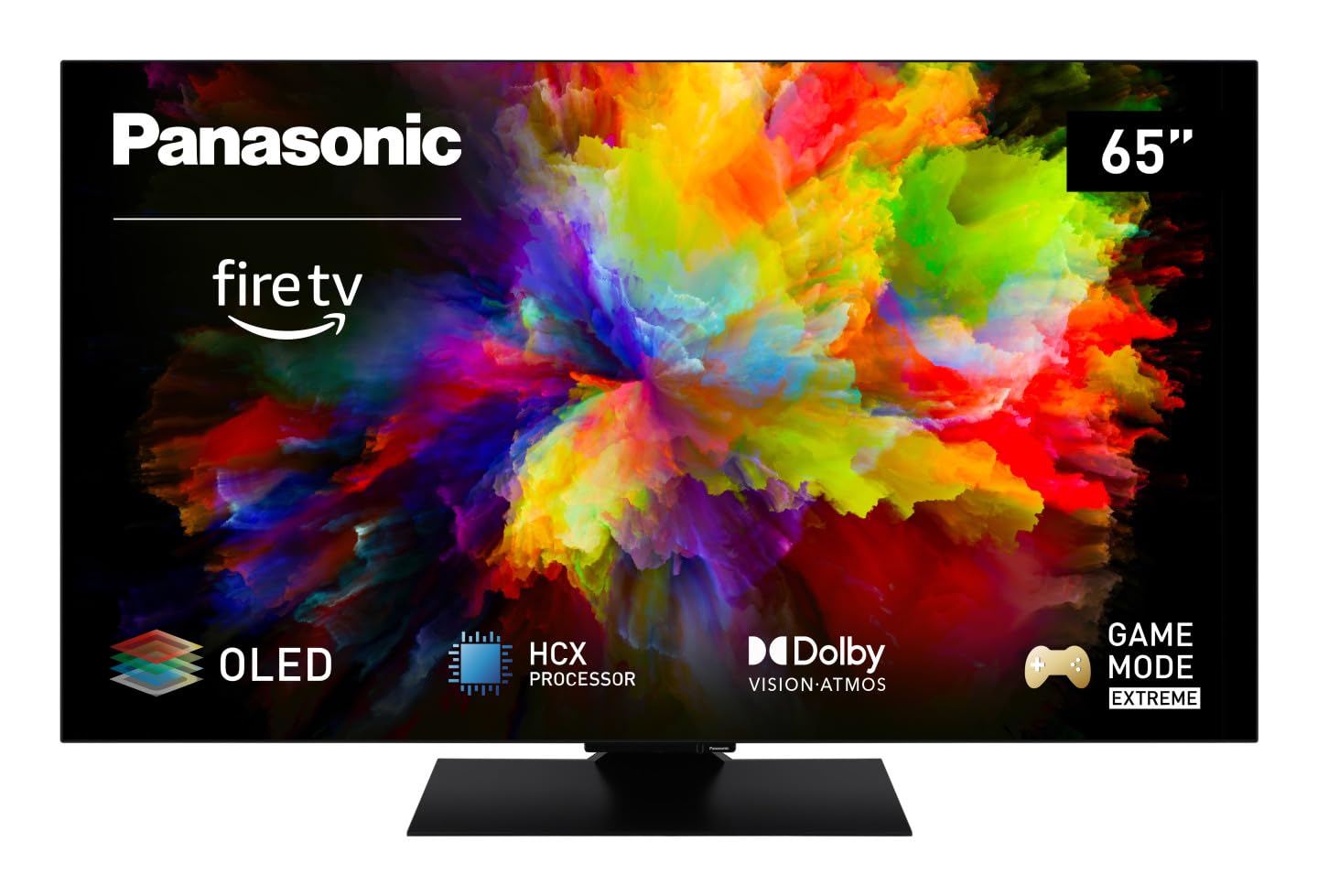
Chithunzi: Patsogolo view of the Panasonic TV-65Z80AEZ 65-inch 4K OLED Smart TV.
Zambiri Zachitetezo
Always follow basic safety precautions when using this television to reduce the risk of fire, electric shock, and injury. Keep the television away from water and moisture. Do not block ventilation openings. Use only attachments/accessories specified by the manufacturer. Refer all servicing to qualified service personnel.
- Magetsi: Onetsetsani kuti voltage matches the rating label on the TV.
- Mpweya wabwino: Do not cover or block any ventilation openings. Allow adequate space around the TV for proper airflow.
- Kuyeretsa: Chotsani TV musanayeretse. Gwiritsani ntchito nsalu yofewa, youma. Osagwiritsa ntchito zotsukira zamadzimadzi kapena zotsukira aerosol.
- Kukwera: If wall-mounting, ensure the wall mount is compatible with the TV's VESA standards and can support its weight. Follow the wall mount manufacturer's instructions carefully.
Zamkatimu Phukusi
Onetsetsani kuti zinthu zonse zilipo m'paketi:
- Panasonic TV-65Z80AEZ 65-inch 4K OLED Smart TV
- Kuwongolera Kwakutali
- AAA Batteries (2x) for Remote Control
- Chingwe cha Mphamvu
- Zida Zoyimira pa TV (ngati zikuyenera)
- Buku Loyambira Mwachangu (chikalatachi chimagwira ntchito ngati chitsogozo chokwanira)
Khazikitsa
1. Kuyika Kwathupi
Kuyika Stand: If using the included stand, carefully attach it to the television according to the diagrams in the quick start guide. Ensure all screws are securely fastened. Place the TV on a stable, level surface.
Kuyika Pakhoma: If wall-mounting, consult a professional installer. Ensure the wall mount is rated for the TV's weight and size. Do not attempt to wall-mount the TV without proper tools and expertise.
2. Zipangizo Zolumikiza
Lumikizani zipangizo zanu zakunja monga mabokosi a chingwe, osewera a Blu-ray, ma consoles amasewera, ndi makina amawu ku ma doko oyenera kumbuyo kwa TV.

Chithunzi: Mbali view of the Panasonic TV-65Z80AEZ, illustrating the slim profile and connectivity ports.
- HDMI: For high-definition video and audio. This TV supports HDMI 2.1 for advanced gaming features.
- USB: For connecting USB storage devices or other peripherals. This TV has 2 USB ports.
- Efaneti: Kwa intaneti yamawaya.
- Mlongoti/Chingwe: Kulumikiza mlongoti kapena chingwe TV chakudya.
3. Mphamvu Yoyambira Yoyambira ndi Kukhazikitsa Manetiweki
- Insert the included AAA batteries into the remote control.
- Lumikizani chingwe chamagetsi ku TV ndiyeno kumalo opangira magetsi.
- Dinani batani loyatsa pa remote control kapena pa TV.
- Follow the on-screen instructions to select your language, region, and connect to your Wi-Fi network. You can also use a wired Ethernet connection.
4. Fire TV Setup
Your Panasonic TV-65Z80AEZ comes with Fire TV built-in. During the initial setup, you will be prompted to sign in with your Amazon account or create a new one. This enables access to streaming services, apps, and personalized recommendations.
Kuyendetsa TV
1. Basic Controls
Use the remote control to navigate the TV's interface. The remote includes standard buttons for power, volume, channel, input selection, and navigation within the Fire TV interface.
2. Smart TV Features
- Moto TV: The intuitive 4K Fire TV home screen provides instant access to live TV, streaming apps, and personalized recommendations for up to 6 user profiles.
- Alexa Voice Control: Control your Smart TV using voice commands through the integrated Alexa. Press the microphone button on your remote and speak your command.
- AirPlay: Easily share content from your Apple devices (iPhone, iPad, Mac) to your TV for a seamless viewzochitika.
3. Chithunzi Quality
- OLED & HCX Processor: Experience deep blacks and natural colors. The HCX processor ensures a cinematic experience with stunning image quality.
- Multi HDR Support: Enjoy optimized brightness, contrast, and colors scene by scene with support for Dolby Vision, HLG, HDR10, and HDR10+, ensuring exceptional images.
4. Audio Mbali
- Surround Sound Pro & Dolby Atmos: Kwezani wanu viewing experience with immersive Dolby Atmos and Surround Sound Pro technology, including an integrated subwoofer, for a cinema-worthy audio experience.
5. Extreme Game Mode
This mode is designed for gamers, offering ultra-low latency, Variable Refresh Rate (VRR), 120 Hz refresh rate, and Auto Low Latency Mode (ALLM) via HDMI 2.1. It also supports AMD FreeSync Premium and NVIDIA G-SYNC for fluid and responsive gameplay.
Kusamalira
Proper maintenance ensures the longevity and performance of your television.
- Kuyeretsa Screen: Pang'onopang'ono pukutani chinsalu ndi nsalu yofewa, yopanda lint. Kwa zizindikiro zouma, pang'ono dampsungani nsaluyo ndi madzi kapena chotsukira mwapadera. Osamwaza madzi mwachindunji pa zenera.
- Kuyeretsa Kabati: Gwiritsani ntchito nsalu yofewa, youma kuyeretsa kabati ya TV.
- Kuthira fumbi: Nthawi zonse fumbi pamipata mpweya wabwino kupewa kutenthedwa.
- Chingwe cha Mphamvu: Periodically check the power cord for any damage. If damaged, replace it immediately with an authorized part.
Kusaka zolakwika
Ngati mukukumana ndi zovuta ndi TV yanu, yang'anani njira zotsatirazi zodziwika bwino:
| Vuto | Njira Yotheka |
|---|---|
| Palibe Mphamvu | Onetsetsani kuti chingwe chamagetsi chalumikizidwa bwino pa TV ndi pakhoma. Onani ngati chotulukacho chikugwira ntchito polumikiza chipangizo china. |
| Palibe Chithunzi, koma Phokoso Lilipo | Check the input source. Press the 'Input' or 'Source' button on your remote to cycle through inputs. Ensure connected devices are powered on. |
| Palibe Phokoso, Koma Chithunzi Chilipo | Check the volume level. Ensure 'Mute' is not activated. Check audio cables if using external speakers. Verify audio output settings in the TV menu. |
| Kuwongolera Kwakutali Sikugwira Ntchito | Bwezerani mabatire. Onetsetsani kuti palibe zopinga pakati pa cholumikizira chakutali ndi sensa ya IR ya TV. |
| Sitingalumikizane ndi Wi-Fi | Onetsetsani kuti rauta yanu ya Wi-Fi yayatsidwa ndikugwira ntchito. Lowetsaninso mawu achinsinsi a Wi-Fi. Yesani kuyambitsanso TV ndi rauta. |
Ngati vutoli likupitilira mutatha kuyesa njirazi, chonde lemberani chithandizo chamakasitomala.
Zofotokozera
| Mbali | Tsatanetsatane |
|---|---|
| Mtundu | Panasonic |
| Nambala ya Model | Zithunzi za TV-65Z80AEZ |
| Kukula kwa Screen | 65 inchi |
| Kuwonetsa Technology | OLED |
| Kusamvana | 4K Ultra HD |
| Mtengo Wotsitsimutsa | 120hz pa |
| Opareting'i sisitimu | FireOS |
| Kulumikizana Technology | Bluetooth, HDMI, Wi-Fi |
| Madoko Olumikizirana | Ethernet, HDMI, USB |
| Madoko Onse a USB | 2 |
| Zapadera | OLED, Dolby Vision, Dolby Atmos, Fire TV, Extreme Game Mode |
| Zida Zogwirizana | Laptop, Gaming Console, Smartphone, Tablet, Speakers |
| Mbali Ration | 16:9 |
| Makulidwe azinthu (DxWxH) | 4.7D x 144.4W x 82.4H masentimita |
| Kuphatikiza Zida | Television, Remote Control, Batteries |
Chitsimikizo ndi Thandizo
Your Panasonic TV-65Z80AEZ is covered by a manufacturer's warranty. Please refer to the warranty card included with your product for specific terms and conditions, including the warranty period and coverage details. For technical support, service, or further assistance, please visit the official Panasonic support website or contact their customer service helpline. Keep your purchase receipt as proof of purchase for warranty claims.


