1. Zamalonda Zathaview
The HIFI WALKER H20 Ultra is a high-resolution digital audio player designed for audiophiles. It features advanced audio processing, versatile connectivity, and a user-friendly interface, delivering studio-grade sound quality in a portable form factor.

2. Zamkatimu Phukusi
Onetsetsani kuti zonse zomwe zalembedwa pansipa zikuphatikizidwa mu phukusi lanu:
- H20 Ultra MP3 Player
- USB-C Chingwe Chachidziwitso
- Khadi la 128GB TF
- Velvet Storage Bag
- Buku Logwiritsa Ntchito

3. Mapangidwe a Chipangizo ndi Maulamuliro
Familiarize yourself with the physical layout and controls of your H20 Ultra player.
Maulamuliro Oyipa

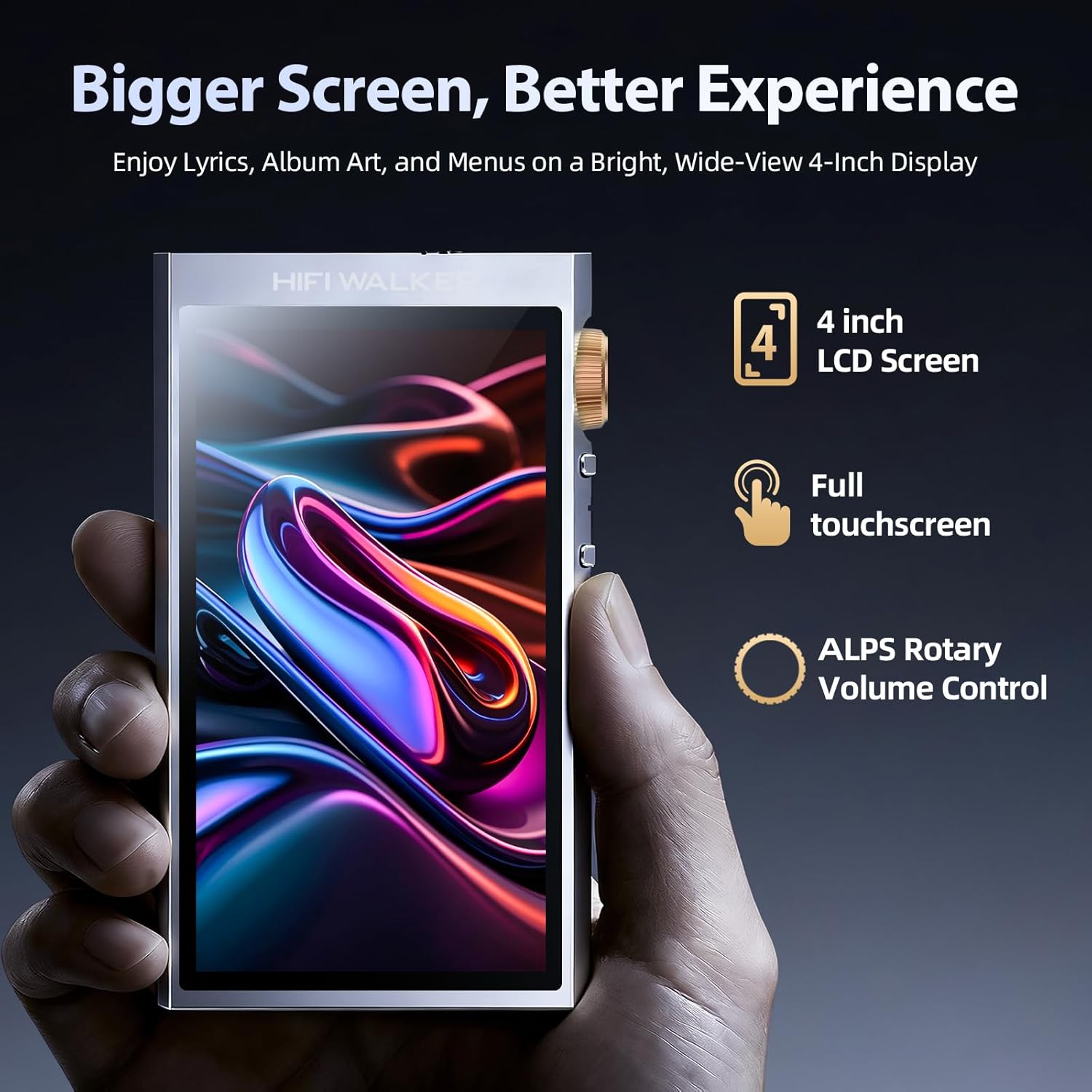
- Buku Knob: Rotatable knob for precise volume adjustment.
- Batani Lamphamvu: Press and hold to power on/off. Short press to toggle screen on/off.
- Mabatani Am'mbuyo/Otsatira: Navigate between tracks.
- Batani la Sewerani/Imitsani: Kuwongolera kusewera kwa nyimbo.
Top and Bottom Ports
- 3.5mm Zotulutsa Pamodzi: Chojambulira chojambulira chojambulira.
- 4.4mm Zotulutsa Zoyenera: For high-fidelity audio with compatible headphones.
- USB-C Doko: Pakulipira, kusamutsa deta, ndi magwiridwe antchito a USB DAC.
- MicroSD Card Slot: For expandable storage up to 1TB.
4. Kukhazikitsa
4.1 Kulipira Chipangizo
Before first use, fully charge your H20 Ultra. Connect the provided USB-C cable to the device and a compatible USB power adapter (not included). The device supports 3-hour fast charging and offers up to 36 hours of playback on a full charge.

4.2 Kuyika MicroSD Card
The H20 Ultra comes with 128GB of internal storage and supports expandable storage via a microSD card up to 1TB. Gently insert the microSD card into the designated slot until it clicks into place.
4.3 Kuyatsa/Kuzimitsa
Press and hold the Power button on the side of the device for a few seconds to power it on or off. A short press will toggle the screen on or off during operation.
4.4 Initial Language Selection
Upon first startup, you will be prompted to select your preferred language from the touchscreen interface.
5. Malangizo Ogwiritsira Ntchito
5.1 Kuyenda kwa Mawonekedwe a Ogwiritsa Ntchito
The H20 Ultra features a 4-inch full touchscreen with an intuitive UI. Navigate through menus and options by tapping and swiping. Physical buttons on the side provide quick access to playback controls and volume adjustment.

5.2 Kujambula Nyimbo
The H20 Ultra supports a wide array of high-resolution audio formats, including DSD, FLAC, WAV, ALAC, APE, M4A, and MP3. It offers native DSD256 decoding and PCM up to 768kHz/32bit.

Kusakatula Nyimbo
Access your music library through categories such as All Songs, Folders, Albums, Artists, and Genres. You can also create and manage playlists.
Zokonda pa Equalizer
Customize your audio experience with the built-in equalizer. Choose from preset modes (e.g., Pop, Blues, Classic, Jazz, Rock, Dance, Metal, Voice) or create a custom profile kuti zigwirizane ndi zomwe mumakonda.

5.3 Kulumikizana kwa Bluetooth
The H20 Ultra features Bluetooth 5.2 with support for aptX HD and LDAC codecs, ensuring high-resolution wireless audio streaming. It supports both transmitter (TX) and receiver (RX) modes.

Kulumikizana ndi Zida za Bluetooth
- Pitani ku Zokonda > Zokonda Zopanda zingwe > bulutufi.
- Sinthani Bluetooth ON.
- Sankhani Bluetooth Scan to search for available devices.
- Choose your desired device from the list to pair.
5.4 Kulumikizana kwa Wi-Fi
The device supports Wi-Fi for firmware updates and receiving songs wirelessly. To connect to Wi-Fi, navigate to Zokonda > Zokonda Zopanda zingwe > Wifi, turn it ON, and select your network.
5.5 USB DAC Functionality
The H20 Ultra can function as a USB DAC, allowing it to process digital audio from your computer or other devices for enhanced sound quality. Connect the device to your computer via the USB-C cable and select the USB DAC mode in the settings.
6. Kusamalira
6.1 Kusamalira Battery
To prolong battery life, avoid fully discharging the device frequently. Charge the 3000mAh battery regularly. The device supports up to 36 hours of playback and 3-hour fast charging.
6.2 Kuyeretsa
Use a soft, dry cloth to clean the device. Avoid using harsh chemicals or abrasive materials that could damage the screen or casing.
6.3 Zosintha za Firmware
Periodically check for firmware updates to ensure optimal performance and access to new features. Connect the device to Wi-Fi and navigate to Zokonda > Zokonda pa System > Kusintha kwa Firmware.
7. Mavuto
- Chipangizo sichikuyatsa: Ensure the device is fully charged. Connect it to a power source and try again.
- Palibe phokoso: Check headphone connections (3.5mm or 4.4mm) and ensure volume is not muted or too low. Verify that the correct output mode is selected.
- Mavuto okhudzana ndi Bluetooth: Ensure Bluetooth is enabled on both the H20 Ultra and the pairing device. Try unpairing and re-pairing the devices. Move closer to the Bluetooth device to reduce interference.
- Files not recognized: Onetsetsani zomvera files are in a supported format. Verify that the microSD card is properly inserted and not corrupted. Try updating the music database via settings.
- Sewero logwira ntchito silikuyankhidwa: Restart the device. If the issue persists, perform a factory reset (note: this will erase all data).
8. Zofotokozera
| Nambala Yachitsanzo Yachinthu | Mtengo wa H20 Ultra |
| Mtundu | HIFI WALKER |
| DAC Chip | ESS ES9038Q2M |
| Memory Storage Kukhoza | 128 GB (yowonjezera mpaka 1TB kudzera pa microSD) |
| Kulumikizana Technology | Bluetooth 5.2 (aptX HD, LDAC), USB-C, Wi-Fi |
| Kukula kwa Screen | 4 inchi |
| Batiri | 3000mAh (up to 36 hours playback) |
| Kutulutsa Kwamawu | 3.5mm Imodzi-Mapeto, 4.4mm Yokwanira |
| Anathandiza Audio akamagwiritsa | DSD256, PCM up to 768kHz/32bit, WAV, FLAC, ALAC, APE, M4A, MP3, etc. |
| Kulemera kwa chinthu | 14.4 pawo |
| Wopanga | HIFI WALKER |
9. Chitsimikizo ndi Thandizo
For warranty information and customer support, please refer to the specific warranty card included in your product package or visit the official HIFI WALKER website. The manufacturer is HIFI WALKER.


