1. Mawu Oyamba
The boAt Nirvana Space TWS Earbuds are designed to provide an immersive audio experience with advanced features. This manual provides detailed instructions for setup, operation, and maintenance to ensure optimal performance and longevity of your earbuds.

Image: boAt Nirvana Space TWS Earbuds (Pink Punch) and their charging case.
2. Zamkatimu Phukusi
- boAt Nirvana Space Truly Wireless In-Ear Earbuds
- Mlandu Wolipira
- USB Charging Chingwe
- Buku Logwiritsa Ntchito
- Additional Eartips
3. Kulipiritsa Ma Earbuds ndi Case
Before first use, fully charge the earbuds and charging case. Connect the provided USB cable to the charging port on the case and a power source. The LED indicator on the case will show charging status. A full charge takes approximately 1.5 hours.
The earbuds feature ASAP Charge technology. A quick 15-minute charge provides up to 240 minutes (4 hours) of audio playback.

Image: Charging the boAt Nirvana Space earbuds case via USB-C.

Image: Illustration of ASAP Charge feature, highlighting 15 minutes of charge for 4 hours of playtime.
4. Kuyang'anira ndi Kulumikizana
4.1 Kulumikizana koyamba
- Tsegulani mlandu wolipira. Zomvera m'makutu zidzalowa basi munjira yoyanjanitsa.
- Pachipangizo chanu (foni yam'manja, piritsi, laputopu), yambitsani Bluetooth.
- Saka 'Nirvana Space' in the list of available Bluetooth devices and select it to connect.
- Once connected, you will hear an audio prompt, and the LED indicator on the earbuds will change.
4.2 Kulumikizana kwa Multipoint
The Nirvana Space earbuds support multipoint connection, allowing you to connect to two devices simultaneously. This enables seamless switching between devices, for example, watching a video on your tablet and answering a call on your phone without re-pairing.

Image: Multipoint Connectivity, showing earbuds connected to both a tablet and a smartphone.
4.3 Google Fast Pair
For Android devices, Google Fast Pair allows for quick and effortless connection. Simply open the charging case near your Android device, and a pop-up notification will appear for instant pairing.
5. Malangizo Ogwiritsira Ntchito
5.1 Touch Controls
The earbuds feature intuitive touch controls for managing music, calls, and features. Refer to the boAt Hearables App for customizable touch functions.
5.2 Kuzindikira M'khutu
The earbuds automatically detect when they are in your ears. Music playback will pause when an earbud is removed and resume when re-inserted, providing a seamless listening experience.

Image: Instant In-Ear Detection feature, showing automatic play/pause functionality.
6. Audio Mbali
6.1 360 Spatial Audio
Experience an immersive soundscape with boAt 360 Spatial Audio. This feature creates a cinematic effect, enveloping you with sound from all directions, enhancing your movie and music experience.

Image: boAt 360 Spatial Audio feature banner.
6.2 Active Noise Cancellation (ANC)
The Nirvana Space earbuds offer up to 32dB Active Noise Cancellation, effectively reducing ambient sounds. This allows you to focus on your audio content without distractions from your surroundings.

Image: Active Noise Cancellation feature banner, highlighting 32dB noise reduction.
6.3 10mm Diamond-Like Carbon (DLC) Drivers
Equipped with 10mm Diamond-Like Carbon (DLC) drivers, these earbuds deliver crisp sound with outstanding balance and tonality, providing a rich audio experience with deep bass.
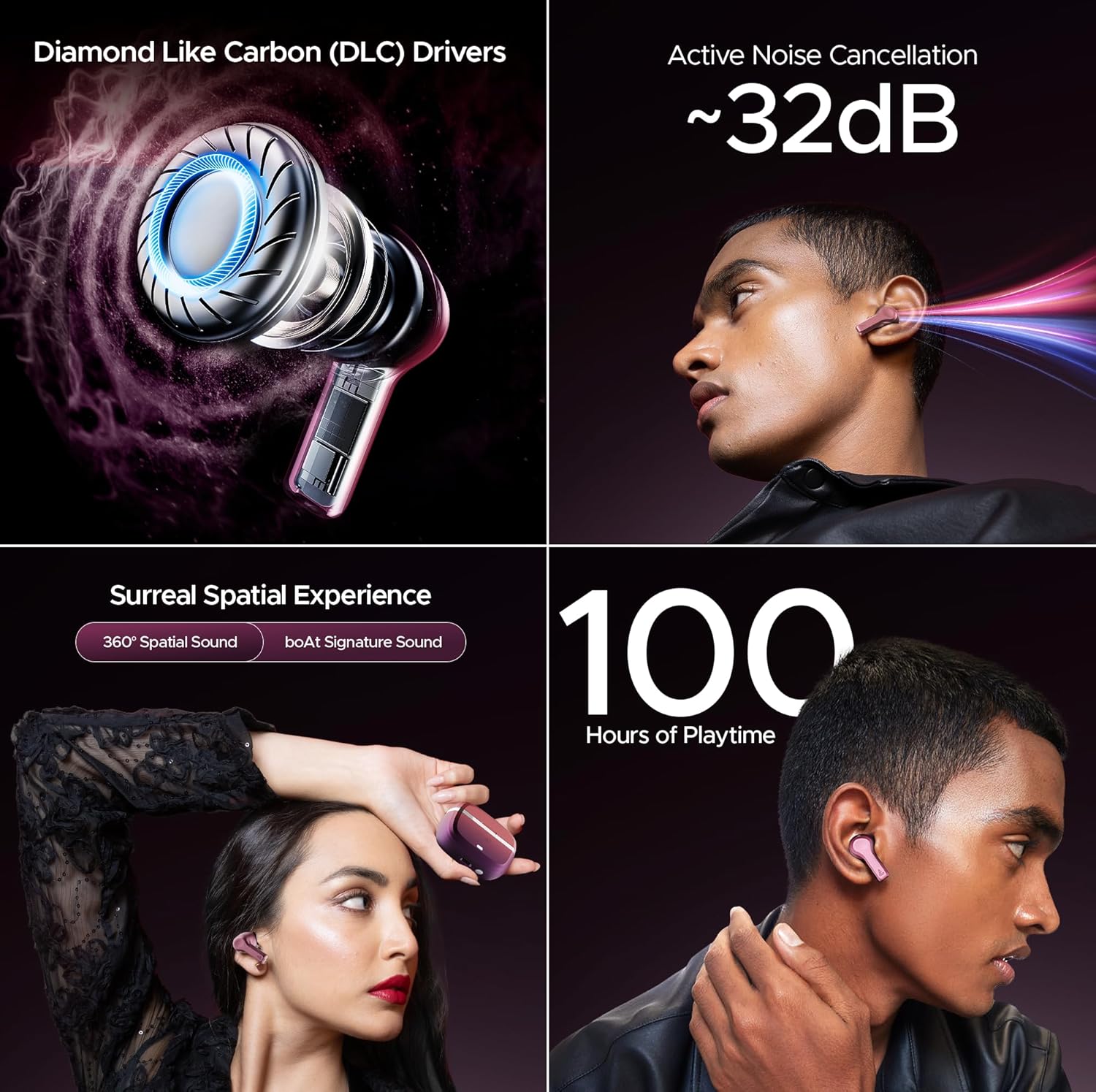
Chithunzi: Zathaview of key audio features including DLC Drivers, ANC, Spatial Audio, and battery life.
6.4 boAt Signature Sound
Enjoy the signature boAt sound profile, optimized for a powerful and dynamic listening experience across various genres.
6.5 BEAST Mode
Activate BEAST Mode for ultra-low latency (60ms), ideal for gaming and video streaming, ensuring synchronized audio and visuals.
6.6 Ambient Mode
When you need to be aware of your surroundings, switch to Ambient Mode. This feature allows external sounds to pass through, keeping you connected to your environment without removing the earbuds.
7. Ubwino wa Kuyimba
The Nirvana Space earbuds are equipped with 4 microphones and AI-ENx Technology. This technology enhances call clarity by isolating your voice and reducing background noise, ensuring clear conversations even in noisy environments.

Image: Quad Mics with AI-ENx Technology for enhanced call clarity.
8. boAt Hearables App
Download the boAt Hearables App to unlock the full potential of your Nirvana Space earbuds. The app allows for customization of touch controls, sound personalization with boAt Adaptive EQ, and access to various features and settings.

Image: boAt Hearables App interface for customizing settings and features. Download the app via this link: https://l.ead.me/bdAX6k
9. Moyo wa Battery
The boAt Nirvana Space earbuds offer an impressive 100 hours of total playback time with the charging case. This extended battery life ensures long listening sessions without frequent recharging.

Image: 100 Hours of Playtime feature banner.
10. Kusamalira
To maintain the performance and longevity of your earbuds:
- Sungani ma earbuds ndi chikwama chochajira chili choyera komanso chouma.
- Avoid exposing them to extreme temperatures or direct sunlight.
- Use a soft, dry cloth for cleaning. Do not use abrasive cleaners.
- Store in the charging case when not in use to protect them from dust and damage.
11. Mavuto
11.1 Ma Earbud Osalumikizana
- Onetsetsani kuti zomvera m'makutu zonse zachaji.
- Place earbuds back in the case, close the lid, wait a few seconds, then open again to re-enter pairing mode.
- Forget 'Nirvana Space' from your device's Bluetooth settings and attempt to pair again.
11.2 Chingwe Chimodzi Chomvera Makutu Sichikugwira Ntchito
- Yang'anani ngati mahedifoni onse awiri ali ndi chaji.
- Try resetting the earbuds (refer to the full user manual for specific reset instructions).
11.3 Poor Call Quality
- Onetsetsani kuti zomvera m'makutu zakhazikika bwino m'makutu mwanu.
- Check for any obstructions around the microphone areas.
- If in a very noisy environment, try moving to a quieter location.
12. Zofotokozera
| Mbali | Kufotokozera |
|---|---|
| Dzina lachitsanzo | Nirvana Space |
| Kuwongolera Phokoso | Active Noise Cancellation (~32dB) |
| Kulumikizana Technology | Wopanda zingwe (Bluetooth v5.3) |
| Mtundu wa Bluetooth | 10 mita |
| Moyo wa Battery | Maola 100 (ndi choyimitsa) |
| Nthawi yolipira | maola 1.5 |
| Mtundu Woyendetsa Audio | Dynamic Driver (10mm DLC) |
| Maikolofoni | 4 Mics with AI-ENx Technology |
| Madzi Resistance Level | Chosalowa madzi |
| Njira Yowongolera | App / Touch |
| Kulemera kwa chinthu | 140 gm |
13. Chitsimikizo ndi Thandizo
Your boAt Nirvana Space TWS Earbuds come with a manufacturer's warranty. For detailed warranty information, service requests, or technical support, please visit the official boAt webtsamba kapena funsani makasitomala awo. Sungani chiphaso chanu chogulira chachitetezo.
Visit the official boAt Store: boAt Store on Amazon


