Zofunika Zachitetezo
Please read all safety instructions before using your homary Smart Nightstand.
- Always unplug the wireless charger when not in use.
- Do not place heavy objects on the nightstand that could cause it to tip over.
- Keep the nightstand away from heat sources and liquids to prevent damage to the electrical components.
- Ensure the nightstand is placed on a stable, level surface.
- Avoid exposing the nightstand to direct sunlight or extreme temperatures.
Zathaview
The homary Smart Nightstand (Model GY-J040528) is a modern bedside table designed for convenience and style. It features integrated charging capabilities and ampndi storage.
- Wireless Charging Pad: Ili pamwamba pa zipangizo zogwirizana.
- USB and Type-C Ports: For wired charging of various devices.
- Two Storage Drawers: Provides organized storage for personal items.
- Zomangamanga Zolimba: Crafted from engineered wood with a faux leather finish.
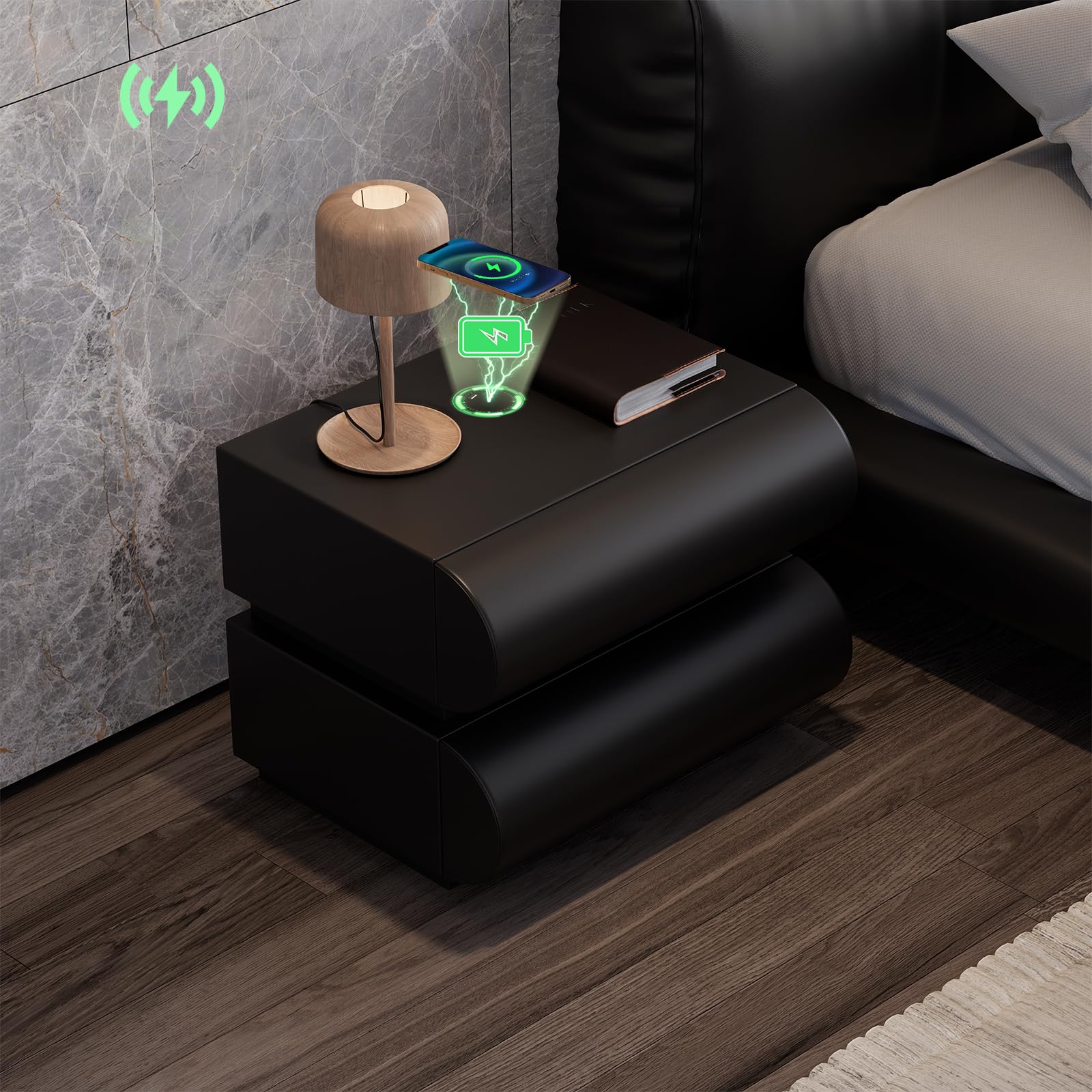
Image: The homary Smart Nightstand in black, showcasing its modern design and two drawers.
Khazikitsa
The homary Smart Nightstand comes fully assembled, requiring no complex setup.
- Kutulutsa: Carefully remove the nightstand from its packaging. Inspect for any shipping damage.
- Kuyika: Position the nightstand on a stable, level surface next to your bed or desired location. Ensure adequate space for drawer operation.
- Kulumikiza Mphamvu: Locate the power cable for the charging station. Connect it to a suitable wall outlet. The nightstand's smart features (wireless charger, USB/Type-C ports) will now be active.

Image: A person standing next to the nightstand with a drawer open, demonstrating its height and drawer access.
Malangizo Ogwiritsira Ntchito
Kulipira Opanda zingwe
The nightstand features a built-in wireless charging pad on its top surface.
- Ensure the nightstand is plugged into a power source.
- Place your Qi-compatible device (e.g., smartphone) directly onto the designated wireless charging area on the nightstand's top surface.
- The device should indicate that it is charging. If not, adjust its position on the pad until charging begins.

Image: A smartphone charging wirelessly on the nightstand's surface, with charging icons visible.
USB and Type-C Charging Ports
For devices not compatible with wireless charging, or for faster charging, use the integrated USB and Type-C ports.
- Ensure the nightstand is plugged into a power source.
- Connect your device's charging cable to the appropriate USB or Type-C port on the nightstand.
- Lumikizani kumapeto ena a chingwe ku chida chanu.
- Chipangizo chanu chiyenera kuyamba kuyatsa.
Ntchito ya Drawer
The nightstand features two smooth-gliding drawers for storage.
- To open a drawer, gently pull the front panel.
- To close, push the drawer firmly until it is fully seated.
- Pewani kudzaza ma drawer kuti muwonetsetse kuti ntchito ikuyenda bwino komanso kuti isawonongeke.

Image: An open drawer of the nightstand, highlighting its construction and storage capacity.
Kusamalira
Proper care will ensure the longevity and appearance of your homary Smart Nightstand.
- Kuyeretsa: Pukutani pa chikopa chabodza ndi chofewa, damp nsalu. Pewani zotsukira abrasive kapena mankhwala owopsa, chifukwa amatha kuwononga mapeto.
- Kutayika: Immediately wipe up any spills to prevent staining, especially on the faux leather.
- Kuthira fumbi: Regularly dust the nightstand with a dry, soft cloth.
- Ma Slide Ojambula: If drawers become stiff, a small amount of silicone-based lubricant can be applied to the slides.
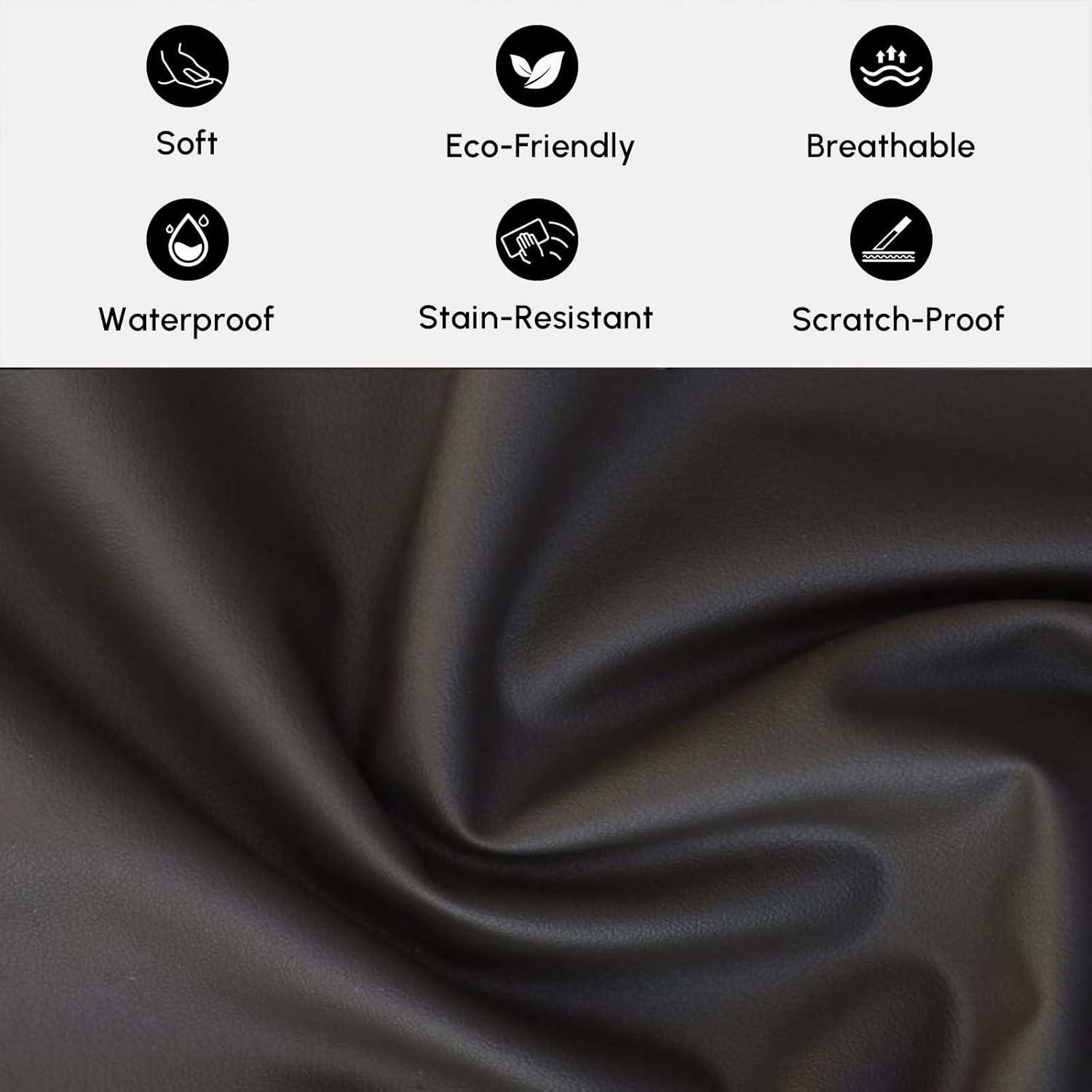
Chithunzi: Chapafupi view of the faux leather material, illustrating its texture and properties like being soft, eco-friendly, breathable, waterproof, stain-resistant, and scratch-proof.
Kusaka zolakwika
Wireless Charger Not Working
- Onani Mphamvu: Ensure the nightstand is properly plugged into a functional wall outlet.
- Kugwirizana kwa Chipangizo: Verify that your device is Qi-compatible for wireless charging.
- Kuyika Chida: Adjust the device's position on the charging pad. It may need to be precisely centered.
- Zolepheretsa: Remove any thick phone cases or metallic objects between the device and the charging pad.
USB/Type-C Ports Not Charging
- Onani Mphamvu: Ensure the nightstand is plugged in.
- Kukhulupirika kwa Cable: Try a different charging cable to rule out a faulty cable.
- Port Condition: Inspect the ports for any debris or damage.
Drawers Sticking or Not Opening Smoothly
- Zochulukira: Chepetsani kulemera kapena kuchuluka kwa zinthu mu kabati.
- Cholepheretsa: Check for any objects blocking the drawer slides.
- Level Surface: Ensure the nightstand is on a level surface, as unevenness can affect drawer alignment.
Zofotokozera
| Mtundu | homary |
| Dzina lachitsanzo | GY-J040528 |
| Mtundu | Wakuda |
| Mtundu Wazinthu | Faux Leather; MDF |
| Zida za chimango | Engineered Wood |
| Chiwerengero cha Zojambula | 2 |
| Makulidwe achinthu (L x W x H) | 15.7 x 19.7 x 19.7 mainchesi (400 x 500 x 500 mm) |
| Kulemera kwa Chinthu (Pafupifupi) | 33 lbs (15kg) |
| Max Load Capacity (Approx.) | 66 lbs (30kg) |
| Msonkhano Wofunika | Ayi |

Image: Detailed dimensions and weight specifications for the nightstand and its drawers.
Chidziwitso cha Chitsimikizo
Specific warranty details for the homary Smart Nightstand (Model GY-J040528) may vary. Please refer to the warranty card included with your product or contact homary customer support for detailed information regarding warranty coverage and terms.
Thandizo la Makasitomala
If you have any questions, require assistance, or need to report an issue, please contact homary customer support.
- Imelo: service@homary.com
- Please include your order number when contacting support via email.
- Customer service typically responds within 24 hours, excluding public holidays.

Image: Homary customer support details, including email and response time.