1. Mawu Oyamba
The TCL S642W is a 2.1 channel soundbar system designed to significantly enhance your home audio experience. This system includes a main soundbar unit and a wireless subwoofer, delivering powerful sound with deep, resonant bass. With advanced connectivity options like Bluetooth 5.3 and HDMI ARC, and support for Dolby Audio, the S642W provides an immersive and high-quality audio environment for movies, music, and games.
2. Zamkatimu Phukusi
Chonde onani phukusi lazinthu izi:
- TCL S642W Soundbar Unit
- Wireless Subwoofer
- Kuwongolera kutali ndi Mabatire
- Power Cable for Soundbar
- Chingwe champhamvu cha Subwoofer
- Chingwe cha HDMI
- Wall Mounting Kit
- Buku la ogwiritsa (chikalatachi)
3. Kukhazikitsa
3.1 Kuyika
Proper placement of the soundbar and subwoofer is crucial for optimal sound performance and an immersive audio experience.
- Soundbar: Position the soundbar centrally below your television. Ensure there are no obstructions in front of the soundbar that could block the sound.
- Wireless Subwoofer: The wireless subwoofer can be placed anywhere in the room, ideally near the soundbar, for enhanced bass. Avoid placing it in enclosed spaces that might muffle the sound.

Figure 1: Recommended placement of the soundbar and subwoofer in a living room environment.

Figure 2: Dimensions of the TCL S642W Soundbar (560mm x 62mm x 96.7mm) and Wireless Subwoofer (195mm x 320.4mm x 195mm).
3.2 Zogwirizana
Tsatirani izi kuti mulumikizane ndi soundbar yanu:
- Kulumikiza Mphamvu: Connect the power cables to the soundbar and the wireless subwoofer, then plug them into a wall outlet. The subwoofer will automatically pair with the soundbar when both are powered on.
- Kulumikizana kwa HDMI ARC (Koyenera): For the best audio quality and control, connect one end of the provided HDMI cable to the HDMI ARC port on your soundbar and the other end to the HDMI ARC/eARC port on your television. This allows your TV remote to control the soundbar's volume.
- Kulumikizana ndi Bluetooth: To stream audio wirelessly from your smart device, ensure the soundbar is powered on. Press the Bluetooth button on the remote control or the soundbar unit. The Bluetooth indicator light will flash. On your smart device, search for Bluetooth devices and select 'TCL S642W' to pair.
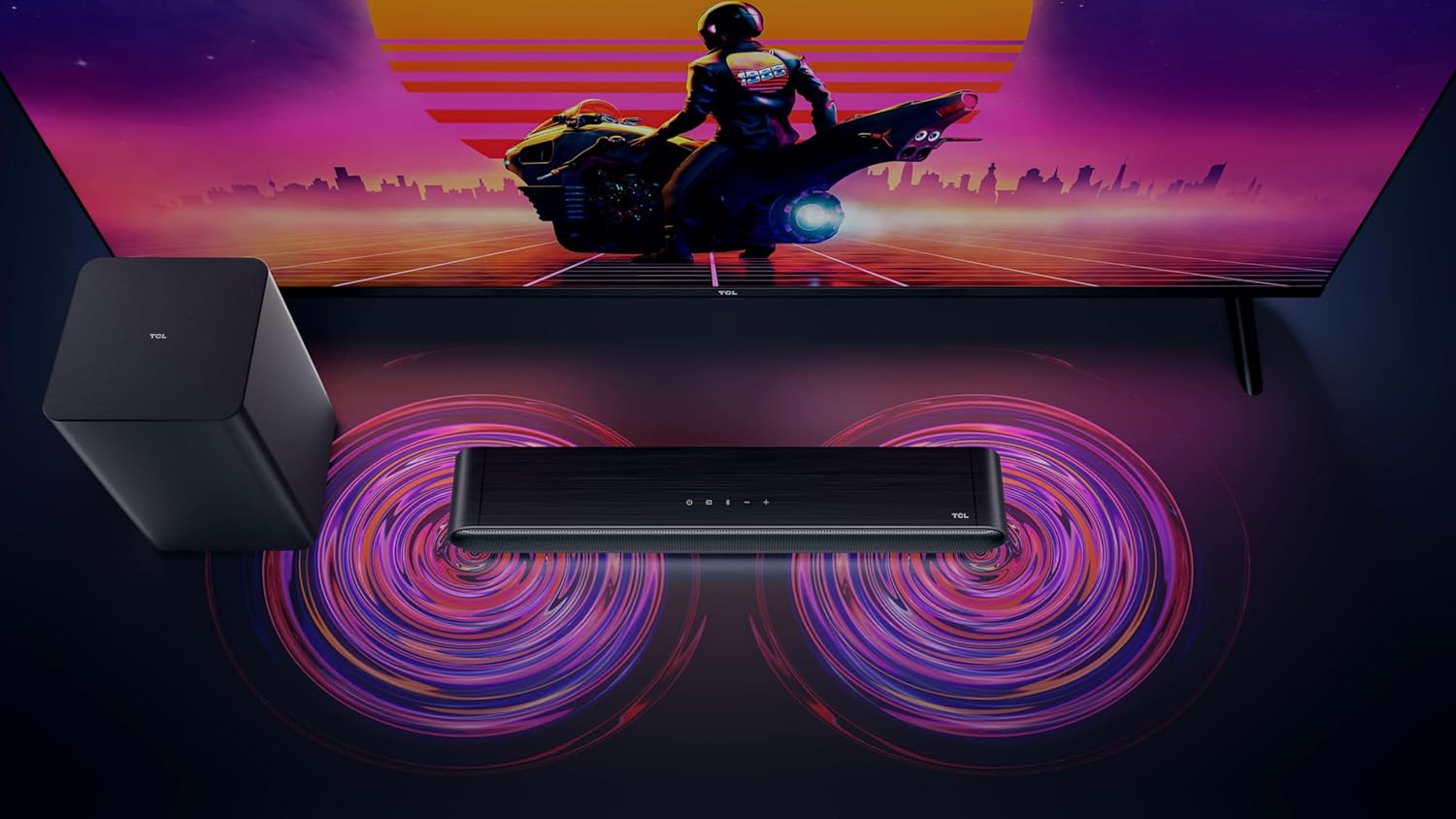
Figure 3: Connectivity options for the TCL S642W Soundbar, including Bluetooth 5.3 and HDMI.
4. Malangizo Ogwiritsira Ntchito
4.1 Kuyatsa/Kuzimitsa
Dinani pa Mphamvu button on the remote control or the soundbar unit to turn the system on or off.
4.2 Kusankha Zolowetsa
Dinani pa Gwero or Zolowetsa button on the remote control to cycle through available input sources: HDMI ARC, Bluetooth.
4.3 Kuwongolera Voliyumu
Gwiritsani ntchito Kukweza kwamphamvu (+) ndi Kutsika kwamphamvu (-) buttons on the remote control or the soundbar unit to adjust the volume. If connected via HDMI ARC, your TV remote may also control the soundbar volume.
4.4 Kulumikizana kwa Bluetooth
Kuti mulumikize chipangizo chatsopano cha Bluetooth:
- Ensure the soundbar is in Bluetooth mode (press the Bluetooth button).
- On your smart device, enable Bluetooth and search for available devices.
- Select 'TCL S642W' from the list to connect. The Bluetooth indicator on the soundbar will stop flashing and remain solid once connected.
Figure 4: The included remote control for convenient operation of the soundbar.
5. Kusamalira
To ensure the longevity and optimal performance of your TCL S642W Soundbar system, follow these maintenance guidelines:
- Kuyeretsa: Use a soft, dry, lint-free cloth to clean the surfaces of the soundbar and subwoofer. Do not use liquid cleaners, sprays, or abrasive materials, as these can damage the finish or internal components.
- Mpweya wabwino: Ensure that the soundbar and subwoofer have adequate ventilation. Do not block any ventilation openings. Avoid placing the units in enclosed cabinets without proper airflow.
- Chilengedwe: Sungani dongosololi kutali ndi dzuwa lachindunji, magwero a kutentha, fumbi lochuluka, chinyezi, ndi mphamvu yamphamvu yamaginito.
- Mphamvu: Unplug the power cables from the wall outlet if the system will not be used for an extended period.
6. Mavuto
If you encounter issues with your soundbar, refer to the following troubleshooting guide:
| Vuto | Chifukwa Chotheka | Yankho |
|---|---|---|
| Palibe mawu ochokera ku soundbar |
|
|
| Subwoofer not producing bass |
|
|
| Mavuto okhudzana ndi Bluetooth |
|
|
7. Zofotokozera
Key technical specifications for the TCL S642W Soundbar system:
- Mtundu: Mtengo wa TCL
- Dzina lachitsanzo: S642W (2.1 Channel Soundbar with Wireless Subwoofer and HDMI ARC with Bluetooth 5.3 – Wall Mountable)
- Mtundu Wolankhula: Soundbar
- Max Speaker Output Power: 200 Watt
- Mayankho pafupipafupi: 10 khz
- Kulumikizana Technology: HDMI, Bluetooth 5.3
- Audio linanena bungwe mumalowedwe: Dolby Audio, DTS Virtual X
- Mtundu Wokwera: Wall Mountable
- Zofunika: Pulasitiki
- Zapadera: Bluetooth, USB Port, Portable
8. Zambiri Zachitetezo
Please read and follow these safety precautions to prevent damage and ensure safe operation:
- Osavumbulutsa chipangizocho kumvula, chinyezi, kudontha, kapena kugwa.
- Osayika zinthu zodzazidwa ndi zakumwa, monga miphika, pazida.
- Musatseke mipata iliyonse ya mpweya wabwino. Ikani motsatira malangizo a wopanga.
- Osayika pafupi ndi zotenthetsera zilizonse monga ma radiator, zolembera zotenthetsera, masitovu, kapena zida zina (kuphatikiza ampLifiers) zomwe zimatulutsa kutentha.
- Tetezani chingwe chamagetsi kuti chisayendetsedwe kapena kukanikizidwa, makamaka pamapulagi, zotengera zosavuta, komanso pomwe amatuluka pazida.
- Gwiritsani ntchito zomata / zowonjezera zomwe wopanga adazipanga.
- Chotsani chipangizochi pa nthawi yamphezi kapena chikagwiritsidwa ntchito kwa nthawi yaitali.
9. Chitsimikizo ndi Thandizo
For detailed warranty information, terms, and conditions, please refer to the warranty card included with your product package. For technical support, product registration, or to find answers to frequently asked questions, please visit the official TCL support website or contact your local TCL customer service representative.
You can often find additional resources and contact information on the official TCL webtsamba: www.tcl.com


