Zathaview
The Nipify Solar Spot Lights are designed to provide efficient and versatile outdoor lighting. Featuring 62 LEDs and a sensitive PIR motion sensor, these lights offer three distinct lighting modes and can be installed either in the ground or mounted on a wall. They are built with durable, waterproof materials suitable for various outdoor conditions.

Image: The Nipify Solar Spot Light, showcasing its design for both ground insertion and wall mounting, providing bright illumination for pathways and walls.
Zigawo ndi Zamkatimu Phukusi
Musanayike, chonde onetsetsani kuti pali zinthu zonse zomwe zilipo:
- Solar Spot Light Unit (x1)
- Gawo Lapansi (x1)
- Buku Lachidziwitso (x1)
- Ogwiritsa zomangira (x2)
- Mapulagi Pakhoma (x2)

Image: A visual representation of the Nipify Solar Spot Light package contents, including the light unit, ground stake, screws, and user manual.
Kukhazikitsa ndi Kuyika
The Nipify Solar Spot Light offers two primary installation methods:
1. Ground Insertion
- Attach the ground stake to the main solar light unit by aligning the connection points and pushing firmly until it clicks into place.
- Select a location in your garden, yard, or pathway that receives direct sunlight for 6-8 hours daily to ensure optimal charging.
- Firmly push the assembled light into the ground. Ensure the solar panel faces upwards towards the sun.
2. Wall Wall ogwiritsa
- Detach the ground stake if it is already attached.
- Choose a wall location that receives direct sunlight for 6-8 hours daily.
- Mark the desired drilling points on the wall using the light's mounting bracket as a guide.
- Boolani mabowo ndi kuyika mapulagi a pakhoma.
- Secure the light unit to the wall using the provided screws.
The light unit features an adjustable angle (up to 90 degrees vertical) to direct illumination as needed.

Image: Illustrations demonstrating the two installation methods: inserting the light into the ground with the stake, and mounting it on a wall using screws.
Image: A close-up showing the adjustable angle feature of the light head and the solar panel, along with the switch for mode changes.
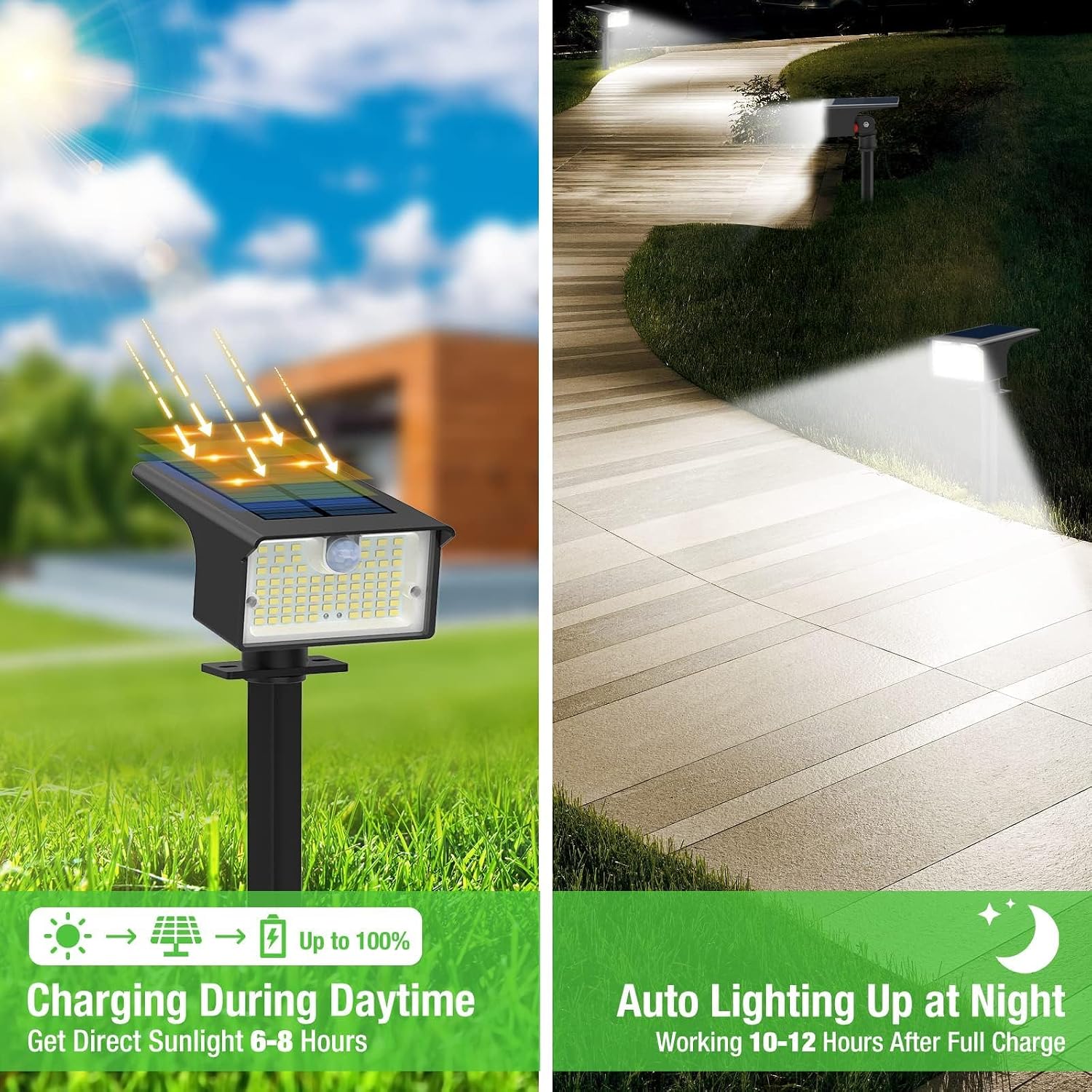
Image: Depiction of the solar light's automatic charging during daylight hours and its auto-lighting function at night, indicating working hours after a full charge.
Malangizo Ogwiritsira Ntchito
The Nipify Solar Spot Light features a single button to cycle through its three lighting modes. Ensure the light is fully charged before initial use for optimal performance.
Mitundu Yowunikira:
- Mode 1: Dim Light Mode
The light stays at a dim brightness throughout the night without motion sensor activation. Press the switch once to activate this mode.
- Mode 2: Dim Light Sensor Mode
The light stays at dim brightness and changes to high light when motion is detected. After motion ceases, it returns to dim. Press the switch twice to activate this mode.
- Mode 3: Security Motion Sensor Mode
The light remains off and changes to high light when motion is detected. After motion ceases, it turns off completely. Press the switch three times to activate this mode.
To turn off the light, press the switch a fourth time.

Image: A visual guide to the three distinct lighting modes, showing how the light behaves with and without motion detection.
Ntchito Yodzichitira:
Once a mode is selected, the solar lights will automatically turn on at dusk and turn off at dawn, charging during the day.
Video: Demonstration of the Nipify solar spot lights' motion sensor functionality and the three available lighting modes in an outdoor setting.
Kusamalira
- Regularly clean the solar panel with a soft, damp cloth to ensure maximum sunlight absorption. Dust, dirt, or debris can reduce charging efficiency.
- Ensure the solar panel is not obstructed by leaves, snow, or other objects, especially during winter months.
- While the lights are waterproof (IP65 rated), avoid submerging them in water.
- Check the installation periodically to ensure the light remains securely in place, whether ground-inserted or wall-mounted.
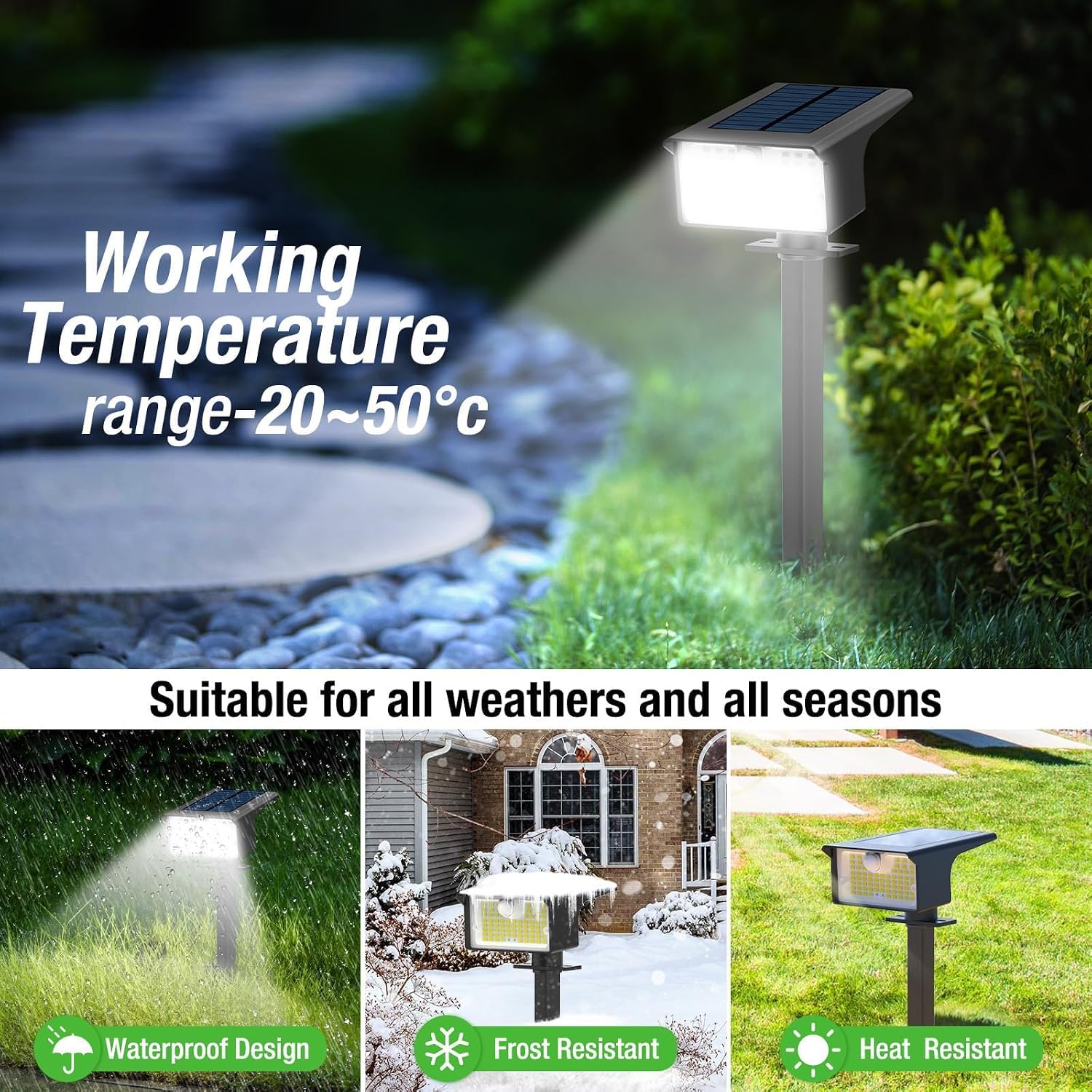
Image: The Nipify Solar Spot Light is shown to be suitable for various weather conditions, including rain, snow, and heat, highlighting its waterproof, frost-resistant, and heat-resistant design.
Kusaka zolakwika
| Vuto | Chifukwa Chotheka | Yankho |
|---|---|---|
| Kuwala sikuyatsa usiku. | Insufficient sunlight for charging; switch is off; solar panel is dirty or obstructed. | Ensure the light is placed in direct sunlight for 6-8 hours. Turn the switch ON. Clean the solar panel. Remove any obstructions. |
| Kutalika kwa kuwala ndi kochepa. | Insufficient charge; battery degradation over time. | Relocate the light to an area with more direct sunlight. Ensure the solar panel is clean. |
| Sensa yoyenda sikugwira ntchito. | Light is not in a motion-sensing mode; sensor is obstructed. | Cycle through modes to select Mode 2 or Mode 3. Ensure the sensor lens is clean and unobstructed. |
Zofotokozera
| Mbali | Tsatanetsatane |
|---|---|
| Mtundu | Nipify |
| Dzina lachitsanzo | YHM-GS08-1-US |
| Nambala Yachitsanzo Yachinthu | AL-WS |
| Mtundu Wowala | LED (62 LEDs) |
| Mtundu Wowala | Woyera Wozizira (6500K) |
| Kuwala | 1000 Lumen |
| Gwero la Mphamvu | Mphamvu ya Dzuwa |
| Mphamvu ya Battery | 1200 mA |
| Motion Sensor Detection Angle | 120° |
| Malo Ozindikira Zoyendera za Sensor | 3-5m |
| Zakuthupi | Premium ABS Plastic & Polycrystalline Silicon |
| Madzi Resistance Level | IP65 Wopanda madzi |
| Kutentha kwa Ntchito | -20℃ mpaka 50℃ (-4°F mpaka 122°F) |
| Miyeso Yazinthu | 4.72"L x 3.35"W x 11.8"H |
| Kulemera kwa chinthu | 0.51 mapaundi (pafupifupi ma ola 8.1) |
| Mtundu Woyika | Ground Inserted / Wall Mounted |
Chitsimikizo ndi Thandizo
Nipify offers a 1-year warranty for quality issues. For any questions, concerns, or assistance, please contact Nipify customer service. They provide 24-hour friendly service and after-sales support.
For more information, visit the official Nipify store: Nipify Store on Amazon


