Mawu Oyamba
Thank you for choosing the BEYONDOP OP-MT615 Smart LED Desk Lamp. This manual provides essential information for the safe and efficient use of your new desk lamp. Please read these instructions carefully before use and retain them for future reference.
The BEYONDOP OP-MT615 is designed to provide versatile and eye-caring illumination for various tasks, featuring adjustable brightness, multiple color modes, and smart auto-dimming capabilities.

Image: The BEYONDOP OP-MT615 Smart LED Desk Lamp in a typical desk setup, illustrating its modern design and illumination.

Image: The BEYONDOP OP-MT615 Smart LED Desk Lamp positioned next to a sofa, demonstrating its versatility in various home environments.
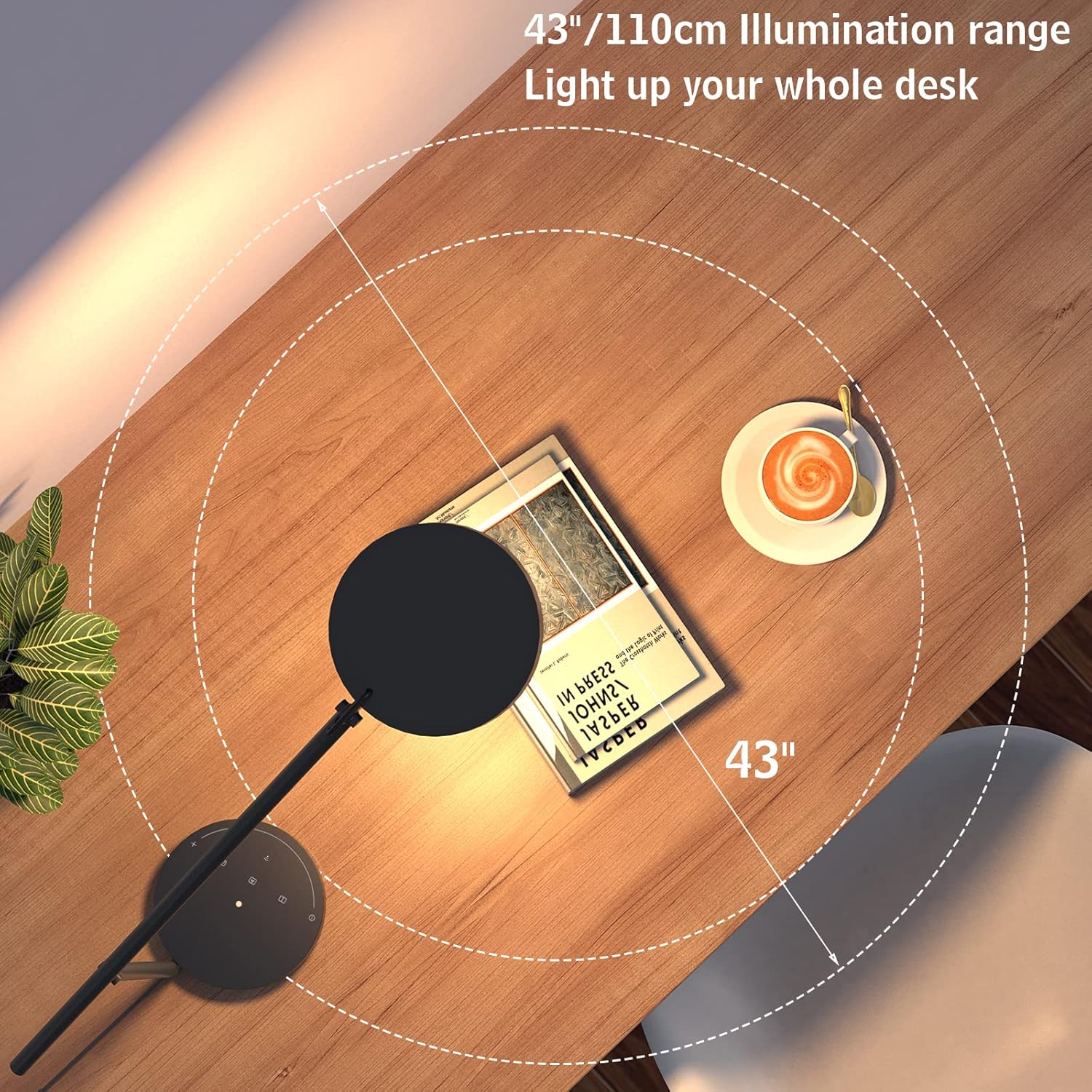
Image: An overhead perspective illustrating the wide 43-inch (110 cm) illumination range of the lamp, designed to cover an entire desk surface.
1. Malangizo Kukhazikitsa
Follow these steps to set up your BEYONDOP OP-MT615 Smart LED Desk Lamp:
- Tulutsani Zigawo: Carefully remove all components from the packaging. Ensure you have the lamp basi, lamp arm with head, and power adapter.
- Kusonkhanitsa Lamp:
- Ikani lamp base on a stable, flat surface.
- Ikani lamp arm into the designated slot on the base. Ensure it is securely seated.
- Lumikizani Mphamvu: Lumikizani adaputala yamagetsi mu lamp's power input port, then plug the adapter into a standard electrical outlet (100V-240V).
- Ikani Lamp: Adjust the swing arm and lamp head to your desired position. The lamp features a rotatable head and flexible metal swing arm for multi-angle adjustment.

Image: An illustration detailing the dimensions and the layout of the touch control panel on the lamp's base, including the power button, mode selection, and dimming slider.
2. Malangizo Ogwiritsira Ntchito
The BEYONDOP OP-MT615 lamp features intuitive touch controls located on its base.

Chithunzi: Mwatsatanetsatane view mwa lamp's touch control panel on the base, highlighting the power, mode, and brightness controls, alongside diagrams illustrating the lamp head's adjustable angles (45°-260° rotation and 180° swing).
2.1 Kuyatsa/Kuzimitsa
- Kuyatsa: Lightly touch the power symbol (Ⓢ) on the lamp maziko.
- Kuzimitsa: Lightly touch the power symbol (Ⓢ) kachiwiri.
2.2 Brightness Adjustment (Dimming)
- Slide Dimming: Slide your finger along the curved touch slider on the base to adjust brightness from 15% to 100%.
- Lamp offers 9 levels of brightness adjustment.
2.3 Mitundu Yotentha Yamitundu
Lamp offers 3 distinct color temperature modes (3500K, 4000K, 5000K) to suit different activities. Touch the mode selection buttons to cycle through them:
- Kuwerenga: Provides a warm, comfortable light (e.g., 3500K) ideal for extended reading sessions.
- Zolemba: Offers a neutral white light (e.g., 4000K) suitable for focused tasks and writing.
- Auto Mode / Smart Mode: Activates the built-in ambient light sensor.

Image: An infographic illustrating the three distinct color modes (Reading, Writing, Smart) and the nine adjustable brightness levels, ranging from 10% to 100% illumination.
2.4 Smart Mode (Auto-Dimming)
When Smart Mode is activated, the lamp's built-in ambient light sensor automatically adjusts the brightness to reduce contrast between the lamp's output and the surrounding environment. This feature helps soothe eye fatigue and creates a comfortable viewzochitika.
2.5 Ntchito Yokumbukira
Lamp features a memory function that recalls your last used brightness and color temperature settings when turned back on.
2.6 Kusintha Lamp Udindo
Lamp head can rotate from 45° to 260°, and the swing arm offers 180° adjustment, allowing you to direct light precisely where needed. Gently adjust the arm and head to avoid excessive force.
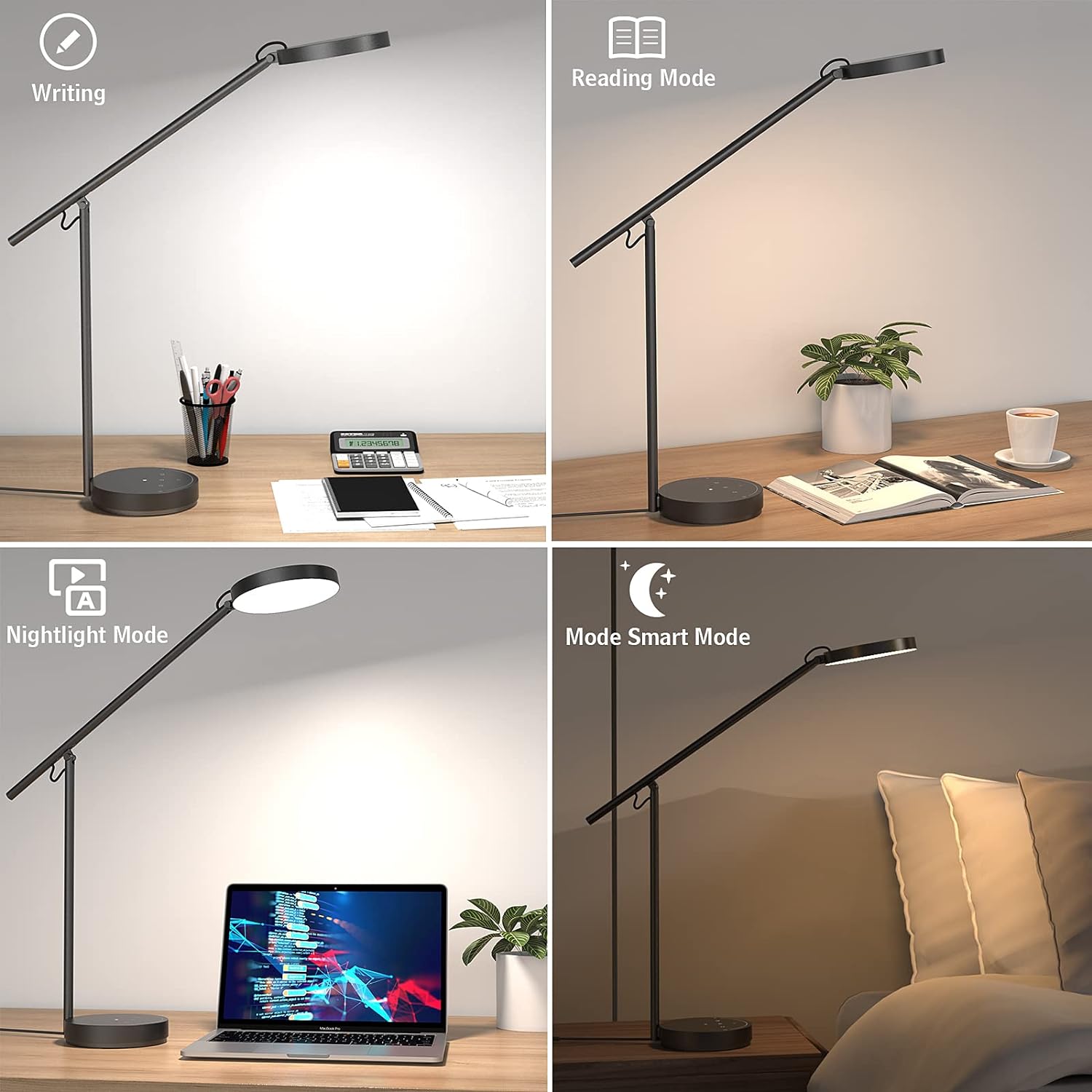
Image: A composite image displaying the lamp's performance in four different settings: Writing mode (bright, cool light), Reading mode (warm, soft light), Nightlight mode (low illumination), and Smart mode (auto-adjusted brightness).

Chithunzi: Chiwonetsero cha collageasing the BEYONDOP OP-MT615 lamp being used for diverse activities such as reading, working, studying, drawing, sewing, and gaming, highlighting its adaptability.
3. Kusamalira
Proper maintenance ensures the longevity and optimal performance of your BEYONDOP OP-MT615 Desk Lamp.
- Kuyeretsa:
- Nthawi zonse chotsani lamp kuchokera pa soketi yamagetsi musanayeretse.
- Chotsani lamp's surface with a soft, dry cloth. For stubborn marks, a slightly damp nsalu ingagwiritsidwe ntchito, ndikutsatiridwa ndi nsalu youma.
- Do not use abrasive cleaners, solvents, or harsh chemicals, as these can damage the finish and electronic components.
- Posungira: Ngati kusunga lamp for an extended period, ensure it is clean and dry. Store it in a cool, dry place away from direct sunlight and extreme temperatures.
- Anatsogolera Zamoyo: Gwero la kuwala kwa LED lophatikizidwa limakhala ndi moyo wapakati wa maola 50,000 ndipo silingasinthidwe ndi ogwiritsa ntchito.
4. Mavuto
If you encounter issues with your BEYONDOP OP-MT615 Desk Lamp, please refer to the following common problems and solutions:
| Vuto | Chifukwa Chotheka | Yankho |
|---|---|---|
| Lamp satsegula. |
|
|
| Light flickers or is unstable. |
|
|
| Brightness or color mode cannot be adjusted. |
|
|
If the problem persists after trying these solutions, please contact BEYONDOP customer support for further assistance.
5. Zolemba Zamalonda
Key technical specifications for the BEYONDOP OP-MT615 Smart LED Desk Lamp:
- Chitsanzo: OP-MT615
- Makulidwe (D x W x H): 8.1" x 6.4" x 20.8" (20.8 x 16.4 x 53 cm)
- Kulemera kwa chinthu: 4.89 Mapaundi (2.22kg)
- Zofunika: Acrylonitrile Butadiene Styrene, Aluminum, Polycarbonate
- Malizitsani Mtundu: Zachitsulo
- Mtundu wa Gwero Lowala: LED
- Nambala ya Kochokera Kuwala: 84
- Wattage: 18 Watt Hours (Maximum Compatible Wattage)
- Kuwala: 1975 Lux
- Kutentha kwamitundu: 3500K, 4000K, 5000K (3 modes)
- Mtundu Wopereka Mlozera (CRI): ≥95
- Avereji ya Moyo: maola 50,000
- Voltage: 100V-240V
- Njira Yowongolera: Kukhudza
- Zapadera: Dimmable, 3 Color Temperatures, Flicker-free, Eye-caring, Memory Function, Foldable, Adjustable, Smart LED with Light Sensor (Auto-adjust brightness), Corded Electric.

Image: An exploded diagram illustrating the internal components of the lamp head, including the high-quality metal material, dual-color LED bead light source board, light guideable seal cover, prismatic lens, and fly-eye micro prisms matrix lens, highlighting the advanced optical design.
6. Chidziwitso cha Chitsimikizo
BEYONDOP products are manufactured to high-quality standards. For specific warranty details regarding your OP-MT615 Smart LED Desk Lamp, please refer to the warranty card included with your purchase or contact BEYONDOP customer support. Keep your purchase receipt as proof of purchase for any warranty claims.
7. Thandizo la Makasitomala
If you have any questions, require technical assistance, or need to report an issue with your BEYONDOP OP-MT615 Smart LED Desk Lamp, please contact our customer support team.
- Thandizo Lapaintaneti: Visit the official BEYONDOP webtsamba kapena tsamba la sitolo la Amazon kuti mudziwe mafunso omwe amafunsidwa kawirikawiri komanso njira zolumikizirana.
- Imelo: Refer to your product packaging or warranty card for direct email support.
Please have your model number (OP-MT615) and purchase information ready when contacting support.


