1. Mawu Oyamba
This manual provides comprehensive instructions for the installation, operation, and maintenance of your ASRock Intel Arc A380 Challenger ITX 6GB OC Graphics Card. Please read this manual thoroughly before using the product to ensure proper functionality and to prevent damage. Keep this manual for future reference.
2. Zambiri Zachitetezo
Always observe the following safety precautions when handling and installing your graphics card:
- Onetsetsani kuti kompyuta yanu yazimitsidwa ndipo yachotsedwa pa chotulutsira cha pakhoma musanayike.
- Discharge any static electricity from your body by touching a grounded metal object (e.g., the computer chassis) before handling components.
- Avoid touching the gold-plated connector pins on the graphics card.
- Install the graphics card in a well-ventilated area to prevent overheating.
- Musayike khadi la zithunzi pamalo onyowa kapena kutentha kwambiri.
3. Zamkatimu Phukusi
Tsimikizirani kuti zinthu zonse zilipo mu phukusi lanu lazinthu:
- ASRock Intel Arc A380 Challenger ITX 6GB OC Graphics Card
- Quick unsembe Guide
4. Zamalonda Zathaview
The ASRock Intel Arc A380 Challenger ITX 6GB OC Graphics Card is designed for compact systems, offering capable graphics performance in a single-slot ITX form factor. It features Intel's Arc A380 GPU with 6GB of GDDR6 memory and a 2250 MHz clock speed. Key features include a striped axial fan, 0dB silent cooling, and support for modern display technologies.

Figure 4.1: ASRock Intel Arc A380 Challenger ITX 6GB OC Graphics Card
4.1. Makulidwe
This graphics card features a compact design suitable for ITX systems.
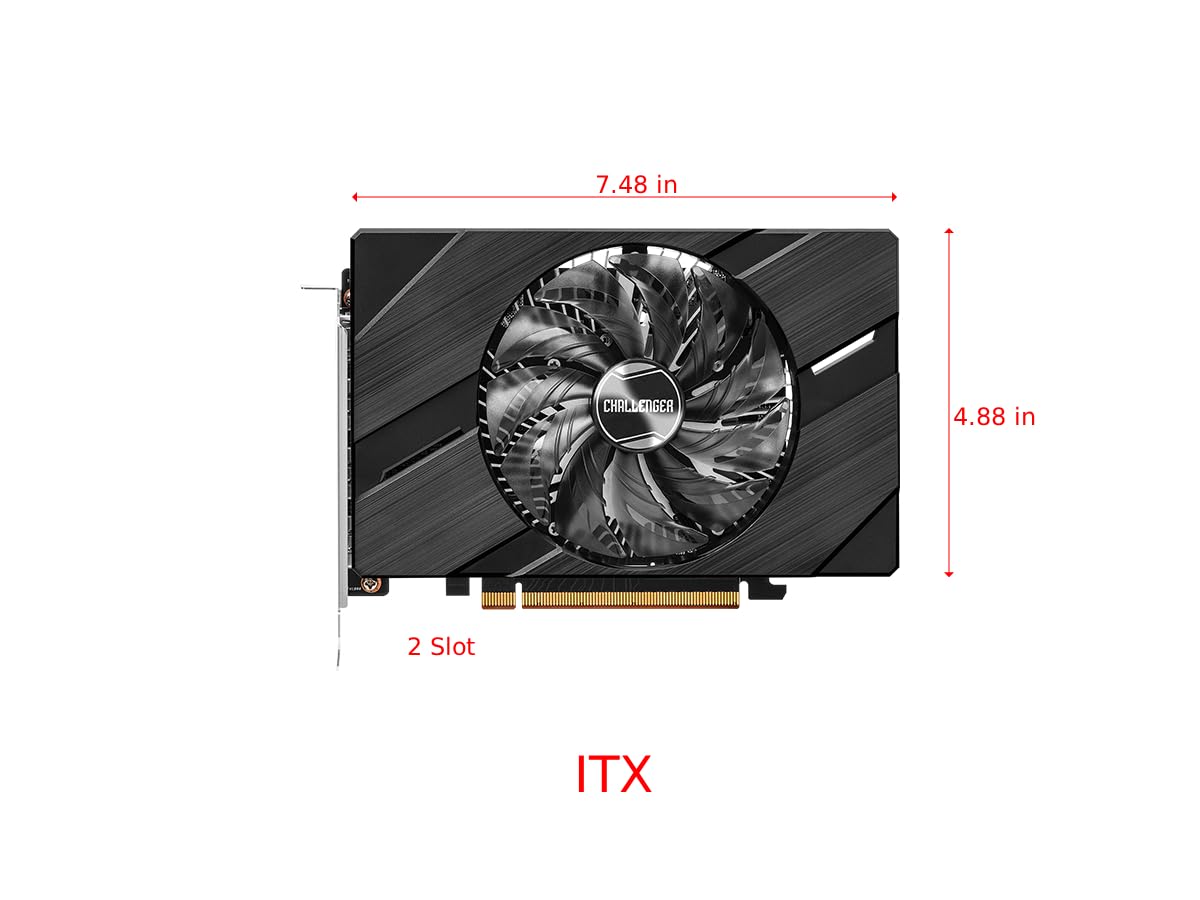
Figure 4.2: Graphics Card Dimensions (Approx. 7.48 in x 4.88 in, 2-slot)
4.2. Display Outputs
The card provides multiple display outputs for versatile connectivity.
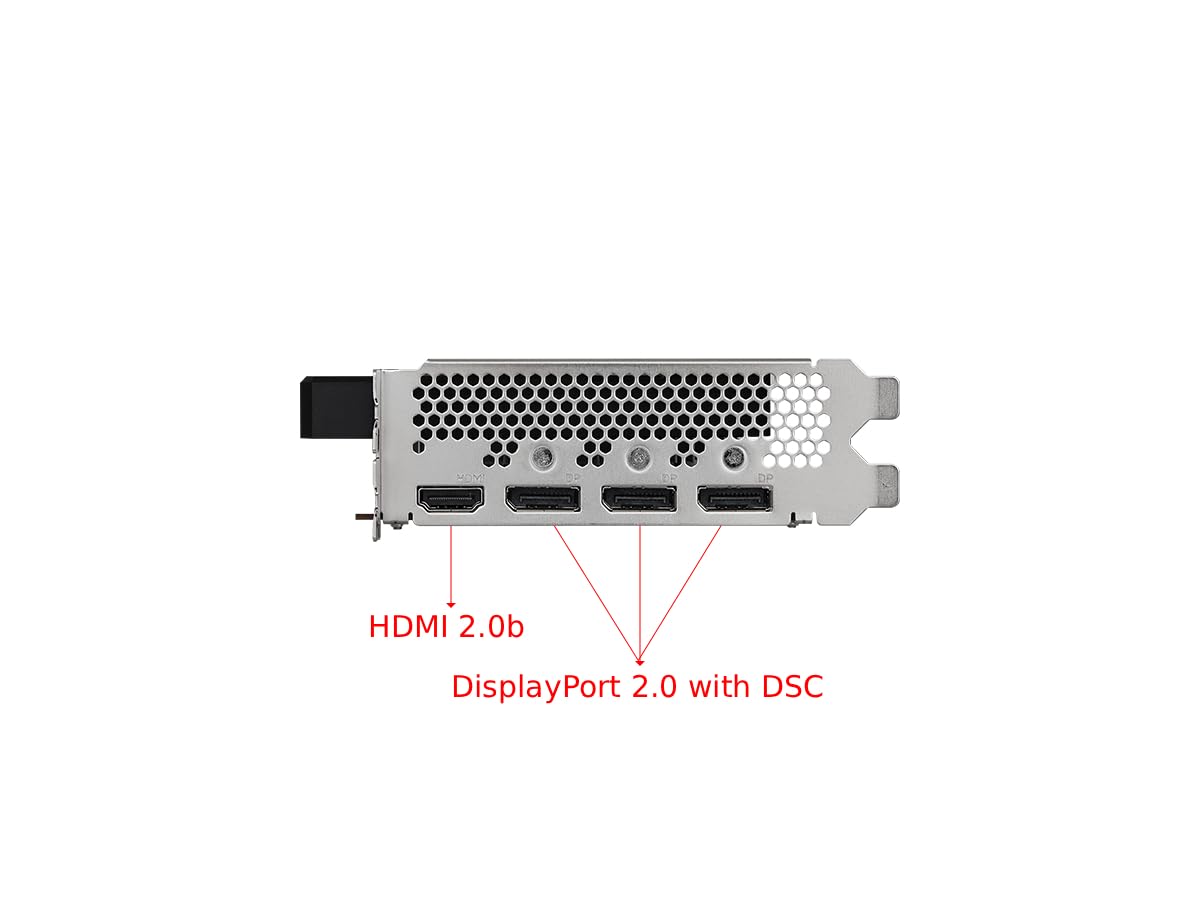
Figure 4.3: Display Outputs (1x HDMI 2.0b, 3x DisplayPort 2.0 with DSC)
4.3. Kuzizira System
The ASRock custom Striped Axial Fan design enhances airflow for optimal cooling. The 0dB Silent Cooling technology ensures the fans stop spinning under light workloads for quiet operation.

Figure 4.4: Striped Axial Fan for enhanced airflow

Figure 4.5: 0dB Silent Cooling: Fans stop under light workloads
4.4. Official Product Video
Kanema 4.1: Kupitiliraview of Intel ARC Graphics Cards by ASRock USA. This video provides a general introduction to the Intel ARC graphics card series.
5. Kukhazikitsa
5.1. Kuyika Kwathupi
- Konzani dongosolo lanu: Zimitsani kompyuta yanu ndikuchotsa zingwe zonse. Tsegulani vuto la kompyuta.
- Locate a PCIe slot: Dziwani malo omwe alipo a PCI Express 4.0 x16 pa bolodi lanu la amayi.
- Remove slot cover: Remove the corresponding slot cover from your computer case.
- Ikani khadi la zithunzi: Carefully align the graphics card with the PCIe slot and press it down firmly until it is securely seated. Ensure the retention clip on the PCIe slot locks into place.
- Limbikitsani khadi: Fasten the graphics card to the computer case with a screw.
- Lumikizani mphamvu: Connect the single 8-pin PCIe power connector from your power supply to the graphics card. Ensure your power supply meets the recommended 500W minimum.
- Close case: Tsekani chikwama cha kompyuta yanu ndikulumikizanso zingwe zonse.
5.2. Kuyika kwa Dalaivala
After physical installation, you must install the latest drivers for your graphics card:
- Yambitsani kompyuta yanu.
- Visit the official ASRock website or Intel's support webmalo.
- Navigate to the support section and locate the drivers for the Intel Arc A380 series.
- Download the latest graphics drivers for your operating system.
- Yambitsani pulogalamu yokhazikitsa ndikutsatira malangizo omwe ali pazenera. Kuyambitsanso kwa dongosolo kungafunike.
6. Kugwira ntchito
Once drivers are installed, your ASRock Intel Arc A380 Challenger ITX graphics card is ready for use. Connect your display(s) to the available DisplayPort 2.0 or HDMI 2.0b ports. You can configure display settings, resolution, and refresh rates through your operating system's display settings or the Intel Arc Control software.
7. Kusamalira
Kukonza nthawi zonse kumathandiza kuonetsetsa kuti khadi yanu ya zithunzi ikugwira ntchito bwino komanso nthawi yayitali:
- Kuchotsa Fumbi: Periodically clean dust from the fan and heatsink using compressed air. Ensure the system is powered off and unplugged before cleaning.
- Zosintha Zoyendetsa: Keep your graphics drivers updated to the latest version. New drivers often include performance improvements, bug fixes, and compatibility enhancements.
- Kuwunika Kutentha: Use monitoring software to keep an eye on the GPU temperature, especially during heavy workloads. While the 0dB cooling feature is efficient, ensuring good case airflow is crucial.
8. Mavuto
If you encounter issues with your graphics card, consider the following troubleshooting steps:
- Palibe Kutulutsa:
- Onetsetsani kuti khadi yazithunzi yakhazikika pa PCIe slot.
- Verify that the 8-pin power connector is securely attached.
- Check that your monitor cable is correctly connected to the graphics card and the monitor.
- Try a different display output port or cable.
- Driver Issues/Instability:
- Perform a clean installation of the latest graphics drivers. Uninstall previous drivers completely before installing new ones.
- Ensure your motherboard BIOS/UEFI is updated to the latest version, as this can improve compatibility.
- Verify that Resizable BAR (ReBAR) is enabled in your system's BIOS/UEFI for optimal performance with Intel Arc GPUs.
- Kutentha kwambiri:
- Onetsetsani kuti mpweya ukuyenda bwino mkati mwa chikwama cha kompyuta yanu.
- Clean any dust buildup from the graphics card's fan and heatsink.
- Check that the fan is spinning correctly under load.
9. Zofotokozera
| Mbali | Kufotokozera |
|---|---|
| Zithunzi za Coprocessor | Intel Arc A380 |
| Video Memory | 6GB GDDR6 |
| Kuthamanga kwa Memory | 15.5 gbps |
| Engine Clock | 2250 MHz |
| Max Screen Resolution | Ma Pixel 7680x4320 (8K) |
| Kanema linanena bungwe Interface | 3x DisplayPort 2.0, 1x HDMI 2.0b |
| Nambala Yachitsanzo Yachinthu | 90-GA3KZZ-00UANF |
| Kulemera kwa chinthu | 1.32 mapaundi |
| Miyeso Yazinthu | 1.1 x 9.7 x 0.04 mainchesi |
| Analimbikitsa PSU | 500W |
10. Chitsimikizo ndi Thandizo
ASRock provides a manufacturer's warranty for this product. Please refer to the warranty card included in your package or visit the official ASRock website for detailed warranty terms and conditions. For technical support, driver downloads, and FAQs, please visit the ASRock support page at www.asrock.com/support.asp.
Optional protection plans are available for purchase, offering extended coverage beyond the standard manufacturer's warranty. These plans typically cover 3-year or 4-year durations, or monthly subscription options.