1. Mawu Oyamba
Thank you for choosing AMAFACE Wireless Earbuds. This manual provides essential information for setting up, operating, and maintaining your new earbuds. Please read it carefully to ensure optimal performance and longevity of your device.
2. Zamalonda Zathaview
The AMAFACE Wireless Earbuds are designed for comfort and high-quality audio, featuring Bluetooth 5.0 connectivity, noise cancellation, and 3D surround stereo sound. They are lightweight and come with a portable mini charging case.

Image: AMAFACE Wireless Earbuds and their unique Dairy Cow themed charging case.
Zofunika Kwambiri:
- Gift Design Cute Dairy Cow Earphones: Unique appearance suitable for both kids and adults.
- Ubwino Womveka wa HIFI: Equipped with Bluetooth 5.0 noise reduction technology for stable pairing and crystal-clear sound. Features built-in high-quality mic and lossless Hifi rendering for deep bass and clear highs.
- Ultra-Lightweight & Outstanding Comfort: Ergonomic, painless design weighing only 3.8g per earbud, ensuring comfortable and secure fit for extended use. Includes three sizes (L, M, S) of soft, comfy ear tips.
- Music and Game Modes: Easily switch between modes with a triple press on the right earbud. Game mode offers 48ms ultra-low latency and 3D stereo game sound.
- USB-C Fast Charging & All-Day Lasting: Provides approximately 6 hours of playtime per charge, with the charging case offering an additional 30 hours, totaling 36 hours of use. The charging case fully charges in 2 hours via USB-C.

Image: Illustration of the seamless Bluetooth 5.0 connection technology integrated into the earbuds.

Image: Visual representation of the HIFI stereo sound quality, showing sound waves and earbud components.

Image: Earbuds shown with water splashes, indicating their sweat and water-resistant capabilities.
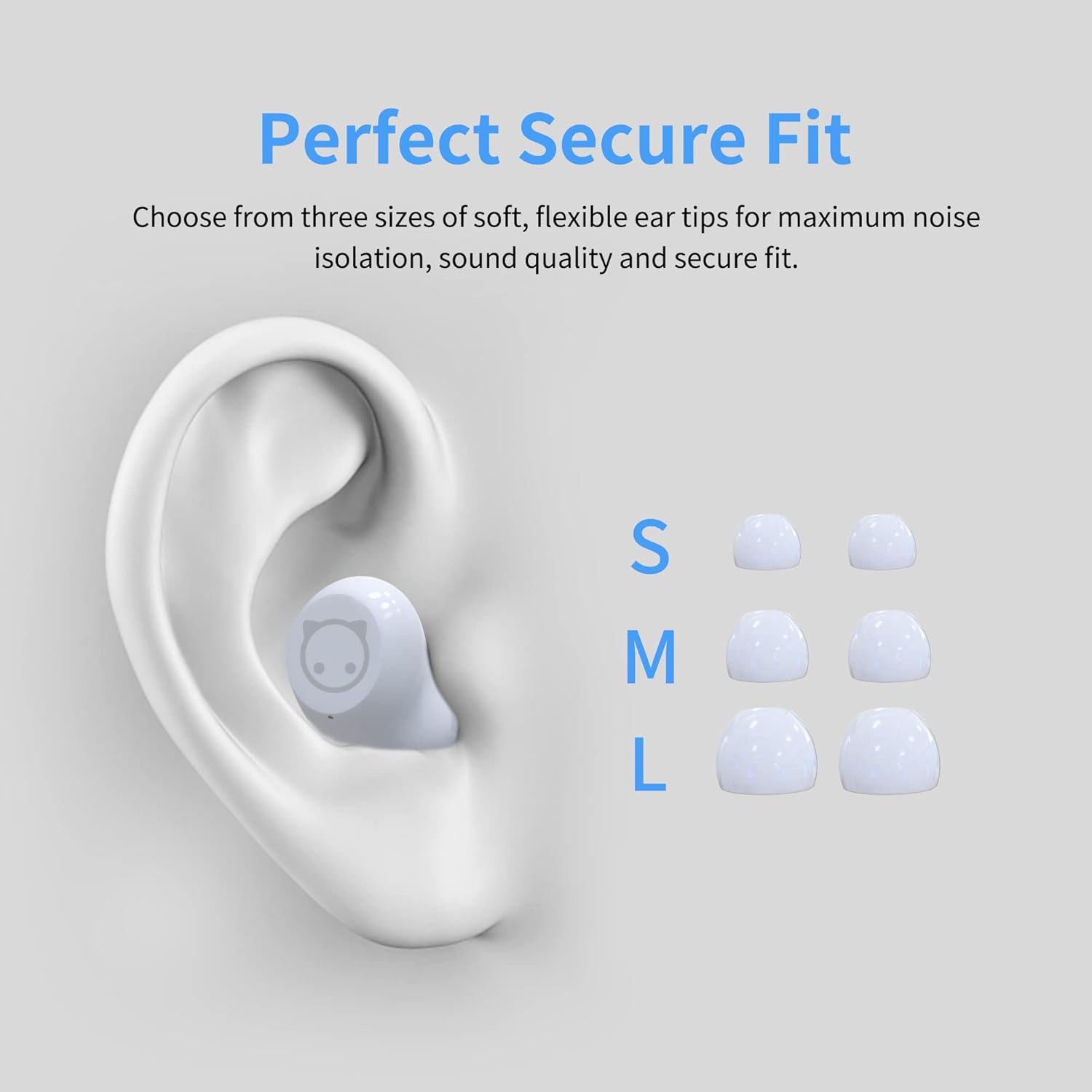
Image: Diagram showing an ear with an earbud inserted and different sizes (S, M, L) of ear tips for a perfect secure fit.

Image: A woman wearing the earbuds, demonstrating their comfortable fit in the ear.
3. Zomwe zili mu Bokosi
- AMAFACE Wireless Earbuds (Left and Right)
- Dairy Cow Charging Case
- USB-C Charging Chingwe
- Makutu a makutu (makulidwe a S, M, L)
- Buku Logwiritsa Ntchito
4. Kukhazikitsa
4.1 Kulipira Koyamba
Before first use, fully charge the earbuds and the charging case. Connect the provided USB-C cable to the charging port on the case and a power source. The LED indicators on the case will show charging status.

Image: The charging case with four LED lights indicating battery charge levels (25%, 50%, 75%, 100%).
4.2 Kulumikizana ndi Chipangizo Chanu
The earbuds feature simple one-touch pairing. Follow these steps:
- Tsegulani mlandu wolipira. Zomvera m'makutu zidzalowa basi munjira yoyanjanitsa.
- Pa foni yanu yam'manja, piritsi, kapena kompyuta, yatsani Bluetooth.
- Saka available Bluetooth devices and select "AMAFACE-K72" (or similar name) from the list.
- Akangolumikizidwa, ma earbud adzasonyeza kuti agwirizana bwino.

Image: Visual guide for simple one-touch pairing, showing the earbuds in the case and a smartphone's Bluetooth settings screen.
4.3 Kuvala ma Earbuds
For optimal sound and comfort, choose the ear tips that best fit your ears. Insert the earbuds into your ears and gently twist to secure them.

Image: Two-step diagram illustrating how to insert earbuds into the ear and then adjust them for a secure fit.
5. Malangizo Ogwiritsira Ntchito
5.1 Touch Controls
The earbuds feature intelligent touch controls for various functions:
- Sewerani/Imitsani: Dinani kamodzi pamakutu aliwonse.
- Nyimbo Yam'mbuyo/Yotsatira: Double tap on the left/right earbud respectively.
- Yankhani/Imitsani foni: Dinani kamodzi pamakutu onse akamayimba foni.
- Yambitsani Wothandizira Mawu (Siri/Google Assistant): Dinani nthawi yayitali pa earbud iliyonse.
- Sinthani Nyimbo/Masewera: Triple press on the right earbud.

Image: Diagram illustrating the various touch control functions of the earbuds, including play/pause, track skipping, call management, voice assistant, and mode switching.
5.2 Music and Game Modes
Your earbuds support two distinct modes:
- Mtundu wanyimbo: Optimized for rich audio experience with deep bass and clear highs.
- Masewera a Masewera: Provides ultra-low latency (48ms) and 3D stereo game sound for an immersive gaming experience.
To switch between modes, triple press the right earbud.
5.3 Moyo wa Battery ndi Kulipira
The earbuds offer approximately 6 hours of playtime on a single charge. The portable charging case provides an additional 30 hours of playtime, for a total of 36 hours. The charging case takes about 2 hours to fully charge using the provided USB-C cable.
Video: A short demonstration of the AMAFACE Dairy Cow Wireless Earbuds, showcasing their design and functionality.
6. Kusamalira
To ensure the longevity and performance of your earbuds, follow these maintenance guidelines:
- Kuyeretsa: Nthawi zonse yeretsani zotsekera m'makutu ndi potchaja ndi nsalu yofewa, youma. Musagwiritse ntchito mankhwala owopsa kapena zinthu zowononga.
- Kukanika kwa Madzi: The earbuds are IPX5 water-resistant, meaning they are protected from rainstorms and water splashes. However, they are not designed for submersion in water. Avoid exposing them to excessive moisture.
- Posungira: Mukasagwiritsidwa ntchito, sungani zomvera m'makutu m'chikwama chawo chotchaja kuti muziwateteza komanso kuti azikhala ndi chaji.
- Khutu Lathanzi: For your ear health, it is recommended to take off the earbuds every 2 hours to allow your ears to relax.

Image: An earbud being gently wiped with a soft cloth, demonstrating proper cleaning.
7. Mavuto
If you encounter any issues with your AMAFACE Wireless Earbuds, please refer to the following common solutions:
| Vuto | Njira Yotheka |
|---|---|
| Zomvera m'makutu sizikulumikizana | Ensure earbuds are charged. Place them back in the case, close, then open again. Turn off and on Bluetooth on your device. Forget the device in your Bluetooth settings and re-pair. |
| Palibe mawu kuchokera m'makutu amodzi | Check battery level of both earbuds. Place both earbuds back in the case, close, and reopen. Ensure both earbuds are properly connected to your device. |
| Mlandu wosalipiritsa | Ensure the USB-C cable is securely connected to both the case and the power source. Try a different USB-C cable or power adapter. |
| Kusamveka bwino | Ensure earbuds are clean and free of debris. Try different sized ear tips for a better seal. Move closer to your connected device to avoid interference. |
8. Zofotokozera
| Mbali | Tsatanetsatane |
|---|---|
| Mtundu | AMAFACE |
| Dzina lachitsanzo | AMAFACE-K72-US-FBA |
| Kulumikizana Technology | Bluetooth 5.0, opanda zingwe |
| Kuyika Makutu | Mu Khutu |
| Fomu Factor | Mu Khutu |
| Kuwongolera Phokoso | Kudzipatula Kumveka |
| Kulemera kwa chinthu | 45 Gramu (1.59 ounces) |
| Miyeso Yazinthu | 3.1 x 3.1 x 2.2 mainchesi |
| Moyo wa Battery | 6 Hours (earbuds), 36 Hours (with charging case) |
| Nthawi yolipira | 2 Hours (charging case) |
| Madzi Resistance Level | Madzi osamva (IPX5) |
| Zakuthupi | Pulasitiki |
| Nthawi zambiri | 20Hz - 20kHz |
| Kuchedwa Kwama Audio | Mamilisekondi 48 (Masewera) |
| UPC | 755334177835 |
9. Chitsimikizo ndi Thandizo
AMAFACE is committed to providing high-quality products. For any warranty claims, technical support, or inquiries, please contact our customer service team. Details on warranty coverage and how to reach us can be found on the official AMAFACE webtsamba kapena kudzera pa nsanja yanu yogula.
We value your satisfaction and are here to assist you with any questions or concerns regarding your Wireless Earbuds.


