Mawu Oyamba
Thank you for choosing the August MB225 Portable DAB+/DAB/FM RDS Radio. This manual provides essential information for setting up, operating, and maintaining your device. Please read it carefully to ensure optimal performance and longevity of your radio.
Zathaview
The August MB225 is a compact and versatile portable radio offering DAB+, DAB, and FM reception. It features a built-in rechargeable battery, dual alarm functions, a sleep timer, and an easy-to-read LCD display.
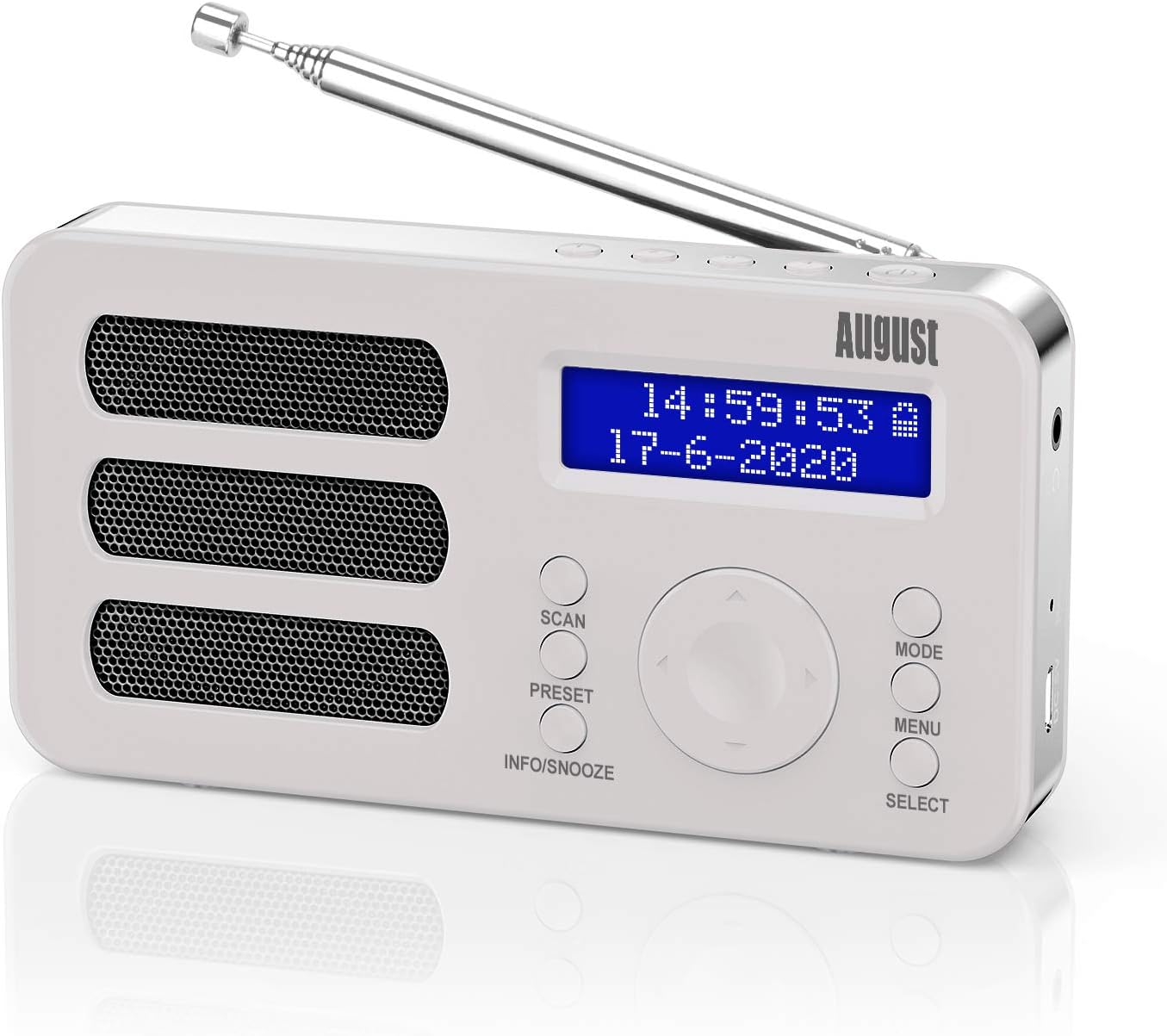
The August MB225 portable radio, showcasing its compact design and clear LCD display.
Zofunika Kwambiri:
- DAB+, DAB, and FM RDS radio reception.
- 40 station presets (20 DAB, 20 FM) with 4 quick access buttons.
- Wotchi ya alamu iwiri yokhala ndi ntchito yopumira.
- Integrated 2000 mAh rechargeable Lithium-ion battery for up to 20 hours of playback.
- Two-line LCD display with blue backlight, showing time, date, and station information.
- Manual mono/stereo switching for FM mode.
- Earphone jack for private listening.

Visual representation of the MB225's core features, including DAB/FM, presets, alarm, and USB charging.
Magawo ndi Zowongolera:

Detailed diagram illustrating the various parts and controls of the August MB225 radio.
- Mlongoti
- Favorite Channel 1
- Favorite Channel 2
- Favorite Channel 3
- Favorite Channel 4
- Mphamvu Batani
- M'makutu Jack
- Bwezerani Batani
- Doko lamagetsi (USB-C)
- Jambulani batani
- Kukonzeratu Button
- Info/Snooze Button
- Batani la Mode
- Menyu batani
- Select/Volume/Previous/Next Dial
Khazikitsa
Kutulutsa:
Carefully remove the radio and all accessories from the packaging. Ensure all components are present: August MB225 radio, USB charging cable, and user manual.
Kuyitanitsa Battery:
The MB225 features a built-in rechargeable Lithium-ion battery. Before first use, fully charge the radio. Connect the provided USB charging cable to the Power Port (9) on the radio and to a USB power adapter (not included) or a computer's USB port. The battery indicator on the LCD display will show charging status. A full charge provides up to 20 hours of playback.

The MB225 offers extended listening with its 2000 mAh battery, providing up to 20 hours of use.
Kusintha kwa Antenna:
For optimal reception, fully extend the telescopic Antenna (1) when listening to DAB+ or FM radio. Adjust its position to improve signal strength if needed.
Malangizo Ogwiritsira Ntchito
Yatsani/Zimitsa:
Press and hold the Power Button (6) to turn the radio on or off.
Kusankha Mode:
Press the Mode Button (13) to switch between DAB+, DAB, and FM radio modes. The current mode will be displayed on the LCD screen.

The radio operates in two main modes: Standby Time Mode (buttons locked) and Radio Mode (all buttons active).
Kusanthula Siteshoni:
- DAB/DAB+ Mode: In DAB mode, press the Scan Button (10) to perform an automatic scan for available digital radio stations. The radio will store all found stations.
- Mafilimu angaphunzitse FM: In FM mode, press the Scan Button (10) to automatically scan and store available FM stations. You can also manually tune by rotating the Select Dial (15).

The MB225 supports DAB frequencies from 174-240MHz and FM frequencies from 87.5-108MHz.
Kusunga ndi Kukumbukira Zosefera:
The radio allows you to save up to 40 stations (20 DAB, 20 FM) and has 4 quick access buttons.
- Kusunga: Tune to your desired station. Press and hold the Preset Button (11) until 'Preset Store' appears. Rotate the Select Dial (15) to choose a preset number, then press the dial to confirm. For quick access, press and hold one of the Favorite Channel Buttons (2-5) to save the current station directly.
- Kukumbukira: Briefly press the Preset Button (11) to enter 'Preset Recall'. Rotate the Select Dial (15) to browse saved stations, then press the dial to select. Alternatively, press one of the Favorite Channel Buttons (2-5) to instantly recall a saved station.
Kuwongolera Voliyumu:
Rotate the Select Dial (15) left or right to adjust the volume level.
Alarm, Snooze, and Sleep Timer:
- Kukhazikitsa Ma Alamu: Access alarm settings via the Menu Button (14). You can set two independent alarms with customizable sound sources (buzzer or radio station) and duration.
- Snooze Ntchito: When an alarm sounds, press the Info/Snooze Button (12) to activate snooze. The alarm will temporarily pause and sound again after a set interval.
- Nthawi Yogona: The sleep timer allows the radio to turn off automatically after a set period. Access this function through the Menu Button (14) and select your desired duration.
Zokonda Pamawu:
In FM mode, you can switch between mono and stereo audio output. Access this option through the Menu Button (14) to optimize sound quality based on signal strength.
Kugwiritsa Ntchito Makutu:
Connect standard 3.5mm headphones to the Earphone Jack (7) for private listening. When headphones are connected, the internal speaker will be muted.

Connect earphones to the MB225 for personal listening without disturbing others.
Kusamalira
Kuyeretsa:
Wipe the radio with a soft, dry cloth. Do not use abrasive cleaners, waxes, or solvents as they may damage the surface. Avoid exposing the radio to water or excessive moisture.
Kusamalira Battery:
- Kuti mutalikitse moyo wa batri, pewani kuthimitsa batire pafupipafupi.
- If the radio will not be used for an extended period, charge it fully before storage and recharge every few months.
- Osawonetsa batire pakutentha kwambiri.
Kusaka zolakwika
| Vuto | Chifukwa Chotheka | Yankho |
|---|---|---|
| No power / Radio does not turn on | Battery yatulutsidwa. | Connect the radio to a power source using the USB cable and allow it to charge. |
| Kulandirira bwino / Palibe masiteshoni omwe apezeka | Mlongoti siwotalikirapo kapena malo osakhala bwino. | Fully extend the telescopic antenna and adjust its position. Try moving the radio to a different location. Perform a full scan for stations. |
| Sound is distorted or crackling | Chizindikiro chofooka kapena kusokoneza. | Adjust antenna position. In FM mode, try switching between mono and stereo settings. Move away from other electronic devices. |
| Alamu sikumveka | Alamu sinayike bwino kapena voliyumu yatsika kwambiri. | Check alarm settings in the menu. Ensure alarm volume is audible. |
| Mabatani samayankha | Kuwonongeka kwakanthawi kwamapulogalamu. | Press the Reset Button (8) using a thin object (e.g., paperclip). This will reset the radio to factory settings. |
Zofotokozera
- Mtundu: Ogasiti
- Nambala Yachitsanzo: MB225W
- Mtundu: Choyera
- Kulumikizana Technology: Wothandizira
- Zapadera: Rechargeable, Portable, Integrated Clock
- Ukadaulo Wokonza Zinthu: Za digito
- Ma Radio Magulu Othandizira: DAB, FM
- Gwero la Mphamvu: Battery Powered (Lithium-ion, 2000 mAh)
- Makulidwe: 20L x 9.6W x 3.8H masentimita
- Wopanga: Ogasiti
- Dziko lakochokera: China
Chitsimikizo ndi Thandizo
The August MB225 radio comes with a 2-year wopanga chitsimikizoChitsimikizochi chimaphimba zolakwika pa zipangizo ndi kapangidwe kake zomwe zimagwiritsidwa ntchito mwachizolowezi. Sichiphimba kuwonongeka komwe kumachitika chifukwa cha kugwiritsidwa ntchito molakwika, ngozi, kusintha kosaloledwa, kapena kuwonongeka kwachibadwa.
For technical support, warranty claims, or further assistance, please refer to the contact information provided with your purchase or visit the official August webmalo. Chonde sungani umboni wanu wogula pazolinga za chitsimikizo.


