Mawu Oyamba
Thank you for choosing the blucoil 5000mAh Portable Power Bank. This manual provides essential information for the safe and efficient use of your device. Please read it thoroughly before operation and retain it for future reference.
Zathaview
The blucoil 5000mAh Portable Power Bank is a compact and lightweight external battery designed to charge various electronic devices on the go. It features dual USB output ports for simultaneous charging and a Micro USB input for recharging the power bank itself.

Image: The blucoil 5000mAh Portable Power Bank, a black rectangular device with four LED indicator lights and the blucoil logo.
Setup and Charging the Power Bank
Before initial use, fully charge your blucoil Portable Power Bank.
- Locate the Micro USB input port on the power bank.
- Connect one end of the supplied 12-inch Micro USB charging cable to the power bank's input port.
- Connect the other end of the charging cable to a compatible USB wall adapter (not included) or a computer's USB port.
- The LED indicator lights on the power bank will illuminate to show the charging status. A full charge typically takes approximately 3.5 hours.
- Once all four LED lights are solid, the power bank is fully charged and ready for use.
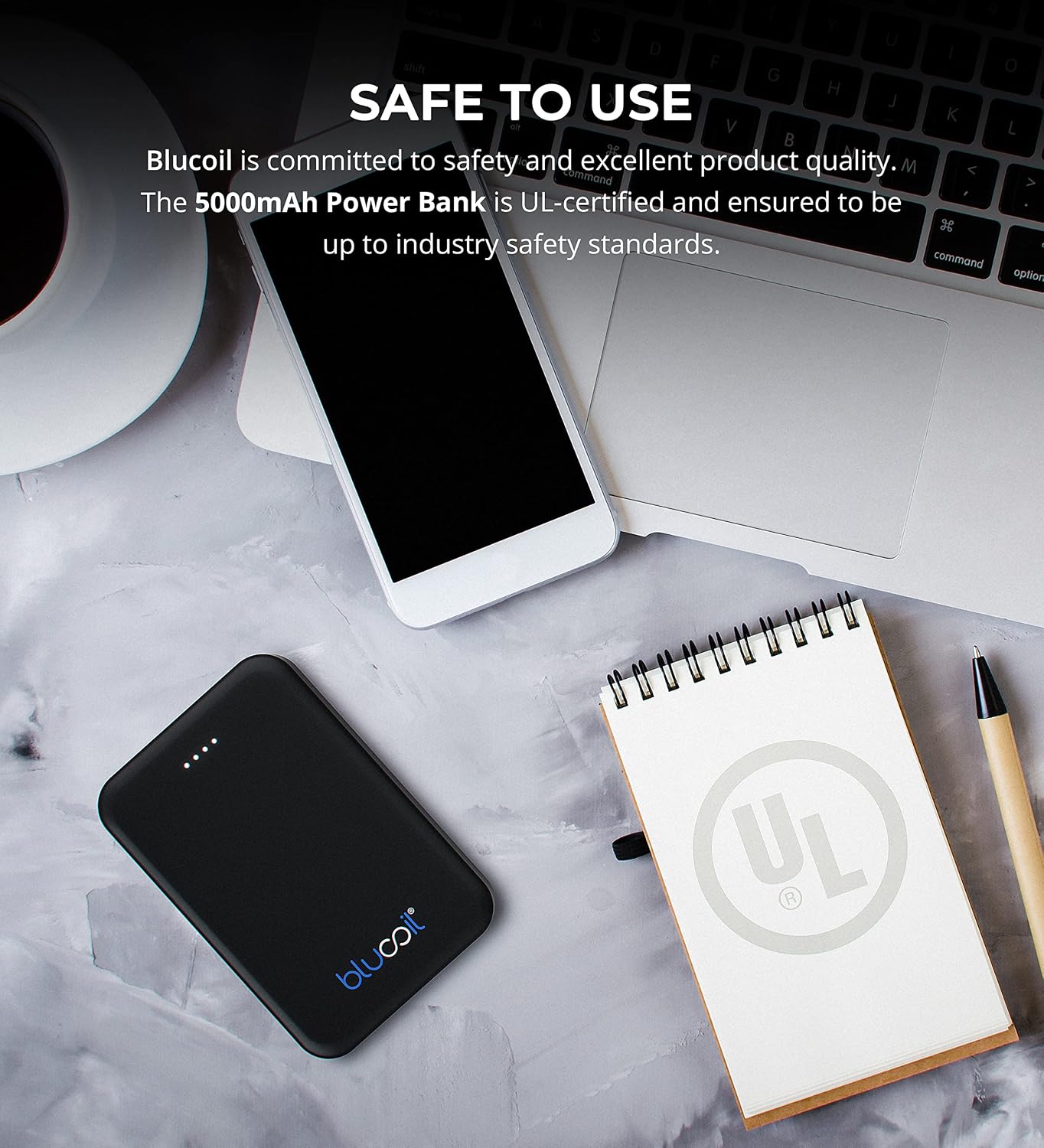
Image: The blucoil power bank connected to a wall adapter via a white USB cable, illustrating the charging process.
Malangizo Ogwiritsira Ntchito
Kulipiritsa Zida Zanu
The blucoil 5000mAh Portable Power Bank is equipped with two USB output ports, allowing you to charge up to two devices simultaneously.
- Lumikizani chingwe chochapira cha chipangizo chanu ku limodzi la madoko a USB omwe ali pa banki yamagetsi.
- Lumikizani mbali ina ya chingwecho ku chipangizo chanu chamagetsi.
- The power bank will automatically begin charging your device. The LED indicator lights will show the remaining power level of the power bank.
- Both USB ports provide 5V, 2.1A output power, suitable for fast charging compatible devices.

Image: The blucoil power bank simultaneously charging a smartphone and a tablet using its dual USB output ports.
Zizindikiro za Mphamvu ya Mphamvu
The four LED lights on the power bank indicate the remaining battery capacity:
- 4 ma LED: 75-100% adaimbidwa mlandu
- 3 ma LED: 50-75% adaimbidwa mlandu
- 2 ma LED: 25-50% adaimbidwa mlandu
- 1 LED: 0-25% yachajidwa (chajidwanso posachedwa)
Kugwirizana Kwambiri
The blucoil 5000mAh Portable Power Bank is compatible with a wide range of devices, including but not limited to:
- Mafoni am'manja
- Mapiritsi
- Makamera a digito
- Osewera a MP3/MP4
- Zomverera m'makutu
- Masewera a Consoles

Image: The blucoil power bank surrounded by icons representing various compatible devices such as phones, tablets, headphones, and game consoles.
Kusamalira ndi Kusamalira
- Sungani banki yamagetsi youma. Musaiyike pamalo onyowa kapena amadzimadzi.
- Pewani kutentha kwambiri. Musasunge pamalo otentha kwambiri kapena ozizira kwambiri.
- Tsukani banki yamagetsi ndi nsalu yofewa komanso youma. Musagwiritse ntchito mankhwala amphamvu kapena zotsukira zowawa.
- Store the power bank with a partial charge (around 50%) if not used for extended periods to prolong battery life.
- Pewani kugwetsa kapena kuyika banki yamagetsi pamavuto amphamvu.
Zambiri Zachitetezo
The blucoil 5000mAh Portable Power Bank is designed with safety in mind and is UL-certified, ensuring it meets industry safety standards.
- Musamasule, kusintha, kapena kuyesa kukonza banki yamagetsi.
- Khalani kutali ndi ana.
- Osafupikitsa banki yamagetsi.
- Tayani banki yamagetsi moyenera malinga ndi malamulo am'deralo.

Image: The blucoil power bank placed next to a notebook with a prominent UL certification logo, indicating product safety compliance.
Kusaka zolakwika
- Power bank sikulipira: Ensure the charging cable is securely connected to both the power bank's Micro USB input and the wall adapter/USB port. Try a different cable or adapter.
- Chipangizo sichimalipira kuchokera ku banki yamagetsi: Ensure the power bank is sufficiently charged. Check that the device's charging cable is properly connected to both the power bank's output port and your device. Try a different cable.
- Kuyitanitsa pang'onopang'ono: Ensure you are using a compatible charging cable and that the power bank has adequate charge. Some devices may charge slower if the power bank's charge is very low.
Zofotokozera
| Mbali | Tsatanetsatane |
|---|---|
| Mtundu | blucoil |
| Chitsanzo | 5000mAh Portable Power Bank |
| Mphamvu ya Battery | 5000 miliyoniamp Maola (18.5Wh) |
| Kutulutsa Voltage | 5 volts |
| Zotulutsa Panopa | 2.1A (per port) |
| Mtundu Wolumikizira | Micro USB (zolowera) |
| Kulemera kwa chinthu | 4.6 pawo |
| Makulidwe a Phukusi | 6.26 x 3.58 x 0.71 mainchesi |
| Zapadera | Lightweight, Portable, Travel-friendly |
Chitsimikizo ndi Thandizo
For warranty information or technical support, please refer to the product packaging or contact blucoil customer service through the retailer where the product was purchased. Keep your proof of purchase for any warranty claims.


