1. Mawu Oyamba
Thank you for choosing the Losei D65 Wireless Earbuds. These earbuds are designed to provide a high-quality audio experience with advanced features such as environmental noise canceling (ENC), individual power display, wireless charging, and IPX7 waterproofing. This manual will guide you through the setup, operation, and maintenance of your new earbuds.
2. Zomwe zili mu Bokosi
- Wireless Sport Earbuds (1 Pair)
- Charging Case (1 PC)
- Type-C Charging Cable (1 PC)
- Original Ear Caps (1 Pair)
- Spare Ear Caps (6 Pairs)
- Buku la ogwiritsa (Chikalata ichi)
3. Zamalonda Zathaview
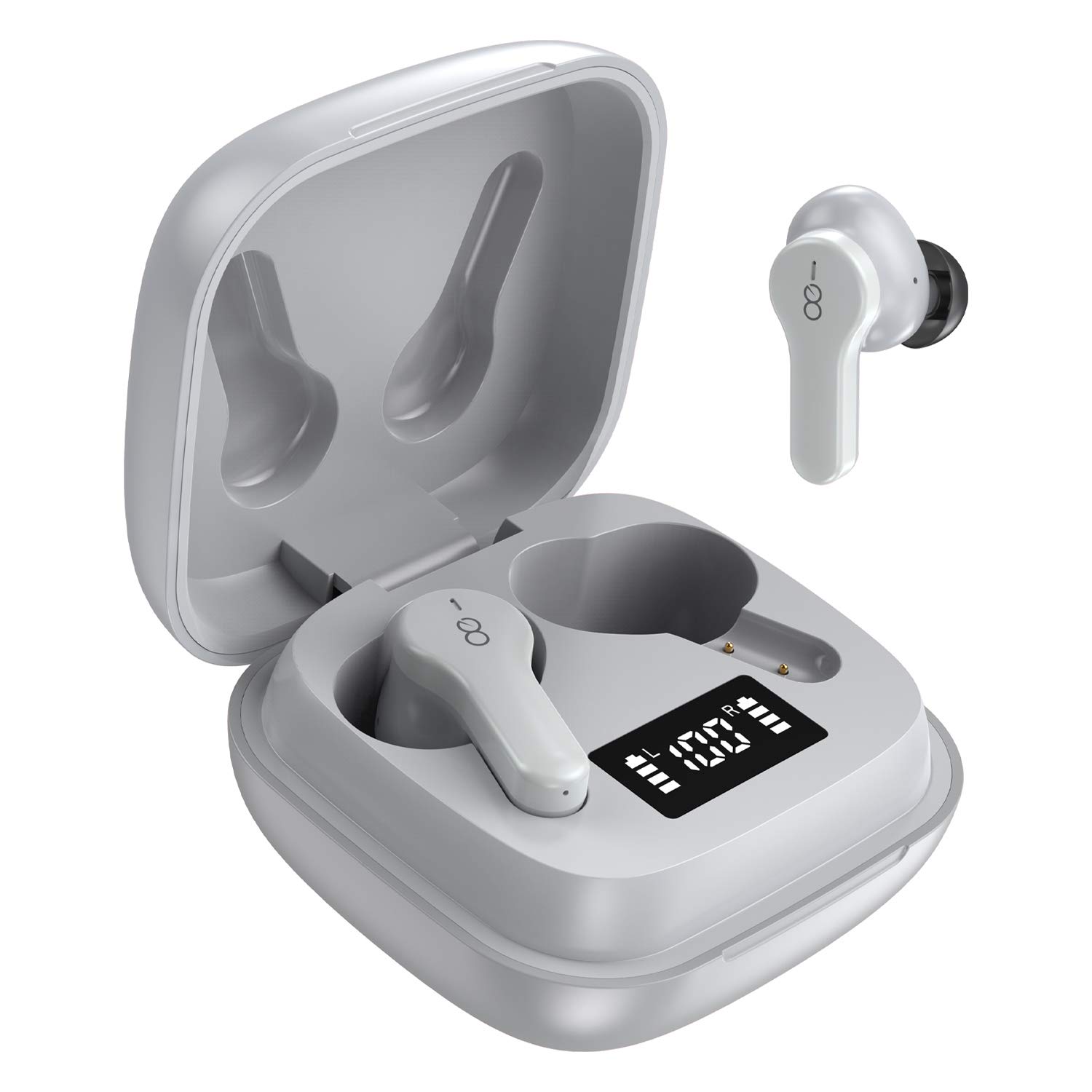
The Losei D65 earbuds feature a compact, in-ear design with touch controls. The accompanying charging case provides portable power and includes a digital display to show battery levels for both the case and individual earbuds.
Zofunika Kwambiri:
- Clear Call with 4-Mics Noise Reduction: Built-in 4 microphones with Environmental Noise Canceling (ENC) technology for clear calls.
- Individual Power Display: Digital display on the charging case shows battery percentage for the case and charging status for each earbud.
- Wireless Charging & Extended Playtime: Supports wireless charging and provides up to 30 hours of total playtime with the charging case.
- Comfortable Fit & IPX7 Waterproof: Ergonomic design with multiple ear tip sizes and IPX7 water resistance for sports and daily use.
- Auto Pairing & Smart Touch Control: Automatic connection to the last paired device and intuitive touch controls for various functions.
4. Kukhazikitsa
4.1 Kulipiritsa ma Earbuds ndi Case
Musanagwiritse ntchito, sungani zonse zomveka m'makutu ndi poyikira.
- Kulipira ma Earbuds: Place the earbuds into the charging case. The marquee lights on the case will indicate charging. They will stop when fully charged.
- Charging the Case (Wired): Connect the provided Type-C charging cable to the charging port on the case and to a USB power source. The digital display will show the battery percentage increasing. A full charge takes approximately 1.5-2 hours.
- Charging the Case (Wireless): Place the charging case on a compatible wireless charging pad (not included). The digital display will indicate charging status.
The charging case's digital display shows the battery percentage (1-100%). The individual earbud power consumption indicators show 4 grids, each representing 25% battery.
4.2 Kulumikizana ndi Chipangizo Chanu
The Losei D65 earbuds feature automatic pairing.
- Onetsetsani kuti Bluetooth yachipangizo chanu ndiyoyatsidwa.
- Tsegulani mlandu wolipira. Zomvera m'makutu zidzayatsidwa zokha ndikulowa munjira yoyanjanitsa.
- On your device, search for Bluetooth devices and select "Losei-D65" from the list.
- Mukalumikizidwa, mudzamva chitsimikizo, ndipo zomvera m'makutu zidzakhala zokonzeka kugwiritsidwa ntchito.
The earbuds will automatically reconnect to the last paired device when taken out of the charging case.
5. Malangizo Ogwiritsira Ntchito
5.1 Zowongolera Zanzeru Zokhudza
The Losei D65 earbuds utilize touch controls for various functions. The sensor area is typically located on the outer surface of each earbud.
- Sewerani/Imitsani: Dinani kamodzi pamakutu aliwonse.
- Nyimbo Yotsatira: Dinani kawiri pamutu wakumanja wakumanja.
- Njira Yakale: Dinani kawiri pamutu wakumanzere.
- Onjezani Pamwamba: Dinani katatu pamutu wakumanja wakumanja.
- Voliyumu Pansi: Dinani katatu pamutu wakumanzere.
- Yankhani/Imitsani Kuyimba: Dinani kamodzi pamakutu onse akamayimba foni.
- Kanani Kuyimba: Dinani ndikugwira cholumikizira cha m'makutu kwa masekondi awiri mukamayimba foni.
- Yambitsani Wothandizira Mawu: Dinani ndikusunga chitoliro chilichonse cha makutu kwa masekondi awiri (mukakhala kuti simukuimba foni).
5.2 Multi-Using Modes
The earbuds support different usage scenarios:
- Njira ya Mono: Each earbud can be used independently. This is ideal for driving or when you need to be aware of your surroundings. Simply take one earbud out of the case and connect it.
- Gawani Mode: You can share one earbud with another person to listen to the same audio content.
- Mafilimu angaphunzitse stereo: Use both earbuds together for a full, immersive stereo sound experience.
6. Kusamalira
6.1 Kuyeretsa
Kuyeretsa nthawi zonse kumathandiza kuti zinthu zikhale bwino komanso zaukhondo.
- Gwiritsani ntchito nsalu yofewa, yowuma, yopanda lint kupukuta m'makutu ndi poyitanira.
- Pa nsonga za khutu, zichotseni m'makutu ndipo zitsukeni ndi sopo wofatsa ngati pakufunika kutero, kenako muzimutsuka bwino ndi kuumitsa bwino musanazikonzenso.
- Osagwiritsa ntchito zotsukira abrasive, mowa, kapena zosungunulira mankhwala.
6.2 Kusungirako
Mukasagwiritsidwa ntchito, sungani zomvera m'makutu m'chikwama chawo chotchaja kuti muziwateteza komanso kuti azikhala ndi chaji.
- Sungani pamalo ozizira, ouma kutali ndi kutentha kwambiri.
- Pewani kukhala padzuwa kwanthawi yayitali.
6.3 Kulimbana ndi Madzi (IPX7)
The Losei D65 earbuds are IPX7 waterproof, meaning they can withstand immersion in water up to 1 meter for 30 minutes. This makes them suitable for sports and protection against sweat and rain. However, they are not designed for swimming or prolonged submersion. Ensure the earbuds are dry before placing them back in the charging case to prevent damage.
7. Mavuto
If you encounter issues with your Losei D65 earbuds, refer to the following common solutions:
- Zomvera m'makutu zomwe sizikulumikizana kapena kulumikizana:
- Onetsetsani kuti zomvera m'makutu zonse zachaji.
- Zimitsani Bluetooth pa chipangizo chanu, kenako chiyatseninso.
- Forget/delete "Losei-D65" from your device's Bluetooth list and attempt to pair again.
- Place both earbuds back into the charging case, close the lid, wait a few seconds, then open the lid to reset.
- Chomverera m'makutu chimodzi chokha chikugwira ntchito:
- Onetsetsani kuti zomvera m'makutu zonse zachaji.
- Place both earbuds back into the charging case, close the lid, wait a few seconds, then open the lid. They should reconnect to each other automatically.
- If the issue persists, try resetting the earbuds as described in the pairing section.
- Ubwino wa mawu kapena voliyumu yochepa:
- Sinthani voliyumu pazida zanu zonse ndi zomvetsera m'makutu.
- Ensure the ear tips are properly sealed in your ear canal. Try different sized ear tips for a better fit.
- Tsukani zinyalala zilizonse zochokera m'ma speaker ndi maupangiri a m'makutu.
- Onetsetsani kuti palibe zopinga pakati pa chipangizo chanu ndi ma earbuds.
- Mlandu wosalipiritsa:
- Chongani chingwe chochajira ndi adaputala yamagetsi kuti muwone ngati zawonongeka.
- Onetsetsani kuti chingwe cha Type-C chili cholumikizidwa bwino pamlandu ndi gwero lamagetsi.
- Ngati mukugwiritsa ntchito chochapira chopanda zingwe, onetsetsani kuti chikwamacho chili pamalo oyenera pa chochapira chopanda zingwe chogwirizana.
8. Zofotokozera
| Dzina lachitsanzo | Losei-D65 |
| Kulumikizana Technology | Wopanda zingwe (Bluetooth 5.0) |
| Kuyika Makutu | Mu Khutu |
| Kuwongolera Phokoso | Sound Isolation, Environmental Noise Canceling (ENC) |
| Madzi Resistance Level | IPX7 (yopanda madzi) |
| Mtundu Wowongolera | Touch Control |
| Moyo wa Battery (Earbuds) | Mpaka maola 5 pa mtengo umodzi |
| Nthawi Yosewerera Yonse (ndi Nkhani) | Mpaka maola 30 |
| Nthawi yolipira (Mlandu) | Pafupifupi. 1.5-2 maola |
| Charge Interface | Type-C, Wireless Charging |
| Zida Zogwirizana | Most Bluetooth-enabled devices (Android, iOS, PC, etc.) |
| Kulemera kwa chinthu | Ma ounces 0.176 (pa earbud iliyonse) |
| Miyeso Yazinthu | 1.18 x 1.54 x 1.85 mainchesi (Chikwama Chochajira) |
9. Chitsimikizo ndi Thandizo
9.1 Chidziwitso cha Chitsimikizo
The Losei D65 Wireless Earbuds come with a 12-mwezi m'malo chitsimikizo. Additionally, returns are accepted within 30 days for a full refund. This warranty covers manufacturing defects and ensures customer satisfaction.
9.2 Thandizo la Makasitomala
For any questions, issues, or support needs, please contact Losei customer service. Quick-response professional customer service is available to assist you.
Please refer to the product packaging or the official Losei webwebusayiti kuti mudziwe zambiri.


