Mawu Oyamba
This manual provides essential instructions for the proper use, setup, and maintenance of your ReadyWired USB Charging Cable Cord. This cable is specifically designed for charging Borofone BE16 Bone Conduction Headphones. Please read this manual thoroughly to ensure optimal performance and longevity of your product.
Zathaview
The ReadyWired USB Charging Cable Cord is a 3-foot (approximately 0.91 meters) cable designed for reliable power delivery. It features a standard USB Type-A connector on one end and a Micro USB connector on the other, ensuring compatibility with the specified Borofone BE16 Bone Conduction Headphones.
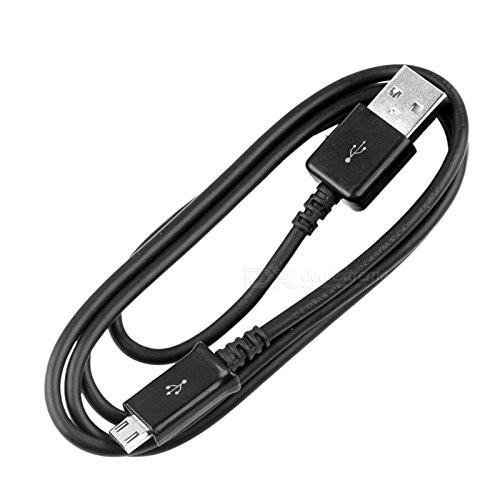
Chithunzi 1: ReadyWired USB Charging Cable Cord. This image displays the full length of the black USB charging cable, coiled for storage, showing both the USB-A and Micro USB connectors.

Chithunzi 2: USB-A and Micro USB Connectors. A close-up view of the two connectors on the ReadyWired USB charging cable. The USB-A connector is on the left, and the Micro USB connector is on the right, both black with standard USB symbols.
Khazikitsa
Setting up the ReadyWired USB Charging Cable Cord for use is straightforward:
- Dziwani zolumikizira: Locate the standard USB Type-A connector (the larger, rectangular end) and the Micro USB connector (the smaller, trapezoidal end) on the cable.
- Lumikizani ku Gwero la Mphamvu: Insert the USB Type-A connector into a compatible USB power source, such as a wall adapter, computer USB port, or power bank. Ensure the power source is active.
- Lumikizani ku Chipangizo: Carefully insert the Micro USB connector into the charging port of your Borofone BE16 Bone Conduction Headphones. Ensure the connector is oriented correctly to avoid damage. Do not force the connector.
Operating Instructions: Charging
Once the cable is properly connected, your Borofone BE16 Bone Conduction Headphones should begin charging. Observe the charging indicator on your headphones (refer to your headphone's manual for specific indicator behavior).
- Nthawi yolipira: Charging time will vary depending on the battery level of your headphones and the output of your USB power source.
- Kudula: Once charging is complete, gently disconnect the Micro USB connector from your headphones, then disconnect the USB Type-A connector from the power source.
- Chitetezo: Always use the cable in a dry environment. Avoid exposing the cable to extreme temperatures or direct sunlight.
Kusamalira
Proper care will extend the life of your charging cable:
- Kuyeretsa: Gwiritsani ntchito nsalu yofewa komanso youma poyeretsa chingwe ndi zolumikizira. Musagwiritse ntchito zotsukira zamadzimadzi kapena zosungunulira.
- Posungira: Store the cable in a cool, dry place away from direct sunlight and extreme temperatures. Avoid tightly coiling or bending the cable sharply, as this can damage the internal wires.
- Kusamalira: Always grasp the connector housing when plugging or unplugging the cable. Do not pull on the cable itself, as this can strain the connections and lead to damage.
Kusaka zolakwika
If you encounter issues with your ReadyWired USB Charging Cable Cord, consider the following:
| Vuto | Njira Yotheka |
|---|---|
| Mahedifoni sakuchajidwa. | Ensure both ends of the cable are securely connected. Try a different USB power source or a different USB port. Verify that your Borofone BE16 headphones are functioning correctly. |
| Kuthamanga pang'onopang'ono. | Ensure the USB power source provides sufficient output (e.g., a wall adapter typically charges faster than a computer USB port). Avoid using the headphones while charging. |
| Chingwe chikuwoneka chowonongeka. | Discontinue use immediately. A damaged cable can pose a safety risk. Replace the cable if there are visible signs of wear, fraying, or bent connectors. |
Zofotokozera
| Mtundu | ReadyWired |
| Chitsanzo | USB Charging Cable Cord |
| Connector Type (Source) | Mtundu wa USB A |
| Connector Type (Device) | Micro USB |
| Mtundu wa Chingwe | USB |
| Zida Zogwirizana | Borofone BE16 Bone Conduction Headphones |
| Utali | Mapazi 3 (pafupifupi mamita 0.91) |
| Mtundu | Wakuda |
Chitsimikizo ndi Thandizo
For information regarding warranty coverage or technical support for your ReadyWired USB Charging Cable Cord, please refer to the original product packaging or contact the seller directly. Keep your purchase receipt as proof of purchase.


