1. Mawu Oyamba
Thank you for choosing the ZIPRO Boost Exercise Bike. This manual provides essential information for the safe and effective assembly, operation, and maintenance of your new fitness equipment. Please read this manual thoroughly before first use and keep it for future reference.
2. Zambiri Zachitetezo
- Funsani dokotala musanayambe ntchito iliyonse yolimbitsa thupi.
- Onetsetsani kuti magawo onse amangiriridwa bwino musanagwiritse ntchito.
- Sungani ana ndi ziweto kutali ndi zipangizo panthawi ya ntchito.
- Ikani njinga yochita masewera olimbitsa thupi pamalo ophwanyika, okhazikika.
- Valani zovala zoyenera zochitira masewera olimbitsa thupi komanso nsapato.
- Do not exceed the maximum user weight capacity of 120 kg.
- Siyani kuchita masewera olimbitsa thupi nthawi yomweyo ngati mukumva kukomoka, chizungulire, kapena kumva kuwawa.
3. Zamkatimu Phukusi
Before assembly, verify that all components are present and undamaged:
- Chimango Chachikulu
- Front ndi Kumbuyo Stabilizers
- Ma Pedals (Kumanzere ndi Kumanja)
- Mpando wa Mpando ndi Chishalo
- Chogwirira Chogwirira ndi Zogwirira Chogwirira
- Sewerani Pakompyuta
- Zipangizo zomangira (maboluti, ma washer, mtedza)
- Assembly Tools (wrenches, Allen keys)
- Buku Logwiritsa Ntchito
4. Malangizo a Msonkhano
Follow these steps for proper assembly. It is recommended to have two people for certain steps.
- Onjezani Zokhazikika: Mangani zolimbitsa kutsogolo ndi kumbuyo ku chimango chachikulu pogwiritsa ntchito mabotolo ndi ma washer omwe aperekedwa. Onetsetsani kuti zalimba kwambiri.
- Ikani Pedals: Identify the left (L) and right (R) pedals. The left pedal screws counter-clockwise, and the right pedal screws clockwise. Tighten securely.
- Chipilala cha Mpando ndi Chishalo Chokwera: Insert the seat post into the main frame and adjust to the desired height. Attach the saddle to the seat post and secure it.
- Attach Handlebar Post: Insert the handlebar post into the main frame.
- Install Handlebars and Computer: Attach the handlebars to the handlebar post. Connect the sensor wires from the main frame to the exercise computer. Mount the computer onto the handlebar post.

Figure 4.1: Detailed assembly diagram for the ZIPRO Boost Exercise Bike.

Chithunzi 4.2: Chaphulika view of the exercise bike components, illustrating how parts fit together during assembly.
5. Malangizo Ogwiritsira Ntchito
5.1 Kusintha Kukaniza
The ZIPRO Boost features an 8-level magnetic resistance system. To adjust the resistance, turn the tension control knob located below the computer display. Turn clockwise to increase resistance (harder) and counter-clockwise to decrease resistance (easier).

Figure 5.1: The resistance adjustment knob, showing levels 1 through 8.
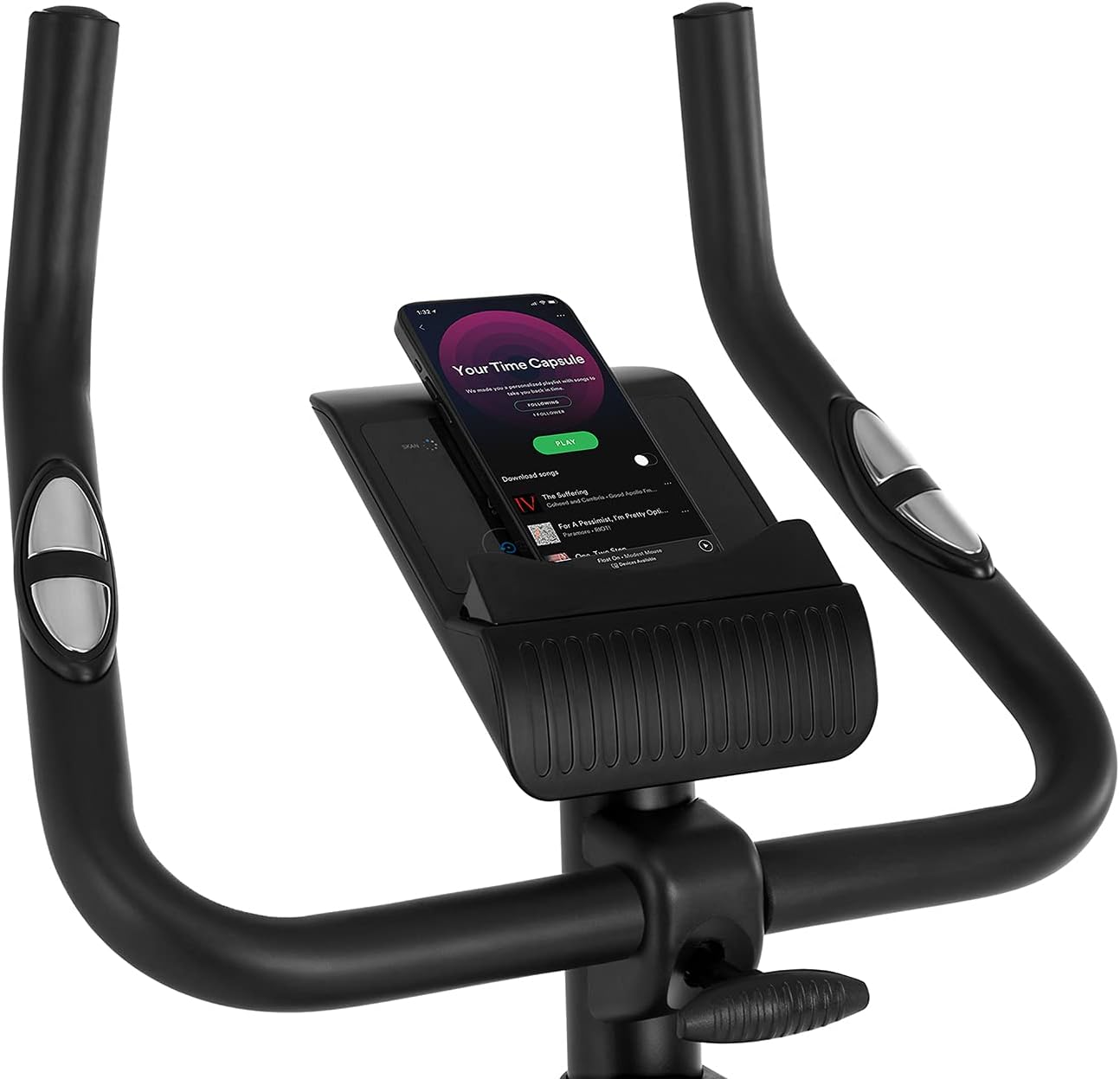
Figure 5.2: Demonstrating how to adjust the magnetic resistance using the tension control knob.
5.2 Saddle and Handlebar Adjustments
Proper adjustment of the saddle and handlebars ensures comfort and effective training.
- Kutalika kwa Chishalo: Loosen the adjustment knob on the seat post, raise or lower the saddle to your desired height (ensure a slight bend in your knee at the bottom of the pedal stroke), and tighten the knob securely.
- Saddle Horizontal Position: Loosen the knob beneath the saddle to slide it forward or backward for optimal positioning relative to the pedals. Tighten securely.
- Kutalika kwa Handlebar: Loosen the adjustment knob on the handlebar post, raise or lower the handlebars to a comfortable position, and tighten the knob securely.
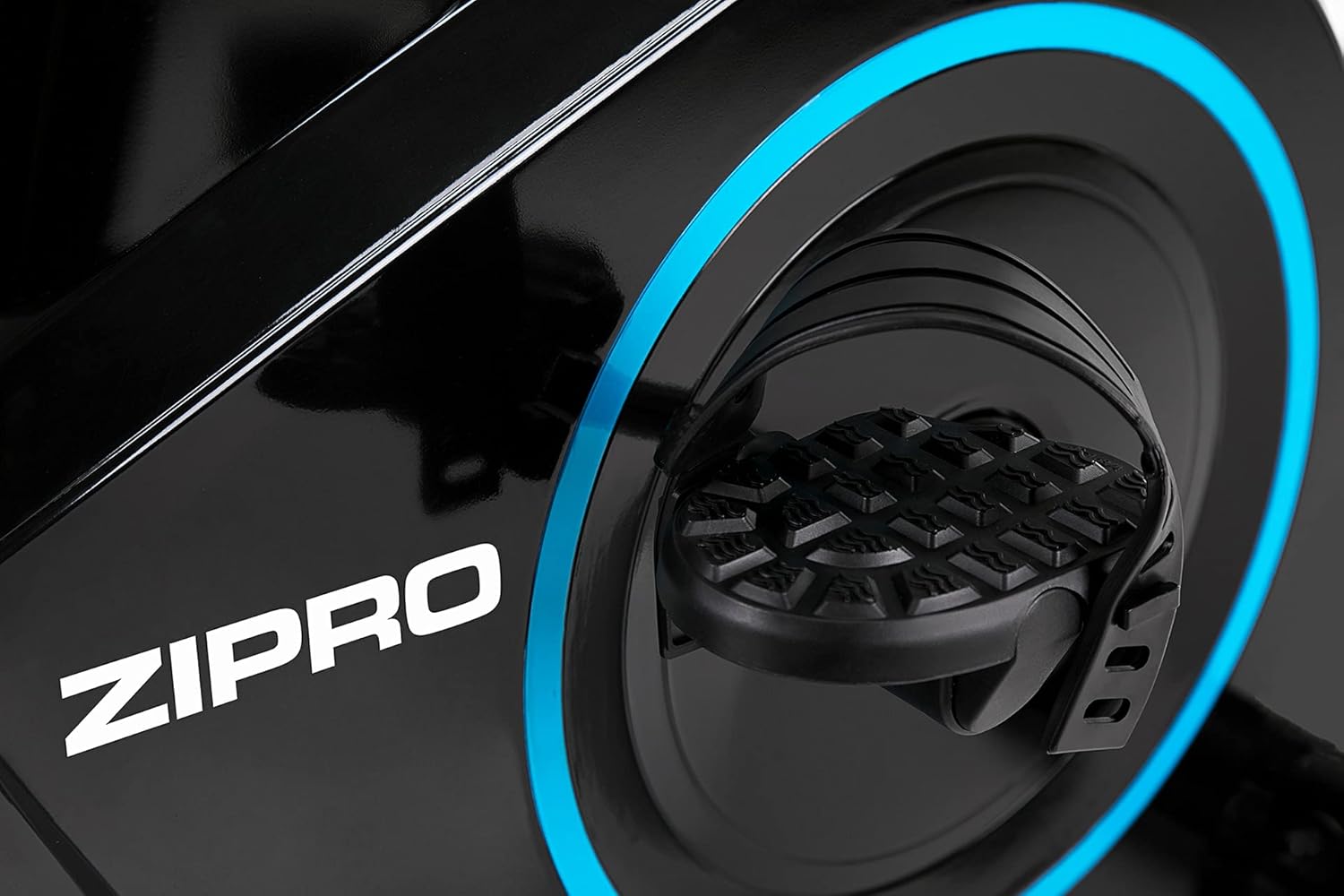
Figure 5.3: Adjusting the saddle's vertical position for user comfort.
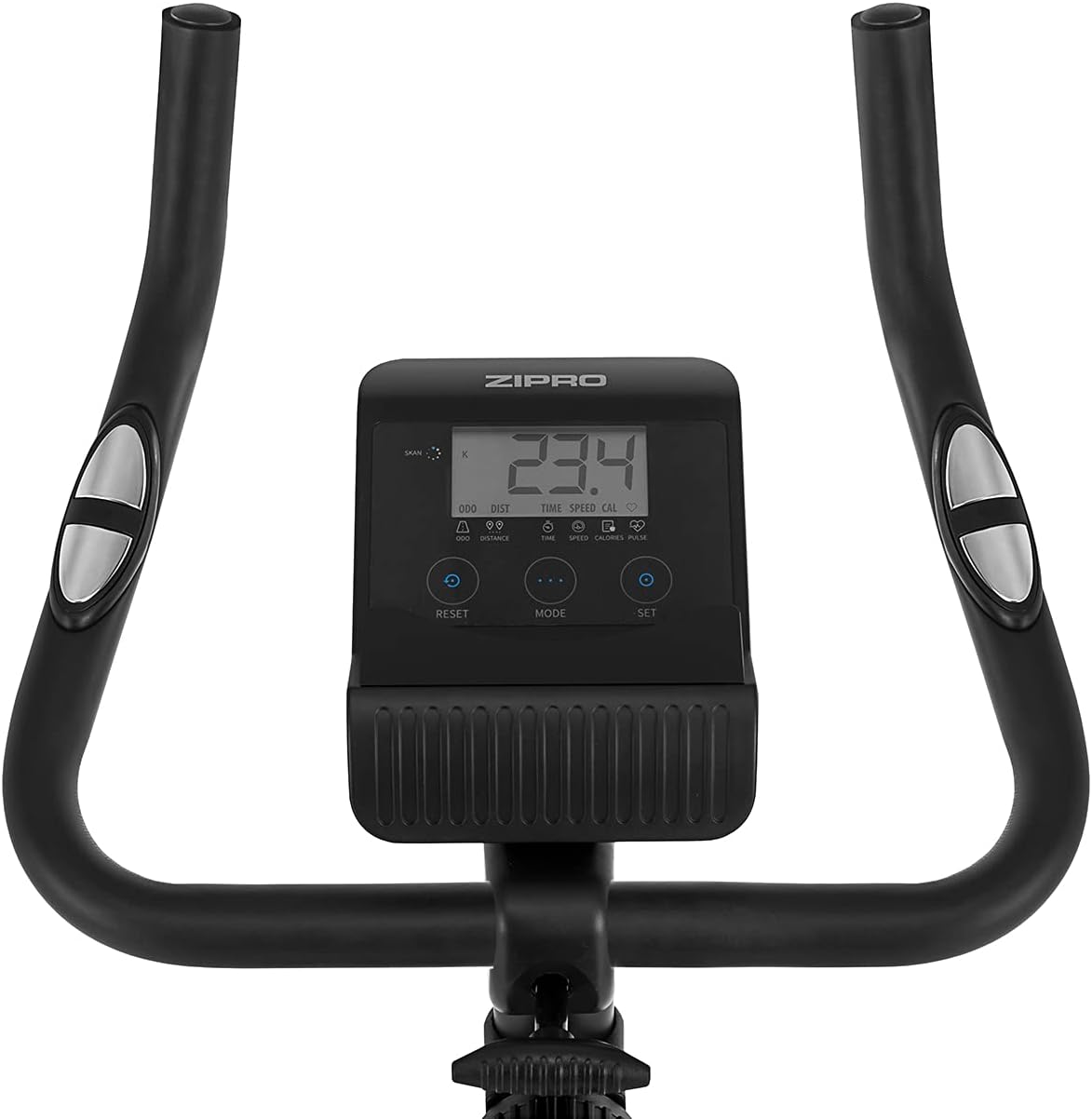
Figure 5.4: Adjusting the saddle's horizontal position for optimal riding posture.
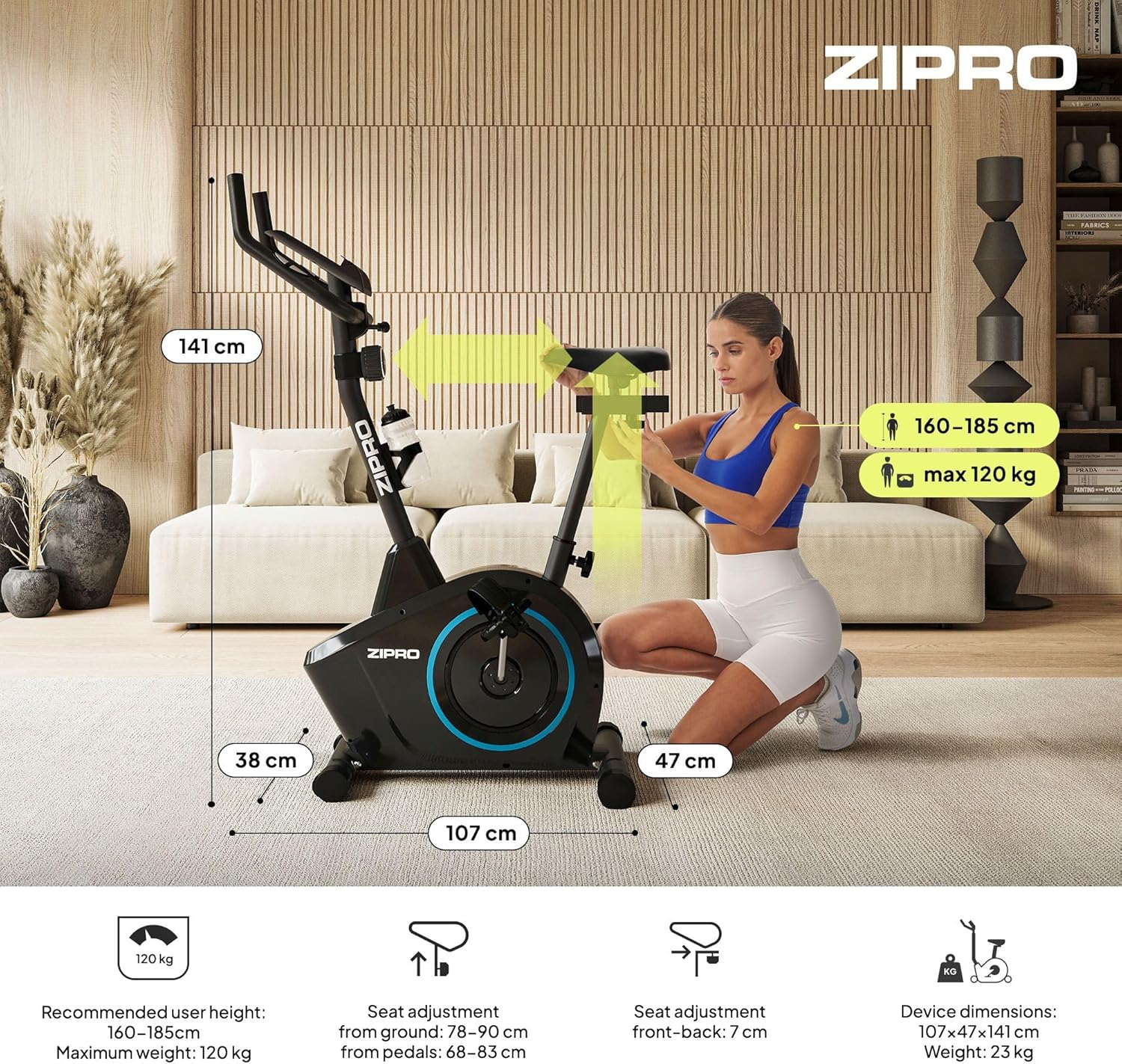
Figure 5.5: Adjusting the handlebar height to suit different user preferences and workout styles.
5.3 Computer Functions
The integrated computer tracks your workout data. It measures time, distance, speed, calories burned, and pulse (via sensors in the handlebar). The SCAN function cycles through all data alternately on the screen.
- Batani la MODE: Press to select the display function (Time, Speed, Distance, Calories, Odometer, Pulse).
- Bwezerani batani: Press and hold to clear all current workout data (Time, Distance, Speed, Calories).
- Ikani Button: Used to set target values for Time, Distance, or Calories.
- Masensa a Kugunda: Grip the metal plates on the handlebars to measure your heart rate.
- Mobile Device Shelf: A convenient shelf is provided above the computer for your smartphone or tablet.

Figure 5.6: The exercise computer display with MODE, RESET, and SET buttons.

Chithunzi 5.7: Kuthaview of the computer display and integrated pulse sensors.

Figure 5.8: The integrated shelf designed to hold a mobile device like a tablet during workouts.
6. Kusamalira
Kusamalira nthawi zonse kumatsimikizira kuti njinga yanu yochita masewera olimbitsa thupi imagwira ntchito kwa nthawi yayitali komanso motetezeka.
- Kuyeretsa: Pukutani pansi panjinga ndi malondaamp nsalu ikatha kugwiritsidwa ntchito nthawi iliyonse kuti muchotse thukuta ndi fumbi. Musagwiritse ntchito zotsukira zowawa.
- Onani Malumikizidwe: Periodically check all bolts, nuts, and screws to ensure they are tight. Tighten if necessary.
- Mafuta: The magnetic resistance system is generally maintenance-free. If you notice any squeaking from moving parts (e.g., pedal axles), apply a small amount of silicone-based lubricant.
- Posungira: When not in use, store the bike in a dry, cool place away from direct sunlight. The integrated transport wheels allow for easy movement.

Figure 6.1: The exercise bike features transport wheels for easy relocation after use.
7. Mavuto
| Vuto | Chifukwa Chotheka | Yankho |
|---|---|---|
| Computer display not working | Loose cable connection; Dead batteries | Check all cable connections to the computer; Replace batteries (if applicable). |
| No resistance change | Resistance cable disconnected or damaged | Check the resistance cable connection to the tension knob and the main unit. |
| Phokoso lolira kapena lopera | Loose parts; Lack of lubrication | Check and tighten all bolts and nuts; Apply silicone lubricant to moving parts if necessary. |
| Unstable during use | Bike not on a level surface; Loose stabilizers | Ensure the bike is on a flat surface; Adjust leveling caps on stabilizers; Tighten stabilizer bolts. |
8. Zofotokozera
| Mbali | Kufotokozera |
|---|---|
| Chitsanzo | 979536 |
| Makulidwe (L x W x H) | 73 x 48 x 137 masentimita |
| Kulemera kwa katundu | 23kg pa |
| Kulemera Kwambiri kwa Wogwiritsa | 120kg pa |
| Kukaniza System | Magnetic, 8-level manual adjustment |
| Drive System | Lamba |
| Ntchito Pakompyuta | Time, Distance, Speed, Calories, Pulse (Heart Rate) |
| Mtundu Wazinthu | Plastiki, Chitsulo |
| Power Source (Computer) | Yoyendetsedwa ndi Battery |
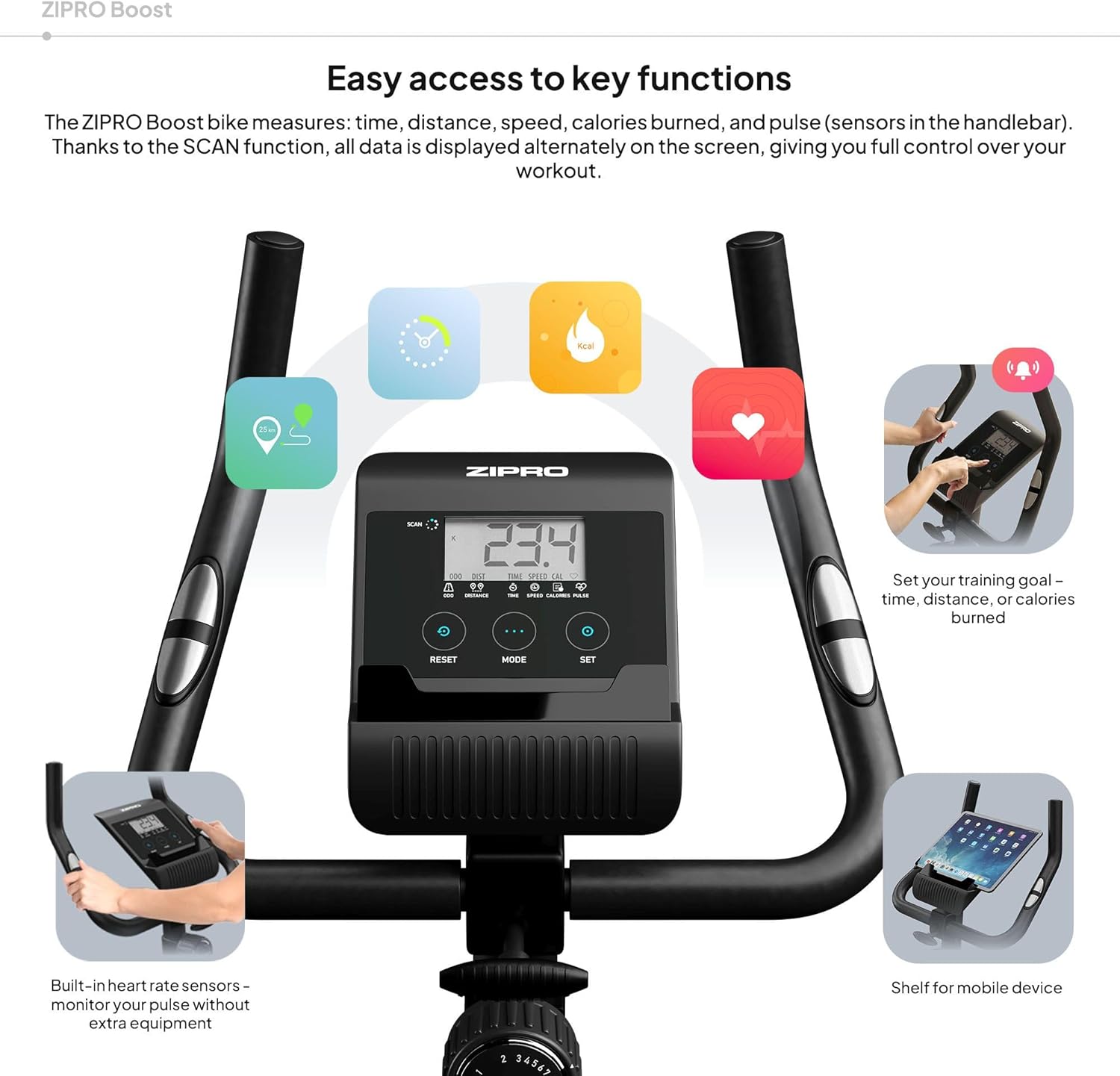
Figure 8.1: Key dimensions and user specifications for the exercise bike.
9. Chitsimikizo ndi Thandizo
Your ZIPRO Boost Exercise Bike comes with a standard manufacturer's warranty. Please refer to the warranty card included in your package for specific terms and conditions. For technical support, spare parts, or any inquiries not covered in this manual, please contact ZIPRO customer service through their official webtsamba kapena wogulitsa komwe mudagula chinthucho.