1. Mawu Oyamba
Thank you for choosing the RoHS EAL9001U Keyboard. This compact USB keyboard is designed for reliable performance and ease of use. This manual provides essential information on setting up, operating, maintaining, and troubleshooting your new keyboard to ensure optimal functionality.
1.1 Zamkatimu Phukusi
- RoHS EAL9001U Keyboard
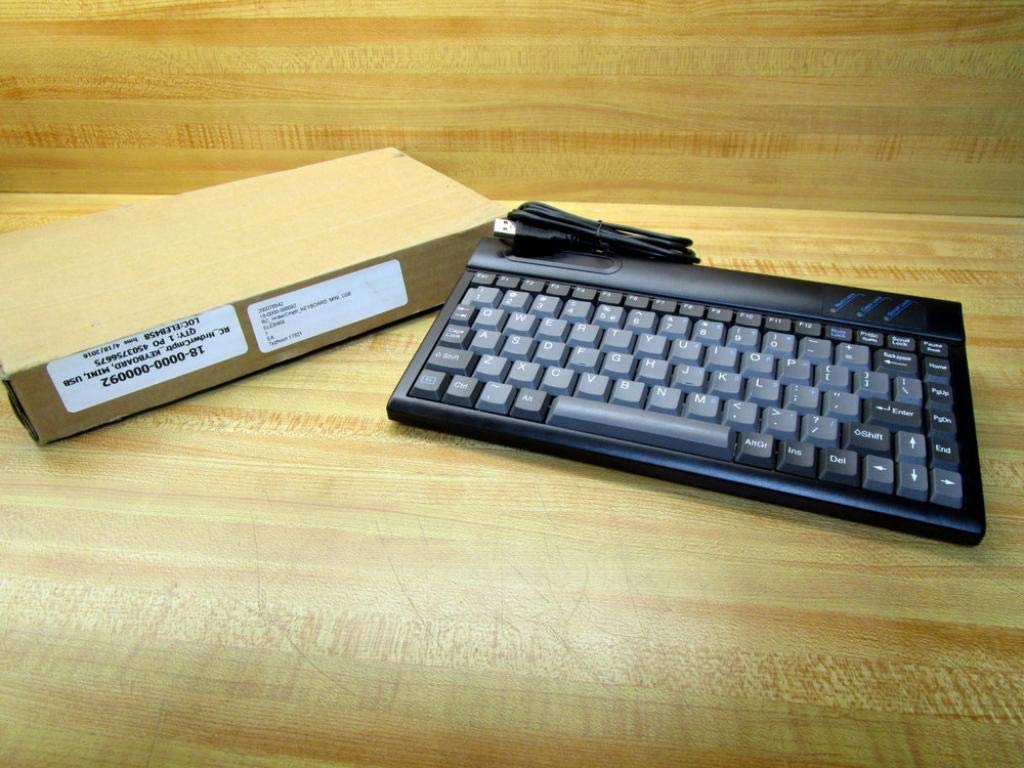
Figure 1.1: The RoHS EAL9001U Keyboard as packaged, alongside its brown cardboard box.
2. Zamalonda Zathaview
The RoHS EAL9001U is a compact, 85-key QWERTY keyboard designed for various computing environments. Its durable plastic construction and USB connectivity ensure a straightforward and reliable user experience.
2.1 Zofunika Kwambiri
- Compact Design with 85 Keys
- Standard QWERTY Keyboard Layout
- USB Connectivity for Plug-and-Play Operation
- Zolimba Zapulasitiki
- USB Yoyatsidwa
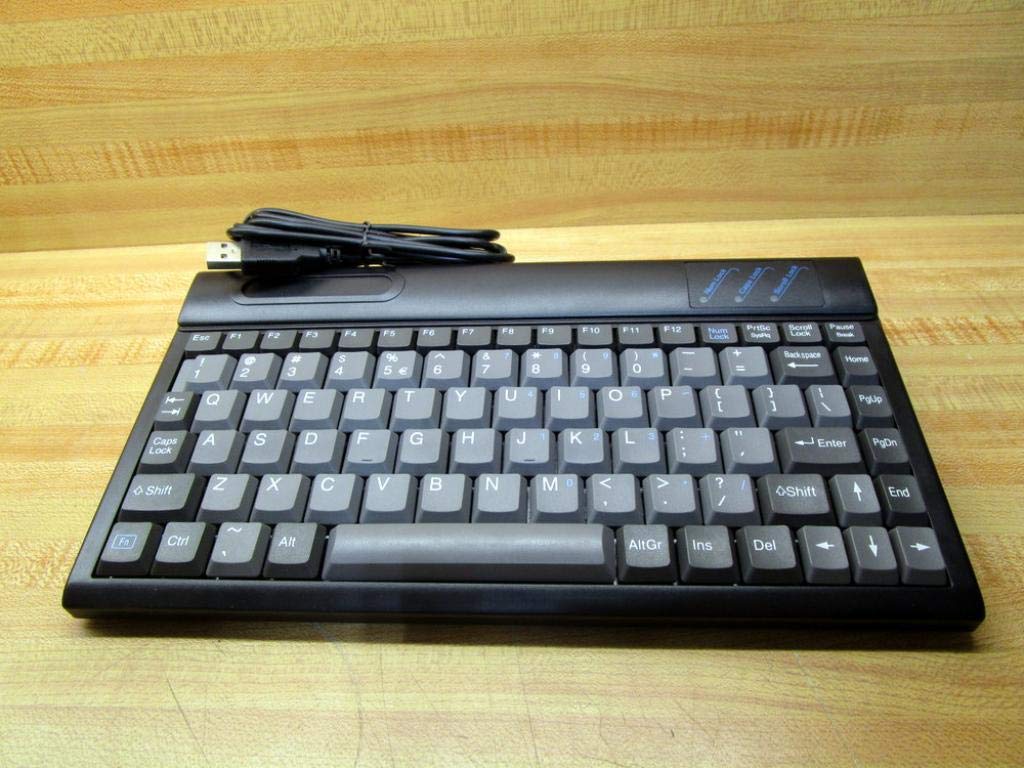
Chithunzi 2.1: Pamwamba view of the RoHS EAL9001U Keyboard, showcasing its compact QWERTY layout.
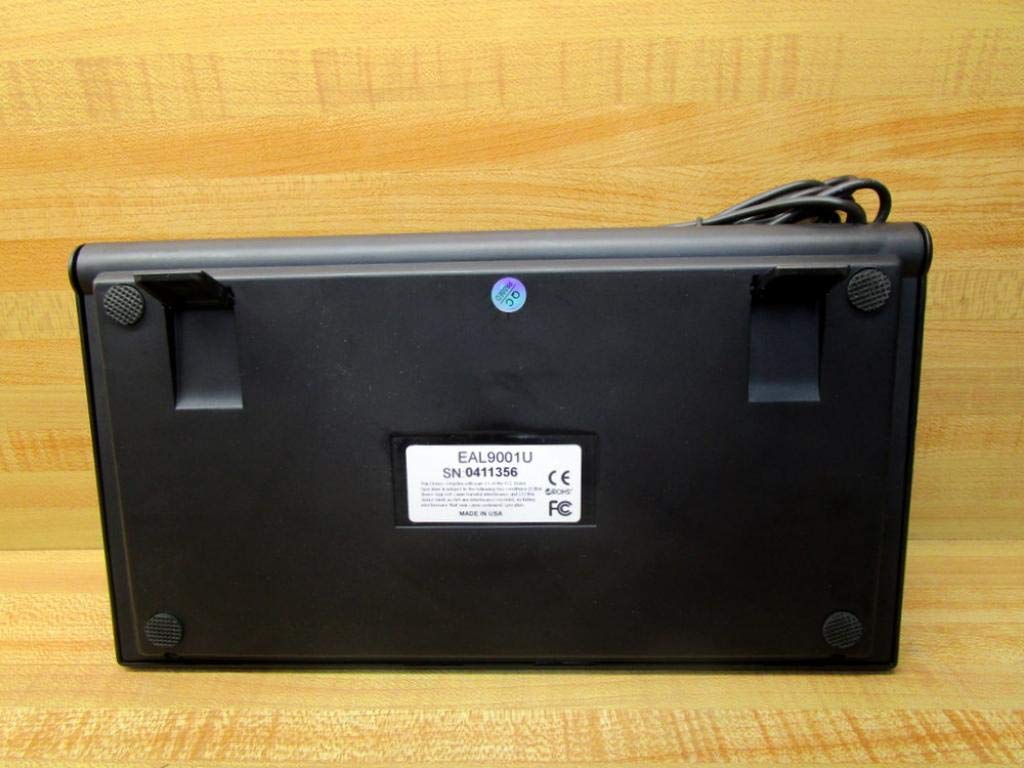
Chithunzi 2.2: Pansi view of the RoHS EAL9001U Keyboard, showing its stable feet and smooth surface.
3. Kukhazikitsa
3.1 Kulumikiza kiyibodi
The RoHS EAL9001U Keyboard is a plug-and-play device, requiring no special drivers for most operating systems.
- Pezani doko la USB lomwe likupezeka pa kompyuta kapena pa chipangizo chanu.
- Insert the USB connector of the keyboard firmly into the USB port.
- Wait for your operating system to recognize the new hardware. This usually takes a few seconds.
- Kiyibodi tsopano yakonzeka kugwiritsidwa ntchito.
4. Malangizo Ogwiritsira Ntchito
4.1 Basic Operation
The EAL9001U keyboard functions like a standard QWERTY keyboard. Simply type as you normally would. The 85-key layout includes all essential alphanumeric keys, function keys (F1-F12), and navigation keys.
4.2 Ntchito Zapadera
Due to its compact design, some less frequently used keys might be accessed via a function (Fn) key combination. Refer to your operating system's keyboard settings for any custom key assignments or shortcuts.
5. Kusamalira
5.1 Kuyeretsa
Kusunga mawonekedwe ndi magwiridwe antchito a kiyibodi:
- Chotsani kiyibodi pakompyuta yanu musanayeretse.
- Gwiritsani ntchito nsalu yofewa, yopanda lint pang'ono dampened with water or a mild, non-abrasive cleaning solution to wipe the surface.
- Pa fumbi ndi zinyalala pakati pa makiyi, gwiritsani ntchito mpweya woponderezedwa kapena burashi yaying'ono.
- Pewani kupopera madzi pa kiyibodi.
5.2 Kusungirako
When not in use, store the keyboard in a cool, dry place away from direct sunlight and extreme temperatures to prevent damage.
6. Mavuto
| Nkhani | Chifukwa Chotheka | Yankho |
|---|---|---|
| Kiyibodi siyikuyankha | Loose USB connection; Faulty USB port; Driver issue (rare) | Onetsetsani kuti chingwe cha USB chalumikizidwa bwino. Yesani doko lina la USB. Yambitsaninso kompyuta yanu. |
| Makiyi enieni sakugwira ntchito | Debris under key; Key mechanism damage | Use compressed air to clear debris. If problem persists, contact support. |
| Keyboard recognized but input delayed | System resource issue; USB port conflict | Close unnecessary applications. Try a different USB port. |
7. Zofotokozera
| Mbali | Tsatanetsatane |
|---|---|
| Nambala ya Model | EAL9001U (18-0000-000092) |
| Kulumikizana Technology | USB |
| Nambala Yamakiyi | 85 |
| Kapangidwe ka Kiyibodi | QWERTY |
| Gwero la Mphamvu | USB Yoyatsidwa |
| Zakuthupi | Pulasitiki |
| Miyeso Yazinthu | 3 x 11 x 11 mainchesi |
| Kulemera kwa katundu | 1.38 mapaundi |
| Wopanga | Rohs |

Figure 7.1: Product label showing model EAL9001U, serial number, FCC, CE, and RoHS compliance, and 'MADE IN USA'.
8. Chidziwitso cha Chitsimikizo
This product is covered by a standard manufacturer's warranty. Please retain your proof of purchase for any warranty claims. For specific warranty terms and conditions, refer to the documentation provided at the time of purchase or contact the manufacturer directly.
9. Thandizo la Makasitomala
For technical assistance, troubleshooting, or product inquiries, please contact your retailer or the manufacturer's customer support. Have your product model number (EAL9001U) and serial number (if applicable) ready when contacting support.


