1. Mawu Oyamba
This manual provides detailed instructions for the assembly, operation, and maintenance of your One For All WM7471 Universal TV Tripod Stand. Please read this manual thoroughly before installation and retain it for future reference. This stand is designed to securely hold televisions ranging from 32 to 65 inches with VESA mounting patterns between 200x100mm and 400x400mm.
2. Zambiri Zachitetezo
CHENJEZO: Failure to read and follow these instructions can result in serious personal injury, property damage, or voiding of your warranty. If you have any questions, please contact customer support.
- Onetsetsani kuti zipangizo zonse zilipo ndipo sizikuwonongeka musanazikonze. Musagwiritse ntchito zipangizo zowonongeka.
- Musapitirire kulemera kwake kwakukulu kapena kukula kwa zenera zomwe zafotokozedwa mugawo lazowunikira.
- Always assemble the stand on a flat, stable surface.
- Ensure the TV is securely attached to the mounting brackets and the stand is stable before releasing TV.
- Keep children and pets away during assembly. Small parts can be a choking hazard.
- Do not attempt to modify the stand.
- Nthawi ndi nthawi yang'anani zomangira zonse ndi zolumikizira kuti muwonetsetse kuti zimakhala zolimba komanso zotetezeka.
3. Zamkatimu Phukusi
Verify that all parts listed below are included in your package. If any parts are missing or damaged, do not proceed with assembly and contact customer support.
- Tripod Base Assembly (Wooden legs, central column)
- TV Mounting Brackets (Horizontal bars)
- Vertical Support Bar
- Cable Management Strap (Leather)
- Universal Soundbar Attachment
- Hardware Kit (Screws, washers, spacers for TV mounting)
- Buku Lophunzitsira (Chikalatachi)

4. Kukhazikitsa ndi Msonkhano
Follow these steps carefully to assemble your TV tripod stand. It is recommended to have a second person assist with mounting the television.
- Assemble the Tripod Base:
Carefully attach the three wooden legs to the central column. Ensure they are securely fastened according to the provided diagrams in the separate assembly guide (if applicable). The design allows for tool-free or minimal tool assembly.

Figure 2: Detail of the central connection point of the tripod stand, showing the secure attachment of the wooden legs to the main column. - Attach TV Mounting Brackets to TV:
Identify the VESA mounting holes on the back of your television. Select the appropriate screws, washers, and spacers from the hardware kit that match your TV's specifications. Attach the horizontal TV mounting brackets to the back of your TV. Ensure they are level and securely tightened.

Figure 3: The VESA mounting bar, illustrating the multiple hole patterns for compatibility with various TV models. - Ikani TV kuti muyimitse:
With assistance, carefully lift the television and hook the attached mounting brackets onto the vertical support bar of the tripod stand. Ensure the TV is centered and level. Secure the TV to the stand using the provided safety mechanisms, such as locking screws or clips, to prevent accidental dislodgement.

Chithunzi 4: Mwatsatanetsatane view of the TV mounting bracket securely fastened to the stand's central column, also showing the integrated cable management clip. - Kuwongolera Ma Chingwe:
Utilize the integrated cable management strap and clips to route and conceal TV and accessory cables along the central column and down one of the legs. This helps maintain a tidy appearance and prevents tripping hazards.

Chithunzi 5: Example of cable management, showing a cable neatly routed along one of the wooden tripod legs. - Soundbar Attachment (Optional):
If using a soundbar, attach the universal soundbar attachment to the TV mounting brackets as per its specific instructions. This allows the soundbar to move with the TV when adjusted.
5. Malangizo Ogwiritsira Ntchito (Zosintha)
The One For All WM7471 stand offers flexibility in TV positioning.
- Kusintha Kwautali:
The TV can be adjusted vertically along the central column. Loosen the height adjustment mechanism (refer to the assembly guide for specific details), slide the TV to the desired height, and then securely tighten the mechanism. Always ensure the TV is level after adjustment.
- Kuzungulira kwa 360 °:
The entire TV and mounting assembly can be rotated 360 degrees around the central column. Gently rotate the TV to achieve the optimal viewing angle. Ensure no cables are snagged or strained during rotation.
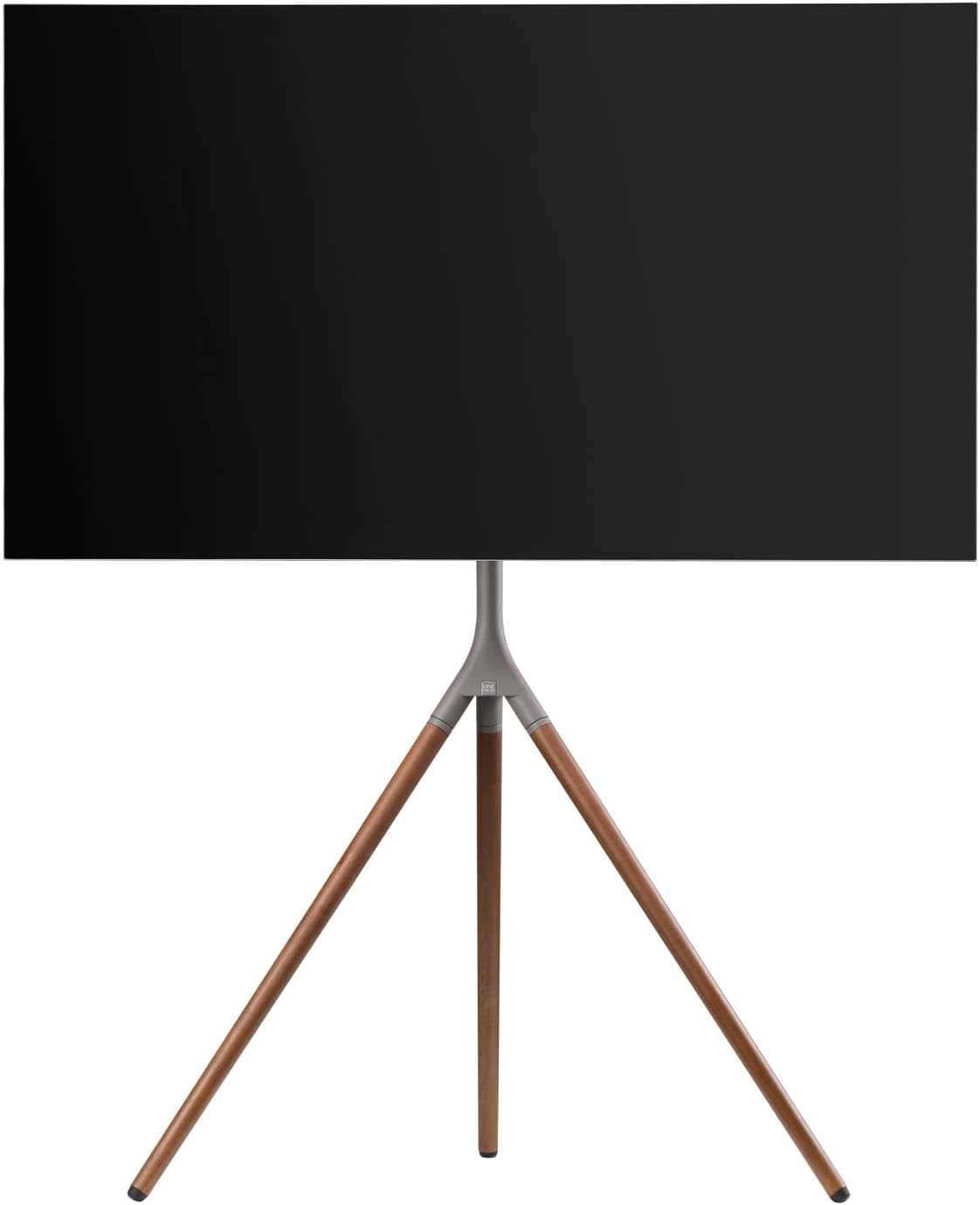
Chithunzi 6: Side profile of the stand with a TV, demonstrating the potential for swivel and height adjustments.
6. Kusamalira
Regular maintenance ensures the longevity and safe operation of your TV stand.
- Kuyeretsa: Gwiritsani ntchito nsalu yofewa, youma kuti mupukute choyimiliracho. Kwa zizindikiro zouma, pang'ono damp nsalu yokhala ndi sopo wofatsa imatha kugwiritsidwa ntchito, kenako ndikuyanika nthawi yomweyo. Pewani zotsukira abrasive kapena solvents.
- Kuyendera: Periodically check all screws, bolts, and connections for tightness. Re-tighten if necessary.
- Kuwongolera Ma Chingwe: Ensure cables remain neatly organized and are not pinched or strained.
7. Mavuto
Ngati mukukumana ndi zovuta ndi maimidwe anu a TV, onetsani mavuto awa ndi mayankho:
| Vuto | Chifukwa Chotheka | Yankho |
|---|---|---|
| Kuyimirira kumamveka kosakhazikika. | Loose connections; uneven floor; TV too heavy/large. | Ensure all screws are tightened. Move stand to a level surface. Verify TV weight and size are within specifications. |
| TV si mlingo. | Mounting brackets unevenly attached; stand not level. | Re-adjust TV mounting brackets. Ensure stand is on a level surface. |
| Difficulty adjusting height or swivel. | Adjustment mechanism is too tight or obstructed. | Loosen adjustment mechanism slightly. Check for cable obstructions. Do not force movement. |
If the problem persists, please contact One For All customer support.
8. Zofotokozera
| Mbali | Tsatanetsatane |
|---|---|
| Nambala ya Model | WM7471 |
| Mtundu | Mmodzi Kwa Onse |
| Kukula Kwazenera Kogwirizana | 32-65 masentimita |
| Kugwirizana kwa VESA | 200x100mm kuti 400x400mm |
| Mtundu Woyenda | 360° Swivel, Height Adjustable |
| Zakuthupi | Wood (Walnut), Metal (Gunmetal/Chrome) |
| Mtundu | Walnut & Gunmetal |
| Kuphatikiza Zida | Tripod stand, TV mounting hardware, cable management strap, universal soundbar attachment |
9. Chitsimikizo ndi Thandizo
For warranty information and customer support, please refer to the documentation included with your purchase or visit the official One For All webmalo. Mawu achitsimikizo enieni amatha kusiyanasiyana malinga ndi dera komanso ogulitsa.
Wopanga: Mmodzi Kwa Onse
Dziko lakochokera: China


