Mawu Oyamba
The Autel MaxiCOM MK900BT is a professional-grade automotive diagnostic scan tool designed for comprehensive vehicle analysis and maintenance. This device offers advanced features such as bi-directional control, extensive service functions, and broad vehicle compatibility, making it suitable for both DIY enthusiasts and professional technicians. This manual provides essential information for setting up, operating, and maintaining your MK900BT scanner.
Zomwe zili mu Bokosi
Upon unboxing your Autel MaxiCOM MK900BT, verify that all components are present:
- 1x Main Unit (MK900-BT Tablet)
- 1x MaxiVCI V150 (Vehicle Communication Interface)
- 1 x Adapter yamagetsi
- 1 x Chingwe cha USB Type-C
- 1x Soft Cloth
- 1x Quick Reference Guide
- 1x Packing List
- 1x Mlandu Wonyamula

Image: All components included in the Autel MaxiCOM MK900BT package.
Khazikitsa
Follow these steps to set up your Autel MaxiCOM MK900BT for first use:
- Limbani Chipangizo: Connect the main unit to the power adapter using the provided USB Type-C cable. Ensure the device is fully charged before initial use.
- Yatsani: Dinani ndikugwira batani lamphamvu kuti muyatse piritsi.
- Kusintha Koyamba: Follow the on-screen prompts to select your language, time zone, and connect to a Wi-Fi network. An internet connection is required for initial device registration and software updates.
- Connect MaxiVCI V150: The MaxiVCI V150 connects wirelessly to the tablet via Bluetooth. Plug the VCI into the vehicle's OBDII port. The tablet will automatically attempt to establish a connection.
- Kusintha kwa Mapulogalamu: Navigate to the 'Update' application on the tablet's main menu. Download and install all available software updates to ensure optimal performance and access to the latest vehicle coverage and functions.
Video: An unboxing and initial setup guide for the Autel MaxiCOM MK900BT, demonstrating how to access components and power on the device.
Kugwiritsa Ntchito Chipangizo
The Autel MaxiCOM MK900BT operates on Android 11, providing a user-friendly interface for various diagnostic tasks.
Ntchito Zofunikira Zodziwira Matenda:
- OE-Level Full System Diagnosis: Access all available vehicle systems (e.g., Engine, Transmission, ABS, Airbag, Body Control Module) to read and clear Diagnostic Trouble Codes (DTCs), view live data, and retrieve ECU information.
- Bi-Directional Control (Active Tests): Perform over 3000 active tests to command vehicle components and systems directly. This allows for precise identification of faulty components by testing their functionality (e.g., Injector Buzz Test, A/C Compressor Activation, operating windows, mirrors, wipers).
- 40+ Service Functions: Access a wide range of maintenance and reset services, including Oil Reset, EPB (Electronic Parking Brake), SAS (Steering Angle Sensor), BMS (Battery Management System), ABS Bleeding, Injector Coding, Throttle Adaptation, and more.
- CAN FD & DoIP Protocol Support: Compatible with newer vehicle communication protocols, including CAN FD for 2020+ GM & Chrysler models and DoIP for Volvo, Land Rover/Jaguar, and BMW F/G Chassis.
- FCA & Renault SGW Access: Provides direct access for diagnostics and services on 2018+ Jeep, Fiat, Chrysler, Dodge, Ram vehicles (FCA AutoAuth) and 2015+ Renault cars (Renault SGW).
- Auto Scan 2.0 & VIN/License Scan: Quickly identify vehicles using AutoVIN, Scan VIN, or License Plate recognition for faster diagnostic initiation.
- 4-in-1 Live Data: View and analyze live sensor data in multiple formats, including graphical displays, to monitor vehicle performance in real-time.
- 10 OBD2 Functions: Supports all 10 modes of OBDII testing, including reading/clearing codes, live data, freeze frame, I/M readiness, O2 sensor tests, and more.
- Wi-Fi Print & Cloud Report: Generate and print diagnostic reports wirelessly via Wi-Fi, or upload them to the cloud for easy sharing and record-keeping.
- Kufikira Magalimoto: Supports over 150 car brands and 20,000+ models from 1996 to 2026 and newer, covering American, Asian, and European vehicles.

Chithunzi: Zathaview of OE-Level Full System Diagnosis capabilities.

Image: Demonstrating bi-directional control for component testing.

Chithunzi: Eksamples of 40+ service functions.

Image: CAN FD and DoIP protocol compatibility.

Image: FCA and Renault SGW access features.

Image: Auto Scan 2.0 and VIN/License scanning.
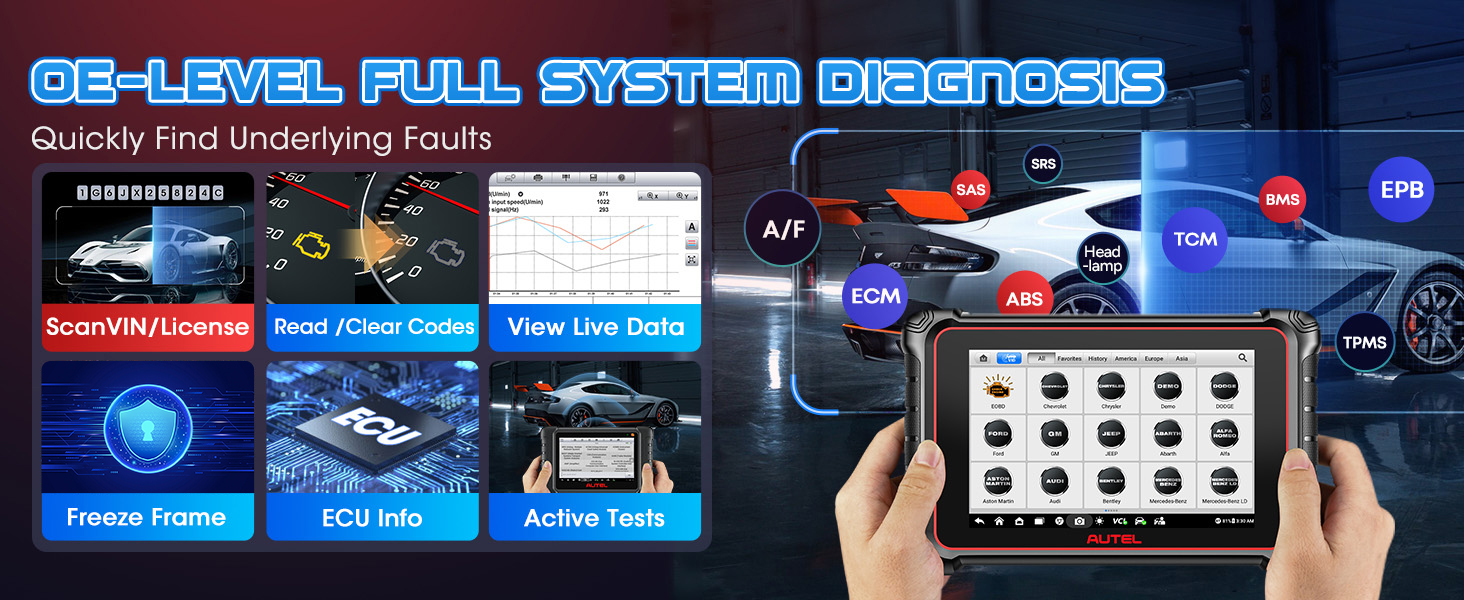
Image: 4-in-1 Live Data display.

Image: The 10 OBD2 functions.
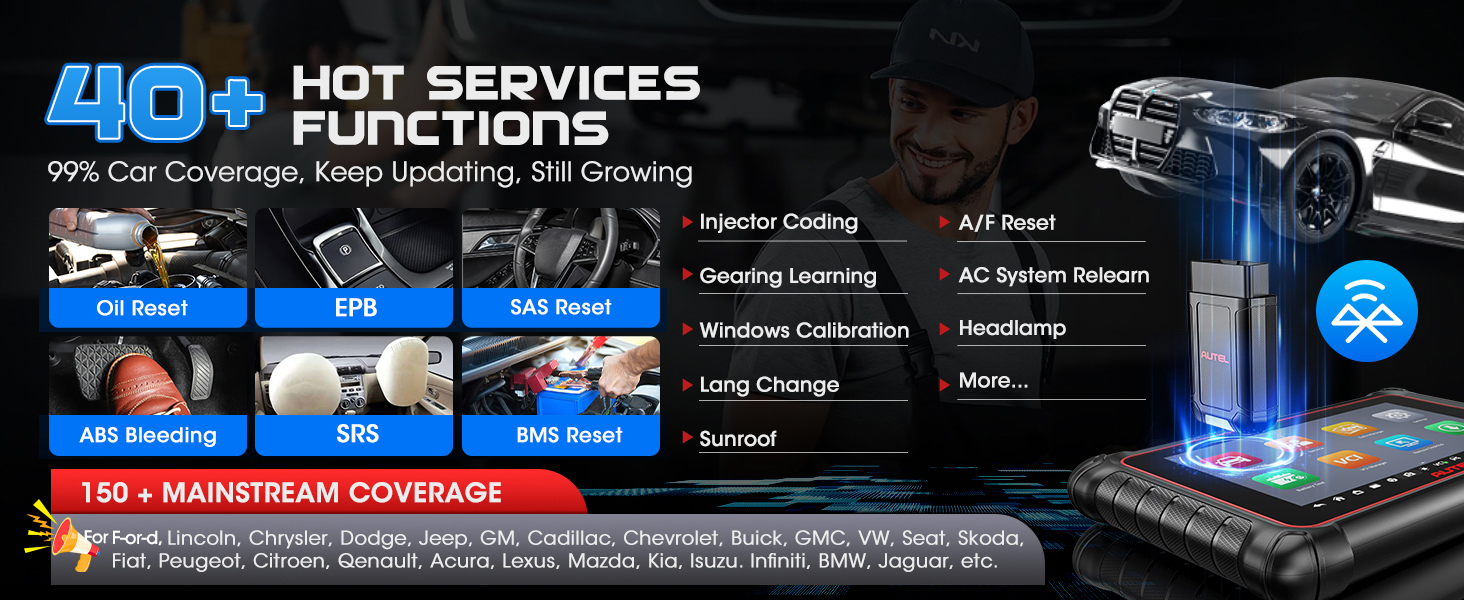
Image: Wi-Fi printing and cloud report management.

Image: Extensive vehicle coverage.
Kusamalira
To ensure the longevity and optimal performance of your Autel MaxiCOM MK900BT, adhere to the following maintenance guidelines:
- Khalani Oyera: Use the provided soft cloth to regularly clean the touchscreen and device exterior. Avoid abrasive cleaners or solvents.
- Zosintha pa Mapulogalamu: Regularly check for and install software updates to ensure the latest vehicle coverage, bug fixes, and feature enhancements.
- Kusamalira Battery: Store the device in a cool, dry place. If storing for extended periods, ensure the battery is charged to approximately 50-70% to prevent deep discharge.
- Protect from Extremes: Pewani kuyika chipangizocho pamalo otentha kwambiri, padzuwa lachindunji, kapena pa chinyezi chochuluka.
- Malo Otetezedwa: Always store the scanner and its accessories in the provided carrying case to protect them from physical damage.
Kusaka zolakwika
If you encounter any issues with your Autel MaxiCOM MK900BT, such as device registration, VCI malfunction, startup problems, charging issues, or specific function limitations, please contact Autel customer support directly. Provide your VIN (17 digits) for vehicle compatibility checks or any technical inquiries.
Kuti muthandizidwe, lemberani: AutelStoreOnline@outlook.com
Zofotokozera
| Mbali | Kufotokozera |
|---|---|
| Mtundu | Autel |
| Chitsanzo | Newest Autel MaxiCOM MK900BT |
| Opareting'i sisitimu | Android 11.0 |
| Kukula kwa Screen | 8 Inches (1280 x 800 resolution) |
| Purosesa | RK3566 Rockchip |
| Memory | 4GB RAM + 64GB yosungirako |
| Batiri | 7700mAh Lithium Polymer (yophatikizidwa) |
| Kamera | 8MP Kumbuyo Kamera |
| Kulumikizana | 2.4GHz & 5G Dual-WiFi, Bluetooth V150 (33ft wireless range) |
| Ma Protocol Othandizira | CAN FD, DoIP |
| Kuphimba Magalimoto | 150+ brands, 1996-2026 & newer |
| Kulemera kwa chinthu | 1.54 mapaundi |
| Miyeso Yazinthu | 9.4 x 5.9 x 1.4 mainchesi |
Chitsimikizo ndi Thandizo
The Autel MaxiCOM MK900BT comes with a 1-Year Warranty and 1-Year of free software updates. Autel also offers a 30-day replacement or full refund policy and 24/7 customer service.
For any warranty claims, technical assistance, or support inquiries, please contact Autel directly via email:
Imelo: AutelStoreOnline@outlook.com


