1. Mawu Oyamba
This manual provides comprehensive instructions for the Sony Cyber-shot DSC-W810 Digital Camera. It covers essential information for setting up, operating, maintaining, and troubleshooting your camera to ensure optimal performance and longevity. Please read this manual thoroughly before using your camera.
2. Zamalonda Zathaview
Familiarize yourself with the components and controls of your Sony Cyber-shot DSC-W810 camera.
2.1 Zida za Kamera
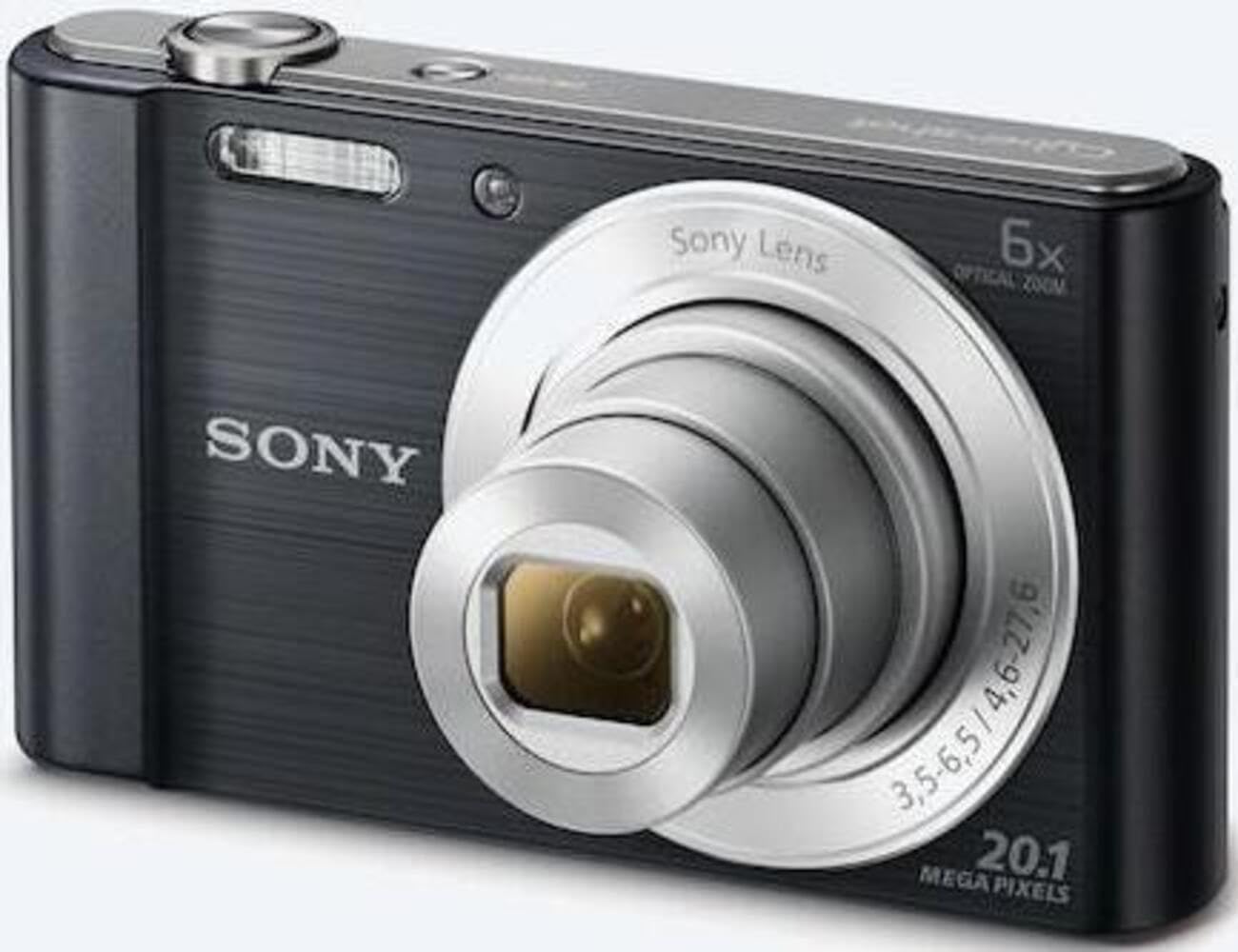
Chithunzi 1: Patsogolo view of the camera with the lens retracted. This shows the lens, flash, and shutter button.
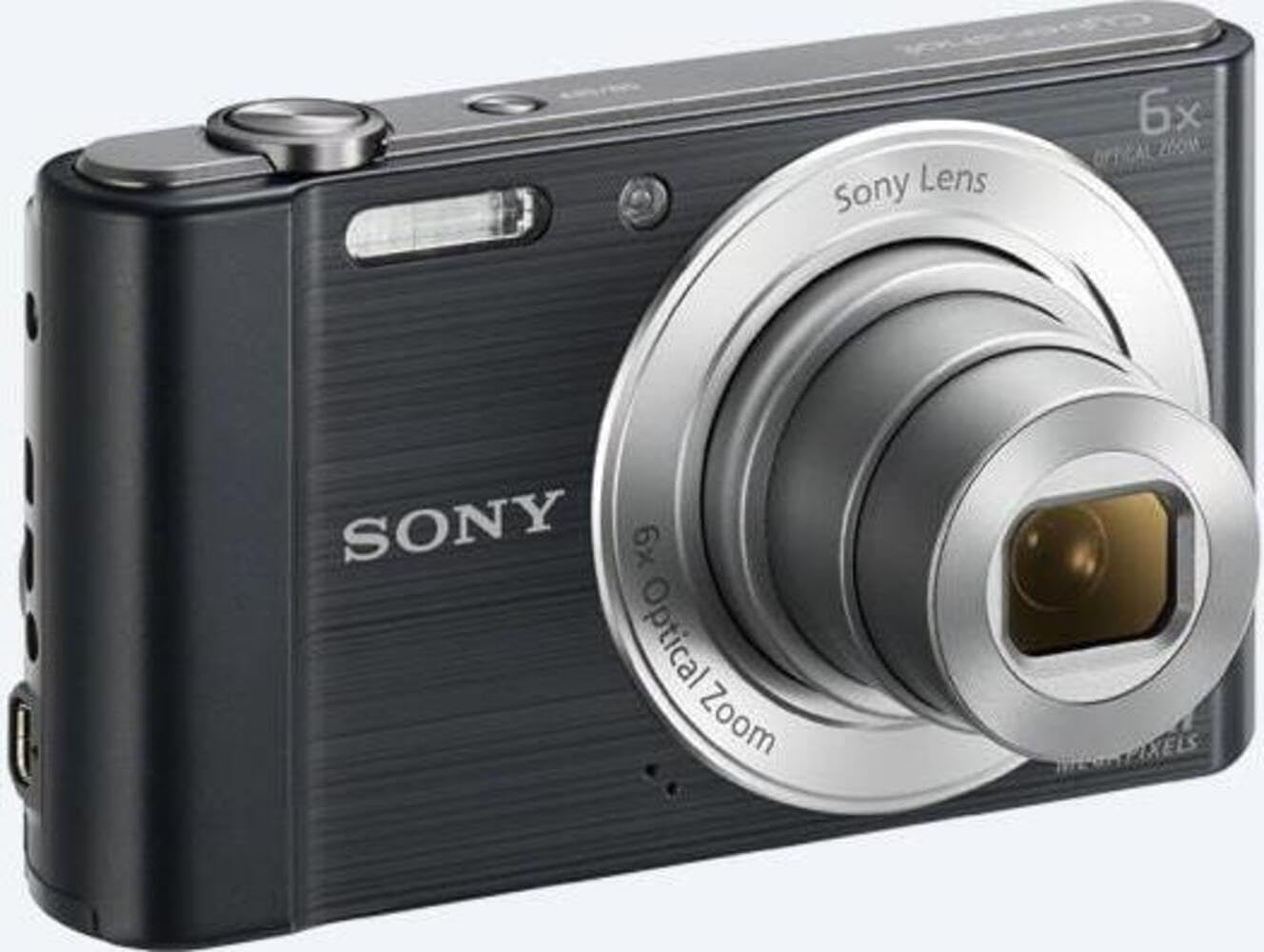
Chithunzi 2: Patsogolo view of the camera with the lens extended, ready for shooting. This illustrates the camera's compact design when in use.

Chithunzi 3: Kumbuyo view of the camera, highlighting the 2.7-inch LCD screen, navigation buttons, movie record button, and menu button.

Chithunzi 4: Pamwamba view of the camera, showing the power button, shutter button, and zoom lever.
2.2 Control Buttons and Functions
- Chotsekera batani: Dinani pakati kuti muyang'ane, kuti mujambule chithunzi.
- Zoom Lever (W/T): Adjusts optical and digital zoom. "W" for wide-angle, "T" for telephoto.
- Batani Lamphamvu: Kuyatsa kapena kuzimitsa kamera.
- Batani la Kanema: Imayamba ndikuyimitsa kujambula kanema.
- Sewerani Batani: Ikulowetsanso kusewera kwa view zithunzi ndi makanema.
- Batani la Menyu: Imafika pa makonda ndi zosankha za kamera.
- Mabatani a Directional: Navigate menus and select options. Also used for flash settings, self-timer, and display options.
- Kung'anima: Flash yomangidwa mkati kuti igwiritsidwe ntchito ngati kuwala sikuli kowala kwambiri.
- LCD Screen: 2.7-inch display for framing shots, viewzithunzi, ndi mindandanda yazakudya.
3. Kukhazikitsa
Follow these steps to prepare your camera for first use.
3.1 Kuyika Battery
- Open the battery/memory card cover located on the bottom of the camera.
- Insert the battery with the correct orientation, ensuring the terminals align. Push until it clicks into place.
- Tsekani chophimba bwino.
Note: The camera does not include batteries. Please use compatible Sony NP-BN or NP-BN1 batteries.
3.2 Kuyika Memory Card
The camera supports SDXC or SDHC memory cards.
- Tsegulani chivundikiro cha batri/khadi yokumbukira.
- Insert the memory card into the slot with the correct orientation until it clicks.
- Tsekani chophimba bwino.
Note: A memory card is not included with the camera. Purchase a compatible SDXC or SDHC card separately.
3.3 Kuyatsa Koyamba ndi Zokonda
- Dinani batani la Mphamvu kuti muyatse kamera.
- The initial setup screen will appear. Follow the on-screen prompts to set the language, date, and time.
- Ensure the date and time are accurate for proper photo organization.
4. Kugwiritsa ntchito Kamera
Learn how to capture photos and videos with your DSC-W810.
4.1 Kujambula zithunzi
- Yatsani kamera.
- Pangani chithunzi chanu pogwiritsa ntchito skrini ya LCD.
- Use the zoom lever (W/T) to adjust the 6x optical zoom.
- Press the Shutter button halfway down to focus. The focus frame will turn green when focus is achieved.
- Press the Shutter button fully to take the picture.
4.2 Using Flash Modes
The camera features a built-in flash with various modes. Press the right directional button (flash icon) to cycle through modes:
- Auto Flash: Camera automatically determines if flash is needed.
- Kuwala kodzaza: Moto wamoto pakuwombera kulikonse.
- Kulunzanitsa Pang'onopang'ono: Flash fires, and shutter speed is slowed to capture background light.
- Palibe Flash: Flash ndiyozimitsidwa.
Tip: For low-light environments, the "Party Mode" (accessible via the menu) can optimize settings for clearer images without harsh flash.
4.3 Kujambula makanema
- Yatsani kamera.
- Press the dedicated Movie button to start recording.
- Press the Movie button again to stop recording.
Note: Videos are recorded in 720p resolution in MP4 format.
4.4 Masewero Osewera
- Dinani batani la Playback kuti mulowetse mawonekedwe.
- Use the left/right directional buttons to browse through your photos and videos.
- Press the center button to play videos.
- Press the Playback button again to return to shooting mode.
5. Kusamalira
Kusamalira bwino kamera yanu kumatsimikizira kuti kamera yanu imagwira ntchito bwino komanso nthawi yayitali.
5.1 Kuyeretsa Kamera
- Thupi la Kamera: Pukutani ndi nsalu yofewa, youma. Pa dothi louma, gwiritsani ntchito nsalu mopepuka dampkulowetsedwa ndi madzi.
- Lens: Gwiritsani ntchito burashi ya lenzi kuchotsa fumbi, kenako pukutani pang'onopang'ono ndi nsalu yotsukira lenzi. Pewani kukhudza pamwamba pa lenzi ndi zala zanu.
- LCD Screen: Use a soft, dry cloth specifically designed for LCD screens.
Caution: Do not use organic solvents such as alcohol or thinner to clean the camera.
5.2 Kusamalira Battery
- Limbikitsani batri musanagwiritse ntchito koyamba.
- Chotsani batire ngati kamera sidzagwiritsidwa ntchito kwa nthawi yayitali.
- Sungani mabatire pamalo ozizira, owuma.
5.3 Kusungirako
When not in use, store the camera in a dry, well-ventilated area, away from direct sunlight, high temperatures, and humidity. Use a camera case for protection during transport.
6. Mavuto
Onani gawoli kuti mupeze mayankho pamavuto omwe anthu ambiri amakumana nawo.
| Vuto | Yankho |
|---|---|
| Kamera siyiyatsa. |
|
| Zithunzi sizimamveka bwino. |
|
| Flash is too bright or too dim. |
|
| Kulakwitsa kwa khadi lokumbukira. |
|
7. Zofotokozera
Key technical specifications for the Sony Cyber-shot DSC-W810 Digital Camera.
| Mbali | Tsatanetsatane |
|---|---|
| Dzina lachitsanzo | DSCW810B.CE3 |
| Kusamvana Kothandiza Kwambiri | 20.1 MP |
| Photo Sensor Technology | CCD |
| Optical Zoom | 6x |
| Zojambula Pazithunzi | 48x ku |
| Kutalika Kwambiri Kwambiri | 27.6 mm |
| Kutalika Kochepa Kwambiri | 4.6 mm |
| Kukhazikika kwazithunzi | Digital, Optical |
| Kukula kwa Screen | 2.7 mainchesi LCD |
| Kusintha Kwamavidiyo | 720p ku |
| Zothandizidwa File Mawonekedwe | JPEG, RAW (Still), MP4 (Kanema) |
| Mtundu wa Memory Flash | SDXC or SDHC |
| Kulumikizana | USB, HDMI |
| Kulemera kwa chinthu | 111 gm |
| Mtundu | Wakuda |
8. Chitsimikizo ndi Thandizo
8.1 Chidziwitso cha Chitsimikizo
This product comes with a 90-day Limited Hardware Warranty. For full details, please refer to the official warranty document:
View 90-day Limited Hardware Warranty
Note: This is an international version of the camera and may have warranty limitations in certain regions.
8.2 Thandizo la Makasitomala
Kuti mupeze thandizo lina, chithandizo chaukadaulo, kapena mafunso okhudza ntchito, chonde pitani ku chithandizo chovomerezeka cha Sony webtsamba kapena funsani makasitomala awo.


