
Strong SRT427
STRONG 4K UHD Box SRT 427 User Manual
Mawu Oyamba
This manual provides comprehensive instructions for the installation, operation, and maintenance of your STRONG 4K UHD Box SRT 427. Please read this manual carefully before using the device to ensure proper functionality and to prevent damage. Keep this manual for future reference.
Zamkatimu Phukusi
Musanapitilize kukhazikitsa, chonde onetsetsani kuti zinthu zonse zilipo m'phukusi:
- STRONG 4K UHD Box SRT 427
- Remote Control (mabatire osaphatikizidwa)
- Adapter yamagetsi
- Chingwe cha HDMI
- Quick unsembe Guide
Khazikitsa
Follow these steps to set up your STRONG 4K UHD Box SRT 427:
- Lumikizani ku TV: Connect one end of the HDMI cable to the HDMI OUT port on the SRT 427 and the other end to an available HDMI IN port on your television.
- Lumikizani ku Mphamvu: Plug the power adapter into the DC IN port on the SRT 427, then plug the adapter into a wall outlet.
- Lumikizani ku intaneti (Ngati mukufuna): For internet-based features, connect an Ethernet cable to the LAN port on the SRT 427, or configure Wi-Fi settings after initial boot-up.
- Ikani Mabatire Akutali: Open the battery compartment on the remote control and insert 2x AAA batteries (not included), ensuring correct polarity.
- Yatsani: Turn on your TV and select the correct HDMI input source. The SRT 427 should power on automatically. If not, press the power button on the remote control.
- Wizard Yoyambira: Follow the on-screen instructions to complete the initial setup, including language selection, network configuration, and channel scanning.
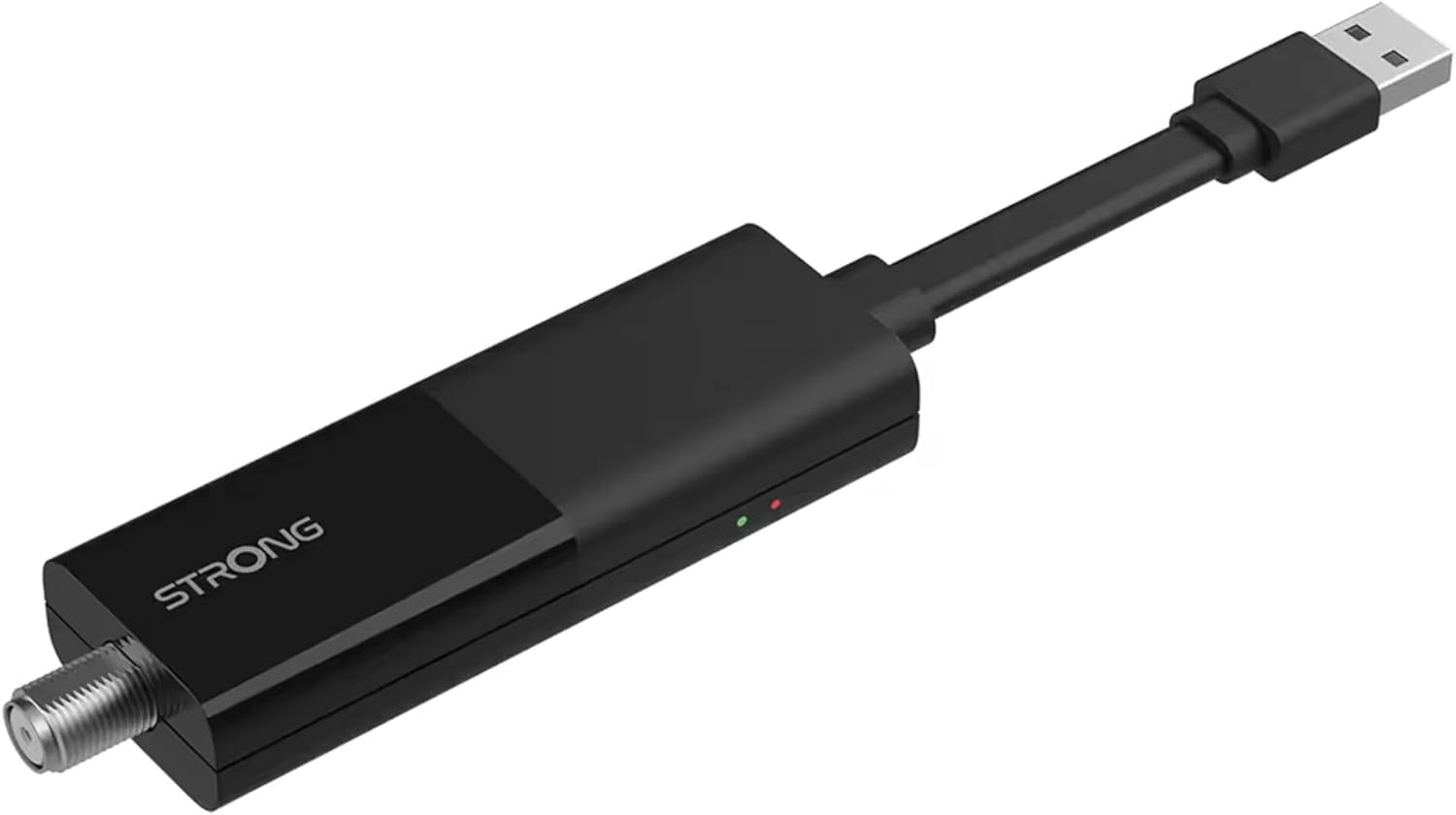
Image: The STRONG 4K UHD Box SRT 427, a compact black USB dongle-style device with a USB connector on one end and an F-type coaxial antenna input on the other, featuring the 'STRONG' logo and small indicator lights.
Malangizo Ogwiritsira Ntchito
Once the initial setup is complete, you can begin using your SRT 427. Use the remote control to navigate the user interface.
- Screen Yanyumba: Dinani pa KWAMBIRI button to access the main menu, where you can find applications, settings, and media options.
- Kuyenda: Gwiritsani ntchito miviyo (CHIMWAMBA, CHANSI, CHOKWENDA, KUMANTHA) to move through menus and options. Press OK kutsimikizira kusankha.
- Kuwongolera Voliyumu: Gwiritsani ntchito VOL + ndi VOL- mabatani kuti musinthe voliyumu ya audio.
- Kusankha Channel: If connected to an antenna, use the CH+ ndi CH- buttons to change channels, or enter channel numbers directly using the numeric keypad.
- Zokonda: Access the settings menu to customize display, audio, network, and system preferences.
- Kusewera Media: Connect a USB storage device to the USB port to play media files (photos, videos, music) through the built-in media player.
Kusamalira
Proper maintenance ensures the longevity and optimal performance of your SRT 427.
- Kuyeretsa: Disconnect the device from power before cleaning. Use a soft, dry cloth to wipe the exterior. Do not use liquid cleaners or abrasive materials.
- Mpweya wabwino: Onetsetsani kuti chipangizocho chayikidwa pamalo opumira bwino. Musatseke mipata yopumira.
- Kutentha: Pewani kuyika chipangizocho kumalo otentha kwambiri, kuwala kwa dzuwa, kapena chinyezi chambiri.
- Zosintha za Firmware: Periodically check for firmware updates through the system settings to ensure you have the latest features and bug fixes.
Kusaka zolakwika
If you encounter issues with your SRT 427, refer to the following common problems and solutions:
| Vuto | Yankho |
|---|---|
| Palibe mphamvu | Check if the power adapter is securely connected to the device and the wall outlet. Ensure the outlet is functional. |
| Palibe chithunzi pa TV | Verify the HDMI cable is correctly connected to both the SRT 427 and the TV. Ensure the TV is set to the correct HDMI input source. |
| Palibe phokoso | Check the volume level on both the SRT 427 and your TV. Ensure audio settings in the SRT 427 menu are correct. |
| Kuwongolera kutali sikukugwira ntchito | Check and replace the batteries. Ensure there are no obstructions between the remote and the device's IR sensor. |
| Sitingalumikizane ndi Wi-Fi | Ensure your Wi-Fi router is on and within range. Re-enter the Wi-Fi password in the network settings. Try restarting both the SRT 427 and your router. |
Zofotokozera
Technical specifications for the STRONG 4K UHD Box SRT 427:
- Nambala Yachitsanzo: SRT427
- Makulidwe a Zamalonda: 5.91 x 7.87 x 5.91 mainchesi
- Kulemera kwa chinthu: 1.76 mapaundi
- Mabatire: 1 AAAA batteries required (for remote control, typically)
- Wopanga: Wamphamvu
- Language (Default): Italian (may vary by region, user configurable)
- ASIN: B0FDPX7PRQ
- Tsiku Loyamba Kupezeka: Ogasiti 21, 2025
Chitsimikizo ndi Thandizo
For warranty information and technical support, please refer to the warranty card included in your product packaging or visit the official Strong webmalo. Osayesa kukonza nokha chipangizocho, chifukwa izi zitha kusokoneza chitsimikizo chanu.
Ovomerezeka Webtsamba: www.strong.tv
Ask a question about this manual
Ask about setup, troubleshooting, compatibility, parts, safety, or missing instructions. Manuals+ will review the question and use this page’s manual context to help answer it.