
Mawu Oyamba
Thank you for choosing kurdene SP9i Wireless Over-Ear Bluetooth Earbuds. These earbuds are designed to provide a high-quality audio experience with exceptional comfort and stability, making them ideal for sports, meetings, workouts, and everyday use. Featuring advanced Bluetooth 5.3 technology, deep bass sound, and an impressive 60-hour total playtime, your kurdene SP9i earbuds are built for performance and convenience.
This manual will guide you through the setup, operation, maintenance, and troubleshooting of your new earbuds to ensure you get the most out of your listening experience.
Zomwe zili mu Bokosi
Upon opening your kurdene SP9i package, you should find the following items:
- kurdene SP9i Wireless Over-Ear Earbuds (Left and Right)
- Portable Charging Case
- USB-C Charging Chingwe
- Interchangeable Ear Tips (Various Sizes)
- Buku Logwiritsa Ntchito

Image: kurdene SP9i Wireless Over-Ear Bluetooth Earbuds in Hot Pink, shown with their charging case.
Kukhazikitsa Guide
1. Kuchaja Mahedifoni Anu ndi Chikwama Chanu
Musanagwiritse ntchito koyamba, tchajitsani zonse ma earbuds ndi chikwama chochajitsira.
- Place the earbuds into the charging case. Ensure they are correctly seated; the indicator lights on the earbuds will illuminate to confirm charging.
- Connect the USB-C charging cable to the charging port on the case and plug the other end into a compatible USB power source.
- The charging case's indicator light will show charging status. A full charge for the case typically takes about 1.5 hours.
The earbuds offer up to 12 hours of continuous playtime on a single charge, and the charging case provides an additional 48 hours, totaling 60 hours of playtime.

Image: Visual representation of the earbud and charging case battery life, highlighting 60 hours total playtime and USB-C charging.
2. Kuyanjanitsa ndi Chipangizo Chanu
Your kurdene SP9i earbuds utilize Bluetooth 5.3 for a stable and efficient connection.
- Tsegulani mlandu wolipira. Zomverera m'makutu zidzalowa zokha munjira yofananira, yowonetsedwa ndi kuyatsa nyali za LED pamakutu.
- Pa chipangizo chanu (foni yam'manja, piritsi, laputopu), pitani ku zoikamo za Bluetooth.
- Saka available devices and select "kurdene SP9i" from the list.
- Once connected, the earbud indicator lights will stop flashing or show a steady light, and you will hear an audio confirmation.
The Bluetooth 5.3 technology ensures faster data transfer and a reliable connection up to 33 feet, perfect for seamless audio and video synchronization.
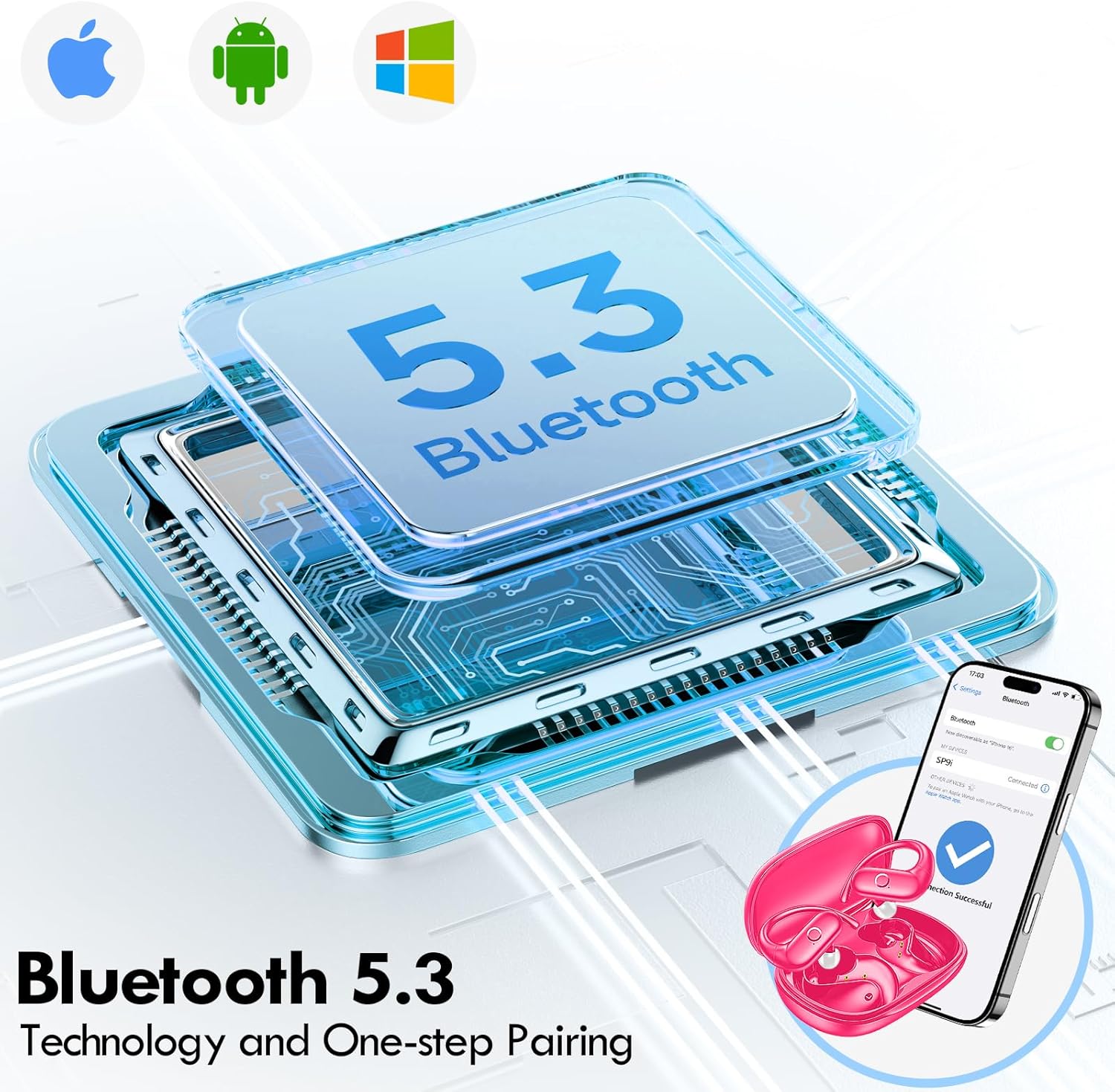
Image: Illustration of Bluetooth 5.3 technology and the one-step pairing process with a mobile device.
Malangizo Ogwiritsira Ntchito
1. Kuvala Zomverera M'makutu
The kurdene SP9i earbuds feature an over-ear design with soft silicone ear hooks for a secure and comfortable fit, especially during active use.
- Dziwani zomvera m'makutu za Kumanzere (L) ndi Kumanja (R).
- Gently place the earbud into your ear canal and hook the ear hook over the top of your ear.
- Adjust the earbud and hook until it feels snug and comfortable. The flexible design ensures a natural, pressure-free listening experience.

Image: Visual guide to the over-ear design, emphasizing comfort and secure fit.

Image: A user wearing the earbuds during physical activity, showcasing their suitability for active lifestyles.
2. Smart Touch Controls
The earbuds feature intuitive touch controls for easy management of your audio and calls:
- Sewerani/Imitsani: Dinani kamodzi pamakutu aliwonse.
- Nyimbo Yotsatira: Dinani kawiri pa khutu lakumanja.
- Njira Yakale: Dinani kawiri pa khutu lakumanzere.
- Onjezani Pamwamba: Dinani katatu pa khutu lakumanja.
- Voliyumu Pansi: Dinani katatu pa khutu lakumanzere.
- Yankhani/Imitsani Kuyimba: Dinani kamodzi pamakutu onse akamayimba foni.
- Kanani Kuyimba: Dinani ndikugwira cholumikizira cha m'makutu kwa masekondi awiri mukamayimba foni.
- Yambitsani Wothandizira Mawu: Dinani ndikugwiritsitsa m'makutu kwa masekondi awiri.
3. Sound Quality and Microphones
Equipped with 16.1mm vibrating diaphragm drivers, these earbuds deliver powerful bass, crisp mids, and clear treble for a rich, immersive sound. The built-in microphones are designed to isolate your voice, ensuring crystal-clear call quality even in noisy environments.
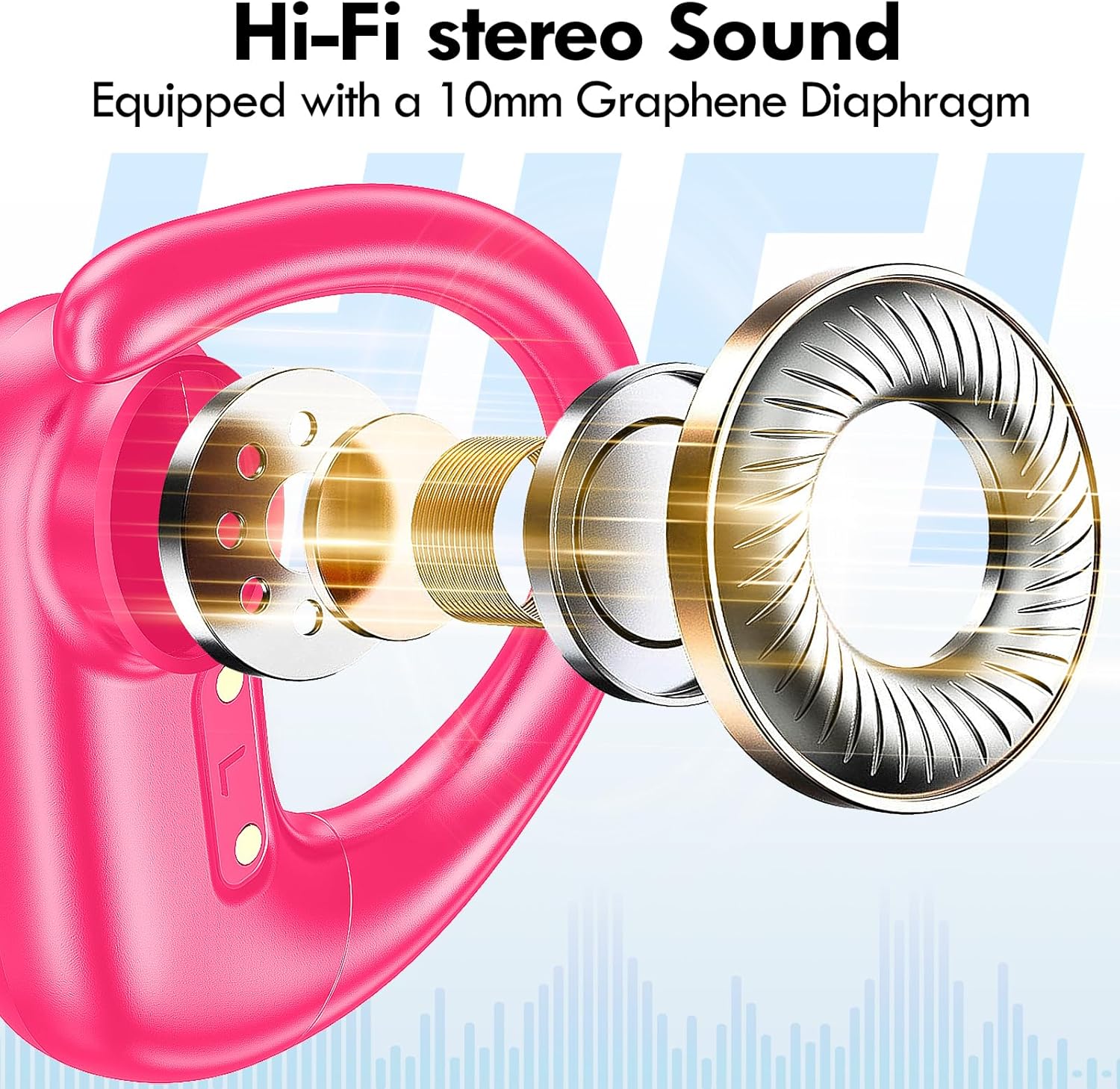
Chithunzi: Chaphulika view of the earbud's internal structure, emphasizing the Hi-Fi stereo sound components.

Image: Depiction of precision directional audio and 95% sound leakage reduction for an enhanced listening experience.
Kusamalira
To ensure the longevity and optimal performance of your kurdene SP9i earbuds, follow these maintenance guidelines:
- Kuyeretsa: Pukutani ma earbuds ndi chikwama chochajira nthawi zonse ndi nsalu yofewa, youma, yopanda ulusi. Musagwiritse ntchito mankhwala amphamvu kapena zinthu zokwawa.
- Malangizo M'khutu: Remove and clean the ear tips periodically with mild soap and water. Ensure they are completely dry before reattaching them to the earbuds.
- Madoko Olipiritsa: Keep the charging contacts on the earbuds and inside the case clean and free of debris. Use a dry cotton swab if necessary.
- Posungira: Mukasagwiritsidwa ntchito, sungani zomvera m'makutu m'chikwama chawo chochajitsa kuti zitetezedwe ku fumbi, kuwonongeka, komanso kuti zisakhale zachaji.
- Pewani Zovuta Kwambiri: Do not expose the earbuds to extreme temperatures, humidity, or direct sunlight for extended periods.
Kusaka zolakwika
If you encounter any issues with your kurdene SP9i earbuds, please refer to the following common solutions:
- Zomverera m'makutu sizikulumikizana:
- Onetsetsani kuti zomverera m'makutu zonse zili ndi chaji.
- Zimitsani Bluetooth pa chipangizo chanu, kenako chiyatseninso.
- Forget/delete "kurdene SP9i" from your device's Bluetooth list and attempt to pair again.
- Ikani ma earbuds m'bokosi, tsekani chivindikiro, dikirani masekondi angapo, kenako tsegulani kuti mulowenso mu mawonekedwe olumikizirana.
- Palibe phokoso kapena kutsika kwambiri:
- Yang'anani kuchuluka kwa voliyumu pazida zanu zonse komanso m'makutu.
- Onetsetsani kuti zomvera m'makutu zakhazikika bwino m'makutu mwanu.
- Try cleaning the ear tips and speaker mesh to remove any obstructions.
- Lumikizaninso zomvetsera ku chipangizo chanu.
- Zomvera m'makutu sizikulipira:
- Onetsetsani kuti chingwe cholipiritsa ndicholumikizidwa bwino ndi chikwamacho komanso gwero lamagetsi.
- Verify that the charging contacts on the earbuds and inside the case are clean and free of debris.
- Yesani kugwiritsa ntchito chingwe china cha USB-C kapena adaputala yamagetsi.
- Mgwirizano wapakati:
- Ensure your device is within the 33-foot Bluetooth range.
- Avoid physical obstructions between your device and the earbuds.
- Chepetsani kusokonezedwa ndi zida zina zopanda zingwe.
If these steps do not resolve your issue, please contact kurdene customer support for further assistance.
Zofotokozera Zamalonda
| Mbali | Kufotokozera |
|---|---|
| Dzina lachitsanzo | SP9 ndi |
| Mtundu | kurden |
| Kulumikizana Technology | Wopanda zingwe (Bluetooth 5.3) |
| Wopanda zingwe Technology | bulutufi |
| Mtundu wa Bluetooth | 5.3 |
| Mtundu wa Bluetooth | 10 mita (33 mapazi) |
| Kuyika Makutu | Over Ear |
| Fomu Factor | Over Ear |
| Kuwongolera Phokoso | Sound Isolation, Passive Noise Isolation |
| Mtundu Woyendetsa Audio | Dynamic Driver |
| Moyo wa Battery (Earbuds) | maola 12 |
| Nthawi Yosewerera Yonse (yokhala ndi Mlandu Wolipira) | maola 60 |
| Njira Yowongolera | Kukhudza |
| Zakuthupi | Silicone |
| Kulemera kwa chinthu | 3.52 ounces (0.1 Kilogram) |
| Mtundu | Pinki Yotentha |
| Kuphatikiza Zida | Microphone Earphones (Earbuds, Charging Case, USB-C Cable, Ear Tips) |
Chitsimikizo ndi Thandizo
kurdene products are manufactured with high-quality standards. For information regarding warranty coverage and customer support, please refer to the warranty card included in your product packaging or visit the official kurdene website. If you require assistance with your SP9i earbuds, our customer support team is ready to help.
Kuti mudziwe zambiri ndi chithandizo, chonde pitani: kurdene Official Store on Amazon