
1. Mawu Oyamba
Thank you for choosing the KIDYWOLF KIDYMICPARENT Bluetooth Microphone. This all-in-one microphone features a built-in speaker, light effects, and Bluetooth connectivity, designed to provide an engaging music experience. This manual provides essential information for the safe and effective use of your device. Please read it thoroughly before use and retain it for future reference.
2. Zambiri Zachitetezo
- Keep the microphone away from water and moisture.
- Osaika chipangizocho ku kutentha kwambiri kapena kuwala kwa dzuwa.
- Avoid dropping or subjecting the microphone to strong impacts.
- Musayese kumasula kapena kukonza chipangizocho nokha. Lumikizanani ndi ogwira ntchito oyenerera.
- Gwiritsani ntchito chingwe chochapira cha USB-C chomwe mwaperekedwa kapena chofanana nacho chovomerezeka.
- This product contains a rechargeable battery. Do not dispose of it in fire.
- Ensure children use the microphone under adult supervision.
3. Zamkatimu Phukusi
Chonde onani phukusi lazinthu izi:
- 1 x KIDYWOLF KIDYMICPARENT Bluetooth Microphone
- 1 x USB-C Yotsatsa Chingwe
4. Zamalonda Zathaview
The KIDYWOLF KIDYMICPARENT is a versatile microphone designed for entertainment. It integrates a 5W speaker, dynamic light effects, and various voice modulation features.
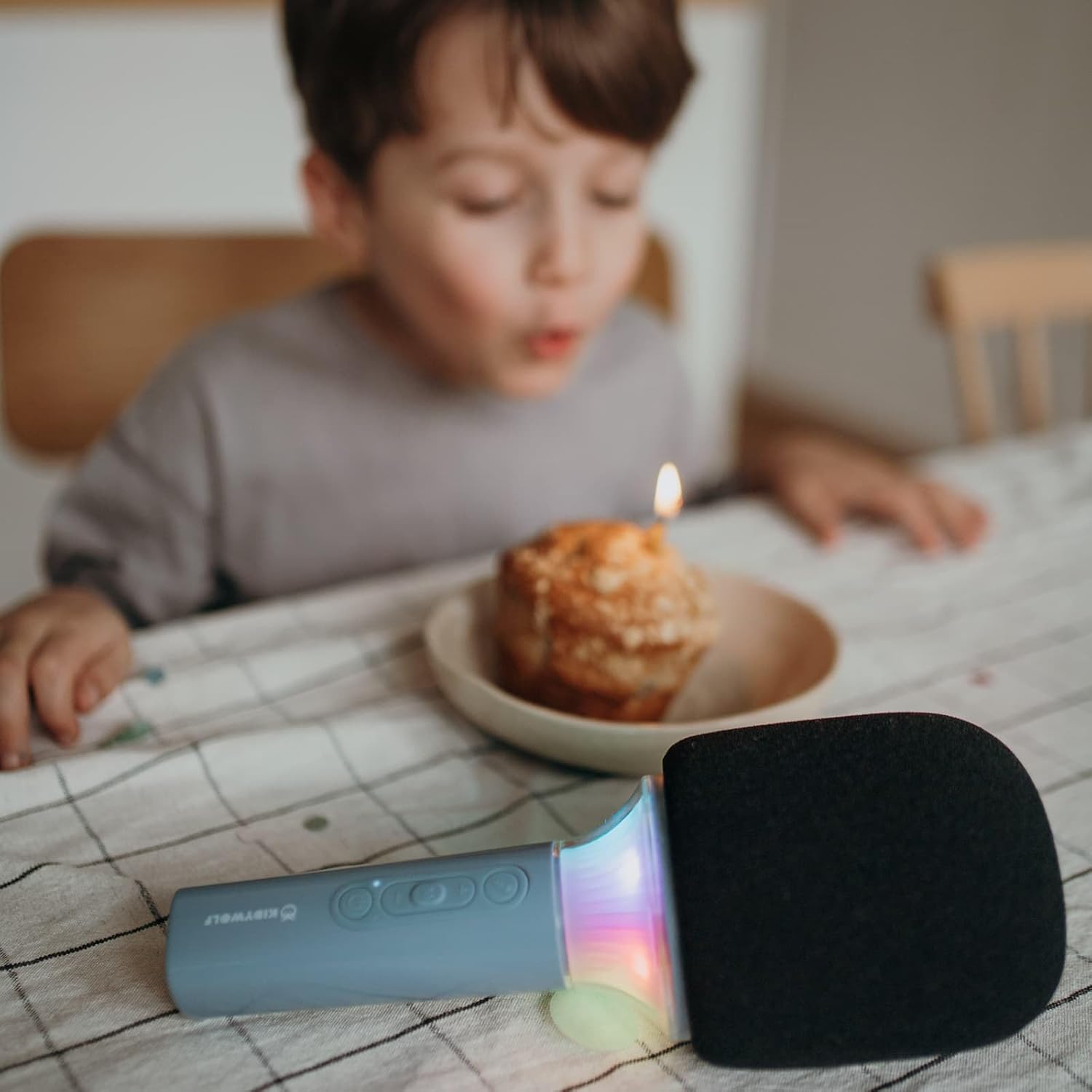
Chithunzi 4.1: Patsogolo view of the KIDYWOLF KIDYMICPARENT Bluetooth Microphone. This image shows the microphone head with its foam cover and the main body with control buttons.
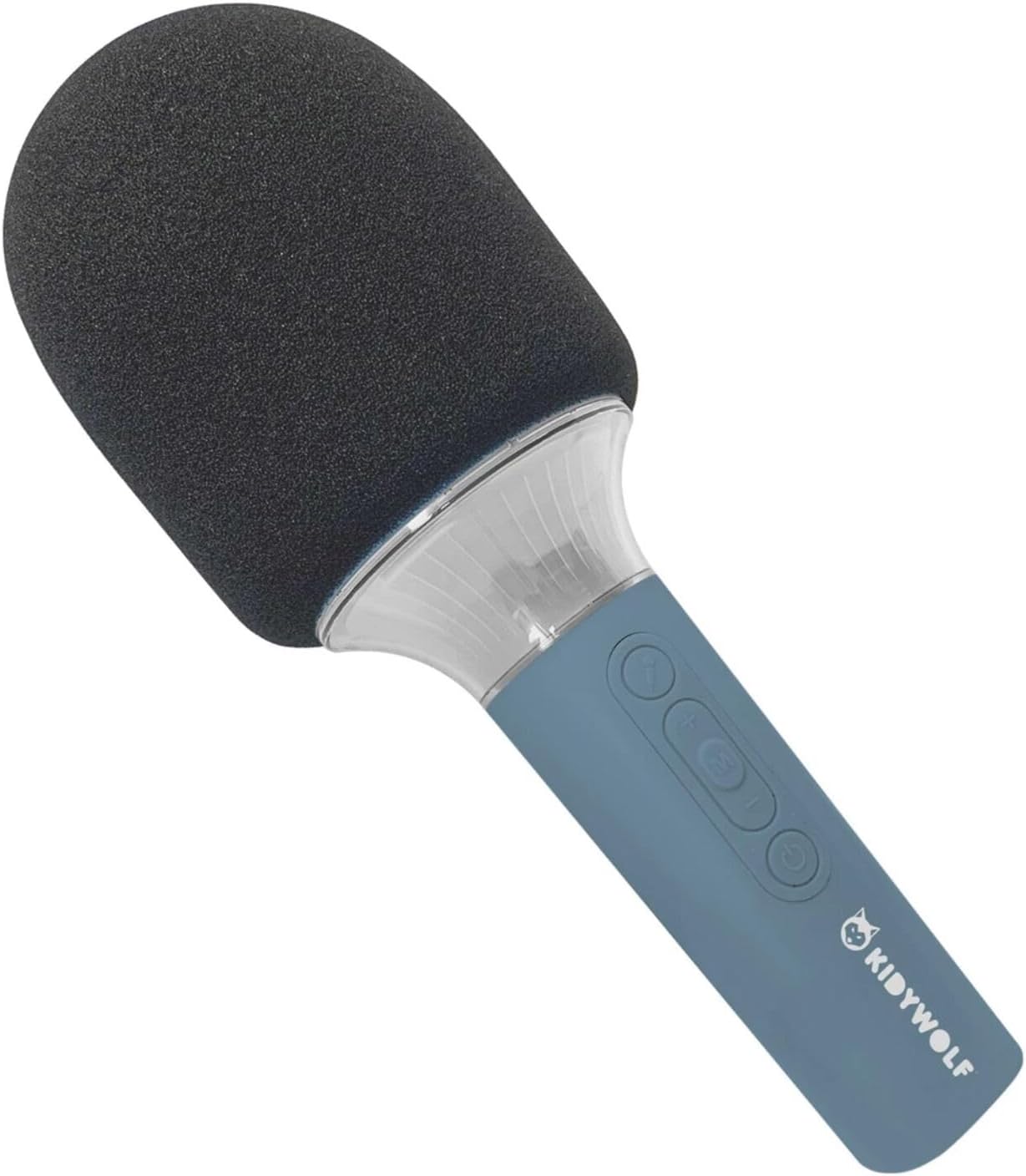
Chithunzi 4.2: Zopindika view of the KIDYWOLF KIDYMICPARENT Bluetooth Microphone. This perspective highlights the ergonomic design of the handle and the placement of the control buttons.

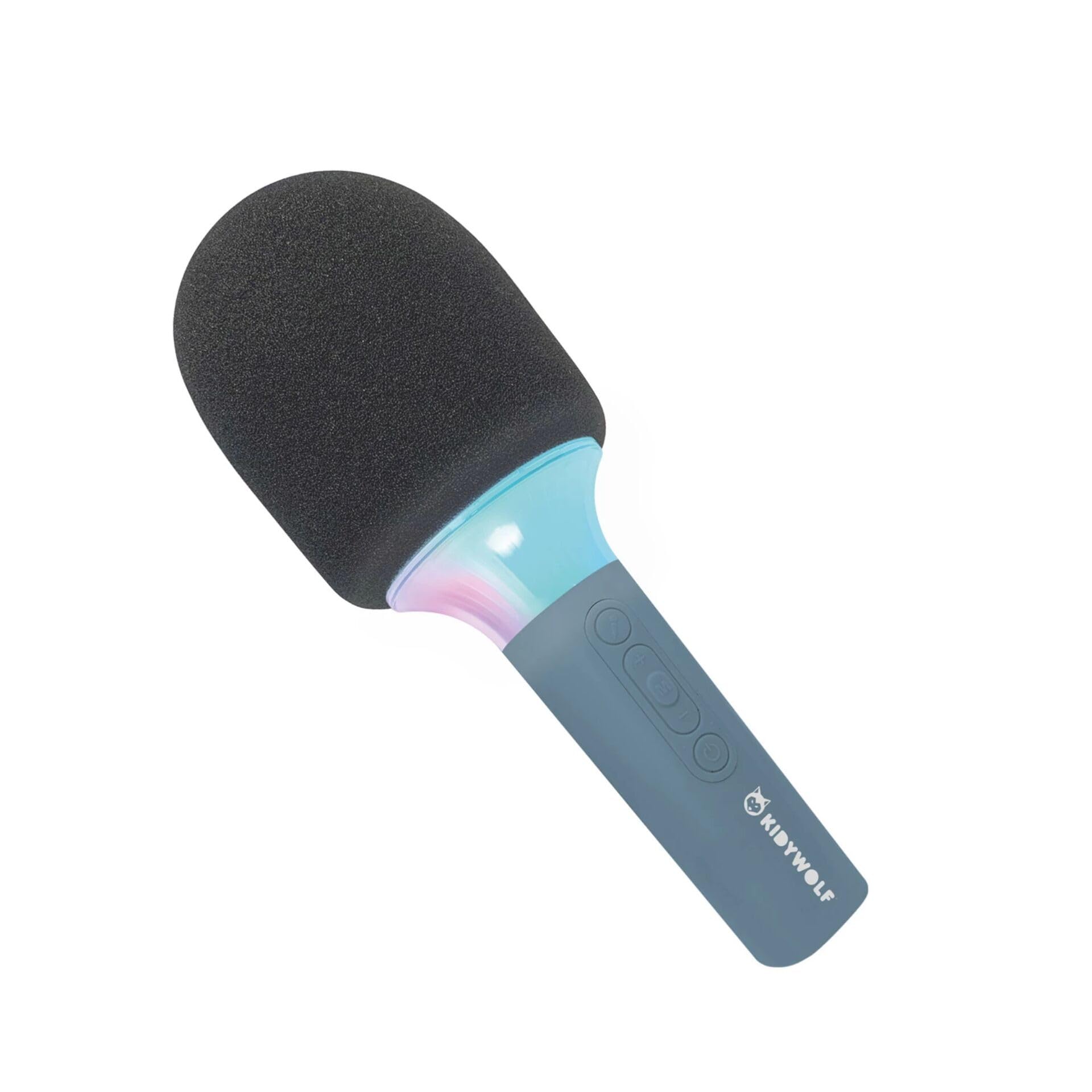
Chithunzi 4.3: The KIDYWOLF KIDYMICPARENT Bluetooth Microphone with its integrated light effects active, showcasing the illuminated section below the microphone head.
Chithunzi 4.4: A child using the KIDYWOLF KIDYMICPARENT Bluetooth Microphone, demonstrating its intended use for entertainment.
5. Kukhazikitsa
5.1 Charging the Microphone
- Locate the USB-C charging port on the microphone.
- Connect the provided USB-C cable to the microphone's charging port.
- Lumikizani mbali ina ya chingwe cha USB-C ku adaputala yamagetsi ya USB yogwirizana (yomwe siili m'gulu) kapena doko la USB la kompyuta.
- Kuwala kosonyeza kuti chaji chidzawala panthawi yochaja ndipo kudzazimitsa kapena kusintha mtundu wake ukadzachaja mokwanira.
- Kulipira kwathunthu kumatenga pafupifupi maola 2-3.
5.2 Kulumikizana kwa Bluetooth
- Yatsani: Press and hold the Power button (usually marked with a power symbol) on the microphone until the indicator light turns on and you hear an audible prompt.
- Yambitsani Bluetooth: The microphone will automatically enter Bluetooth pairing mode, indicated by a flashing light or an audible prompt.
- Yambitsani Bluetooth pa Chipangizo Chanu: Pa foni yanu yam'manja, piritsi, kapena chipangizo china chogwiritsa ntchito Bluetooth, pitani ku makonda a Bluetooth ndikuwonetsetsa kuti Bluetooth yayatsidwa.
- Sankhani Chipangizo: Look for "KIDYMICPARENT" or a similar name in the list of available Bluetooth devices and select it to pair.
- Chitsimikizo: Once successfully paired, you will hear a confirmation sound from the microphone, and the indicator light will stop flashing and remain solid.
Zindikirani: If pairing fails, turn off the microphone and your device's Bluetooth, then repeat the steps. The microphone will automatically attempt to reconnect to the last paired device when powered on.
6. Malangizo Ogwiritsira Ntchito
6.1 Kuyatsa/Kuzimitsa
- Kuyatsa: Dinani ndikugwira batani la Mphamvu pafupifupi masekondi atatu.
- Kuzimitsa: Dinani ndikugwira batani la Mphamvu pafupifupi masekondi atatu.
6.2 Kuwongolera Voliyumu
- Gwiritsani ntchito '+' button to increase the microphone and speaker volume.
- Gwiritsani ntchito '-' button to decrease the microphone and speaker volume.
6.3 Kujambula Nyimbo
Once paired via Bluetooth, you can play music from your connected device. The microphone's built-in speaker will output the audio. Use your connected device to control music playback (play, pause, skip tracks).
6.4 Kuwala Kwambiri
The microphone features integrated light effects. Refer to the specific button (if available, often marked with a light bulb symbol or integrated with another function) to cycle through different light modes or turn them on/off. If no dedicated button is present, the lights may activate automatically with sound or be controlled via a multi-function button.
7. Voice Effects
The KIDYWOLF KIDYMICPARENT microphone offers 6 different voice settings to enhance your singing experience. To change voice effects:
- Locate the dedicated voice effect button (often marked with a microphone icon or "FX").
- Press the button repeatedly to cycle through the available voice effects.
- Listen to the audio output to select your desired voice effect.
8. Kusamalira
8.1 Kuyeretsa
- Wipe the microphone's exterior with a soft, dry, or slightly damp nsalu.
- Osagwiritsa ntchito mankhwala owopsa, zotsukira abrasive, kapena zosungunulira.
- Ensure no liquid enters the microphone's openings.
8.2 Kusungirako
- Store the microphone in a cool, dry place away from direct sunlight.
- Keep it away from dust and extreme temperatures.
9. Mavuto
| Vuto | Chifukwa Chotheka | Yankho |
|---|---|---|
| Maikolofoni siigwira ntchito. | Battery yatha. | Limbani maikolofoni pogwiritsa ntchito chingwe cha USB-C. |
| Sitingathe kulumikiza kudzera pa Bluetooth. | Bluetooth is off on the device; microphone is not in pairing mode; device is too far. | Ensure Bluetooth is enabled on your device. Put the microphone into pairing mode. Move the device closer to the microphone (within 10 meters). |
| Palibe mawu ochokera kwa wokamba nkhani. | Volume is too low; microphone is muted; device is not playing audio. | Increase volume using the '+' button. Check if the microphone is muted. Ensure audio is playing on the connected device. |
| Voice effects are not changing. | Incorrect button pressed; feature not active. | Ensure you are pressing the correct voice effect button. |
10. Zofotokozera
| Dzina lachitsanzo | KIDYMICPARENT |
| Mtundu | KIDYWOLF |
| Fomu Factor | Kugwira m'manja |
| Makulidwe (LxWxH) | 24 x 9 x 9 masentimita |
| Kulemera | 414g pa |
| Gwero la Mphamvu | Battery Yowonjezeranso |
| Zakuthupi | Pulasitiki |
| Chiwerengero cha Channels | 1 |
| Kulumikizana Technology | bulutufi |
| Mtundu Wolumikizira | USB Type-C |
| Zapadera | Volume Control, Light Effects, Voice Modulation (6 settings) |
| Kuphatikiza Zida | Microphone, USB-C Charging Cable |
| Analimbikitsa Ntchito | Karaoke |
11. Chitsimikizo ndi Thandizo
For warranty information and customer support, please refer to the documentation provided at the time of purchase or contact your retailer. You may also visit the official KIDYWOLF webtsamba lawebusayiti kuti mupeze zinthu zatsopano zothandizira komanso zambiri zolumikizirana.