1. Zamalonda Zathaview
The Apera PX-250BT is a versatile music system designed for various audio playback options. It combines a traditional cassette player with modern features such as an FM radio, USB/SD MP3 player, and Bluetooth connectivity, all within a portable unit.
Zofunika Kwambiri
- FM radio with real cassette player functionality, including roll back and forth.
- Recording function with a built-in microphone, allowing direct recording to cassette.
- Adjustable sound speed for cassette playback (requires a Phillips screwdriver for access).
- Integrated USB and SD card slots for MP3 audio playback.
- Kulumikizana kwa Bluetooth kuti muzitha kumvetsera mawu opanda zingwe kuchokera ku zipangizo zogwirizana.
- Powered by a standard corded electric wall socket.
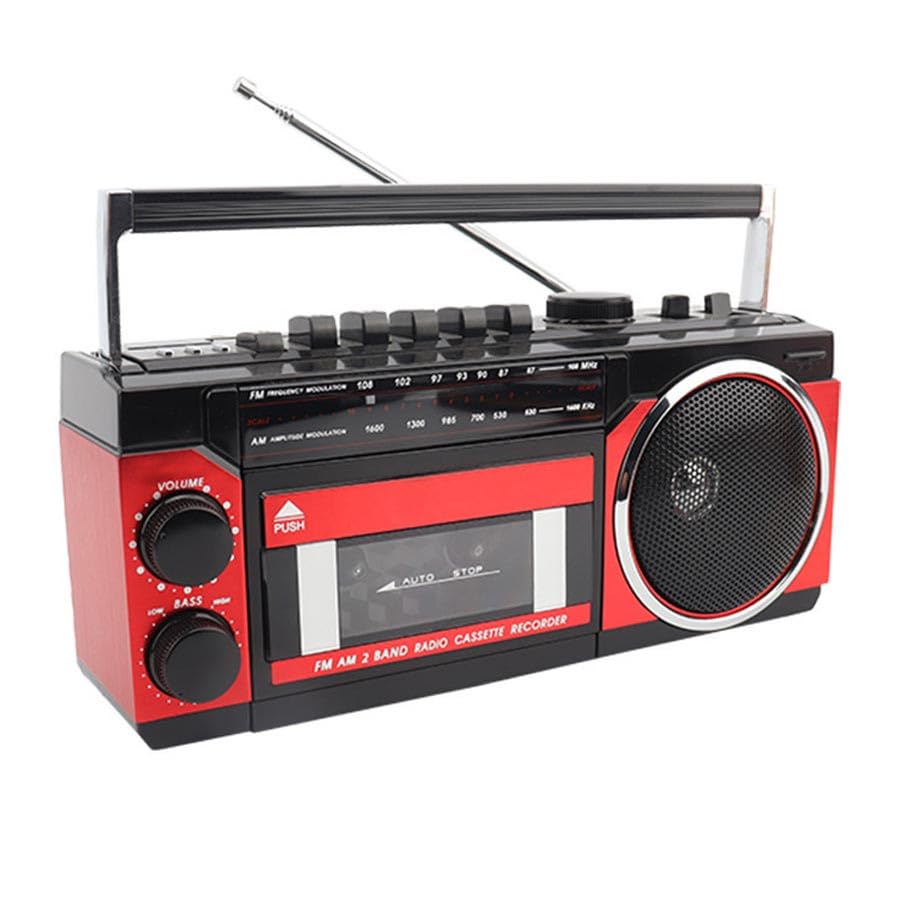
Image: The Apera PX-250BT Music Set, showing its overall design and approximate dimensions (255mm width, 120mm height, 100mm depth).
2. Zamkatimu Phukusi
Chonde onani kuti zinthu zonse zilipo mu phukusi:
- Apera PX-250BT Music Set
- Buku Logwiritsa Ntchito
- Power Cable (for corded electric operation)
3. Mayendedwe ndi Kulumikiza
Familiarize yourself with the various controls and connection ports on your PX-250BT unit for proper operation.
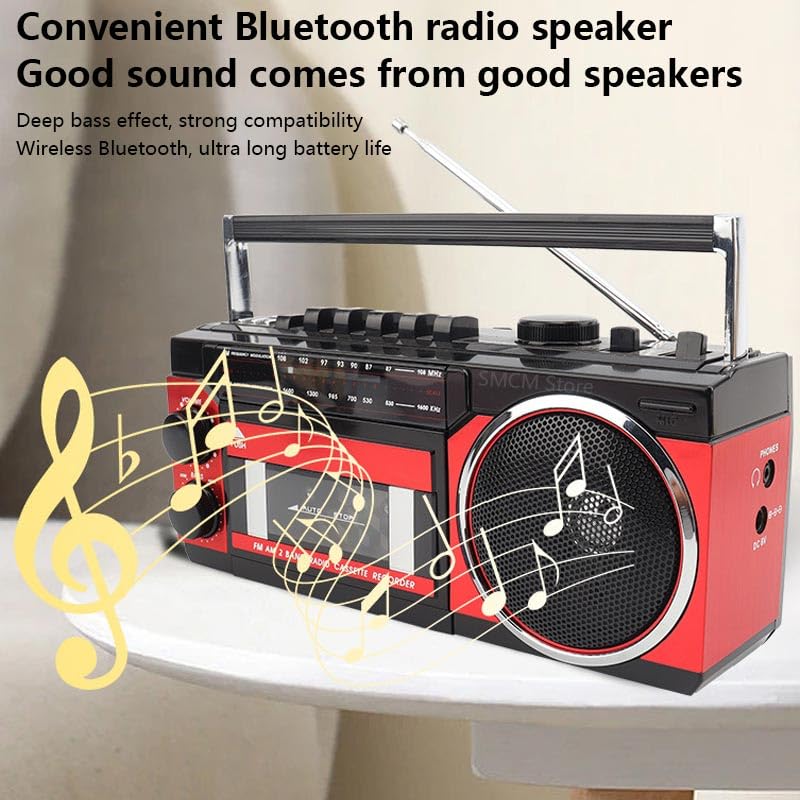
Image: The front panel of the Apera PX-250BT, displaying the cassette deck, radio tuner dial, volume and bass controls, and function buttons.
Front Panel Controls
- VOLUME Knob: Adjusts the overall audio output level.
- LOW BASS Knob: Adjusts the bass level for richer sound.
- TUNING Dial: Used to select desired radio frequencies (FM/AM).
- FUNCTION Chosankha: Switches between operating modes: FM/AM Radio, Cassette, USB/SD, and Bluetooth.
- Cassette Player Controls: Includes buttons for Play, Stop, Fast Forward, Rewind, Record, and Pause.
- USB/SD Controls: Buttons for Play/Pause, Skip Forward, and Skip Back when playing media from USB or SD.
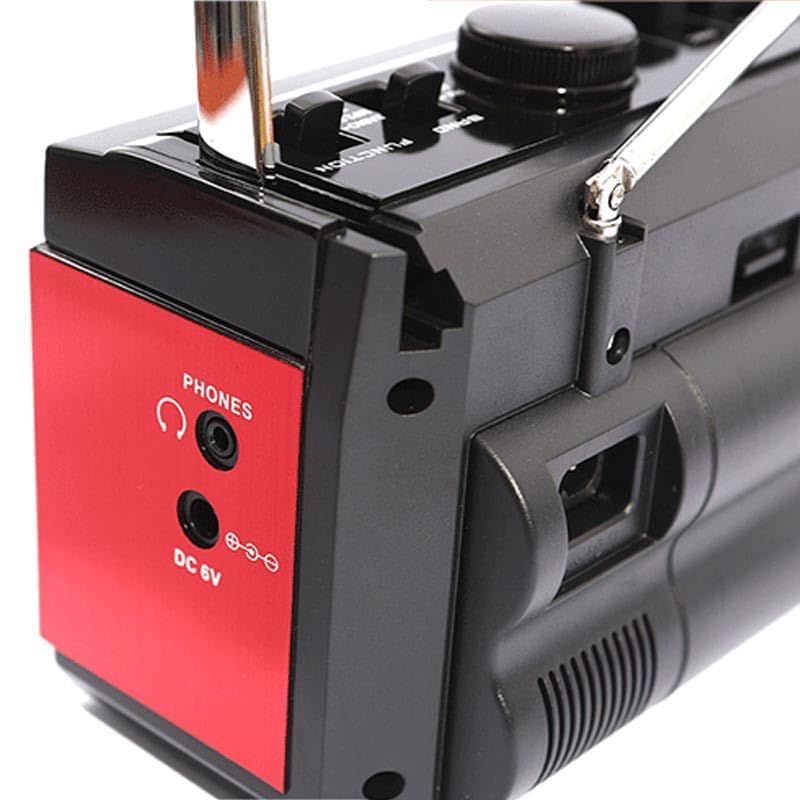
Image: The side panel of the Apera PX-250BT, showing the headphone jack and the DC 6V power input port.
Rear/Side Panel Connections
- Kulowetsa Mphamvu kwa DC 6V: Lumikizani chingwe chamagetsi chomwe mwapatsidwa apa.
- MAFUNSO Jack: 3.5mm stereo jack for connecting headphones for private listening.
- Doko la USB: For inserting USB flash drives containing MP3 files.
- Slot Card Slot: For inserting SD memory cards containing MP3 files.
- Telescopic Antenna: Onjezani kuti wailesi ilandire bwino.
4. Kukhazikitsa
Kulumikiza Mphamvu
- Connect the power cable to the DC 6V input port on the unit.
- Plug the other end of the power cable into a standard wall socket.
Kusintha kwa Antenna
For optimal FM radio reception, fully extend the telescopic antenna. Adjust its position and orientation for the clearest signal.
5. Malangizo Ogwiritsira Ntchito
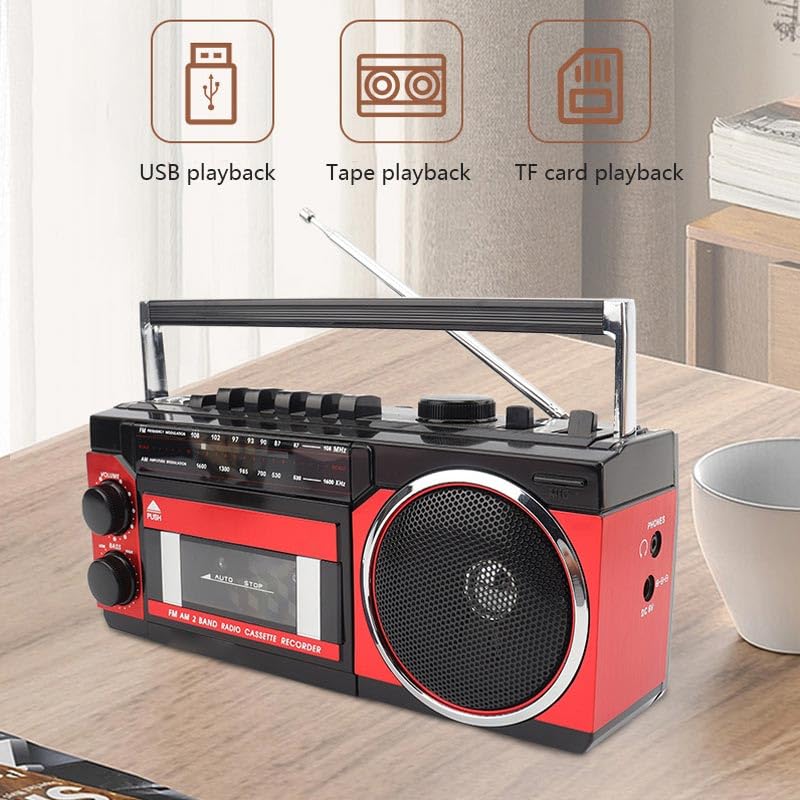
Image: This image illustrates the various playback options of the Apera PX-250BT, including USB playback, tape playback, and TF card playback, indicating its versatility.
Ntchito ya FM Radio
- Set the FUNCTION Selector to "FM" or "Radio".
- Lonjezerani kwathunthu telescopic antenna.
- Rotate the TUNING Dial to select your desired radio station.
- Adjust the VOLUME and LOW BASS knobs as needed for optimal sound.
Kaseti Player Ntchito
- Press the "PUSH" button on the cassette door to open it.
- Insert a cassette tape with the open side facing up.
- Gently close the cassette door until it clicks shut.
- Set the FUNCTION Selector to "Cassette".
- Dinani pa SEWERANI batani kuyamba kusewera tepi.
- Gwiritsani ntchito TSOGOLO KWAMBIRI or BWINO mabatani oti muyendetse tepi.
- Dinani pa IMANI batani loletsa kusewera.
Recording to Cassette
The PX-250BT allows recording audio directly to a cassette tape using its built-in microphone.
- Insert a blank cassette tape into the cassette deck.
- Set the FUNCTION Selector to "Cassette".
- Dinani pa LANDIRANI button (this may require simultaneously pressing PLAY on some units).
- Speak clearly into the built-in microphone located on the unit.
- Dinani pa IMANI batani kuti amalize kujambula.
USB / SD MP3 Playback
- Ikani USB flash drive mu doko la USB kapena SD khadi mu SD khadi slot.
- Set the FUNCTION Selector to "USB" or "SD".
- Chipangizocho chidzangozindikira ndikuyamba kusewera MP3 files kuchokera pazofalitsa zomwe zidalowetsedwa.
- Use the Skip Forward/Back buttons to navigate between tracks.
- Gwiritsani ntchito batani la Play/Imani kuti muwongolere kusewera.
Ntchito ya Bluetooth speaker
- Set the FUNCTION Selector to "Bluetooth". The unit will enter pairing mode, typically indicated by a flashing light or an audible prompt.
- On your smartphone or other Bluetooth-enabled device, search for available Bluetooth devices.
- Select "PX-250BT" (or a similar name) from the list to pair. A confirmation sound will indicate successful pairing.
- Sewerani mawu kuchokera pa chipangizo chanu cholumikizidwa.
- Adjust the volume using the unit's VOLUME knob or your connected device's volume controls.
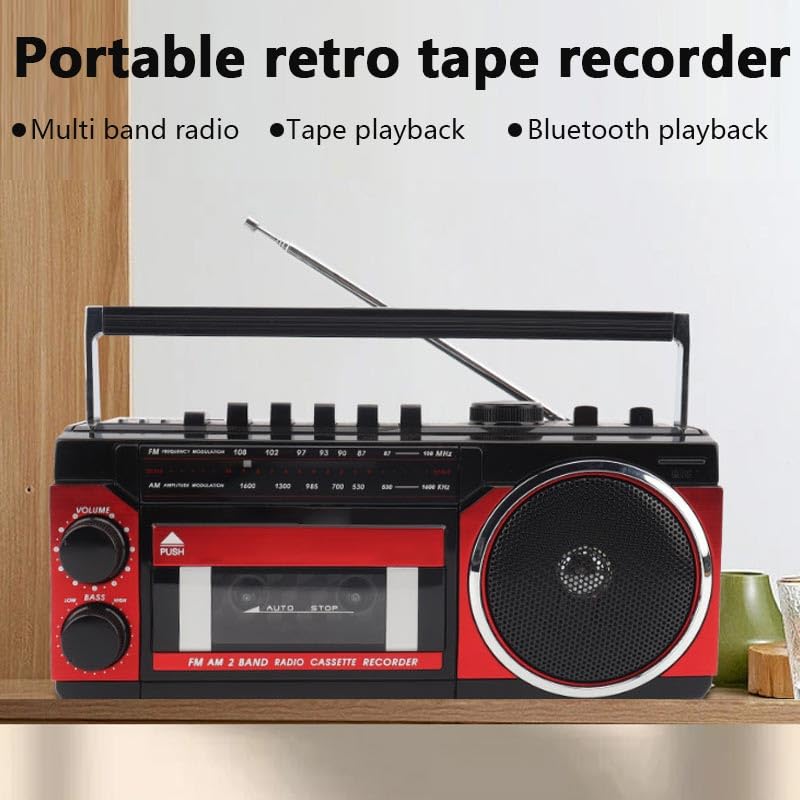
Image: This image highlights the portable and retro design of the Apera PX-250BT, emphasizing its multi-band radio, tape playback, and Bluetooth playback capabilities.
6. Kusamalira
Kuyeretsa
Wipe the exterior of the unit with a soft, dry cloth. Do not use abrasive cleaners, solvents, or strong detergents, as these can damage the finish.
Cassette Head Cleaning
To ensure optimal sound quality and prevent damage to your cassette tapes, periodically clean the cassette player's heads and pinch rollers. Use a specialized cassette head cleaning kit, following its instructions carefully.
7. Mavuto
Palibe Mphamvu
- Ensure the power cable is securely connected to both the unit and a functional wall socket.
- Check if the wall socket is receiving power by testing it with another appliance.
Palibe Phokoso
- Wonjezerani batani la VOLUME.
- Ensure the correct FUNCTION (FM, Cassette, USB, Bluetooth) is selected.
- If using headphones, ensure they are fully plugged into the PHONES jack.
Kulandila Wailesi Yosauka
- Fully extend and adjust the telescopic antenna for better signal reception.
- Try moving the unit to a different location, away from potential interference sources.
Cassette Playback Issues
- Ensure the cassette tape is inserted correctly and the door is fully closed.
- Clean the cassette player heads and pinch rollers.
- Check if the tape itself is damaged or tangled.
Bluetooth Pairing Nkhani
- Ensure the unit is in Bluetooth mode and discoverable (indicated by a flashing light or audio prompt).
- Make sure your Bluetooth device's Bluetooth function is enabled and within range (typically 10 meters).
- If previously paired, try forgetting the "PX-250BT" device on your smartphone and attempting to pair again.
8. Zofotokozera
| Mtundu | Apera |
| Wopanga | Güneysu Sanal Mağ. Tic. Ltd. Şti. |
| Makulidwe a Phukusi | 28 x 14 x 11.5 masentimita |
| Kulemera kwa chinthu | 1kg pa |
| Chiyankhulo cha Hardware | Bluetooth, MicroSD, Radio Frequency, USB |
| Tuner Technology | FM |
| Zida Zogwirizana | Smartphone |
| Zapadera | Radio, Cassette Player, USB/SD MP3 Player, Bluetooth Speaker, Recording |
| Gwero la Mphamvu | Corded Electric |
| Mabatire Amafunika | Ayi |
| Mtundu Wolumikizira | Bluetooth, USB |
| Ma Radio Magulu Amathandizidwa | 1 Band (FM) |
| Media Type | MP3 |
| Imathandizira Bluetooth Technology | Inde |
| Mtundu | Black / Red |
9. Chitsimikizo ndi Thandizo
For detailed warranty information, please refer to the warranty card or documentation included with your purchase. In case of technical issues or for customer support, please contact your retailer or the manufacturer directly. Keep your purchase receipt as proof of purchase for any warranty claims.