
1. Zamalonda Zathaview
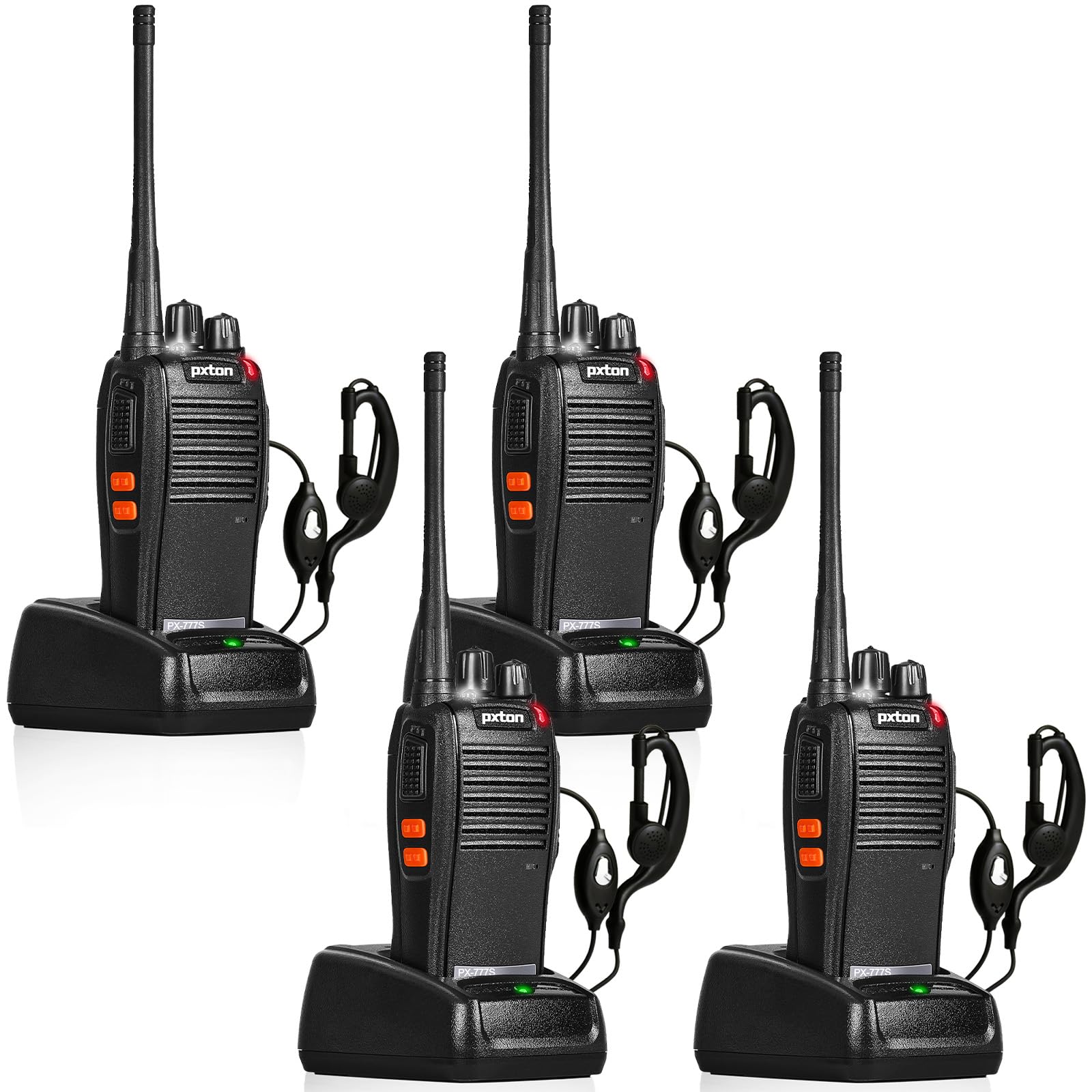
The pxton 777S is a versatile two-way radio designed for reliable communication. It features 16 memory channels, 165 privacy codes, VOX functionality, an emergency alarm, noise reduction, automatic squelch, a low battery alert, power-saving mode, scanning, monitoring, and an LED flashlight.
2. Zamkatimu Phukusi
Before setup, please verify that all items are present in your package:
- 4 x pxton 777S Walkie Talkies
- Ma Doki Olipiritsa 4 x
- 4 x 1500mAh Lithium Batteries
- 4 x Zamkatimu Lamba
- 4 x Zovala zam'mutu
- 2 x Zolemba Zogwiritsa Ntchito

3. Malangizo Kukhazikitsa
3.1 Chizindikiritso cha Chigawo
Familiarize yourself with the various parts and controls of your pxton 777S walkie talkie:

3.2 Kuyika kwa Battery
- Onetsetsani kuti walkie talkie yazimitsidwa.
- Pezani batire kumbuyo kwa yuniti.
- Align the 1500mAh lithium battery with the contacts and gently push it into place until it clicks securely.
- Tsekani chivundikiro cha chipinda cha batri.
3.3 Kuthamangitsa Battery
Before first use, fully charge the battery. A full charge typically takes 3-4 hours.
- Connect the charging dock to a power outlet using the provided adapter.
- Place the walkie talkie (with battery installed) into the charging dock.
- The LED indicator on the walkie talkie or charging dock will show the charging status (e.g., red for charging, green for fully charged).

3.4 Kuphatikiza Zowonjezera
- Belt Clip: Attach the belt clip to the designated slot on the back of the walkie talkie.
- Chovala chakumutu: Insert the earpiece plug into the SP/MIC jacks on the side of the walkie talkie.
4. Malangizo Ogwiritsira Ntchito
4.1 Kuyatsa / Kuzimitsa ndi Kuwongolera Voliyumu
tembenuzani Power switch/Volume Control knob clockwise to power on the walkie talkie. Continue rotating to increase the volume. Rotate counter-clockwise to decrease volume and power off the unit.
4.2 Kusankha Channel
tembenuzani Kusintha Channel knob to select one of the 16 available channels. Ensure all radios in your group are set to the same channel for communication.
4.3 Kutumiza ndi Kulandira
- Kuti mutumize, dinani ndikugwira batani PTT (Push-to-Talk) batani kumbali ya cholankhulira cha walkie. Lankhulani momveka bwino mu maikolofoni.
- Tulutsani batani la PTT kuti mulandire mauthenga.
4.4 Ntchito ya VOX (Kusinthana kwa Mawu)
The VOX function allows hands-free operation. When activated, the radio will transmit automatically when it detects your voice.
- The pxton 777S offers 5 levels of VOX sensitivity adjustment. Refer to the full user manual for detailed programming instructions to adjust VOX sensitivity.
4.5 Ntchito Yowunikira
Press ndi kugwira MONI Button to temporarily disable the squelch and listen for weak signals on the current channel.
4.6 Kuwala kwa LED
Dinani pa Tochi Batani to turn the LED flashlight on or off.
4.7 Alamu Yadzidzidzi
The walkie talkie includes an emergency alarm function. Consult the full user manual for specific activation and deactivation procedures.
4.8 Ntchito ya scanning
The scanning function allows the radio to automatically scan through active channels. Refer to the full user manual for details on activating and managing channel scanning.
4.9 Njira Yolumikizirana
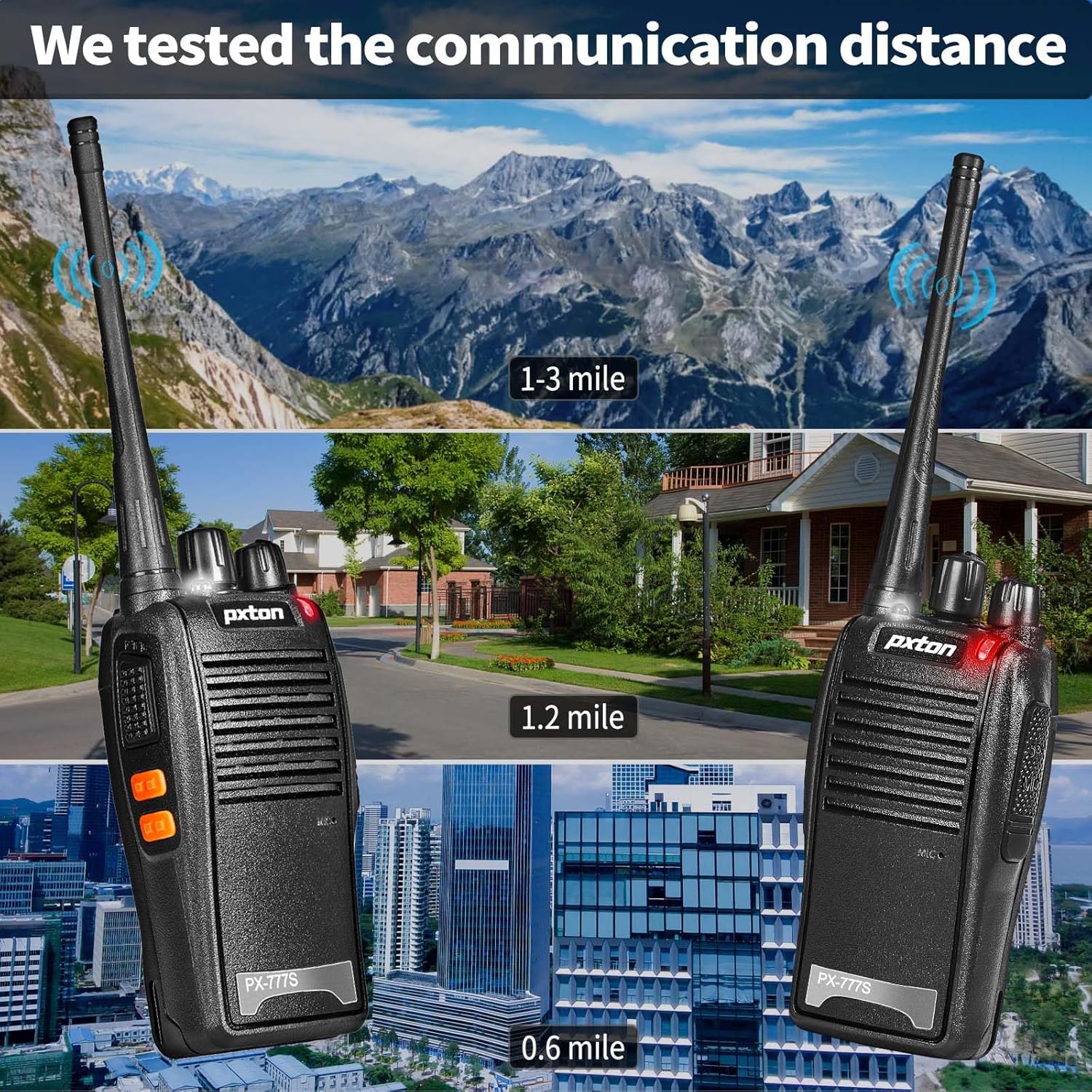
The effective communication range varies based on terrain and obstacles:
- Unobstructed Areas (e.g., flat terrains, mountain peaks): Up to 3 miles.
- Suburban or Rural Areas: Approximately 1.2 miles.
- Within Cities: Approximately 0.6 miles.
Actual range may vary significantly depending on environmental conditions and obstructions.
5. Kusamalira
5.1 Kusamalira Battery
- To maximize battery life, fully charge the 1500mAh lithium battery before initial use.
- Pewani kulipiritsa kapena kukhetsa batire.
- If the walkie talkie will not be used for an extended period, remove the battery and store it in a cool, dry place.
- A full charge typically takes 3-4 hours. Under normal usage, the battery can last up to 120 hours on standby or up to 12 hours of continuous usage.
5.2 Kuyeretsa
- Clean the exterior of the walkie talkie with a soft, damp nsalu.
- Musagwiritse ntchito mankhwala okhwima kapena oyeretsa abrasive.
- Ensure the unit is dry before use or storage.
5.3 Kusungirako
Store the walkie talkie in a cool, dry environment away from direct sunlight and extreme temperatures.
6. Mavuto
If you encounter issues with your pxton 777S walkie talkie, refer to the following common problems and solutions:
| Vuto | Chifukwa Chotheka | Yankho |
|---|---|---|
| Palibe mphamvu | Battery low or not installed correctly | Limbitsani batire kapena ikaninso bwino. |
| Sitingathe kufalitsa kapena kulandira | Incorrect channel, out of range, or squelch too high | Ensure all radios are on the same channel. Move closer to other radios. Adjust squelch level or use MONI button. |
| Zomvera zosamveka bwino | Weak signal, interference, or low volume | Move to an area with fewer obstructions. Adjust volume. Check earpiece connection if applicable. |
| Battery imatha msanga | Frequent transmission, old battery, or high power setting | Reduce transmission time. Consider replacing the battery if it's old. Ensure power-saving mode is active. |
If the problem persists after attempting these solutions, please contact pxton customer support.
7. Zofotokozera
| Mbali | Tsatanetsatane |
|---|---|
| Nambala ya Model | PX-777S-0002 |
| FCC ID | 2AX68GTR8 |
| Chiwerengero cha Channels | 16 |
| Zizindikiro Zazinsinsi | 165 (CTCSS/DCS) |
| Nthawi zambiri | UHF |
| Talking Range Maximum | 3 Miles (unobstructed) |
| Mtundu Wabatiri | Lithium Ion ya 1500mAh (yophatikizidwa) |
| Voltage | 3.7 Volts (DC) |
| Miyeso Yazinthu | 9.9 x 4.4 x 6.9 mainchesi (25.1 x 11.2 x 17.5 cm) |
| Kulemera kwa chinthu | 2.82 mapaundi (1.28kg) |
| Madzi Resistance Level | Chosalowa madzi |
| Zapadera | Battery Saver Mode, Emergency Alarm, Long Range, Noise Reduction, Rechargeable, VOX, TOT, Flashlight, Scan Function |

8. Chitsimikizo ndi Thandizo
8.1 Chidziwitso cha Chitsimikizo
pxton offers a 30-day unconditional return policy ndi lifetime after-sales service for the PX-777S walkie talkies.
8.2 Thandizo la Makasitomala
If you have any questions, concerns, or require assistance with your pxton 777S walkie talkies, please contact pxton customer service. Refer to the product packaging or the official pxton webwebusayiti kuti mudziwe zambiri.
8.3 Compatibility Note
The PX-777S walkie talkie is compatible with the PX-888S, PX-666S, and PX-888S Pro models. These models can operate together and utilize the same programming tools and cables. Please note that programming cables must be purchased separately and are not included with this product.