
GeekTale K07
Buku Logwiritsira Ntchito la GeekTale K07 Keypad Door Knob
Chitsanzo: K07
Mawu Oyamba
This manual provides comprehensive instructions for the installation, operation, and maintenance of your GeekTale K07 Keypad Door Knob. Please read these instructions carefully before installation and use to ensure proper function and security.
Zathaview
The GeekTale K07 Keypad Door Knob is an electronic smart door lock designed for convenient and secure keyless access. It features a backlit keypad, auto-lock functionality, and anti-peep technology.
Zofunika Kwambiri:
- Keyless Access: Supports up to 20 unique access codes (4-8 digits).
- Backlit Keypad: Allows for easy code entry in low-light conditions.
- Auto-Lock: Automatically locks the door after a set period for enhanced security.
- Anti-Peep Technology: Allows entry of random digits before or after your actual code to prevent code exposure.
- Emergency Access: Includes two mechanical keys and a Type-C USB port for emergency power in case of battery depletion.
- Easy Installation: Designed for straightforward installation on most standard doors.

Image: The GeekTale Keypad Smart Lock, highlighting its soft touch buttons and capacity for up to 20 different PIN codes.
Zamkatimu Phukusi
Upon opening your package, please verify that all components are present:
- GeekTale K07 Keypad Door Knob (Exterior and Interior Assemblies)
- Latch Mechanism
- Menyani mbale
- Zokwera Zopangira
- 2 x Makiyi a Makina
- Unsembe Chinsinsi
- Buku la ogwiritsa (chikalatachi)
Zofotokozera
| Mbali | Tsatanetsatane |
|---|---|
| Mtundu | GeekTale |
| Dzina lachitsanzo | k07 |
| Mtundu wa loko | Keypad |
| Zakuthupi | Aluminiyamu |
| Mtundu | Matte Black |
| Makulidwe achinthu (L x W x H) | 2.91 x 2.72 x 3.72 mainchesi |
| Gwero la Mphamvu | Mabatire atatu a AAA Alkaline (osaphatikizidwa) |
| Passcode Kukhoza | Up to 20 codes (4-8 digits) |
| Zapadera | Keypad, 20 passcodes, anti-peep code, passage mode & security mode, two mechanical keys, easy installation |
Kuyika
The GeekTale K07 Keypad Door Knob is designed for easy installation. Please follow these general steps. Refer to the included installation template for precise measurements and drilling instructions if needed.
Zida Zofunika:
- Phillips Head Screwdriver
- Tepi yoyezera
- Pensulo
Masitepe oyika:
- Konzani Khomo: Ensure your door has the correct bore holes and backset. The lock fits standard door thicknesses (35mm to 54mm).
- Ikani Latch: Insert the latch mechanism into the door edge and secure it with screws. Ensure the latch bolt faces the correct direction for your door swing.
- Ikani Msonkhano Wakunja: Place the exterior keypad assembly through the door, aligning the spindle with the latch mechanism.
- Ikani Interior Assembly: Connect the interior assembly to the exterior assembly, ensuring the cable is properly routed and not pinched. Secure with mounting screws.
- Sakani Mabatire: Open the battery cover on the interior assembly and insert 4 new AAA alkaline batteries, observing polarity. Close the cover.
- Kuyesa: After installation, test the mechanical keys and the default passcode (if any) to ensure the lock operates smoothly before closing the door.

Image: Diagram showing the easy installation process and dimensions for the GeekTale Keypad Door Knob, indicating the need for 4 AAA alkaline batteries.
Ntchito
Unlocking with Passcode:
- Touch the keypad to activate it.
- Enter your 4-8 digit passcode.
- Dinani batani la '#'.
- If the code is correct, the lock will unlock. Turn the knob to open the door.
Kutseka Chitseko:
- Kutseka Mwadzidzidzi: The lock will automatically re-lock after a few seconds once the door is closed.
- Kutseka Pamanja: From the exterior, press the '#' key to manually lock the door. From the interior, simply turn the knob to the locked position.
Anti-Peep Technology:
To prevent others from guessing your passcode, you can enter random digits before or after your actual code. For example, if your code is 1234, you can enter 5671234890#.
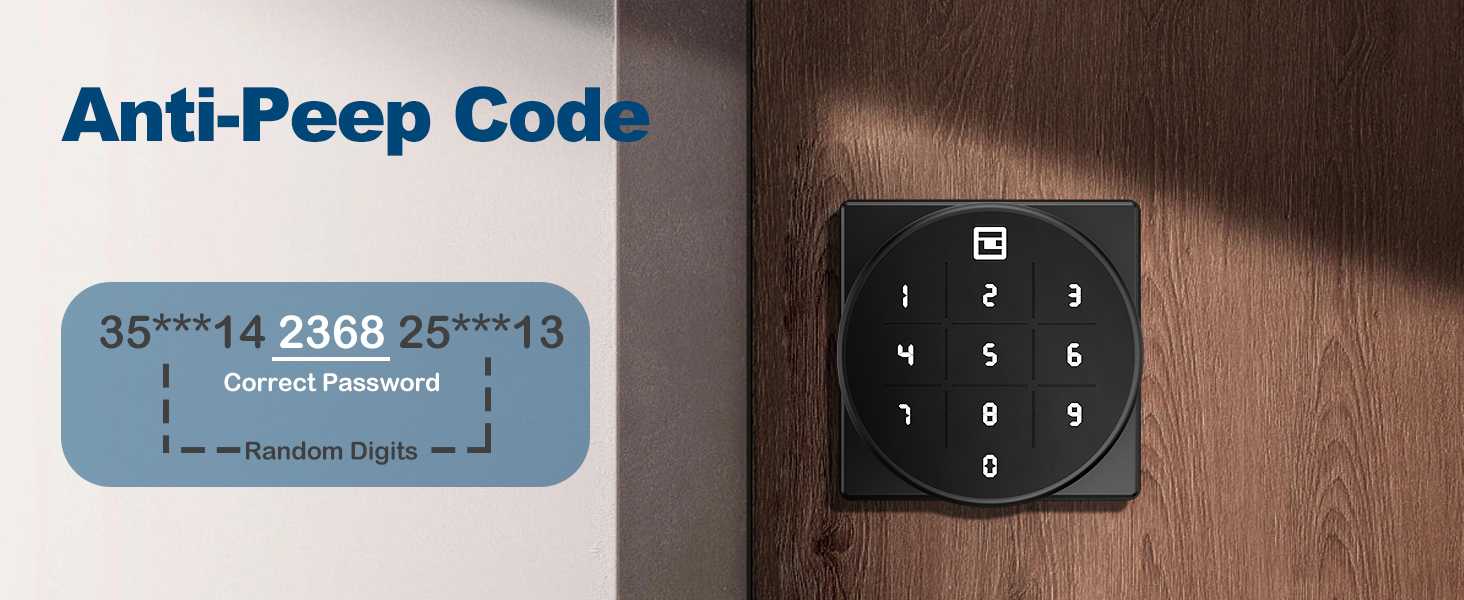
Image: Illustration of the Anti-Peep Code feature, showing how random digits can be added before and after the correct password.
Passage Mode & Security Mode:
The lock supports both passage mode (always unlocked) and security mode (requires passcode). Refer to the programming section for how to switch between these modes.

Image: Visual representation of the door knob in Privacy Mode (locked from inside) and Passage Mode (unlocked for free entry/exit).
Programming Passcodes
Detailed instructions for adding, deleting, and modifying user passcodes will be provided in a separate programming guide or within the full manual. Generally, you will need to enter a master code followed by specific commands to manage user codes.
Kusamalira
Kusintha Battery:
The lock is powered by 4 AAA alkaline batteries. When the batteries are low, the lock will provide a low battery alert (see Troubleshooting section). To replace batteries:
- Chotsani chivundikiro cha batri chomwe chili mkati mwa chipangizocho.
- Chotsani mabatire akale.
- Insert 4 new AAA alkaline batteries, ensuring correct polarity (+/-).
- Bwezerani chivundikiro cha batri.
Kuyeretsa:
Wipe the keypad and lock body with a soft, dry cloth. Avoid using abrasive cleaners or solvents that could damage the finish or electronic components.
Kusaka zolakwika
| Vuto | Chifukwa Chotheka | Yankho |
|---|---|---|
| Kutseka sikumayankha kulowetsamo makiyi. | Mabatire akufa. | Replace batteries. Use the mechanical key or emergency USB power if locked out. |
| Low Battery Alert (buzzer beeps twice, indicator flashes green then red). | Mabatire ndi otsika. | Replace all 4 AAA alkaline batteries immediately. |
| Incorrect Password Error (red light flashes). | Pasipoti yolakwika yalowa. | Re-enter the correct passcode. Ensure no random digits are accidentally included if not using anti-peep. |
| Lock does not auto-lock. | Auto-lock feature is disabled or in passage mode. | Refer to programming instructions to enable auto-lock or switch to security mode. |
Emergency Unlock Options:
- Kiyi Yamakina: Use one of the provided mechanical keys to manually unlock the door.
- USB Emergency Power: If batteries are completely dead, connect a Type-C USB power source (e.g., power bank) to the emergency port on the exterior assembly to temporarily power the lock and enter your passcode. This port is for power only, not for charging the internal batteries.
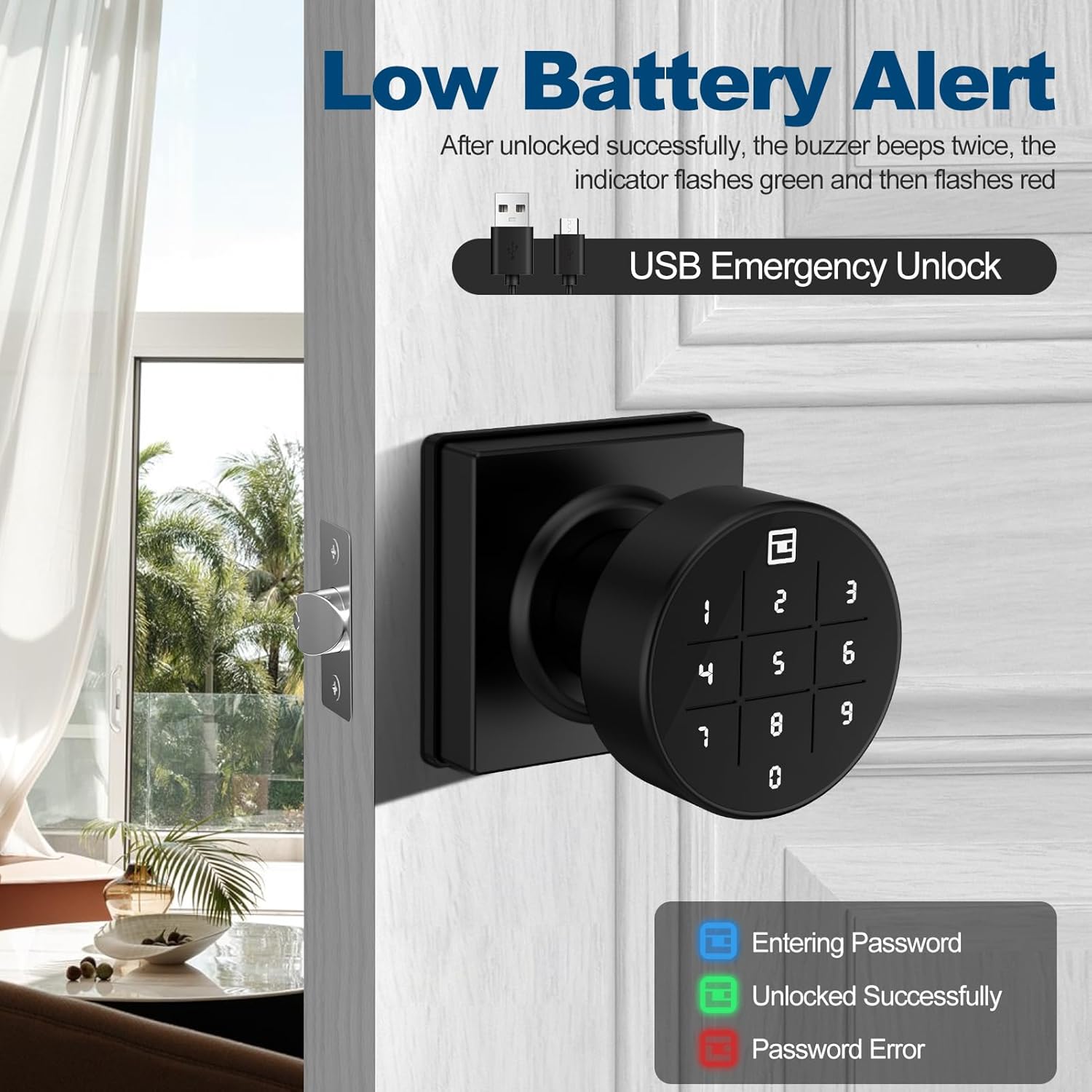
Image: The keypad displaying a low battery alert and indicating the USB emergency unlock port. The image also shows the color codes for entering password (blue), unlocked successfully (green), and password error (red).
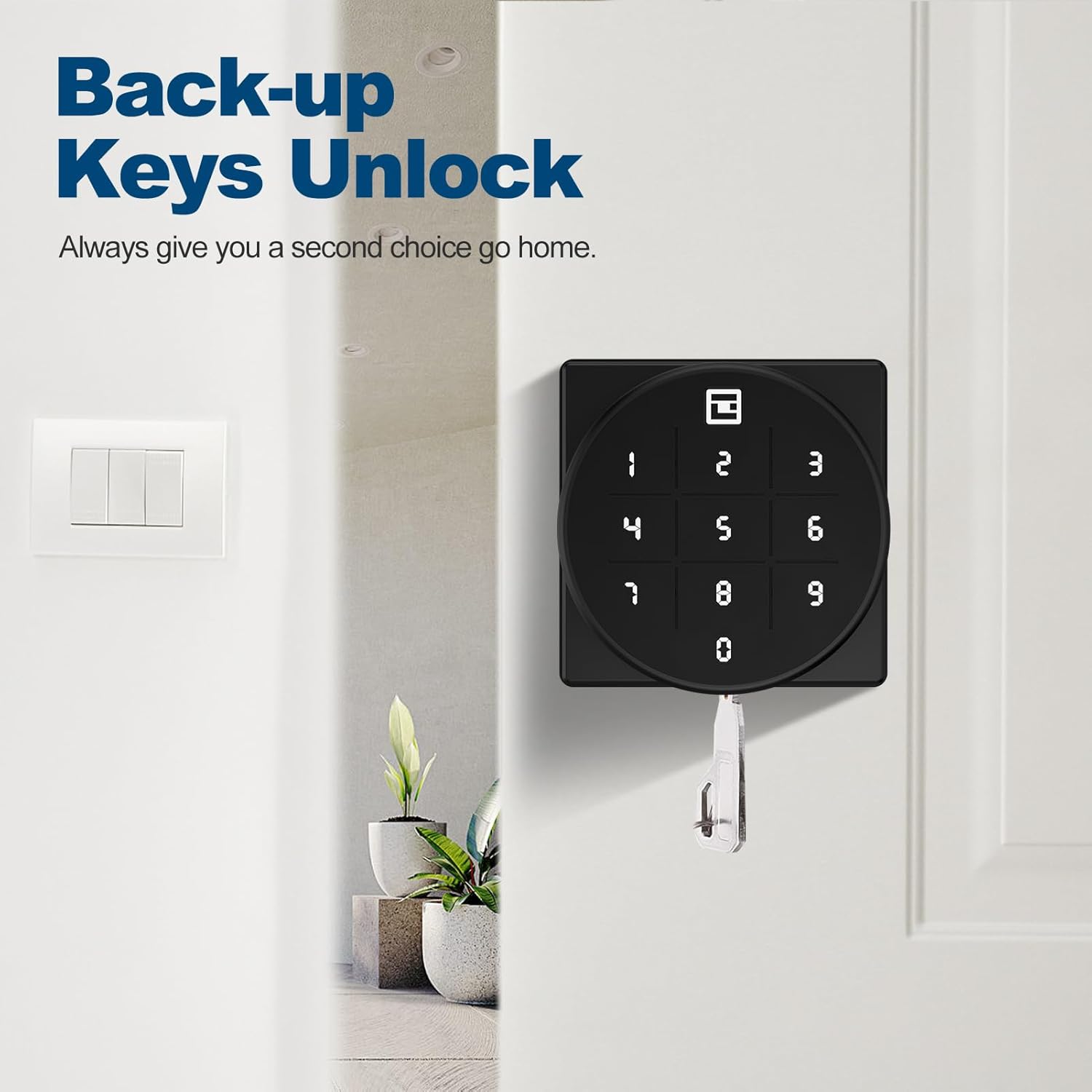
Image: The GeekTale door knob with a mechanical backup key inserted, illustrating the backup unlock option.
Chitsimikizo ndi Thandizo
GeekTale offers a worry-free 30-day hassle-free return policy. For any technical assistance or inquiries, 24-hour technical support is available via email or phone. Please refer to your product packaging or the official GeekTale webtsamba lazambiri.