
1. Mawu Oyamba
Zikomo pogulaasing the Klipsch Reference Premiere RP-1400SW 14-inch High Excursion Subwoofer. This subwoofer is designed to deliver powerful and accurate low-frequency sound, enhancing your home theater or music listening experience. This manual provides essential information for proper setup, operation, and care of your new subwoofer.

Figure 1.1: Klipsch Reference Premiere RP-1400SW Subwoofer (Grille Removed)
2. Zofunika Zachitetezo
Please read all safety instructions before operating this product. Keep these instructions for future reference.
- Gwero la Mphamvu: Connect the subwoofer only to a power supply of the type described in the operating instructions or as marked on the appliance.
- Mpweya wabwino: Onetsetsani mpweya wabwino. Musatseke mipata iliyonse ya mpweya wabwino. Ikani motsatira malangizo a wopanga.
- Kutentha: Osayika pafupi ndi zotenthetsera zilizonse monga ma radiator, zolembera zotenthetsera, masitovu, kapena zida zina (kuphatikiza ampLifiers) zomwe zimatulutsa kutentha.
- Madzi ndi Chinyezi: Osagwiritsa ntchito chipangizochi pafupi ndi madzi kapena chinyezi.
- Kuyeretsa: Kuyeretsa kokha ndi nsalu youma.
- Kutumikira: Tumizani mautumiki onse kwa ogwira ntchito oyenerera. Kutumikira kumafunika pamene chipangizocho chawonongeka mwanjira iliyonse, monga chingwe chopangira mphamvu kapena pulagi yawonongeka, madzi atayika kapena zinthu zagwera mu zipangizo, zida zakhala zikukumana ndi mvula kapena chinyezi, sizigwira ntchito bwino. , kapena wagwetsedwa.
- Chinthu Cholemera: This subwoofer is heavy (85 lbs). Exercise caution when moving to prevent injury.
3. Zomwe zili mu Bokosi
Onetsetsani kuti zigawo zonse zilipo:
- Klipsch Reference Premiere RP-1400SW Subwoofer
- Chingwe cha Mphamvu
- Buku Lachidziwitso (chikalata ichi)
4. Kukhazikitsa
4.1 Kuyika kwa Subwoofer
The Klipsch RP-1400SW features a front-firing driver and Aerofoil front slot port, allowing for flexible placement within your room. Experiment with different locations to find the optimal bass response for your listening environment. Generally, corner placement can enhance bass output, while placement along a wall can provide a more balanced sound. The shock-absorbing rubber feet help isolate the subwoofer from the floor.

Figure 4.1: Front-Firing Driver and Aerofoil Front Slot Port

Figure 4.2: Subwoofer Design Features (Rounded Corners, Shock-Absorbing Feet)
4.2 Zogwirizana
Your RP-1400SW subwoofer offers both wired and wireless connectivity options.

Figure 4.3: Subwoofer Rear Panel Connections and Controls
- Wired Connection (RCA/LFE):
Connect an RCA cable from the LFE output of your AV receiver to the LFE input on the subwoofer's rear panel. If your receiver does not have an LFE output, use a standard RCA stereo cable to connect the receiver's pre-out (subwoofer output) to both the left and right RCA inputs on the subwoofer.
- Wireless Connection (Optional WA-2 Kit):
For wireless operation, you can connect your subwoofer with a Klipsch WA-2 Wireless Subwoofer Kit (sold separately). This allows for flexible placement without the need for long RCA cables. Refer to the WA-2 kit's instructions for pairing and setup.

Figure 4.4: Wireless Connectivity with Optional WA-2 Kit
- Kulumikiza Mphamvu:
Once audio connections are made, plug the supplied power cord into the subwoofer's power inlet and then into a suitable wall outlet.
5. Kugwiritsa Ntchito Subwoofer Yanu
5.1 Kuwongolera Kupitiliraview
The rear panel of your subwoofer features several controls to fine-tune its performance:

Figure 5.1: Easy-to-Use Controls on Rear Panel
- GAIN (Volume): Amasintha mulingo wotulutsa wa subwoofer. Yambani ndi makonda otsika ndipo pang'onopang'ono muwonjezere mpaka bass igwirizane bwino ndi ma speaker anu akuluakulu.
- LOW-PASS (Crossover): This control sets the upper frequency limit for the subwoofer. If using an AV receiver with LFE output, set this to LFE (or bypass if available on your receiver). If connecting via stereo RCA, adjust this to blend with your main speakers' low-frequency cutoff.
- GAWO (0°/180°): Adjusts the phase of the subwoofer output relative to your main speakers. Experiment with both settings to find the one that provides the most impactful and coherent bass.
- POWER (ON/AUTO/OFF):
- YAYATSA: Subwoofer remains continuously on.
- ZOTHANDIZA: Subwoofer automatically turns on when an audio signal is detected and enters a low-power standby mode after a period of inactivity.
- KUZIMA: Subwoofer yazimitsidwa.
The 1/2-watt standby mode in AUTO setting ensures exceptional efficiency and reduces energy costs.
5.2 Initial Power On and Adjustment
- Onetsetsani kuti zolumikizira zonse ndi zotetezeka.
- Set the GAIN control to its minimum position.
- Set the LOW-PASS control to LFE if using an AV receiver, or to a suitable frequency (e.g., 80Hz) if connecting via stereo RCA.
- Set the PHASE switch to 0°.
- Set the POWER switch to AUTO.
- Play some audio with significant bass content. Gradually increase the GAIN control until the subwoofer output blends with your main speakers.
- Experiment with the PHASE switch (0° vs. 180°) to determine which setting provides the most impactful and seamless bass response in your listening position.
For optimal performance, consider using your AV receiver's automatic room correction system (if available) after initial setup.
5.3 Product Video: Reference Premiere Subwoofers
Video 5.1: An official Klipsch video showcasing the features and design of the Reference Premiere Subwoofers, including the RP-1400SW. This video highlights advanced acoustics, balanced performance, front-firing Cerametallic woofers, high-efficiency Class D amplifier, front-firing slot port, detailed design, and easy-to-use controls.
6. Kusamalira
To ensure the longevity and optimal performance of your Klipsch RP-1400SW subwoofer, follow these simple maintenance guidelines:
- Kuyeretsa: Dust the cabinet regularly with a dry, soft cloth. Avoid using abrasive cleaners, solvents, or strong detergents, as these can damage the ebony vinyl finish.
- Kuyika: Avoid placing the subwoofer in direct sunlight or near heat sources, which can cause discoloration or damage to the cabinet.
- Mpweya wabwino: Onetsetsani kuti kumbuyo amplifier panel has adequate airflow. Do not block the heat sink.
- Grille: The durable woven cloth grille can be gently cleaned with a soft brush or vacuum cleaner attachment to remove dust.
7. Mavuto
If you experience issues with your subwoofer, consult the following table for common problems and solutions:
| Vuto | Chifukwa Chotheka | Yankho |
|---|---|---|
| Palibe phokoso kuchokera ku subwoofer |
|
|
| Mabasi ofooka kapena opotoka |
|
|
| Subwoofer hums or buzzes |
|
|
If the problem persists after trying these solutions, please contact Klipsch customer support.
8. Zofotokozera
Key technical specifications for the Klipsch Reference Premiere RP-1400SW Subwoofer:
| Mbali | Tsatanetsatane |
|---|---|
| Nambala ya Model | RP-1400SW |
| Mtundu | Klipsch |
| Mtundu wa Spika | Subwoofer |
| Woofer Diameter | 14 inchi |
| Mtundu Woyendetsa Audio | Dynamic Driver (Cerametallic) |
| Sipikala Maximum linanena bungwe Mphamvu | 600 Watts |
| Mphamvu ya RMS | 500 Watts |
| Kuyankha pafupipafupi | 20Hz - 1kHz (approximate, based on A+ content) |
| Kulumikizana Technology | Wired RCA, LFE, and WA-2 Wireless Port |
| Njira Zotulutsa Audio | Stereo, Phokoso Lozungulira |
| Mtundu Wokwera | Kuyimirira Pansi |
| Zinthu Zamzinga | Wood |
| Mtundu | Ebony |
| Gwero la Mphamvu | Corded Electric |
| Makulidwe achinthu (D x W x H) | 25.67"D x 20"W x 21.34"H |
| Kulemera kwa chinthu | 85 mapaundi |
| UPC | 743878047424 |
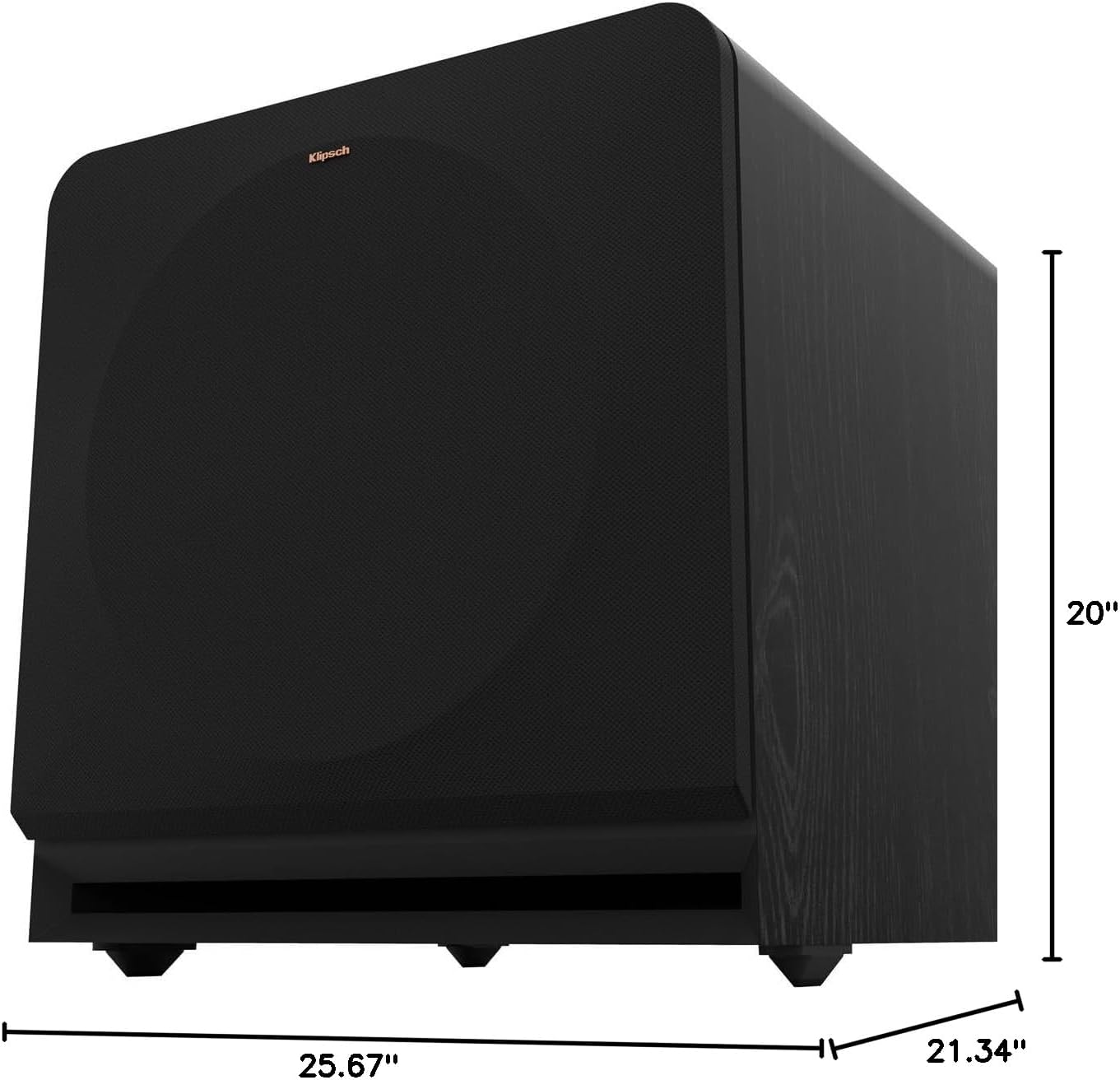
Figure 8.1: Subwoofer Dimensions
9. Chitsimikizo & Thandizo
9.1 Chidziwitso cha Chitsimikizo
The Klipsch Reference Premiere RP-1400SW Subwoofer comes with a limited warranty:
- Zamagetsi: Zaka ziwiri (2).
- Woofer, Cabinet, and Non-Electrical Mechanics: Zaka zisanu (5).
Please retain your proof of purchase for warranty claims. For full warranty terms and conditions, refer to the official Klipsch webtsamba kapena kulumikizana ndi chithandizo chamakasitomala.
9.2 Thandizo la Makasitomala
For further assistance, technical support, or warranty inquiries, please visit the official Klipsch website or contact their customer service department. Contact details can typically be found on the Klipsch webtsamba pansi pa gawo la "Thandizo" kapena "Lumikizanani Nafe".