1. Mawu Oyamba
This manual provides detailed instructions for the setup, operation, and maintenance of your Lavaudio DS220 HiFi Bluetooth Receiver. Please read this manual thoroughly before using the device to ensure proper functionality and to maximize your audio experience. The DS220 is designed to seamlessly integrate high-resolution Bluetooth audio into your existing home stereo system.
2. Zambiri Zachitetezo
- Osawonetsa chipangizocho kumadzi kapena chinyezi chambiri.
- Pewani kuika chipangizocho pafupi ndi kumene kumatentha kapena padzuwa.
- Gwiritsani ntchito adaputala yamagetsi yoperekedwa ndi zingwe zokha.
- Musayese kumasula kapena kukonza chipangizocho nokha. Bweretsani ntchito zonse kwa anthu oyenerera.
- Onetsetsani mpweya wokwanira kuzungulira chipangizocho panthawi yogwira ntchito.
3. Zamkatimu Phukusi
Onetsetsani kuti zonse zomwe zalembedwa pansipa zikuphatikizidwa mu phukusi lanu:
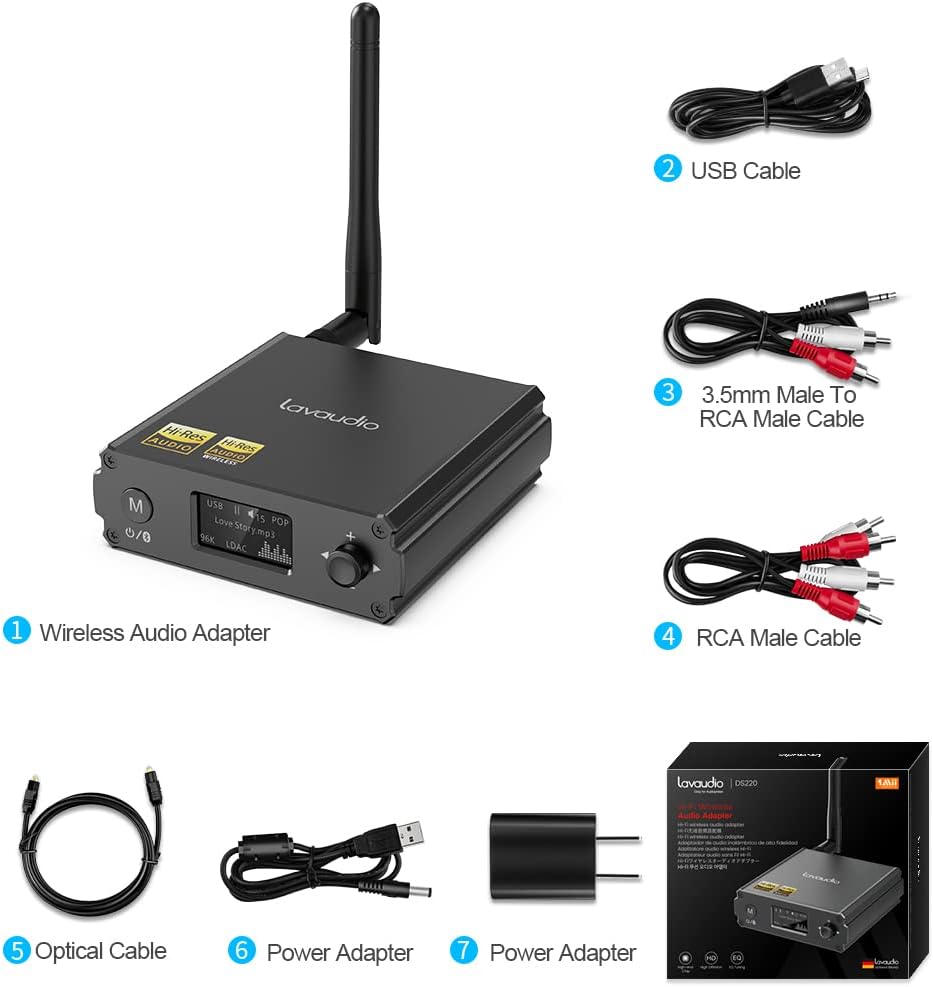
Image: Contents of the Lavaudio DS220 package, including the receiver, cables, and power adapter.
- Lavaudio DS220 HiFi Bluetooth Receiver x 1
- Chingwe Chotsitsa cha USB x 1
- 3.5mm Female to 2RCA Splitter Cable x 1
- 2RCA to 2RCA Stereo Audio Cable x 1
- Optical Audio Cable x 1
- Adapter yamagetsi x 1
- Buku la ogwiritsa x 1
4. Zamalonda Zathaview
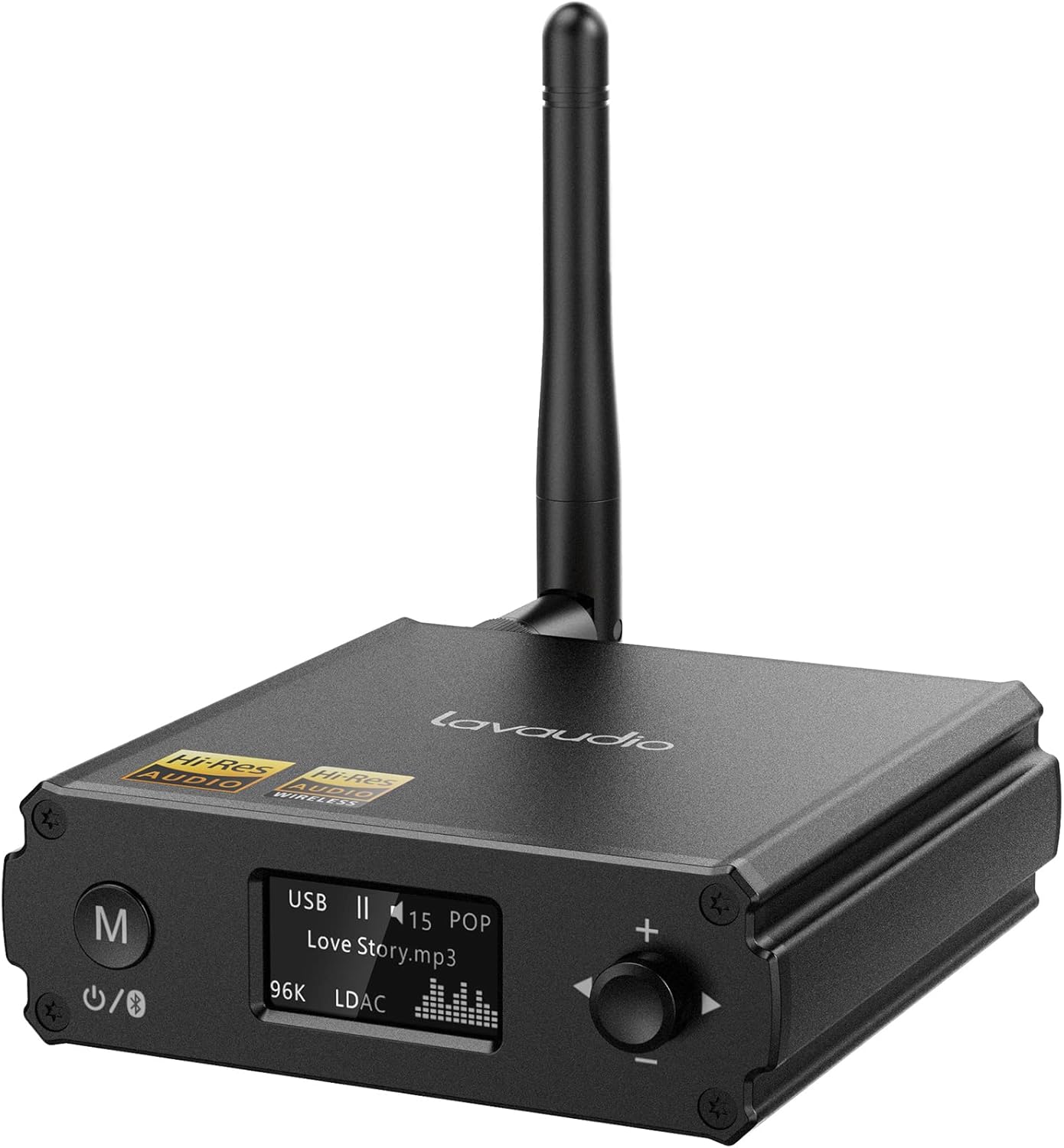
Chithunzi: Patsogolo view of the Lavaudio DS220 HiFi Bluetooth Receiver with its antenna.
4.1 Front Panel Controls and Display

Image: Close-up of the DS220's OLED display and control buttons.
- M batani: Press and hold for 2 seconds to enter pairing mode. Press and hold for 4 seconds to power off. Press and hold for 10 seconds to perform a factory reset.
- Chiwonetsero cha OLED: Shows current mode (USB, Bluetooth), track information, volume level, and EQ mode.
- Rotary Knob (+/-): Adjusts volume. Press to cycle through EQ modes.
4.2 Madoko a Ma Panel Akumbuyo

Chithunzi: Kumbuyo view of the DS220 showing its various output and input ports.
- Kufotokozera: DC 5V Mphamvu yolowera phukusi.
- TULUKANI: Optical digital audio output.
- R-RCA OUT-L: Analog RCA stereo audio output.
- USB MU: USB Type-C input for connecting to a computer or other audio source.
5. Kukhazikitsa
5.1 Kuyatsa Koyamba
Connect the provided power adapter to the DC 5V port on the DS220 and plug it into a power outlet. The device will automatically power on and enter pairing mode for first-time use.
5.2 Connecting to Your Audio System
The DS220 offers flexible output options to connect to your amplifier or powered speakers:
- Using RCA Cables: Connect the 2RCA to 2RCA stereo audio cable from the R-RCA OUT-L ports on the DS220 to the corresponding RCA input ports (e.g., AUX IN) on your ampzowulutsira kapena olankhula mphamvu.
- Using Optical Cable: Connect the optical audio cable from the OPT OUT port on the DS220 to the optical input port on your ampLifier kapena DAC.
Onetsetsani anu amplifier or audio system is set to the correct input mode (e.g., AUX, Optical) corresponding to your connection.
6. Malangizo Ogwiritsira Ntchito

Image: Step-by-step visual guide for connecting, pairing, playing, and adjusting EQ.
6.1 Bluetooth IN Mode

Image: Detailed guide for Bluetooth IN mode setup.
- Yatsani: Ensure the DS220 is powered on. For first-time use, it will automatically enter pairing mode, indicated by a quickly flashing Bluetooth icon on the OLED display.
- Enter Pairing Mode (if not first-time use): If the device is already connected or in standby, press and hold the 'M' button for 2 seconds until the Bluetooth icon flashes rapidly.
- Kulumikizana: On your smartphone, tablet, or other Bluetooth audio source, enable Bluetooth and search for available devices. Select "DS220" from the list to connect.
- Sewerani Nyimbo: Once connected, the Bluetooth icon will stop flashing and remain solid. You can now play audio from your connected device through the DS220.
6.2 USB IN Mode

Image: Diagram illustrating USB IN mode setup.
To use the DS220 as a USB DAC:
- Connect the provided USB cable from your computer/laptop or other audio source device to the USB IN port on the DS220.
- Connect the DS220's RCA or Optical output to your ampzowulutsira kapena olankhula mphamvu.
- The DS220 will automatically switch to USB audio mode. You can now play audio from your computer through the DS220.
6.3 EQ Mode and Volume Control
- EQ Mode: Press the rotary knob to cycle through various EQ modes such as Rock, Pop, Jazz, etc. The selected EQ mode will be displayed on the OLED screen. You can also adjust Bass and Treble settings within the EQ menu.
- Kuwongolera Voliyumu: Tembenukirani mfundo molunjika kuti muonjezere voliyumu ndi kutsata wotchi kuti muchepetse mawu.
7. Audio Quality and Codecs
The Lavaudio DS220 supports various high-definition audio codecs to ensure optimal sound quality:

Image: Comparison of audio bitrates for various codecs supported by the DS220.
- LDAC: Supports up to 24bit/96 kHz sampling rate with a bitrate of 990 kbps, offering high-resolution wireless audio.
- aptX-HD: Supports up to 24bit/48 kHz sampling rate with a bitrate of 576 kbps, providing high-definition audio over Bluetooth.
- CCA: Supports up to 16bit/96 kHz sampling rate with a bitrate of 264 kbps.
- SBC: Supports up to 16bit/48 kHz sampling rate with a bitrate of 328 kbps, a standard Bluetooth audio codec.

Image: The DS220 integrated into a home stereo setup for high-definition audio.
The DS220 features a Qualcomm 5125 Bluetooth chip and an ESS ES9018K2M DAC chip for superior audio processing.
8. Mavuto
Onani mavuto ndi mayankho ofala awa:
- Q1: How to enter pairing mode?
- A: For first-time use, the Lavaudio DS220 automatically enters pairing mode after power-on. To manually enter pairing mode, press and hold the 'M' button for 2 seconds until the Bluetooth icon on the display flashes rapidly.
- Q2: What does it mean when the Bluetooth icon slowly flashes?
- A: A slowly flashing Bluetooth icon indicates that the DS220 is in standby mode.
- Q3: Why do I have a sound problem when connecting DS220 by optical output?
- A: If your device does not support a 96K sample rate, try switching LDAC off. This often resolves sound issues. To do this, find DS220 in your phone's Bluetooth list, click to open the drop-down list, and switch LDAC to off. Ensure you use a power adapter for power supply to eliminate ground loop noise.
9. Zofotokozera
| Mtundu | Lavaudio |
| Nambala ya Model | DS220 |
| Kulumikizana Technology | bulutufi |
| Mtundu Wowongolera | Button Control |
| Zida Zogwirizana | Kompyuta Yanu, Smartphone |
| Njira Zotulutsa Audio | Sitiriyo |
| Kukonzekera kwa Surround Sound Channel | 2.0 |
| Mphamvu Zotulutsa | 5 Watts |
| Chiwerengero cha Channels | 2 |
| Kulemera kwa chinthu | 12.6 pawo |
| Makulidwe a Phukusi | 5.63 x 4.92 x 2.4 mainchesi |
10. Kusamalira
To ensure the longevity and optimal performance of your Lavaudio DS220, follow these maintenance guidelines:
- Kuyeretsa: Gwiritsani ntchito nsalu yofewa, youma kuyeretsa kunja kwa chipangizocho. Osagwiritsa ntchito zotsukira zamadzimadzi kapena ma aerosols.
- Posungira: Mukapanda kugwiritsidwa ntchito kwa nthawi yayitali, sungani chipangizocho pamalo ozizira, owuma kutali ndi dzuwa komanso kutentha kwambiri.
- Kusamalira: Gwirani chipangizocho mosamala. Pewani kuigwetsa kapena kuigwiritsa ntchito mwamphamvu.
11. Chitsimikizo ndi Thandizo
For warranty information and technical support, please refer to the official Lavaudio webkapena funsani chithandizo cha makasitomala awo. Sungani risiti yanu yogulira ngati umboni wa kugula pa chitsimikizo chilichonse.
Zindikirani: Palibe makanema ovomerezeka omwe analipo kuti ayikidwe potengera zomwe zaperekedwa.