
RAPZ Active 400
RAPZ Active 400 Smartwatch
Buku Logwiritsa Ntchito
Mawu Oyamba
Welcome to the RAPZ Active 400 Smartwatch user manual. This guide provides essential information to help you set up, operate, and maintain your new smartwatch. The RAPZ Active 400 is designed to enhance your daily life with features like Bluetooth calling, fitness tracking, and smart notifications.
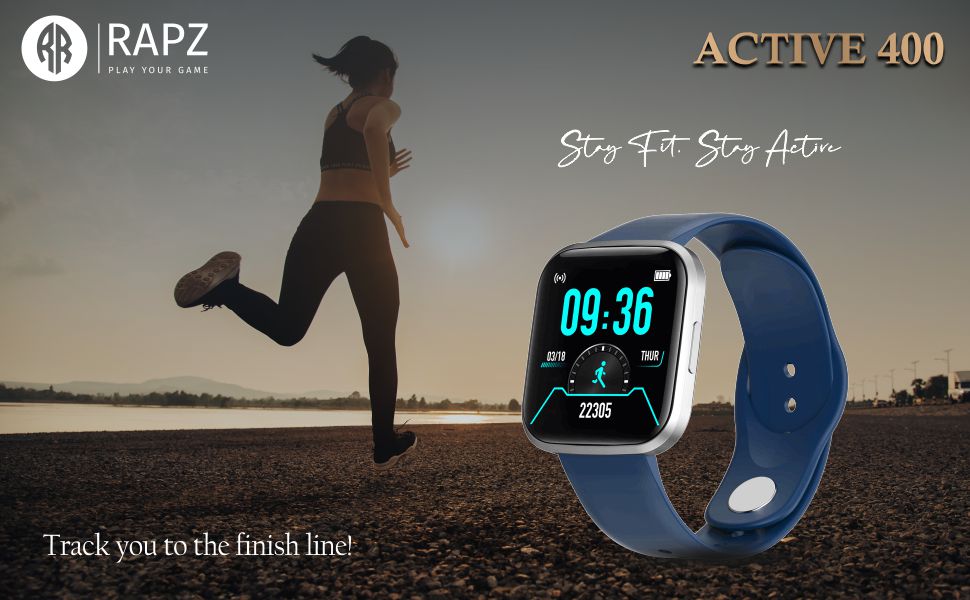
Image: The RAPZ Active 400 Smartwatch, emphasizing its fitness tracking capabilities.
Zomwe zili mu Bokosi
Chonde tsimikizirani kuti zinthu zonse zilipo mu phukusi lanu:
- RAPZ Active 400 Smartwatch
- Chingwe Cha Magnetic Chaja
- Buku la ogwiritsa (chikalatachi)
- Khadi la chitsimikizo
Kukhazikitsa Guide
1. Kulipiritsa Smartwatch
Before first use, fully charge your RAPZ Active 400 Smartwatch. Connect the magnetic charging cable to the charging pins on the back of the smartwatch and plug the USB end into a compatible power adapter (not included) or a computer's USB port.

Chithunzi: Kumbuyo view of the smartwatch, highlighting the magnetic charging contacts.
2. Pairing with Your Mobile Phone
- Onetsetsani kuti smartwatch yanu yayamba kugwira ntchito ndipo yayatsidwa.
- Download the companion application (e.g., 'RAPZ Connect' or similar, check packaging for exact app name) from your mobile phone's app store (Google Play Store for Android, Apple App Store for iOS).
- Yambitsani Bluetooth pa foni yanu yam'manja.
- Open the companion application and follow the on-screen instructions to search for and pair with your RAPZ Active 400 Smartwatch.
- Tsimikizani pempho logwirizanitsa pafoni yanu komanso pa wotchi yowonera pa intaneti.
Kugwiritsa ntchito Smartwatch
Basic Navigation
The RAPZ Active 400 features a responsive touchscreen display. Swipe left, right, up, or down to navigate through menus and access different functions. Press the side button to return to the home screen or wake the device.
Kusintha Nkhope Zowonera
Customize your smartwatch's appearance by changing the watch face. Long-press on the current watch face on the home screen, then swipe left or right to browse available options. Tap to select your preferred watch face.
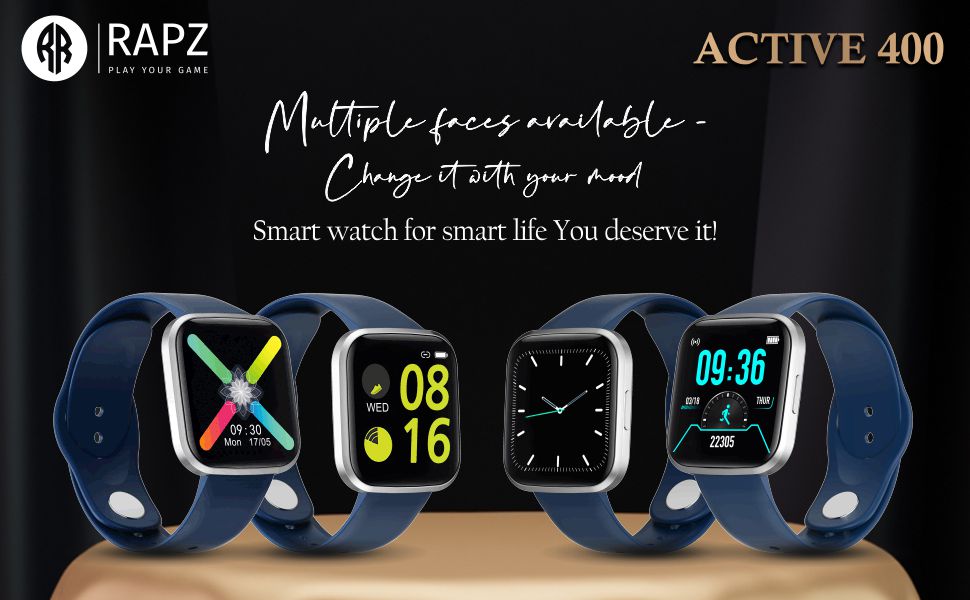
Chithunzi: Chiwonetsero cha smartwatchasing various customizable watch faces.
Bluetooth Direct Calling
With Bluetooth direct calling, you can make and receive calls directly from your smartwatch when connected to your phone. Access the dialer or call log from the smartwatch menu.
Image: The smartwatch highlighting its Bluetooth direct calling capability.
Zidziwitso Zanzeru
Receive notifications for calls, messages, and social media directly on your wrist. Ensure notification permissions are enabled in the companion app on your phone.
Sports Modes and Fitness Tracking
The smartwatch supports multiple sports modes to track your activities. Access the sports mode menu to select your desired activity (e.g., running, cycling) and monitor metrics like steps, distance, and calories burned. The device also provides sports data analysis to help you achieve your fitness goals.

Image: Icons representing various sports modes available on the smartwatch.
Image: The smartwatch screen showing fitness tracking data.
Email Ntchito
The smartwatch supports basic email notifications. Configure email alerts through the companion app to receive summaries or notifications on your wrist.
Kusamalira
Kuyeretsa Wotchi Yanu Yanzeru
To clean your smartwatch, gently wipe the screen and body with a soft, lint-free cloth. For stubborn smudges, slightly dampen nsalu ndi madzi. Pewani kugwiritsa ntchito mankhwala owopsa kapena zinthu zowononga.
Dust and Scratch Resistance
The RAPZ Active 400 is designed with resistance to dirt and scratches, making it suitable for outdoor activities. However, proper care is still recommended to maintain its appearance and functionality.
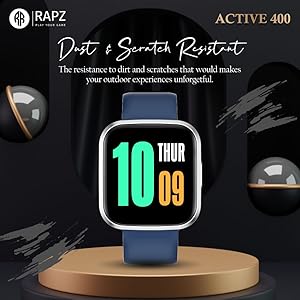
Image: The smartwatch highlighting its dust and scratch resistant properties.
Kusamalira Battery
To prolong battery life, avoid exposing the smartwatch to extreme temperatures. Charge the device regularly and avoid letting the battery completely drain for extended periods.
Kusaka zolakwika
- Wotchi yanzeru sikugwira ntchito: Ensure the device is fully charged. If it still doesn't turn on, try holding the side button for 10-15 seconds to force a restart.
- Simungagwirizane ndi foni: Make sure Bluetooth is enabled on your phone and the smartwatch. Restart both devices and try pairing again. Ensure the companion app is updated to the latest version.
- Zidziwitso sizikuwoneka: Check notification permissions in your phone's settings for the companion app. Also, verify that notifications are enabled within the app itself.
- Inaccurate fitness data: Ensure the smartwatch is worn snugly on your wrist. Calibrate the device through the companion app if available.
- Mavuto olipira: Check that the magnetic charging cable is properly aligned with the pins on the back of the smartwatch. Try a different USB power source.
Zofotokozera
| Mbali | Tsatanetsatane |
|---|---|
| Mtundu | Mtengo RAPZ |
| Dzina lachitsanzo | Active 400 |
| Wopanga | Simplight Develovement Limited |
| Miyeso Yazinthu | 4.3 x 4.01 x 1.14 masentimita; 140 g pa |
| Nambala Yachitsanzo Yachinthu | Active 400 |
| Opareting'i sisitimu | android |
| Kusamvana | 240 x230 pa |
| Zida Zogwirizana | Foni yam'manja |
| Zapadera | Imelo |
| Kuwonetsa Technology | LCD |
| Kuyimirira Screen Kuwonetsa Kukula | 1.28 mainchesi (Chinsalu chowoneka cha diagonal: 2" / 4 cm) |
| Mtundu Wopanda Waya | bulutufi |
| Mtundu Wolumikizira | Zopanda zingwe |
| Chiyankhulo cha Chipangizo - Choyambirira | Zenera logwira |
| Zakuthupi | Zina |
| Dziko lakochokera | India |
| Kulemera kwa chinthu | 140g pa |
| Tsiku Loyamba Likupezeka | Novembala 26, 2021 |
Chitsimikizo ndi Thandizo
Chidziwitso cha Chitsimikizo
Your RAPZ Active 400 Smartwatch comes with a warranty. Please refer to the included Warranty Card for detailed terms, conditions, and duration of the warranty period. Keep your purchase receipt as proof of purchase.
Thandizo la Makasitomala
For technical assistance, troubleshooting not covered in this manual, or warranty claims, please contact RAPZ customer support. Refer to the contact information provided on the Warranty Card or the official RAPZ webmalo.